Best Blog Platform in 2026: 9 Platforms Compared


Most bloggers, from hobby writers to growing publications · Starting price: $4 per month (Personal, billed annually)
How we put this together: we compare official feature and pricing pages, app store listings, privacy policies and public user reviews. Prices change, so check the provider's site before you pay.
Key takeaways
- WordPress.com is our pick for most bloggers because it pairs a free plan with a huge theme and plugin ecosystem.
- Ghost is the strongest choice for writers who want memberships and newsletters built into the same tool.
- If you want zero setup and zero cost, Blogger and Medium both let you publish for free, but you give up control over design and your own domain.
- For search visibility, look past the headline price and check whether you can edit titles, descriptions, URLs, and redirects without paying for a higher plan.
- Substack is free to start and only costs you money once readers pay you, which makes it the lowest-risk way to test a paid newsletter.
Quick comparison
| Name | Who it suits | Starting price | Free option | |
|---|---|---|---|---|
| WordPress.com | Most bloggers, from hobby writers to growing publications | $4 per month (Personal, billed annually) | Yes | Visit |
 Ghost Ghost | Writers building paid memberships and newsletters | See website | Free trial | Visit |
 Squarespace Squarespace | Bloggers who care most about how the site looks | $19 per month (Basic) | Free trial | Visit |
 Wix Wix | Beginners who want drag and drop editing | $17 per month (Light, billed annually) | Yes | Visit |
 Blogger Blogger | Hobby bloggers who want a free and simple home | Free | Yes | Visit |
 Medium Medium | Writers who want readers without building an audience from scratch | Free | Yes | Visit |
 Substack Substack | Newsletter-first writers and independent journalists | Free | Yes | Visit |
 Webflow Webflow | Designers and editorial teams building custom sites | $15 per month (Basic, billed annually) | Yes | Visit |
 Weebly Weebly | Small businesses that want a simple blog beside their site | See website | Yes | Visit |
The best blog platforms in 2026
WordPress.com
Who it suits: Most bloggers, from hobby writers to growing publications
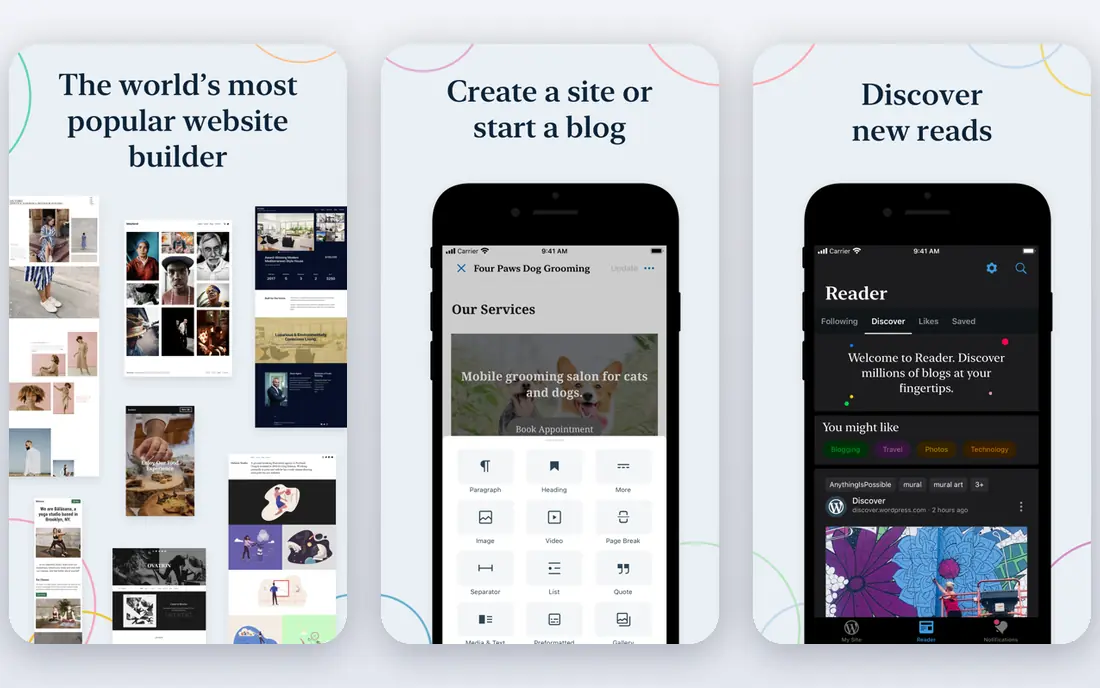
WordPress.com is the hosted version of WordPress, so you get the most widely used blogging software without renting a server or installing anything yourself. The free plan is genuinely usable for a personal blog, and the Personal plan adds a custom domain and removes WordPress.com ads. That low starting price is why it stays our default recommendation for most people.
The catch is the plan ladder. Lower plans limit what you can install and change, and the Business plan is the tier that behaves most like self-hosted WordPress. If you know you will want a specific plugin or a custom theme, check which plan permits it before you commit. For a straightforward blog with regular posts, categories, and pages, though, the cheaper plans cover the basics well.
- Huge theme and plugin ecosystem, free plan, custom domains on paid plans
- Plugin access and deeper customization sit behind higher-priced plans
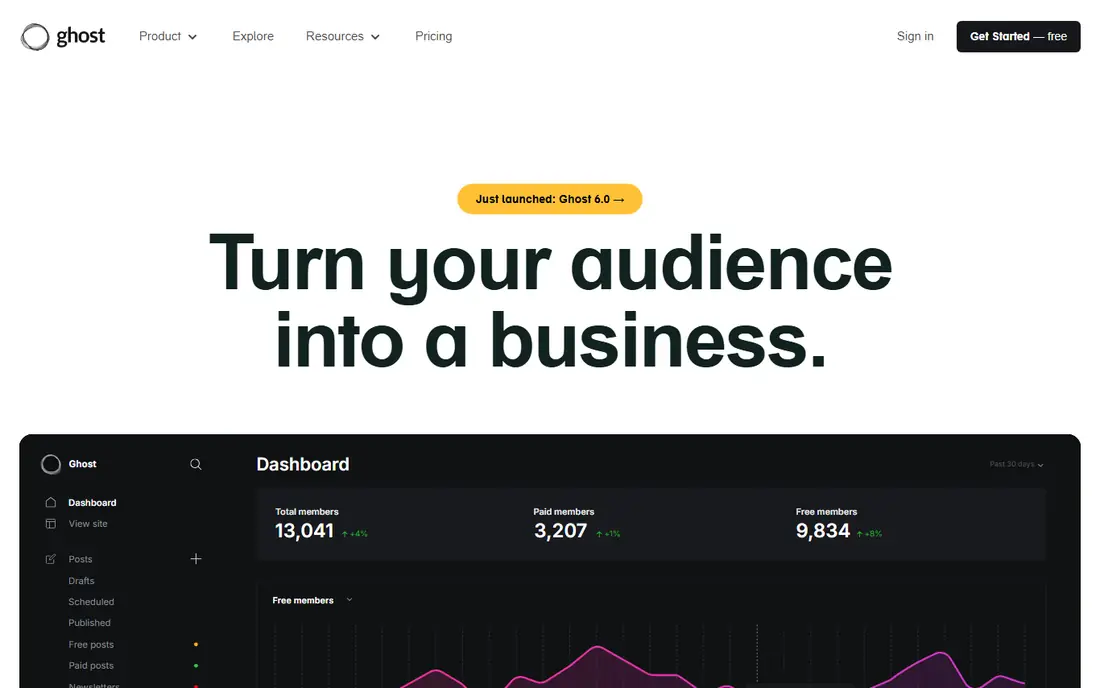
Ghost takes a different approach from the general website builders on this list. It is built around publishing, newsletters, and memberships in one product, so a post can go to your site and to subscriber inboxes at the same time. Paid subscriptions run through Stripe, and Ghost itself takes no cut of that revenue, which matters once a publication starts earning.
The trade-off is that the hosted service, Ghost(Pro), is priced by audience size, and the entry plan does not allow custom themes or paid subscriptions. You need a higher plan to charge readers or install a theme from the marketplace. Ghost suits writers who are serious about subscriptions and want one tool for the whole job.
- Newsletters and memberships built in, no platform fee on subscriptions, clean and fast publishing
- Starter plan limits themes and blocks paid subscriptions, pricing rises with member count
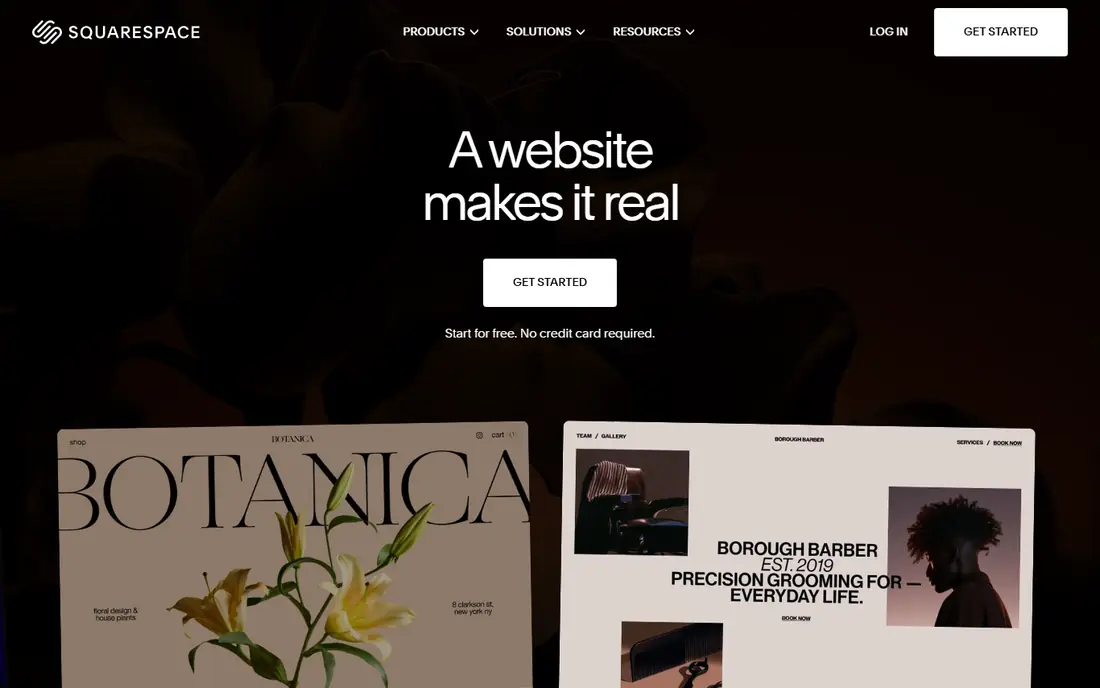
Squarespace has long been the design-first choice, and its templates still make a new blog look finished with very little effort. Blogging tools are built in, including categories, tags, scheduling, and author profiles, and every plan includes hosting, SSL, and built-in SEO settings such as editable titles and descriptions. A 14-day trial lets you build the whole site before paying.
There is no free tier beyond that trial, so Squarespace costs more than Blogger or Medium from day one. It also gives you less freedom than WordPress when you want a layout the templates do not offer. For a writer or small business that wants a beautiful blog attached to a wider site, and is happy to work within strong templates, that trade is easy to accept.
- Polished templates, built-in SEO controls, hosting and security included
- No permanent free plan, less flexible than WordPress for unusual layouts
Wix is a general website builder with a solid blog tool inside it, and that breadth is its main selling point. You can start from a template or an AI-generated draft, drag elements where you want them, and add pages, forms, and a store later without changing platforms. The blog supports categories, tags, scheduling, and multiple authors, and the built-in SEO checklist walks new bloggers through titles and descriptions.
The free plan is fine for learning the editor, but it shows Wix branding and keeps you on a Wix domain, so most bloggers will want the Light plan at least. Wix is less focused than Ghost or Substack if writing and subscriptions are the whole point. For someone who wants a blog plus a portfolio, bookings, or a small store in one place, it is a practical all-in-one choice.
- Very easy editor, large template library, free plan for testing
- Free plan shows Wix ads and uses a Wix domain, blog is one part of a much larger builder
Blogger is the oldest name on this list and the simplest to start. Sign in with a Google account, pick a template, and you can publish within minutes on a blogspot.com address or a custom domain you buy separately. Built-in stats show which posts get read, and AdSense integration is there if you want to run ads.
What you do not get is modern polish. Templates and the editor feel dated next to Squarespace or Wix, and Blogger has seen little visible development in recent years. That makes it a poor home for a publication you plan to grow into a business. For a personal journal, a family blog, or a first blog where cost and simplicity matter more than design, it still does the job with no bill at all.
- Completely free, easy Google account sign-in, built-in analytics and AdSense option
- Dated templates and editor, limited features, future development is uncertain
Medium
Who it suits: Writers who want readers without building an audience from scratch
Medium flips the usual blogging problem. Instead of building a site and then finding readers, you publish into a place where readers already browse, and recommendations can put a new writer in front of strangers. Publishing itself is free, the editor is clean, and stories look good without any design work. For an essay, a thought piece, or an occasional post, that is a strong offer.
The price is control. Your publication sits inside Medium, design options are narrow, and you cannot build the kind of membership business Ghost or Substack allow. A Medium membership exists for readers, but writers earn through the partner program rather than selling their own subscriptions directly. Use Medium to be read, and pair it with your own site or newsletter if you want to own the audience.
- Free to publish, built-in readership and recommendations, clean reading experience
- Limited design control, your publication lives on someone else's platform, monetization is limited
Substack is free to publish on no matter how large your list grows, and it only takes money when you do: 10 percent of paid subscription revenue, plus Stripe processing fees. That makes it the cheapest way to test whether readers will pay for your writing. Recommendations between publications and the app feed can also bring new subscribers without you running ads.
Design is deliberately simple, closer to an email than a website, and search optimization tools are thinner than on WordPress or Ghost. The 10 percent share also grows with your success, so a large paid publication may eventually pay less on a flat-fee platform. For writers whose main product is the newsletter itself, Substack remains hard to beat for getting started.
- Free to publish at any list size, built-in recommendations, you keep your mailing list and content
- 10 percent cut of paid subscriptions, limited site design, SEO tools are basic
Webflow is the most design-capable tool here. You build pages on a visual canvas with control over layout, typography, and interactions, and blog posts live in CMS collections with templates, so editors can publish without touching the design. SEO controls include editable titles, descriptions, canonical tags, and sitemaps, and the free Starter plan lets you learn the designer on a Webflow subdomain.
That power comes with a learning curve, and a real blog needs a CMS plan rather than the static Basic plan, so the true starting price for blogging is higher than the headline figure. Teams should also check workspace seat pricing, which is separate from site plans. Webflow is overkill for a personal diary, but for a brand-led editorial site where design is part of the story, it earns its price.
- Precise visual design control, CMS collections for structured blog content, clean code output
- Steeper learning curve, blog content needs a CMS plan, workspace seats are priced separately
Weebly, now part of Square, is a straightforward builder for people who want a website with a blog attached and do not want to learn a complex tool. The editor is simple, the free plan lets you publish on a Weebly subdomain, and the Square connection makes it easy to add selling and payments later.
Blogging features are more basic than on WordPress, Ghost, or even Wix, and the template range feels narrower than its bigger rivals. Weebly will not suit a publication with heavy editorial needs or a writer building a subscription business. As a low-friction home for a small business blog, though, it stays a sensible and cheap option.
- Simple drag and drop builder, free plan, now part of the Square suite for selling
- Fewer modern templates and features than Wix or Squarespace, blog tools are basic
How we picked these
We compared official feature pages, pricing pages, app-store listings, and public reviews for the leading blog platforms, and we kept only platforms that still let you publish a real blog in 2026. We looked at five things for each one: how easy it is to start, what the blog tools themselves cover, how much control you get over design and search settings, what the total cost looks like once you add a domain or a higher plan, and how easy it is to move your content away later. Platforms that are only newsletter tools or only store builders did not make the list unless blogging is a genuine part of the product.
We did not test every platform hands-on for this guide. Our comparisons rest on vendor documentation, pricing pages, and user reviews, and prices were checked against vendor sites and recent pricing coverage in October 2026. Prices change, and several vendors show different prices by region, so check the pricing page for your location before you buy.
What to look for in a blog platform
Start with the job, not the tool
A personal journal, a business blog, and a paid newsletter are different jobs, and the best platform for one can be a poor fit for another. A journal needs almost nothing beyond a free plan and a decent editor. A business blog needs a custom domain, clean URLs, and room to add pages and forms. A paid newsletter needs subscriptions, email delivery, and a way to keep your list if you leave. Write down which of those you actually need before comparing features.
Check the SEO basics on the plan you will pay for
Search visibility depends on details that some platforms gate behind higher plans. Before you commit, confirm that your plan lets you edit page titles and descriptions, set a custom URL for each post, add redirects when a URL changes, and connect a tool such as Google Search Console. A platform can look cheap until the plan that includes those basics costs twice as much.
Count the full cost, not the headline price
Free plans usually mean platform branding and a shared domain. Paid plans add a domain after the first year, and some platforms charge separately for email, extra seats, or removing transaction fees. Work out a two-year total for the setup you will actually run, including the domain renewal, and compare that figure across platforms rather than the monthly headline.
Think about leaving before you join
Every platform on this list lets you export posts in some form, but the quality of that export varies, and subscriber lists, comments, and design rarely move cleanly. If your audience is the asset, prefer a platform that exports both posts and subscribers in standard formats. That one check can save a painful migration later.
Try the editor before you pay
Blogging lives or dies on the writing experience, and no feature list captures it. Use the free plan or trial to draft two or three real posts, including images and links, and see whether the editor helps or gets in the way. A platform you enjoy opening is one you will still be publishing on in a year.
Frequently asked questions
What is the best blog platform for SEO?
WordPress.com is our top pick for search because it gives you control over titles, descriptions, URLs, and redirects, and a huge range of SEO plugins is available on higher plans. Ghost and Webflow also offer strong built-in SEO controls. The platform matters less than the content, though, so pick a tool you will publish on regularly.
What is the best free blog platform?
Blogger and Medium are both free to publish on, and WordPress.com, Wix, Substack, and Weebly all offer free plans. Blogger gives you the most traditional blog for no money, Medium gives you a built-in audience, and WordPress.com gives you the easiest upgrade path if the blog grows.
What is the best blog platform for beginners?
Wix and Squarespace are the easiest for beginners who want a good-looking site without code, while Blogger is the simplest of all if you only want to write. WordPress.com sits in the middle: easy to start, with much more room to grow than the others.
Is WordPress or Ghost better for a newsletter?
Ghost is better if newsletters and paid memberships are the core of your publication, since both are built into the product with no platform fee on subscriptions. WordPress.com can send newsletters through plugins and email tools, but it takes more setup to match what Ghost includes by default.
Can I move my blog to another platform later?
In most cases, yes, but the ease varies. WordPress and Ghost both export content in formats other tools can import, and Substack exports posts and subscriber lists. Design, comments, and some formatting rarely transfer cleanly, so check the export options of any platform before you build a large archive on it.
Should I use my own domain for a blog?
Yes, if the blog matters to you beyond a hobby. A custom domain looks more credible, survives a platform change, and keeps your search rankings tied to an address you control. Most paid plans include a free domain for the first year, and the renewal cost after that is usually modest.
Sources we checked (9)

Online Jobs is an independent blog about careers, online work, learning new skills and the tools that help people earn. More about us.
Keep reading
All posts
Surfshark Alternatives
Looking for Surfshark alternatives? We compare 8 VPN services on price, privacy, streaming, and device limits to help you find a VPN that fits your needs.
Spotify Alternatives
Looking for Spotify alternatives? We compare 8 music services on price, sound quality, free tiers, and catalogs to help you find a good alternative to Spotify.
NordPass Alternatives
We compared NordPass alternatives for families, solo users and teams, checking pricing, free plans, passkeys and sharing, so you can switch safely today.