Best Bible Study Apps in 2026: 8 Products Compared

Free daily reading and plans · Starting price: Free
How we put this together: we compare official feature and pricing pages, app store listings, privacy policies and public user reviews. Prices change, so check the provider's site before you pay.
Key takeaways
- YouVersion leads for free daily reading and plans, while Logos and Accordance lead for deep study with commentaries and original language tools.
- Olive Tree and Blue Letter Bible offer strong study value without a large library purchase, especially for offline reading and word studies.
- Bible Gateway is best for quick lookups across many translations, and Dwell is best for audio-first listening.
- The best app depends on whether you want daily devotion, sermon preparation, or academic study, so pick by that job first.
Quick comparison
| Name | Who it suits | Starting price | Free option | |
|---|---|---|---|---|
| YouVersion Bible App | Free daily reading and plans | Free | Yes | Visit |
 Logos Bible Logos Bible | Deep study and sermon prep | Free | Yes | Visit |
 Olive Tree Bible App Olive Tree Bible App | Offline study on mobile | Free | Yes | Visit |
 Blue Letter Bible Blue Letter Bible | Free word studies | Free | Yes | Visit |
 Bible Gateway Bible Gateway | Quick translation lookups | Free | Yes | Visit |
 Accordance Accordance | Scholarly original language study | See website | Free trial | Visit |
 Dwell Dwell | Audio Bible listening | See website | Free trial | Visit |
 Life Bible App Life Bible App | Modular study library | Free | Yes | Visit |
The best bible study apps
We compared official feature pages, pricing pages, app store listings, and public reviews to find Bible study apps that serve different readers, from new believers to pastors and students.

YouVersion is the most widely used Bible app for daily reading, and its strength is habit. You can read in many translations, listen to audio, follow a reading plan, and share progress with friends in a plan group. The app stays free, with no ads or in-app purchases described on its official pages, which makes it easy to recommend to a new reader without a cost discussion.
The limit is depth. YouVersion is excellent for reading, devotion, and daily plans, but it does not offer the same commentary library, original language tools, or sermon preparation workflow as Logos or Accordance. That is not a flaw, it is a different job. If your main goal is to read every day and stay consistent, YouVersion is the best starting point in this list.
- Free with many translations and plans
- Audio and offline reading
- Plans with friends
- Study tools are lighter than Logos
- Library purchases are not the focus
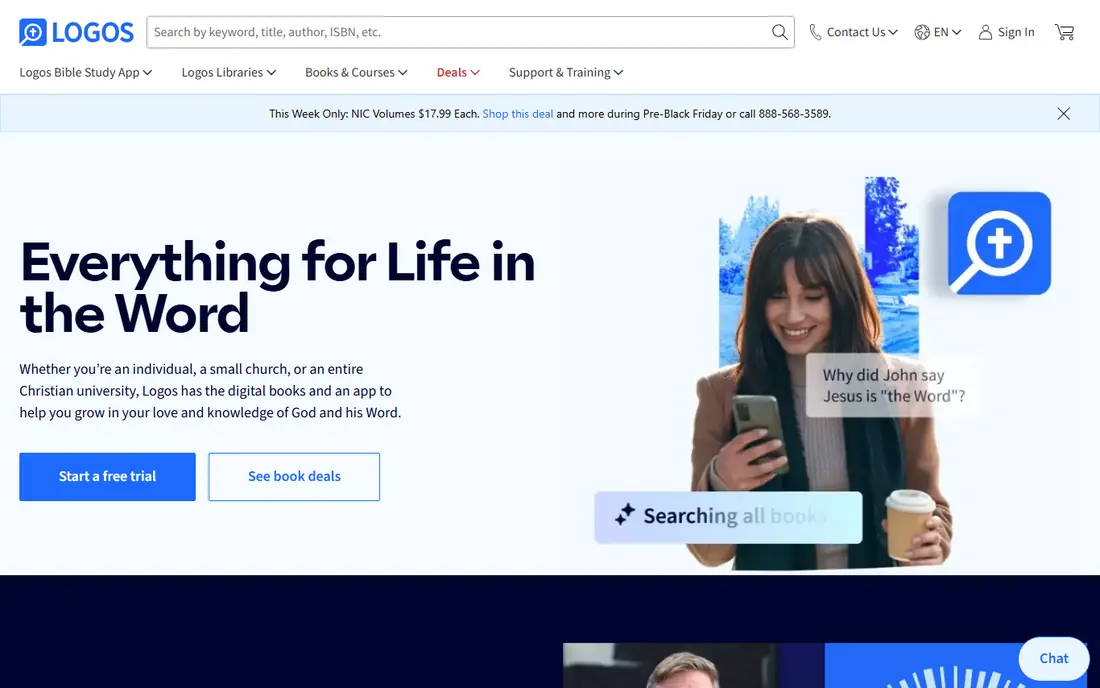
Logos is the deep study pick for pastors, teachers, and serious students. Its base app is free to start, and paid libraries add commentaries, lexicons, and study resources that link together. A passage guide can pull commentaries, cross-references, and original language data for a text in one view, which saves hours of manual lookup during sermon preparation or academic study.
Cost and complexity are the honest catches. The free reader is useful, but the full value comes from paid libraries or subscriptions, and the range of packages can feel confusing at first. Logos is best when you study often, prepare talks or lessons, and want one library that works on phone, tablet, and computer. Start free, learn the passage guide, and add resources only for the books and topics you study most.
- Large library of commentaries and resources
- Passage guides and original language tools
- Sync across devices
- Paid libraries and subscriptions add up
- Learning curve for new users
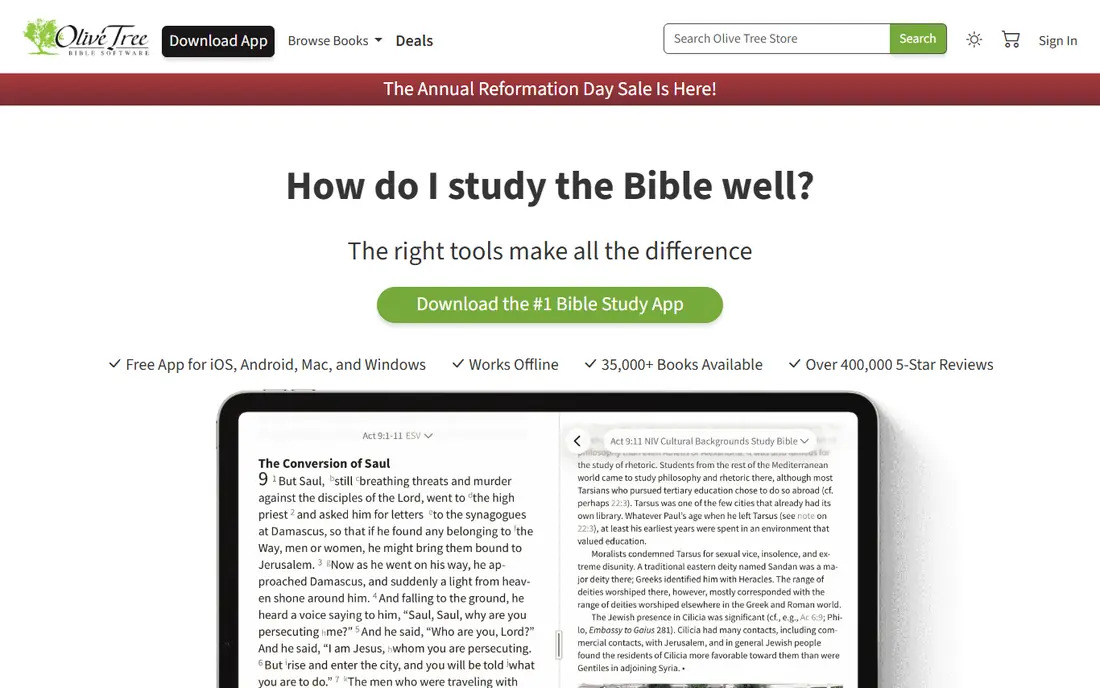
Olive Tree balances clean reading with practical study tools, and it is especially strong on mobile. You can read with a commentary or study notes beside the text, take notes, highlight, and sync across devices, and owned resources work offline. That makes Olive Tree a good fit for personal devotion, small group preparation, and travel, where internet access may be limited.
Olive Tree does not match Logos on library size or academic depth, and its desktop experience is less central than its mobile app. For many readers, that trade is worth it, because the mobile experience is fast and focused. Buy individual resources you will actually use, rather than a large bundle, and Olive Tree stays affordable while still giving you real study depth.
- Clean mobile reading
- Split-screen study and notes
- Offline access to owned resources
- Desktop experience is lighter
- Library costs vary by resource
Blue Letter Bible is the best free route into original language study. You can look up a word, see its Greek or Hebrew root, check a concordance, and read commentaries alongside the text, all without paying for a library. That makes it a strong choice for students, small group leaders, and curious readers who want to understand what a word meant in its original context.
The interface is more functional than polished, and it feels closer to a reference site than to a modern reading app. That may not matter if your goal is word study rather than daily reading beauty. Use Blue Letter Bible for word studies and cross-checks, and pair it with YouVersion for daily reading, and you get a strong free study setup.
- Free Greek and Hebrew tools
- Concordance and commentaries
- Interlinear texts
- Interface feels more like a study site
- Mobile app is simpler than Logos
Bible Gateway is best for quick answers. If you want to compare how a verse reads in several translations, find a passage fast, or check a reading plan, Bible Gateway does that in a browser or app without a large download or library purchase. Its range of translations and its search make it useful for pastors, students, and group leaders who need a reliable reference during preparation.
Bible Gateway is not a full study library in the Logos sense. Commentaries, original language depth, and offline library features are more limited, and some advanced features sit behind a paid plan. For quick lookup, comparison, and daily reading, it is excellent. For deep library study, pair it with Logos, Olive Tree, or Blue Letter Bible.
- Many translations in one place
- Fast verse lookup
- Reading plans and devotionals
- Study tools are lighter than dedicated apps
- Some features need a paid plan
Accordance is the scholar's pick in this list, known for original language search and precise research tools. Students and academics who work in Greek and Hebrew daily often prefer Accordance for its search speed, grammar tools, and ability to work across a large library with detailed queries. That precision matters when a research question depends on a specific form, root, or grammatical pattern.
The learning curve is real, and Accordance feels more like a research tool than a casual reading app. New users should expect time to learn search syntax and layout options. If you preach or teach weekly and need reliable original language work, Accordance is worth that learning time. If you mainly want daily reading, YouVersion or Olive Tree will feel simpler.
- Strong original language search
- Fast and precise tools
- Permanent license options described on its site
- Learning curve
- Mac-first history can feel different on other platforms
Dwell is built for listeners. Professional narration, background music options, playlists, and listening plans make Scripture easy to hear during a commute, a walk, or a morning routine. You can control narration speed, set a sleep timer, and build a listening plan that fits your day, which helps people who learn better by hearing than by reading on a screen.
Dwell is not a text study library. It does not replace commentaries or original language tools, and full access needs a subscription. For audio-first readers, that trade is clear and worthwhile. Use Dwell for listening and daily immersion, and keep YouVersion or Olive Tree for text study and notes, and you cover both ways of engaging with Scripture.
- Polished audio narration
- Playlists and listening plans
- Sleep timer and speed controls
- Audio-first, so text study tools are limited
- Subscription needed for full access
Life Bible App, formerly Tecarta Bible, offers a modular approach to study. The app itself is free to start, and you can add Bibles, commentaries, and study resources as needed, rather than buying a large bundle at once. Notes, highlights, and offline reading support personal study and small group preparation, and the modular model keeps costs tied to what you actually read.
The modular model also means quality and depth vary by resource, so check each purchase before you buy. Life Bible App does not match Logos on linked library depth, but it gives a flexible middle path between free reading and a large study purchase. For readers who want to build a library slowly, one book at a time, it is a practical choice.
- Modular Bibles and commentaries to buy as needed
- Offline reading
- Notes and highlights
- Library quality varies by resource
- Interface is simpler than Logos
How we picked these
We compared official feature pages, pricing pages, app store listings, and public reviews for apps that serve different study jobs. We favored apps that are available today, that cover reading, audio, word study, or library study, and that represent both widely used leaders and strong smaller options. We did not state user counts or market share figures that we could not verify on an official page, and we described benefits and features in general terms where a vendor page did not give a precise figure. We did not claim hands-on testing, and we did not treat popularity alone as proof of study depth.
How to choose a Bible study app
Start with how you study most. If you read daily and want plans and community, start with YouVersion. If you listen on the go, start with Dwell. If you prepare sermons or lessons, start with Logos or Olive Tree. If you want to understand original words, add Blue Letter Bible. Most readers do well with two apps: one for daily reading and one for study, rather than trying to force one app to do every job.
Next, check translations and offline access. Make sure your preferred translation is available, that audio is available if you listen, and that owned resources work offline if you travel or have limited data. Check note sync too, because notes that only live on one phone are easy to lose. Test highlight, note, and search on your actual device before you buy a library.
Finally, think about cost over a year. Free apps cover reading and basic study well. Paid libraries pay off only if you use them weekly for preparation or academic work. Buy one commentary or resource set, use it for a month, and only then add more. A small library you use deeply beats a large library you never open.
Study habits that help any app
Set a regular time and a short plan, rather than an ambitious plan you abandon in week two. Use highlights and notes sparingly, so they stay useful when you return to a passage. Compare two translations when a verse is unclear, and check a word study only when the meaning changes your understanding. These habits matter more than which app you pick.
When to use more than one app
Use more than one app when your jobs differ. A daily reading app, a word study tool, and an audio app can work together without conflict, as long as you keep notes in one main place. Avoid buying the same commentary in two apps, and avoid running two large libraries at once, since that splits your notes and costs more for little gain.
Frequently asked questions
What is the best Bible study app for beginners?
YouVersion is best for beginners because it is free, simple, and full of reading plans. Bible Gateway is also good for quick lookups. Start with daily reading for a few weeks, then add a study app such as Olive Tree or Blue Letter Bible when you want deeper notes and word studies.
Which Bible study app has the most translations?
YouVersion and Bible Gateway both offer a wide range of translations, with YouVersion often cited for its broad translation list in many languages. Check your preferred translation on the official app page before you commit, since availability varies by language and region.
Is Logos worth paying for?
Logos is worth paying for if you preach, teach, or study weekly and use commentaries, passage guides, and original language tools often. If you mainly read daily, the free reader or a free app such as YouVersion and Blue Letter Bible may be enough. Start free and add paid resources only for topics you study regularly.
What is the best free Bible study app?
YouVersion and Blue Letter Bible are the strongest free options, with YouVersion leading for reading and plans and Blue Letter Bible leading for free word studies. Olive Tree also starts free and lets you add resources as needed. A free combination often covers reading, plans, and word study without any purchase.
Can I study the Bible offline with these apps?
Yes, in most cases for owned or downloaded content. YouVersion, Olive Tree, Life Bible App, and Dwell offer offline reading or listening for downloaded material. Check offline limits for your translation and plan, since some audio and library features need an initial download while you have internet access.
Which app is best for audio Bible listening?
Dwell is best for audio-first listening because of its narration quality, playlists, and listening controls. YouVersion also offers audio Bibles for many translations at no cost. If you listen daily, test both and keep the one whose voices and controls you prefer.
Sources we checked (8)

Online Jobs is an independent blog about careers, online work, learning new skills and the tools that help people earn. More about us.
Keep reading
All posts
Zoom Alternatives
Zoom alternatives compared for 2026: Google Meet, Microsoft Teams, Webex, Jitsi and more for free calls, large meetings and webinars for teams and classrooms.

Workday Alternatives
We compared the best workday alternatives for HR, payroll, and global hiring, from BambooHR and Gusto to Rippling, Deel, and HiBob for growing teams in 2026.

WordPress Alternatives
WordPress alternatives guide: we compare 8 platforms for builders, designers, stores, and publishers to leave WordPress without losing your full site content.