Best Bible Study App in 2026: 8 Apps Compared

Daily reading plans and community reading · Starting price: Free
How we put this together: we compare official feature and pricing pages, app store listings, privacy policies and public user reviews. Prices change, so check the provider's site before you pay.
Key takeaways
- YouVersion remains the simplest free starting point for daily reading plans, friends, and a very large library of translations.
- Logos and Olive Tree suit deeper study, with commentaries, word tools, and libraries that grow through paid resources.
- Blue Letter Bible is the strongest free option for original-language word study, concordance work, and commentaries.
- Dwell, Glorify, and Abide focus more on listening, prayer, and short daily devotionals than on reference study.
- Bible Gateway works well on the web and in the app for quick passage lookup across many translations.
Quick comparison
| Name | Who it suits | Starting price | Free option | |
|---|---|---|---|---|
| YouVersion Bible App | Daily reading plans and community reading | Free | Yes | Visit |
 Logos Bible Study | Serious study libraries and teaching preparation | Free | Yes | Visit |
 Olive Tree Bible | Offline study with purchased resources | Free | Yes | Visit |
 Blue Letter Bible | Original-language word study for free | Free | Yes | Visit |
 Bible Gateway | Quick passage lookup across translations | Free | Yes | Visit |
 Dwell | Listening to the Bible with quality narration | See website | Free trial | Visit |
 Glorify | Short daily devotionals and prayer routines | See website | Free trial | Visit |
 Abide | Guided prayer, meditation, and sleep content | See website | Free trial | Visit |
The best bible study apps
A good Bible app should match how you actually read. Some people want a short plan each morning, while others want to compare translations, check a Greek word, or listen during a commute. The eight apps below cover those different habits, and most of them cost nothing to start.
YouVersion Bible App
Who it suits: Daily reading plans and community reading
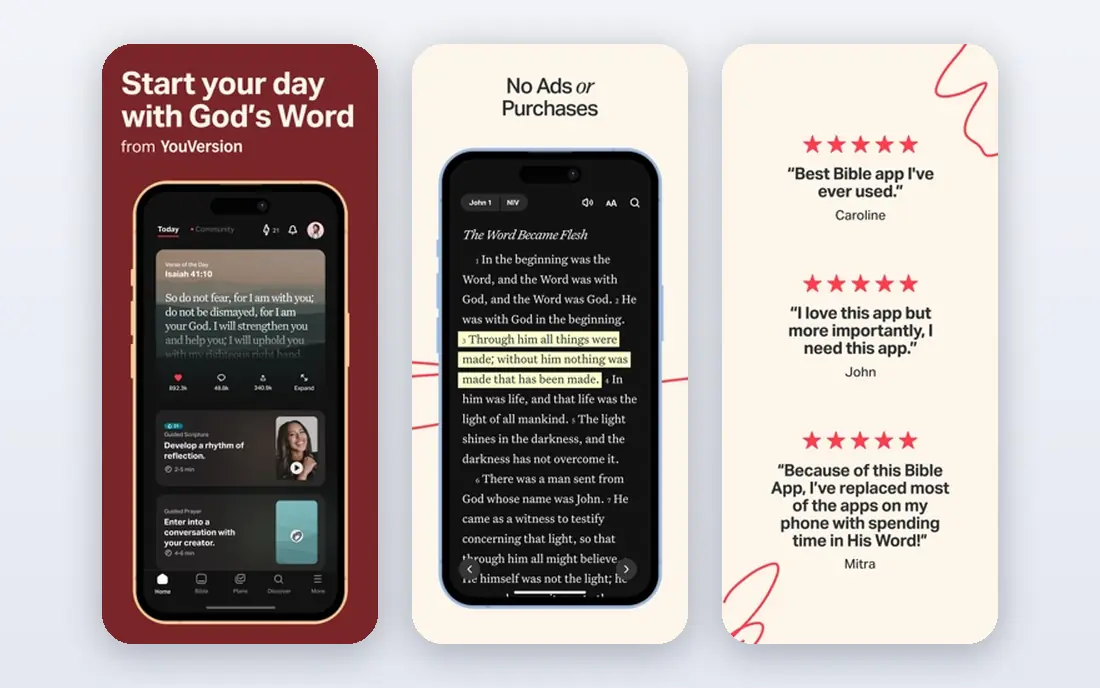
YouVersion is the app we would hand to most people first. It is free, it works on phones, tablets, and the web, and it makes a daily reading habit easy to keep. You can pick a plan by topic or by book, read with friends, highlight verses, and add short notes without paying for anything.
The breadth of translations is a real strength. Readers can compare wording across versions, switch to audio for many translations, and find plans for new readers, parents, and people working through the whole Bible. The app also includes a kids version through a separate app, which helps families keep reading together.
The honest catch is depth. YouVersion is excellent for reading and for staying consistent, but it is not built as a research library. If you want a commentary beside every verse, detailed word studies, or a large shelf of reference books, pair it with Blue Letter Bible or move to Olive Tree or Logos for study sessions.
- Very large translation library
- Thousands of reading plans
- Friends, highlights, and notes in one place
- Fewer advanced study tools than Logos or Olive Tree
- Plans can feel light for academic study
Logos Bible Study
Who it suits: Serious study libraries and teaching preparation
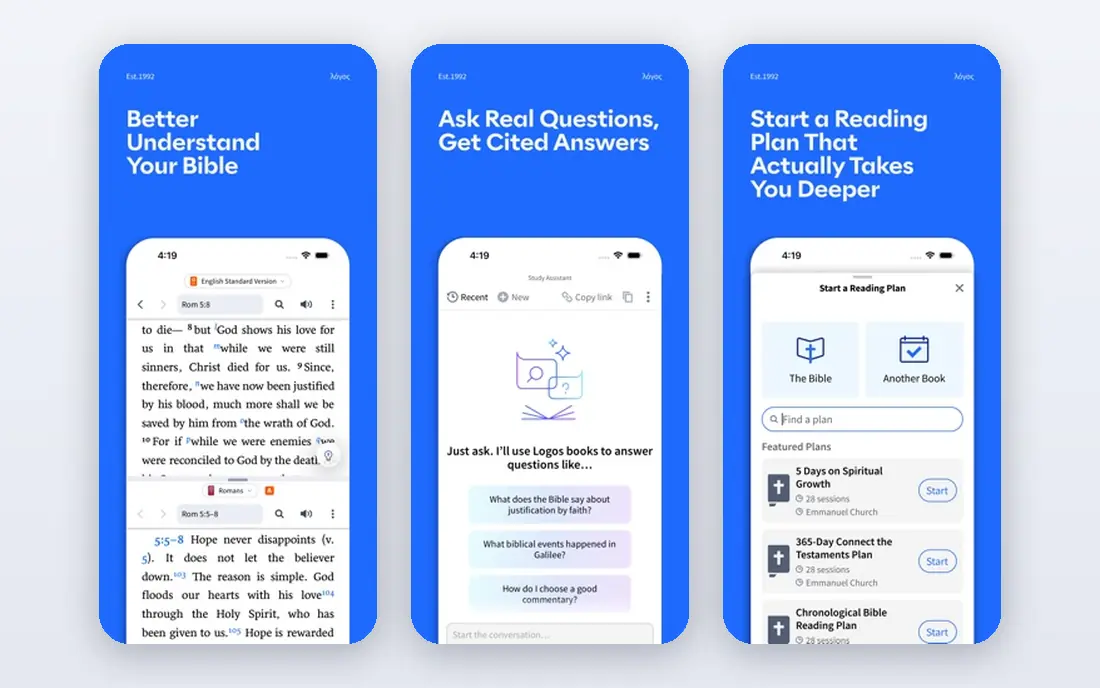
Logos is built for people who study in earnest. Its library links Bibles, commentaries, dictionaries, and original-language tools so a tap on a verse can open related resources. Search covers the whole library at once, which saves a lot of time when you are preparing a talk, a lesson, or a paper.
The free base app is a fair way to test the approach before spending money. You can read, search, and use core tools, then add books or a subscription only if your study needs them. That staged path matters, because a large Logos library is an investment, not a casual purchase.
The trade-off is complexity. New users may find the interface busy, and the best features sit behind paid resources. If you mainly want a daily plan, YouVersion will feel simpler. If you teach, preach, or write about Scripture often, Logos repays the learning time.
- Deep linked library of Bibles, commentaries, and reference works
- Strong search across resources
- Good for sermon and lesson preparation
- Paid libraries and subscriptions can get expensive
- The full system takes time to learn
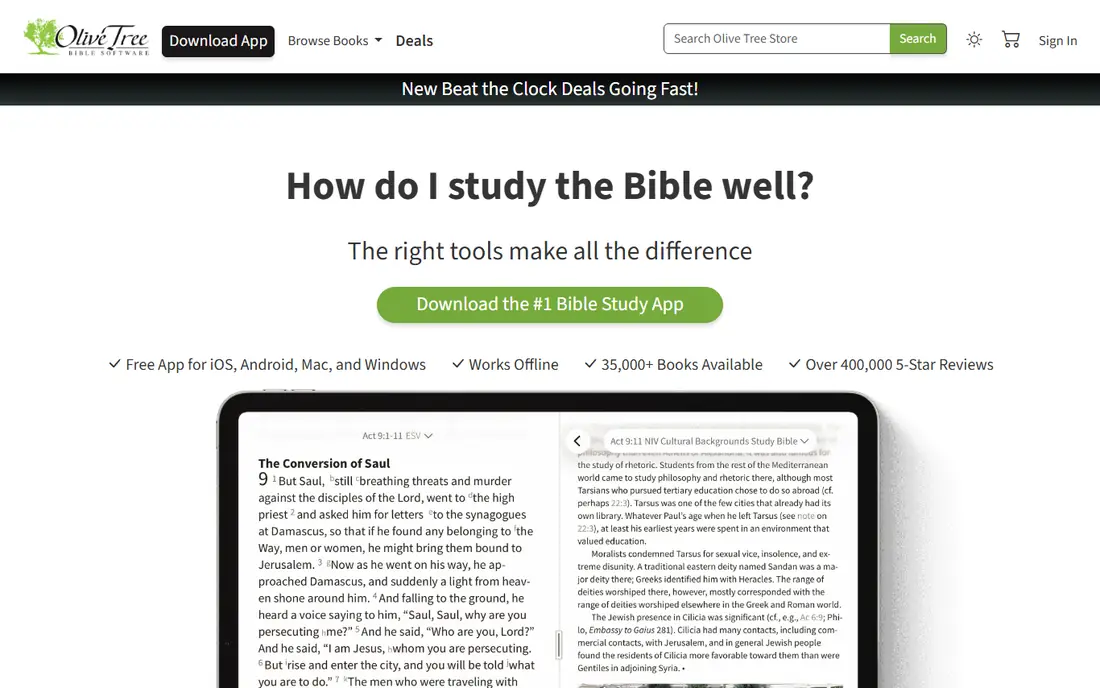
Olive Tree sits between a simple reading app and a full research platform. The split-screen view is the feature that sells it for many readers, because you can keep a translation open on one side and a commentary, study Bible, or set of notes on the other. That layout works well on a tablet and stays usable on a phone.
Offline access is another practical strength. Once you download a Bible or a resource, you can study without a connection, which helps on flights, in rural areas, or anywhere the signal is weak. Notes sync across devices, and purchased resources stay in your library.
The store is the main weakness. There are many bundles and frequent sales, and it takes care to avoid buying overlapping books. Olive Tree also has little in the way of social reading. For solo study, though, it is a calm, focused tool.
- Split-screen reading with a commentary beside the text
- Resources download for offline use
- You keep purchased books
- The store can feel crowded
- Serious libraries add up in cost
- Community features are limited
Blue Letter Bible is the quiet workhorse of this list. It gives away tools that other platforms charge for, including word studies, Strong numbers, interlinear text, lexicons, and a solid set of commentaries. For a reader who asks what a Hebrew or Greek word meant in context, this is the first free place to look.
The site and app are straightforward rather than beautiful. Navigation is plain, and the reading experience is less inviting than YouVersion or Dwell. That is a fair trade for the depth on offer, and many serious readers keep Blue Letter Bible open beside their main reading app.
If cost is the deciding factor, this app changes the math. You can do real study, check cross-references, and read commentaries without a subscription. Use it for study sessions, and keep a simpler app for daily plans.
- Strong concordance, interlinear, and lexicon tools at no cost
- Many commentaries included
- Clear cross-references
- The design feels dated next to newer apps
- Reading plans are less polished than YouVersion
Bible Gateway is best thought of as a fast reference shelf. Type a passage, pick a translation, and compare wording in seconds. That speed makes it useful for checking a verse during a discussion, preparing a reading, or finding a passage you half remember.
The free tier covers most everyday lookup needs. Audio helps for listening to a chapter, and the website works well when you do not want to install another app. A paid Plus plan adds study resources, but casual readers may never need it.
The limit is depth. Bible Gateway does not try to be a full study library, and its note and plan tools are modest. For quick lookup, it is hard to beat. For a long study project, Logos, Olive Tree, or Blue Letter Bible will give you more to work with.
- Fast passage search on the web and in the app
- Many translations in one place
- Audio for many versions
- Some study resources sit behind a paid Plus plan
- The app is simpler than Logos or Olive Tree
Dwell is made for ears first. Instead of treating audio as an extra, it builds the whole experience around listening, with different voices, background music options, and plans that move through books at a steady pace. That focus shows in playback, where it is easy to pause, replay a section, and pick up where you left off.
For commuters, walkers, and people who find reading on a screen tiring, Dwell can turn dead time into reading time. Listening also helps some readers notice the shape of a longer passage, since they hear it in one sitting rather than in short visual chunks.
The catch is price and scope. Full access requires a subscription, and Dwell is not a commentary library. Treat it as a listening companion to a reading or study app, not as a replacement for one, and check the current plan on the vendor site before you subscribe.
- Narration-first design with multiple voices
- Listening plans that fit commutes and workouts
- Clean playback controls
- Paid subscription needed for full access
- Weaker than Logos for written study tools
Glorify suits readers who want a guided start to the day rather than an open-ended study session. Each day brings a short devotional, prayer prompts, and worship music in a calm layout that is easy to follow before work or school. The structure removes the daily decision about what to read next.
That guidance is also the limit. Glorify does not offer the commentary shelf or word tools of the study apps on this list. Readers who want to dig into a passage will still need another tool for that part of the week.
If your main goal is consistency, Glorify is a strong pick. A short, guided routine is easier to keep than a long, unguided one, and the app is built around that simple idea.
- Guided daily worship, devotionals, and prayer prompts
- Calm, focused design
- Good for building a morning routine
- Full content needs a subscription
- Limited deep study tools
Abide focuses on guided prayer and rest. Sessions walk listeners through a passage, a short reflection, and quiet prayer, and the sleep content uses Scripture themes to help people wind down at night. For readers who struggle to quiet their minds before bed, that format can be more useful than another reading plan.
The app covers topics such as stress, anxiety, sleep, and gratitude, which makes it easy to pick a session that fits the moment. Playback is simple, and sessions are short enough to fit into a lunch break or a bedtime routine.
Abide is not a study app, and it does not try to be one. Pair it with a reading app for the text itself, and use Abide for guided prayer and rest. Check the current subscription terms on the vendor site, since free content is limited.
- Guided Christian meditation and prayer sessions
- Sleep stories with Scripture themes
- Topics for stress, sleep, and daily calm
- Subscription needed for full library
- Not a Bible study reference tool
How we picked these
We compared official feature pages, pricing pages, app store listings, and public reviews for apps that are still available and working in October 2026. We favored apps with a clear purpose, a usable free tier or trial, and a track record of regular updates. We left out apps that had shut down, apps with no clear official homepage, and apps that only offered a single translation with no study or plan features.
What to look for before you choose
Start with your habit, not the feature list. If you read for ten minutes each morning, a plan app with reminders will help more than a large library you never open. If you teach or write, spend the extra time on a study app with commentaries and word tools, even if the interface takes a week to learn.
Check the free tier carefully. Some apps are fully free, while others offer a short trial and then a subscription. Try the free version for a week, test offline reading if you travel, and see whether notes and highlights sync to your other devices. A small point matters here: two apps can work better than one, with a simple app for daily reading and a deeper app for weekend study.
Think about audio too. If you listen more than you read, a narration app may do more for your habit than any study feature. Finally, look at the translation list. The best app for you is the one that offers the translation you trust, in a layout you enjoy opening each day.
Frequently asked questions
What is the best bible app for daily reading?
YouVersion is our pick for most daily readers, because it is free, offers many reading plans, and works across phones, tablets, and the web. Bible Gateway is a good second choice for quick web lookup, and Glorify suits readers who prefer a guided devotional each morning.
What is the best bible study app for deep study?
Logos suits teachers and preachers who want a large linked library, while Olive Tree is a lighter, more affordable path to split-screen study with purchased resources. Blue Letter Bible is the best free option for original-language work, with concordance and lexicon tools at no cost.
What is the best bible app for reading the bible with a plan?
YouVersion has the widest range of plans, from short topical plans to full-year plans, and it lets friends read the same plan together. Dwell offers listening plans for people who prefer audio, and Bible Gateway offers plans on the web for readers who do not want another app.
Is there a good free bible app for study?
Yes. Blue Letter Bible and YouVersion are both free and cover reading, plans, and study tools at different depths. Olive Tree and Logos also offer free base apps, with paid books available if you want a larger library later.
Which bible app is best for listening?
Dwell is built around narration, with multiple voices and listening plans. YouVersion and Bible Gateway also offer audio for many translations at no cost, which is enough for many listeners who do not want a separate subscription.
What is the best daily scripture app for a short morning routine?
Glorify and Abide both offer short guided sessions, with Glorify leaning toward devotionals and prayer and Abide leaning toward guided prayer and sleep. YouVersion also offers a daily verse and short plans for readers who want something even simpler.
Sources we checked (8)

Online Jobs is an independent blog about careers, online work, learning new skills and the tools that help people earn. More about us.
Keep reading
All posts
n8n Alternatives
n8n alternatives compared for 2026, with Zapier, Make, Activepieces, and more, covering visual builders, code steps, self-hosting, and pricing models.

eBay Alternatives
Looking for ebay alternatives? We compared 9 marketplaces for sellers on fees, buyer reach, categories and ease of listing, to help you sell with confidence.

ZoomInfo Alternatives
The best ZoomInfo alternatives in 2026, compared on price, free plans, data coverage, and which tool fits small teams or large sales teams best in detail.