Best Apps to Edit Saree Color to Blue in 2026: 8 Tools Compared

How we put this together: we compare official feature and pricing pages, app store listings, privacy policies and public user reviews. Prices change, so check the provider's site before you pay.
Key takeaways
- The best results come from masking the saree first, then shifting its hue, rather than applying a global color filter to the whole photo.
- Lightroom and Photoshop Express give the most control over hue, saturation, and luminance for a single garment color.
- PicsArt, YouCam Perfect, and Facetune are faster for quick social edits, with brush and AI selection tools that suit a single photo.
- Solid, evenly lit sarees recolor cleanly, while busy patterns, shadows, and mixed fabrics need careful masking and patience.
Quick comparison
| Name | Who it suits | Starting price | Free option | |
|---|---|---|---|---|
 Adobe Lightroom | Precise color control | See website | Free trial | Visit |
 Adobe Photoshop Express | Quick selective edits | Free | Yes | Visit |
 PicsArt | Fast AI selection and recolor | Free | Yes | Visit |
 YouCam Perfect | Portrait and garment edits | Free | Yes | Visit |
 Facetune | Detailed brush recoloring | See website | Free trial | Visit |
 PhotoRoom | Clean subject selection | Free | Yes | Visit |
 Fotor | HSL and selective color | Free | Yes | Visit |
 Canva | Simple recolor and design | Free | Yes | Visit |
The best apps to edit saree color to blue
We compared photo editors with recolor or color-change tools suited to changing a garment color in a photo, not generic filters. The test was practical: can the app select the saree, shift its color toward blue, and leave skin, jewelry, and the background looking natural? The best tools give you masking, hue controls, and a way to fix edges.
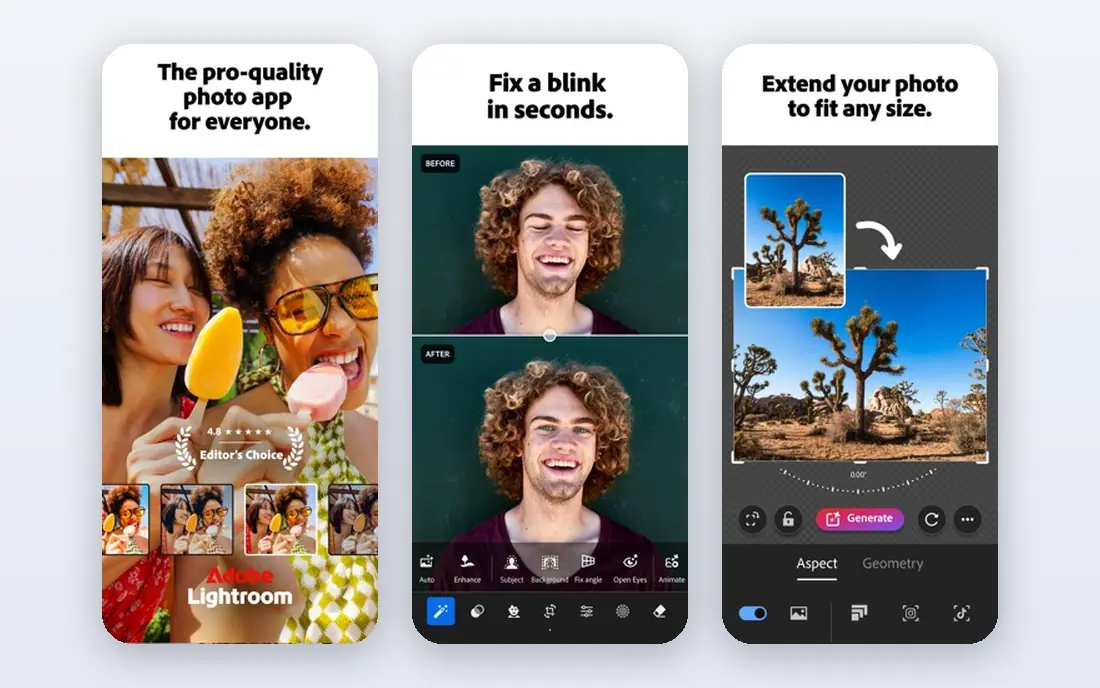
Lightroom is the control-first choice for changing a saree to blue. Its hue, saturation, and luminance controls let you shift a specific color range, and its masking tools let you limit that shift to the saree rather than the whole photo. That combination matters, because a global hue shift would also change skin tones, the background, and any other garment in the frame.
The workflow takes a few minutes: mask the saree, refine the edges, then adjust hue toward blue and tune saturation so the fabric still looks like fabric rather than a flat blue shape. Shadows and highlights need care, since a single blue can look painted on if the original shading is lost. Check the current plan on the Adobe site, and use the free tools first to see whether the masking flow suits you.
- Strong HSL controls
- Masking for a garment
- Non-destructive edits
- Full features need a subscription
- Masking takes practice at first
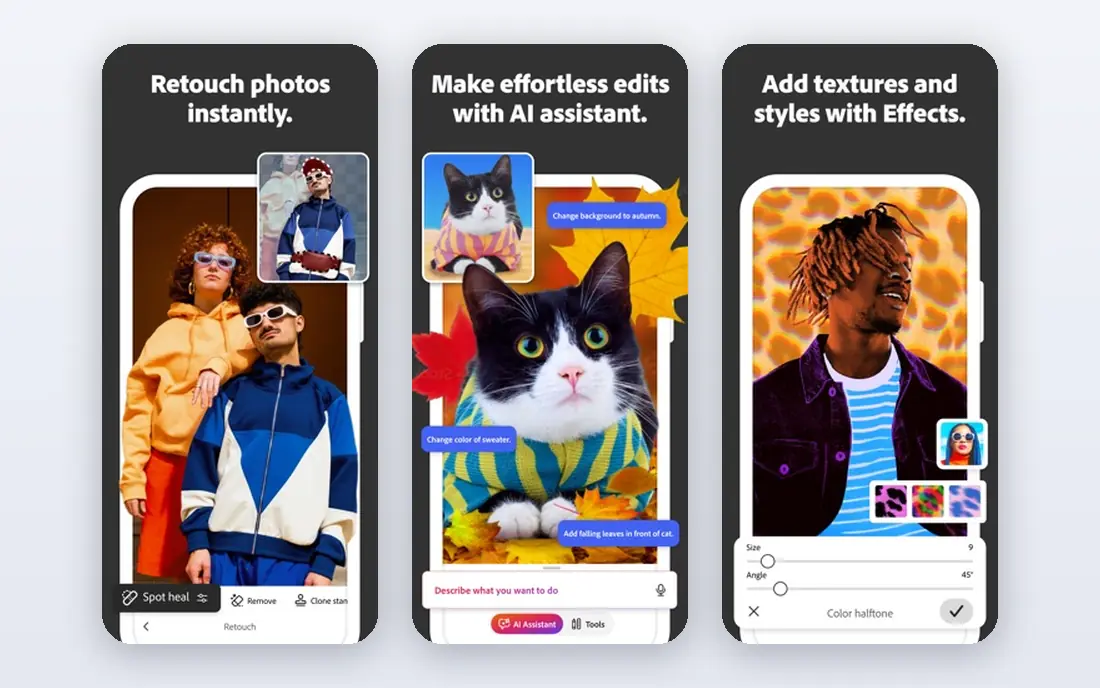
Photoshop Express suits a quick edit when you do not want a full Lightroom workflow. It offers color adjustments and selective tools that can target a garment, and its interface stays simple enough for a one-photo job. For a solid-color saree in good light, you can often get a believable blue with a few adjustments and a careful mask.
The limit is depth. Complex patterns, sheer fabric, and tricky edges will test the app, and you may need to clean up edges by hand or accept a softer result. It is still a strong free starting point, especially if you already use other Adobe tools. Try the free version on a test photo before deciding whether a paid plan adds anything you need.
- Free core editor
- Selective adjustments
- Easy sharing
- Less deep than full Lightroom
- Some features need a subscription

PicsArt is the fast, social-friendly option for recoloring a saree. Its selection and brush tools let you paint a new color onto the garment, and its AI selection can speed up the first pass on a clear photo. That speed suits Instagram or WhatsApp edits, where you want a preview quickly and can refine it in a second pass.
The busy interface is the trade-off. PicsArt packs in effects, stickers, and templates, so the recolor tools can take a moment to find. Paid features also sit behind a subscription, so check what the free plan covers before starting a project. For a single photo with a clear saree shape, though, it is one of the quickest routes to a believable blue.
- AI selection tools
- Brush recoloring
- Large effect and sticker library
- Some best tools need a paid plan
- Interface is busy with extra features
YouCam Perfect is built for phone portraits, which makes it a natural fit for saree photos taken at events. Its editing tools include color and brush options that can target a garment, and its portrait features help keep skin tones and faces natural while you change the fabric color. That balance matters, because a blue saree next to an untouched face looks far more believable than a photo where everything shifted.
The app is less suited to precise, print-level work. Busy backgrounds and patterned borders can confuse selection, and you may need to zoom in and clean edges by hand. For a quick, share-ready edit on a phone, it is a practical choice, and the free tools cover many common recolor jobs.
- Strong portrait tools
- Easy brush edits
- Good for phone photos
- Some features need a paid plan
- Results vary with busy backgrounds
Facetune appeals to editors who like to work by hand. Its brush tools let you paint color onto the saree in small areas, which helps with borders, pleats, and folds where an automatic selection might spill onto skin or background. You can build the blue gradually, checking each area as you go, rather than trusting one global shift.
That control comes with time. A full saree with detailed borders can take several minutes of careful brushing, and the app is not built for batch edits. Check the current pricing on the vendor site, since Facetune plans have changed over time. For one important photo, such as a wedding or event portrait, the extra care is often worth it.
- Fine brush control
- Good for edges and details
- Portrait-aware editing
- Paid app in full
- Best for one photo at a time, not batches
PhotoRoom is best known for product photos, but its subject selection is useful for a saree edit too. It can isolate a person or garment cleanly, which gives you a good starting mask before you adjust color in the same app or in another editor. If your photo has a clear subject against a simpler background, that first selection can save a lot of manual work.
The color tools themselves are simpler than Lightroom, so PhotoRoom works best as part of a two-app workflow: select here, then refine color in a stronger editor if needed. For a clean, catalog-style saree photo, it can handle the whole job. For a busy event photo, expect to do edge cleanup elsewhere.
- Strong subject selection
- Easy background handling
- Good export options
- Built more for product photos than garments
- Color tools are simpler
Fotor is a solid middle ground between a simple filter app and a professional editor. Its color tools include hue and saturation controls that can shift a garment color, and it runs on web and mobile, so you can edit on a larger screen when edge work matters. That flexibility helps with saree borders, where a bigger screen makes careful selection easier.
Masking is less refined than in Lightroom, so patterned sarees and sheer fabrics may need extra passes. The free plan covers many basic edits, with a paid plan adding more tools and exports. If you want a capable editor without a subscription commitment, Fotor is a sensible place to start.
- HSL and color controls
- Web and mobile versions
- Free core tools
- Some advanced tools need a paid plan
- Masking is less refined than Lightroom
Canva is the simplest option here, and that is both its strength and its limit. You can adjust a photo, apply color effects, and place the result into a social post, invitation, or collage without learning a photo editor. For a quick preview of how a blue saree might look, that speed is useful.
Canva is not a precise garment recolor tool. It lacks the detailed masking and HSL control of Lightroom or Fotor, so results on patterned or detailed sarees can look flat or spill onto nearby areas. Use it when the goal is a quick design or a social post, and switch to a dedicated photo editor when the saree itself is the focus of the image.
- Very easy to use
- Good for social posts and collages
- Free plan is generous
- Limited garment masking
- Color control is basic compared with photo editors
How we picked these
We checked official feature pages, pricing pages, and app store listings for editors that offer masking, selective color, HSL, or brush recolor tools, and we favored apps that are actively maintained in October 2026. We focused on whether each app can target a garment without changing the whole photo, because that is the core skill for this task. We also noted where a free plan covers the job and where a subscription is needed for the best tools.
We did not count a generic filter as a recolor tool. A filter that tints the whole photo blue does not meet the brief, and it usually ruins skin tones. Every app here offers at least a way to limit color changes to part of an image, even if the precision varies.
Buying guide: how to recolor a saree to blue without ruining the photo
Start with the best original photo you have. A well-lit, sharp photo with a clear saree shape will recolor far better than a dark or blurry one, no matter which app you use. Work on a copy, not the original, so you can compare and start again if an edit goes wrong.
Mask the saree before you change color
Use AI selection, a brush, or a color range tool to select only the saree, then refine the edges around borders, pleats, and jewelry. Zoom in for this step. A clean mask is the difference between a believable blue saree and a blue halo around the person.
Shift hue, then fix saturation and light
Move the hue toward blue first, then adjust saturation so the fabric keeps depth. Check shadows and highlights separately if your app allows it, because a flat blue looks painted on. If the saree has gold or silver borders, mask those areas out or restore them after the color shift.
Check skin, background, and patterns
After recoloring, check the face, hands, and background for color spill, and check patterned areas for odd patches. Solid sarees are easiest, while prints, sheer fabric, and mixed lighting need more passes. Export at full quality, and compare the edit with the original at full size before sharing.
Frequently asked questions
What is the easiest app to change a saree color to blue?
PicsArt and YouCam Perfect are among the easiest for a quick phone edit, thanks to selection and brush tools. Lightroom gives a better result on a detailed photo, but it takes more steps and practice with masking.
Can I change only the saree color and keep skin tones natural?
Yes, if you mask the saree first and limit the hue shift to that selection. A global filter will change skin and background too, so avoid it for this job. Always check the face and hands after the edit for color spill.
Why does my blue saree look fake after editing?
A fake look usually comes from a flat color with no shading, a rough mask, or oversaturation. Keep the original shadows and folds, lower saturation slightly, and refine edges around borders and jewelry. A slightly muted blue often looks more real than a bright, uniform blue.
Does a patterned saree recolor well?
It depends on the pattern. Solid and lightly patterned sarees recolor cleanly, while busy multi-color prints are harder, because each color area may need separate treatment. In that case, work in sections and expect more time for edge cleanup.
Is there a free app for changing saree color?
Yes. Photoshop Express, PicsArt, YouCam Perfect, Fotor, Canva, and PhotoRoom all offer free tools that can handle a basic recolor. Paid plans add finer masking and export options, but a free app is enough to test the result on one photo.
Can I recolor a saree on a computer as well as a phone?
Yes. Lightroom, Fotor, and Canva all work on larger screens, and a mouse or trackpad makes detailed masking easier. For a single important photo, editing on a computer often gives a cleaner edge than editing on a small phone screen.
Sources we checked (8)

Online Jobs is an independent blog about careers, online work, learning new skills and the tools that help people earn. More about us.
Keep reading
All posts
n8n Alternatives
n8n alternatives compared for 2026, with Zapier, Make, Activepieces, and more, covering visual builders, code steps, self-hosting, and pricing models.

eBay Alternatives
Looking for ebay alternatives? We compared 9 marketplaces for sellers on fees, buyer reach, categories and ease of listing, to help you sell with confidence.

ZoomInfo Alternatives
The best ZoomInfo alternatives in 2026, compared on price, free plans, data coverage, and which tool fits small teams or large sales teams best in detail.