Best Apps for Crop Monitoring in 2026: 9 Options Compared
 Online Jobs·Updated Oct 24, 2026·10 min read

Row crop imagery and machine data · Starting price: Free
How we put this together: we compare official feature and pricing pages, app store listings, privacy policies and public user reviews. Prices change, so check the provider's site before you pay.
Key takeaways
- Crop monitoring apps fall into three groups: satellite field imagery (OneSoil, EOSDA, FieldView), drone mapping (Pix4Dfields, DroneDeploy) and photo-based pest and disease diagnosis (Agrio, Plantix).
- OneSoil has the most generous free tier we found: unlimited fields with the latest cloud-free image, a virtual weather station and field notes. Season history and spray windows are paid.
- Climate FieldView Basic is $0 a year, but field health imagery, scouting tools and weather history are listed under Plus at $649 a year.
- Drone tools cost more and need a drone. Pix4Dfields lists $111 a month with a 15-day free plan, and DroneDeploy quotes custom prices.
- Free does not mean complete. EO Browser is free to open but is a general satellite viewer with no farm records.
Quick comparison
| Name | Who it suits | Starting price | Free option | |
|---|---|---|---|---|
| Climate FieldView | Row crop imagery and machine data | Free | Yes | Visit |
 OneSoil OneSoil | Free satellite field monitoring | Free | Yes | Visit |
 EOSDA Crop Monitoring EOSDA Crop Monitoring | Vegetation indices and field risk maps | See website | Yes | Visit |
 Bushel Farm Bushel Farm | Rainfall alerts and scouting | $75 per year | Free trial (30 days) | Visit |
 Pix4Dfields Pix4Dfields | Drone-based crop analysis | $111 per month | Free trial (15 days) | Visit |
 DroneDeploy DroneDeploy | Drone flights plus ground scouting | See website | No | Visit |
 Sentinel Hub EO Browser Sentinel Hub EO Browser | Free satellite imagery and NDVI | Free | Yes | Visit |
 Agrio Agrio | Pest and disease alerts | See website | Yes | Visit |
 Plantix Plantix | Free photo diagnosis of crop problems | Free | Yes | Visit |
The best apps for crop monitoring
Crop monitoring means seeing problems before they cost yield: stress showing in satellite images, a disease spreading in one corner, or rain that arrived before you could spray. The right app depends on how much detail you need and whether you want to fly a drone. We grouped these roughly from satellite tools to drone tools to diagnosis apps. Prices are in US dollars and taken from vendor pages as of October 2026.
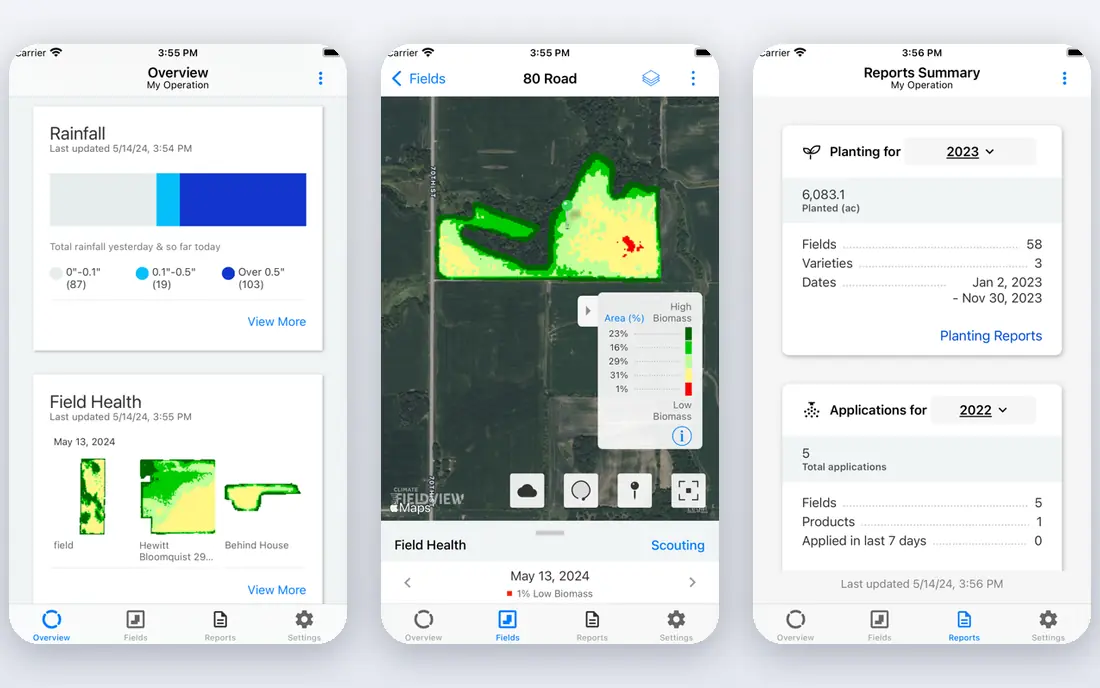
FieldView is Bayer's digital farming platform. Its Basic plan is $0 a year and covers support, a data inbox, account sharing and FieldView Cab app connectivity. Plus starts at $649 a year and lists Field Health Imagery, Image Enhanced Scouting, Field Historical Weather, Field Weather Forecast, Yield Analysis and reports.
For monitoring, that Plus list is the one that matters. It lets you spot weak areas from imagery and then scout them with record-based tools. FieldView says it works with more than 60 partners and most equipment types.
The honest catch is fit. If you want satellite pictures of a few fields and nothing else, a lighter tool will cost less. If you already run machines that feed FieldView, the imagery sits next to your yield data.
- $0 Basic plan
- Field health imagery and scouting in Plus
- Connects to 60+ partners
- Imagery and weather tools need Plus at $649 a year
- Built around equipment-driven row crop farming
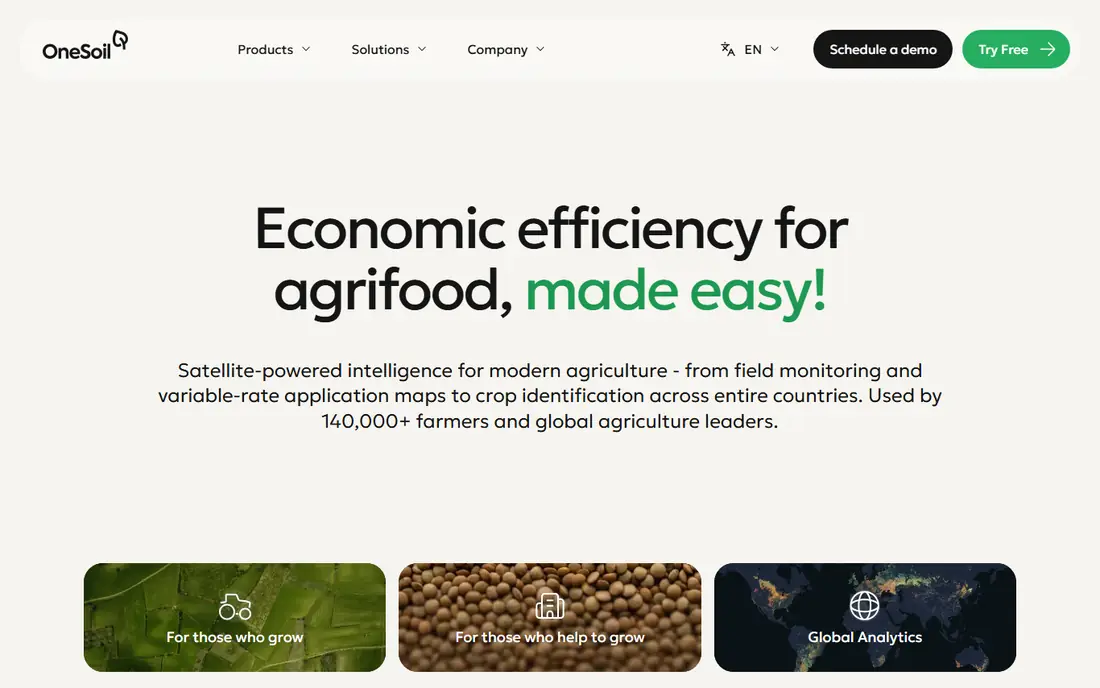
OneSoil moved its mobile scouting app to a freemium model in May 2026. The free tier covers every field and season in your workspace, with the latest cloud-free field image (NDVI, moisture and satellite views), a virtual weather station, a one-hour rain map and field notes with photos and locations.
Paid mobile plans add week-by-week season history, a four-hour rain forecast, spraying window suggestions and field boundary download. Price depends on your region and the total area of unique fields, in Small, Medium and Large packages. Quarterly plans include a one-week trial and monthly plans do not.
Separately, OneSoil Pro is a web tool for variable rate application maps and productivity zones, and OneSoil sells an AI Agronomist that ranks fields by need for attention. We could not see a fixed price for either, so check the app.
- Free tier has no field limit
- Web, iOS and Android
- Optional Pro tool for variable rate maps
- Local paid prices only appear in the app store
- Season history and spray windows are paid
EOSDA Crop Monitoring
Who it suits: Vegetation indices and field risk maps
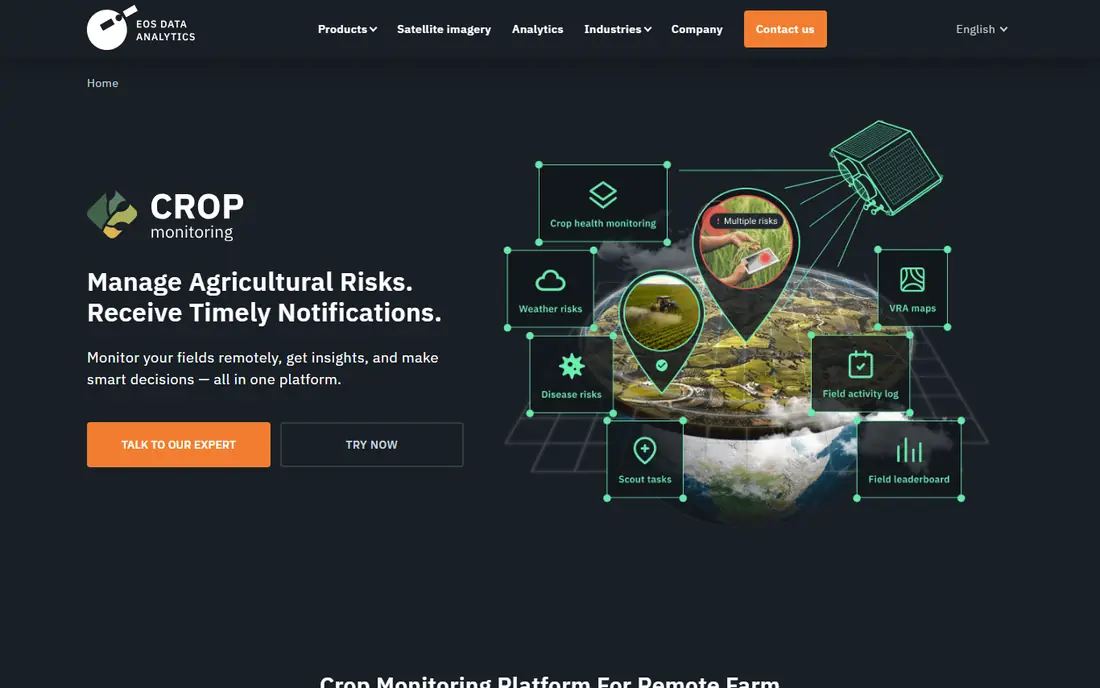
EOSDA offers the deepest analysis of the satellite tools here. Its product page lists crop health monitoring from Sentinel-2 and PlanetScope imagery, 10 vegetation indices, growth stage tracking based on the BBCH scale, risk maps for disease and weather, variable rate maps, a field activity log, weather history and forecasts, and John Deere Operations Center integration.
A free option exists. The product page invites you to monitor your fields at no cost with a sign-up, but we could not confirm its field or area limit. Paid tiers are called Essential (up to 1,000 hectares, about 2,470 acres), Professional (you choose the area and pay per extra hectare) and Enterprise (custom, for farms over 5,000 hectares and advisors).
It suits consultants and growers who want indices beyond a simple green map. The downside is that prices are not listed where we looked.
- 10 vegetation indices
- Risk maps and growth stage tracking
- Apps for iOS and Android
- Plan prices are hard to find
- Limits are set in hectares
Bushel Farm (formerly FarmLogs) is more of a farm management tool than a pure monitoring app, but its monitoring pieces are useful. The $75 a year Rainfall plan sends rainfall for the fields you map in the continental US, and the $199 Lite plan adds rain and heat history, a monthly rainfall report and scouting.
Satellite imagery comes with the $599 Essentials plan, together with profit and loss, work orders and machine data connections. A 30-day trial covers all features.
If rainfall and scouting notes are your main need, Bushel is cheaper than most imagery tools. If you want vegetation indices, the satellite-first apps above go further.
- Per-field rainfall alerts
- Scouting from the $199 plan
- Satellite imagery in Essentials
- Satellite imagery needs the $599 plan
- Rainfall tracking covers the continental US only
Pix4Dfields turns drone photos into maps for plant stand, crop health and variable rate prescriptions. Pix4D's pricing page lists it from $111 a month, with a free 15-day plan that needs no credit card. Subscriptions can renew monthly, yearly or every three years.
It processes on your own machine, even offline in the field. It outputs orthomosaics, zonation maps, measurements and spot-spraying or prescription maps, and a Magic tool identifies weeds for spot spraying. Export to ISOXML and John Deere Operations Center is supported.
You need a drone and a laptop, and there is no phone app listed. Drone imagery is far sharper than satellite images, which matters for plant counts and weed patches.
- Processes drone images offline on your computer
- Crop health, zonation and prescription maps
- Exports to John Deere Operations Center
- Needs a drone
- Runs on Windows and macOS only
DroneDeploy splits its farm offer into Aerial for flights and Ground for scouting. Automated flights map fields, and the platform produces NDVI and other plant-health indices, stand counts and drainage models. It exports management zones and variable rate shapefiles.
Ground scouting includes 360 capture, notes and photos on the field map, and works offline before syncing. DroneDeploy lists more than 80 integrations through its app market, including Climate FieldView and Esri.
Pricing is by quote and the page offers a demo rather than a trial. That makes it better for farms and service providers planning regular flights than for one-off checks.
- Automated flights
- NDVI and other indices with stand counts
- Ground scouting with 360 capture
- Custom quote only
- No free trial listed
EO Browser is a general-purpose satellite viewer from Sentinel Hub. It is free to open, offers prepared views such as true color, false color, NDVI and EVI, and lets you build custom indices. Sentinel-2 and Landsat 8 are the examples it names, and commercial sources like PlanetScope are also listed.
Time-lapse animations require an account, as do high-resolution downloads, saved pins and measurements. The time-lapse tool caps out at 300 images and cloud filtering is at scene level, so some frames will be cloudy.
Use it if you want to see a field's history with no subscription. Do not expect field boundaries, task lists or alerts. It is a viewer, not a farm app.
- Free to open
- Sentinel-2 and Landsat 8 imagery
- Prepared NDVI and EVI views
- Not designed for farm records
- Time-lapse and downloads need an account
Agrio focuses on plant protection. Its site says AI warns you about diseases and pests expected in your region and suggests preventive steps. You can also upload a plant photo for diagnosis.
It adds satellite-based remote sensing for vegetation issues, plot-level weather including growing degree days and chill hours, digital scouting reports and pest life-cycle tracking. Teams can share plots, which suits advisors working with several growers.
A free plant health check is offered, but the page does not state what the subscription costs or which crops are covered. Ask before you commit if you grow something unusual.
- Regional pest and disease alerts
- Photo diagnosis
- Available on iOS, Android and web
- Prices are not stated
- Supported crops not listed
Plantix is a diagnosis app, not a field monitor. You photograph a sick plant and the app suggests the problem and treatments. Its site calls it the number one free app for crop diagnosis, which is the company's own claim, and says it has answered more than 100 million crop questions.
The app also has an expert community, a disease library and a product marketplace. The Plantix page links to Google Play, and we could not confirm an iPhone version.
Use it as a quick second opinion in the field. It will not draw your field boundaries or track vegetation over a season.
- Free diagnosis from a photo
- Expert community
- Library of crop diseases
- No field-level satellite monitoring
- Site links only Google Play
How we picked these
We looked at each product's official site, pricing page and app store listing, plus public product documentation. We did not test the apps ourselves. We kept tools that are available in October 2026, that cover monitoring in a clear way, and that let us verify what is free and what is paid. We marked prices See website when a vendor did not publish them.
How to choose a crop monitoring app
Decide how close you need to look
Satellite images are good for field-level trends and cheap or free. Drone images show individual plants and weeds but cost more and need flying time. Photo diagnosis apps answer one question: what is wrong with this plant.
Match cloud and revisit limits
Satellite images depend on clear skies, so gaps appear in cloudy weeks. Ask how often a new image arrives and whether the app shows only cloud-free ones.
Check units and region
EOSDA measures in hectares and rainfall tools in some apps cover only the continental US. Confirm your location is supported before paying.
Pair monitoring with action
An alert is only useful if you can record what you did. OneSoil's free tier includes field notes with photos and locations, and FieldView Plus lists record-based scouting, which is how you build a field history.
Frequently asked questions
What is the best app for crop monitoring?
For a free start, OneSoil and EO Browser are the easiest to try. For deeper analysis, EOSDA and FieldView Plus cover more indices and reports. For a single plant problem, Agrio or Plantix will answer faster.
Is there a free crop monitoring app?
Yes. OneSoil's free tier has no field limit, FieldView Basic is $0 a year, and EO Browser is free to open. Plantix diagnosis is free. Each has limits, so read the paid tier before relying on it.
Are satellite images accurate enough for small fields?
Sentinel-2 imagery, which several of these tools use, has a resolution of about 10 meters per pixel, so small fields show few pixels. Drones give much finer detail. Check how your field size looks in the app before paying.
Do I need a drone?
No. Satellite apps work without one. A drone only makes sense if you want plant counts, weed maps or very fine detail, and Pix4Dfields or DroneDeploy are the tools for that.
Can these apps replace scouting on foot?
No. Imagery and alerts tell you where to look. You still need to walk the field to confirm what is happening.
Sources we checked (14)
- https://climate.com/
- https://climate.com/pricing
- https://help.onesoil.ai/en/articles/14885036-mobile-monitoring-subscription
- https://onesoil.ai/en
- https://eos.com/products/crop-monitoring/
- https://eos.com/user-guide/crop-monitoring/account-and-pricing/
- https://www.bushelpowered.com/farmers
- https://www.bushelpowered.com/farmers/pricing
- https://www.pix4d.com/pix4dfields
- https://www.pix4d.com/pricing
- https://www.dronedeploy.com/solutions/agriculture
- https://www.sentinel-hub.com/explore/eobrowser/
- https://www.agrio.app/
- https://plantix.net/en/
Online Jobs is an independent blog about careers, online work, learning new skills and the tools that help people earn. More about us.
Keep reading
All posts
Best Tools for Vector Design
The best tools for vector design in 2026, from Adobe Illustrator and CorelDRAW to free options like Affinity, Inkscape and Penpot, with prices and trade-offs.

Best Sales Intelligence Tools for B2B Contact Data
The best sales intelligence tools for B2B contact data in 2026: Apollo, ZoomInfo, Cognism, Lusha, UpLead and more, with real prices, credits and honest drawbacks.
Best Gig Apps
The best gig apps to make money in 2026, from Uber and DoorDash to Amazon Flex, TaskRabbit and Instawork, with US requirements, pay rules and honest drawbacks.