Best App to Block Spam Calls in 2026: 8 Apps Compared

How we put this together: we compare official feature and pricing pages, app store listings, privacy policies and public user reviews. Prices change, so check the provider's site before you pay.
Key takeaways
- Truecaller is the strongest choice for identifying unknown numbers, thanks to a large community-reported database.
- Hiya suits people who want quiet blocking with less contact sharing, and its premium tier adds call screening.
- RoboKiller is the most aggressive option against robocalls, but it has no permanent free tier.
- No app stops every spam call, so pair an app with your carrier filter and the National Do Not Call Registry.
- Check privacy settings before installing, since some apps use your contacts to power their databases.
Quick comparison
| Name | Who it suits | Starting price | Free option | |
|---|---|---|---|---|
 Truecaller | Identifying unknown callers | $9.99 per month | Yes | Visit |
 Hiya | Quiet spam blocking | $3.99 per month | Yes | Visit |
 RoboKiller | Aggressive robocall fighting | $4.99 per month | No | Visit |
 Nomorobo | Simple robocall blocking | $2.99 per month | Free trial | Visit |
 Call Control | Community-powered blocking | See website | Yes | Visit |
 Should I Answer | Privacy-first blocking | Free | Yes | Visit |
 CallApp | Social caller ID | See website | Yes | Visit |
 YouMail | Voicemail plus blocking | See website | Yes | Visit |
The best spam call blocker apps
Spam calls waste time and, worse, they carry real scams. We compared official feature pages, pricing pages, and app store listings to find the apps that actually reduce unwanted calls without creating new privacy problems.
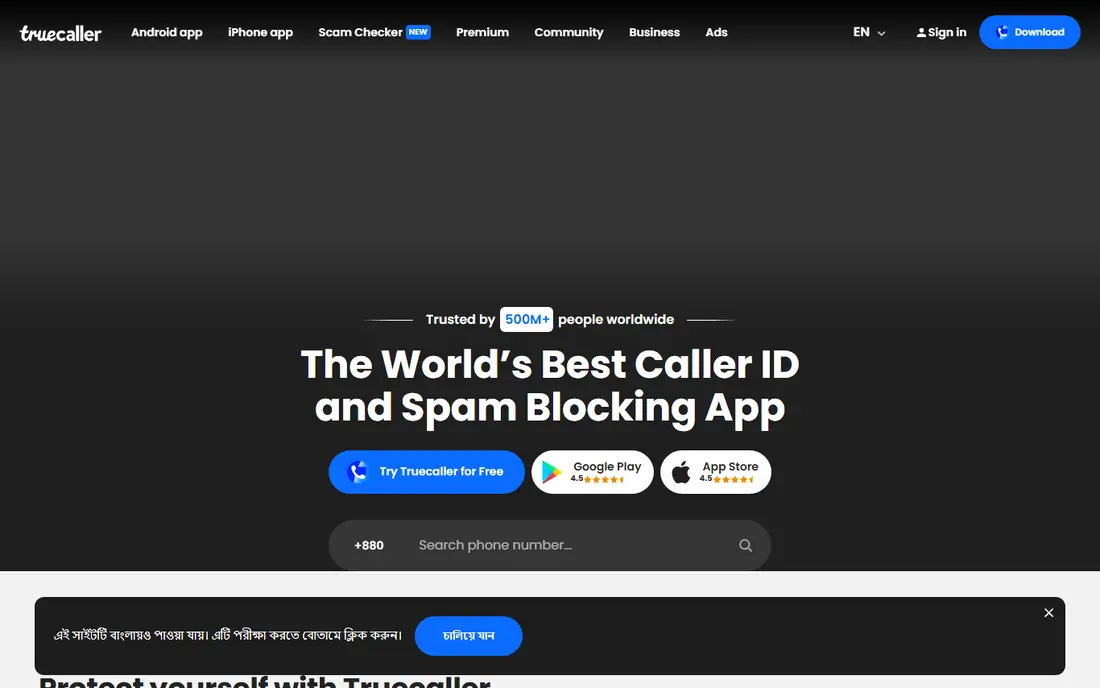
Truecaller is the best-known name in this space, and its strength is identification. When an unknown number calls, Truecaller matches it against reports from its user community, so you often see a name or a spam warning before you answer. That lookup power also works after the fact, when you want to check who called while you were busy.
The trade-offs are real. The free version carries ads, and the app has faced privacy questions because its database draws on user contacts. The paid tier adds an AI assistant that can answer and screen calls for you, but that feature depends on your plan, device, and country. If naming unknown callers matters most to you, Truecaller still leads.
- Large community-reported number database
- Strong caller ID
- Spam and fraud filtering
- Free version shows ads
- Contact sharing raises privacy questions
- Some iPhone features are limited
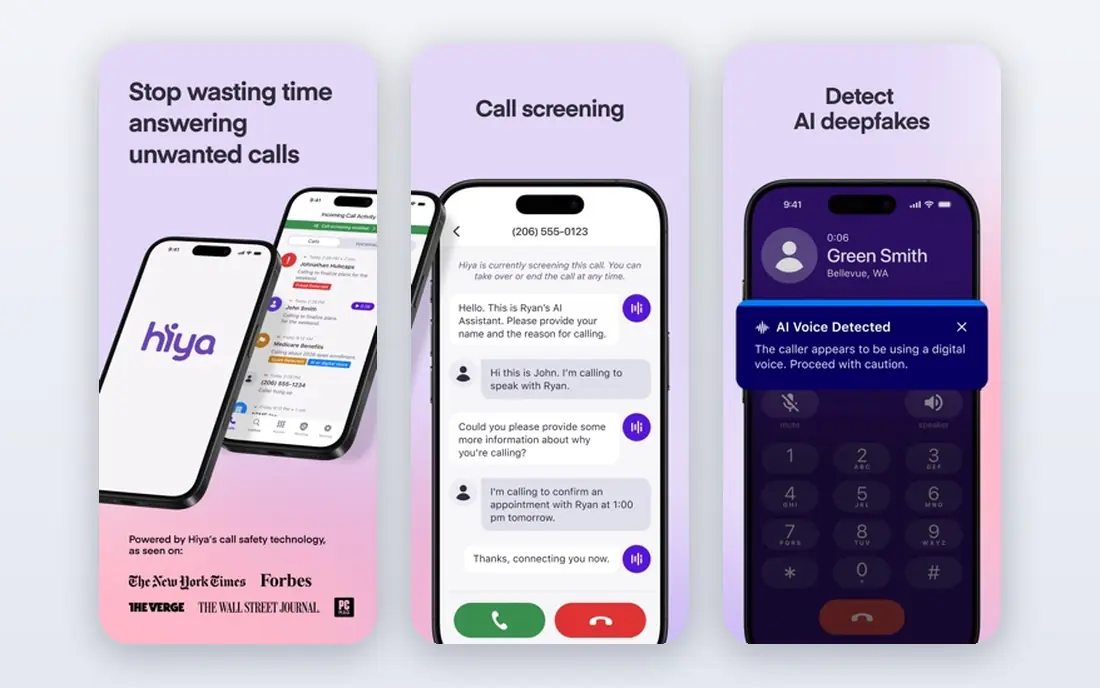
Hiya takes a quieter approach than Truecaller. It leans on number reputation to warn you about spam or block it outright, and it does not ask to upload your contacts to do that job. For people who want fewer interruptions without joining a social directory, that difference matters.
The free tier covers identification and blocking, while premium adds a call screener that asks unknown callers for a name and reason before your phone rings, plus fraud warnings. A few premium features are currently limited to the United States and Canada, so check availability in your country. Hiya is our pick when privacy and calm matter more than naming every caller.
- Real-time spam identification
- Blocking without uploading your contacts
- Premium call screening
- Weaker at naming legitimate callers
- Best screening features need a paid plan
- Some features are US and Canada only
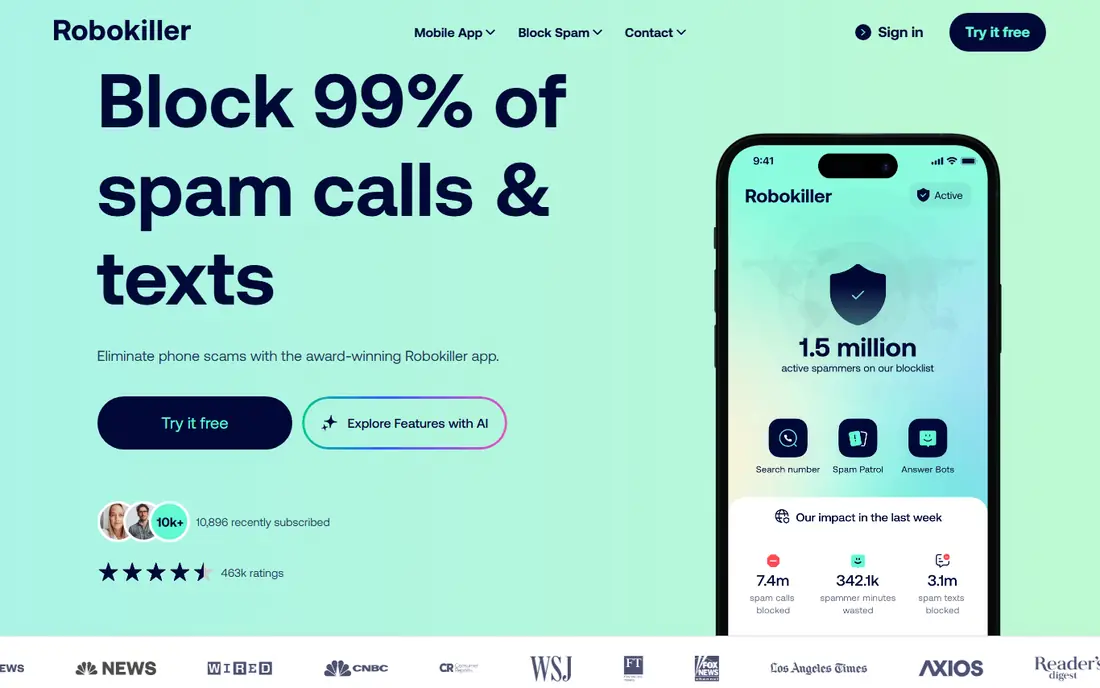
RoboKiller goes further than simple blocklists. Its answer bots pick up suspected robocalls and keep the caller talking with recorded responses, which ties up scam operations and stops the call reaching you. Audio fingerprinting also helps it catch spam calls that rotate through fresh numbers, a trick that defeats plain blocklists.
That aggression costs money, since there is no lasting free tier, and the monthly price sits above most rivals. Some users also report legitimate calls getting caught, so you need to check the blocked list now and then. If robocalls are your main problem and you are happy to pay, RoboKiller is the strongest fighter on this list.
- Answer bots waste scammers time
- Strong robocall and spam text blocking
- Audio fingerprinting catches rotating numbers
- No permanent free tier
- Pricier than rivals
- Occasional false positives reported
Nomorobo keeps things simple, which is its main appeal. It checks incoming calls against a database of reported robocallers and blocks the matches, and it also works with many landline services, which most app-only blockers cannot do. Setup takes a few minutes, and then it mostly stays out of the way.
The catch is value: mobile users get a trial rather than a permanent free tier, and Nomorobo offers fewer extras such as screening assistants or social caller ID. If you want a straightforward blocker, especially for a home phone as well as a mobile, it does that one job well.
- Simple setup
- Works on mobile and landlines
- Well-known robocall database
- No lasting free tier for mobile
- Fewer extra features than Truecaller or Hiya
- Pricing varies by plan
Call Control has been around for years and leans on community reports to flag spam. The free tier is generous, covering identification and blocking, and you can build your own block and allow lists as calls arrive. That makes it a solid no-cost starting point, especially on Android.
Regional coverage is the weak spot, since community databases are stronger in some areas than others, and the app looks less polished than Truecaller or Hiya. Paid plans add extras, but prices differ between app stores, so check the listing on your phone before subscribing. For a free, community-driven blocker, it earns its place.
- Generous free tier
- Community reporting
- Personal block and allow lists
- Database strength varies by region
- Interface feels dated next to rivals
- Paid features vary by store
Should I Answer is the pick for people who put privacy first. It works offline, does not need your contacts, and offers its full app without a subscription. On Android it can act as a dialer aid that warns you about suspicious numbers before you pick up.
The trade-off is scale. Its database is smaller than Truecaller or Hiya, so it may miss newer spam numbers, and it lacks screening assistants and fancy extras. If you want a free blocker that asks little of your data, this is the most honest option here.
- Full app available free
- Offline spam detection
- No contact upload needed
- Smaller database than the big names
- Fewer frills
- IPhone version is more limited
CallApp mixes caller ID with social information, so an unknown number can arrive with a name, photo, or social profile attached. That context helps when you are deciding whether to call back, and the app also blocks reported spam numbers. Call recording is available on some Android devices, where local rules allow it.
The social angle cuts both ways, since it involves more data sharing than a plain blocker, and prices in app stores vary a lot by plan and region. iPhone users also get a thinner feature set. CallApp suits Android users who want richer caller information, not just a block button.
- Caller ID with social details
- Spam blocking
- Call recording on supported devices
- Social features share more data
- Pricing varies widely by plan
- Some features are Android only
YouMail starts from voicemail rather than blocking alone. It replaces your carrier voicemail with visual voicemail, lets you set custom greetings, and blocks known spam numbers before they reach you. That combination helps if your problem is not just ringing phones but a voicemail box full of junk.
Setup is more involved than a simple blocker, since voicemail routing has to be configured, and the most useful features sit behind paid plans. Some features also focus on US users. If voicemail clutter bothers you as much as the calls themselves, YouMail covers both problems in one app.
- Visual voicemail
- Spam blocking
- Personalized greetings and blocked-number handling
- Best features need a paid plan
- Setup takes more steps
- Some features are US focused
How we picked these
We compared official feature pages, pricing pages, and app store listings for the leading call blockers, and we favored apps that are available now on iPhone or Android in the United States. Each app had to identify or block unwanted calls from a real database or screening system, publish a price or a clear free tier, and come from a vendor we could verify. We did not claim hands-on testing we did not do, and we treated vendor claims about blocking rates as marketing, not measured fact.
How to get the most from a spam blocker
Install the app, then finish the setup on your phone. On iPhone, enable the app under call blocking settings, and on Android, grant the call screening permission it asks for, since an app that cannot see incoming calls cannot block them. Keep your carrier spam filter switched on too, because carrier filters and apps catch different calls, and the layers work better together.
Register your number with the National Do Not Call Registry as well. It is free, and it cuts legal sales calls, though it will not stop scammers who ignore the law. Finally, check your blocked list each week for the first month. A legitimate call from a clinic, school, or delivery driver can land there, and adding those numbers to an allow list keeps the blocker strict without costing you important calls.
Staying safe from phone scams
A blocker reduces noise, but it cannot judge every call for you. Never call back a number from a missed call that claims to be your bank, and dial the number printed on your card instead. Do not share codes, passwords, or payment details with an unexpected caller, even if the caller ID looks familiar, since numbers can be faked. When in doubt, hang up and contact the company directly.
Frequently asked questions
What is the best app to stop spam calls?
For most people, Hiya or Truecaller are the best starting points, since both offer free tiers with identification and blocking. Hiya suits privacy-minded users, while Truecaller suits people who want the strongest caller identification. RoboKiller is stronger against robocalls specifically, but it requires a paid plan.
What is the best robocall blocker app?
RoboKiller is our pick for robocalls, because its answer bots and audio fingerprinting target the rotating numbers that blocklists miss. Hiya and Nomorobo are also solid robocall blockers, and both cost less. No app catches every robocall, so expect a few to slip through.
Do spam blocker apps really work?
Yes, within limits. They catch many known spam numbers and reduce daily interruptions, but spoofed numbers rotate constantly, so new ones appear. Pairing an app with your carrier filter and the Do Not Call Registry gives better results than any single tool alone.
Are spam blocker apps safe for my privacy?
It depends on the app. Some use your contacts to build their databases, while others, such as Hiya and Should I Answer, avoid that. Read the privacy policy before installing, check what permissions the app requests, and pick the most private option that still blocks well enough for you.
Can I block spam calls for free?
Yes. Hiya, Truecaller, Call Control, and Should I Answer all offer free tiers with basic blocking, and your carrier usually provides a free spam filter too. Paid plans add screening and extra features, but the free layer handles the bulk of everyday spam for most people.
Sources we checked (8)

Online Jobs is an independent blog about careers, online work, learning new skills and the tools that help people earn. More about us.
Keep reading
All posts
Surfshark Alternatives
Looking for Surfshark alternatives? We compare 8 VPN services on price, privacy, streaming, and device limits to help you find a VPN that fits your needs.
NordPass Alternatives
We compared NordPass alternatives for families, solo users and teams, checking pricing, free plans, passkeys and sharing, so you can switch safely today.
LLM Tool Integration Security Best Practices
Learn LLM tool integration security best practices for 2026, with eight tools for guardrails, tool scoping, sandboxing, agent governance and audit logging.