Best Antivirus Software in 2026: 9 Tools Compared


Built-in Windows protection · Starting price: Free
How we put this together: we compare official feature and pricing pages, app store listings, privacy policies and public user reviews. Prices change, so check the provider's site before you pay.
Key takeaways
- Microsoft Defender, built into Windows, is enough for many home users who keep software updated and browse carefully.
- Bitdefender and Norton 360 offer the most complete paid protection, with strong lab results and extra tools like VPN and parental controls.
- Avast One has the strongest free tier among paid brands, with the same core engine as its paid version in many listings.
- Paid suites renew at higher prices than first-year offers, so check the renewal price before you buy a multi-device plan.
- No antivirus stops every attack, so pair it with updates, strong passwords, backups and care with downloads and links.
Quick comparison
| Name | Who it suits | Starting price | Free option | |
|---|---|---|---|---|
| Microsoft Defender | Built-in Windows protection | Free | Yes | Visit |
 Bitdefender Total Security Bitdefender Total Security | Overall paid protection | See website | Yes | Visit |
 Norton 360 Deluxe Norton 360 Deluxe | Families wanting every extra | See website | Free trial | Visit |
 McAfee+ McAfee+ | Households with many devices | See website | Free trial | Visit |
 Avast One Avast One | Best free antivirus from a paid brand | Free | Yes | Visit |
 Malwarebytes Malwarebytes | Simple malware cleanup | See website | Yes | Visit |
 ESET HOME Security ESET HOME Security | Lightweight protection | See website | Free trial | Visit |
 Trend Micro Maximum Security Trend Micro Maximum Security | Beginners who want simplicity | See website | Free trial | Visit |
 AVG Internet Security AVG Internet Security | Low cost per device | See website | Yes | Visit |
The best antivirus software
We compared official feature pages, pricing pages and public lab results, and we included a built-in option, free options and paid suites, since a home user with one Windows PC has different needs from a family with ten devices. First-year prices change often and renew higher, so we use See website where a current vendor price was not verified at the time of writing.
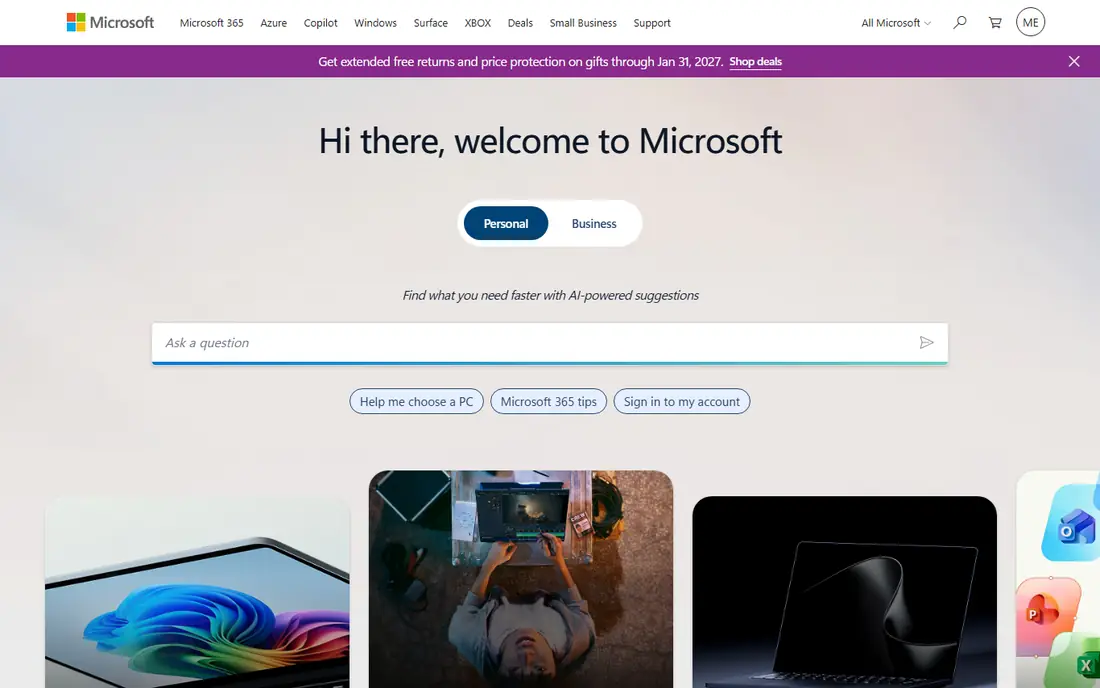
Microsoft Defender is the default pick for many Windows users, and for good reason. It is built into Windows 10 and 11, costs nothing extra, updates through Windows Update and scores well in independent lab tests, matching or beating many paid products on malware detection in recent public results. If you use one PC, install software only from trusted sources and keep backups, Defender may be all you need.
The limits are extras, not core protection. Defender does not include a VPN, a password manager, identity theft monitoring, parental controls or a central dashboard for phones and other devices. If you want those tools in one subscription, a paid suite is the next step, but do not pay for a suite solely because you think built-in protection is weak, since current lab results do not support that view.
- Built into Windows 10 and 11 at no extra cost
- Strong lab scores in recent tests
- Automatic updates through Windows Update
- No VPN, password manager or parental controls
- No cross-device management for phones
Bitdefender is the reference point for paid antivirus in many comparisons. It blocks a high share of attacks in independent lab tests, scores well for performance and usability, and is often described as light on system resources, which matters on an older home computer. Total Security covers five devices on many plans, with antivirus, firewall, parental controls and a password manager in the suite.
The bundled VPN is capped at 200 MB per day per device in many listings, so it is not a full VPN replacement, and the first-year price rises at renewal, a pattern common to paid suites. There is a limited free edition if you want the core engine without the suite. For a home user who wants to pay once and stop thinking about security, Bitdefender is the safest paid recommendation here.
- Strong lab scores and light system impact
- Covers five devices on many plans
- Limited free edition available
- Bundled VPN is capped unless you upgrade
- Renewal price rises after the first year
Norton 360 Deluxe is the most complete suite in this list. It combines antivirus with an uncapped VPN in many plans, a firewall, 50 GB of cloud backup, a password manager, parental controls and dark web monitoring, and it covers five devices on the Deluxe plan in many listings. Public reviews also note fast scanning and a virus removal promise in some plans, where a technician helps clean an infection.
That completeness comes at a renewal cost. First-year prices near $49.99 are widely listed, with renewal near $124.99 for Deluxe, so the second year costs far more than the first. The suite can also feel busy, with many features competing for attention. If your family will use the VPN, backup and parental controls, Norton earns its price, but check the renewal rate before you buy.
- Full suite with VPN, cloud backup and parental controls
- Dark web monitoring
- Fast scanning in public reviews
- Renewal price is much higher than the first-year price
- Suite can feel heavy with many features
McAfee+ suits a household that has lost count of its devices. Many plans cover unlimited devices, which removes the usual limit of five or ten, and its mobile apps are strong in public reviews, with identity monitoring, VPN and safe browsing tools. For a family with phones, tablets, laptops and a desktop, that unlimited model simplifies buying.
The first-year price, widely listed near $39.99 to $49.99 depending on plan, rises at renewal, so set a reminder before it applies. The app can also promote extra services, which some users find pushy. If device count is your main problem, McAfee+ solves it directly, but compare its renewal total with Bitdefender for five devices before deciding.
- Unlimited device coverage on many plans
- Strong mobile apps
- Identity and privacy tools included
- First-year discount rises sharply at renewal
- Interface can push extra services
Avast One has the strongest free tier among paid brands here. The free version uses the same core real-time engine as the paid version in many listings, with basic protection, a firewall and network checks, while paid plans add VPN, cleanup tools and more devices. Its modular design lets you switch on only the extras you want, which suits gamers and users who dislike a busy suite.
The free version promotes paid upgrades, and paid first-year prices near $49.99 rise at renewal in many listings. Privacy history also deserves a note, since Avast faced scrutiny in past years over data practices, though its current policies state clearer limits. If you want free protection from a major brand, Avast One is the best starting point, with Defender as the built-in alternative.
- Strong free tier with the core engine
- Modular app where you enable only wanted extras
- Good for gamers in public reviews
- Paid plans rise at renewal
- Free version promotes upgrades
Malwarebytes is best known for cleaning up infections rather than bundling every extra. Its free version scans on demand and removes malware, while the paid version adds real-time protection, web protection and ransomware layers. The interface is simple, with few menus and clear scan results, which suits users who find full suites overwhelming.
It is not a full security suite. There is no VPN, password manager or parental control set in the core plan, and paid pricing is per device in many listings, with Standard listed near $44.99 per year for one device in recent comparisons. Use Malwarebytes as a second-opinion scanner alongside Defender, or as a simple paid protector for one PC, rather than as a family suite.
- Simple interface focused on malware removal
- Free scanner for on-demand checks
- Light on system resources
- No full suite extras like VPN or parental controls in the core plan
- Paid price is per device in many listings
ESET suits users who want protection that stays out of the way. Its engine is known for light system impact, which helps gamers and owners of older PCs, and its lab scores for detection are strong in public results. HOME Security plans cover antivirus, firewall, web protection and, in higher tiers, a password manager and safe banking tools.
The interface feels more technical than Norton or Avast, with settings that assume some knowledge, and bundled extras are fewer than in the biggest suites. ESET Essential is listed near $59.99 per year for three devices in recent comparisons, so check the current vendor price for your device count. If performance matters more than extras, ESET is a strong, quiet choice.
- Light system impact
- Good for gamers and older PCs
- Strong malware detection in lab tests
- Interface feels technical
- Fewer bundled extras than Norton or McAfee
Trend Micro Maximum Security
Who it suits: Beginners who want simplicity
Trend Micro Maximum Security is built for beginners who want protection without study. Its interface is clear, its web protection blocks malicious sites and phishing pages, and its ransomware tools protect folders from unauthorised encryption. Maximum Security covers five devices in many listings, with a password manager and parental controls in higher tiers.
Advanced users will find fewer settings than in ESET or Bitdefender, and some extras, like VPN, are paid add-ons rather than included. Maximum Security is listed near $74.95 per year for five devices in recent comparisons, so check the vendor site for current first-year offers. If simplicity and web protection lead your choice, Trend Micro is a fair, beginner-friendly pick.
- Simple interface for beginners
- Strong web and ransomware protection
- Covers multiple devices
- Fewer advanced settings
- Paid extras like VPN are limited in some plans
AVG Internet Security is a practical choice for a large household on a budget. Its free antivirus covers basic protection, while the paid Internet Security plan covers up to ten devices in many listings, which brings the cost per device down to about $6 per year on a first-year price near $59.99. That maths makes AVG attractive when Bitdefender or Norton five-device plans would leave devices uncovered.
AVG is owned by the same group as Avast, so its engine and features overlap with Avast One, and the choice between them often comes down to interface and current price. Renewal, listed near $99.99 for ten devices in recent comparisons, is higher than the first year, so check that figure. If device count and cost per device matter most, AVG is worth a quote alongside McAfee+.
- Free antivirus available
- Paid plan covers up to ten devices
- Low cost per device on multi-device plans
- Owned by the same group as Avast, so features overlap
- Renewal price rises after the first year
How we picked these
We compared official feature pages, pricing pages and public independent lab results, and we gave weight to detection scores, system impact, device limits and renewal prices, not just first-year offers. We included a built-in option, free options and paid suites, so a single-PC user and a large family both have relevant choices.
We did not run hands-on malware tests for this guide. Our comparisons rest on vendor documentation and published lab results, not on our own infection testing. Where a price could not be verified on the vendor site at the time of writing, we wrote See website rather than repeating a figure from a review site. No antivirus product guarantees complete protection, so keep software updated, use strong passwords and keep backups.
How to choose the right protection
Start with what you already have. A Windows user with Defender, updated software and careful browsing may not need a paid suite, while a family with many devices, children online and no backups may benefit from Norton or McAfee+. A Mac user should check Mac-specific plans, since some Windows features do not carry over.
Check renewal before you buy
First-year prices are introductory offers. Find the renewal price on the vendor site, note it in your calendar, and compare the two-year total, not just year one. A suite that looks cheap in year one can cost more over two years than a slightly pricier rival with a lower renewal rate.
Pair software with habits
Antivirus cannot stop a phishing link you click, a fake download you install or a password you reuse. Use a password manager, turn on two-factor authentication where available, keep backups offline or in a separate cloud account, and teach children to ask before downloading. Those habits protect more than any single app.
Frequently asked questions
What is the best antivirus software overall?
Bitdefender Total Security is the best overall paid choice for most homes, with strong lab scores and light impact, while Norton 360 Deluxe is best for families wanting every extra. Microsoft Defender is enough for many Windows users who browse carefully and keep software updated.
Is there a best free antivirus software?
Microsoft Defender is free and built into Windows, and Avast One offers the strongest free tier from a paid brand. AVG also offers a free antivirus, and Malwarebytes offers a free on-demand scanner for second-opinion checks.
Do I need antivirus if I have Windows Defender?
Many home Windows users do not need a paid suite if Defender is on, software is updated and browsing is careful. A paid suite adds VPN, parental controls, identity monitoring and multi-device cover, which may justify the cost for families or users with many devices.
Will antivirus slow down my computer?
Modern antivirus has a small impact on most computers, with Bitdefender and ESET noted as light in public reviews. Older PCs feel the impact more, so choose a light product, avoid running two real-time antivirus apps at once, and keep your system updated.
How many devices does an antivirus plan cover?
Coverage varies from one device for some Malwarebytes plans, to five for Bitdefender and Norton Deluxe, to ten for AVG, to unlimited for many McAfee+ plans. Count phones, tablets and computers in your household before buying, since a five-device plan can leave devices unprotected.
Is Norton or Bitdefender better?
Bitdefender is lighter and often cheaper for core protection, while Norton offers more extras like uncapped VPN, cloud backup and parental controls. Choose Bitdefender for protection alone, and Norton if your family will actually use the full suite.
Sources we checked (9)

Online Jobs is an independent blog about careers, online work, learning new skills and the tools that help people earn. More about us.
Keep reading
All posts
Surfshark Alternatives
Looking for Surfshark alternatives? We compare 8 VPN services on price, privacy, streaming, and device limits to help you find a VPN that fits your needs.
NordPass Alternatives
We compared NordPass alternatives for families, solo users and teams, checking pricing, free plans, passkeys and sharing, so you can switch safely today.
Best VPN Service
We compared the best VPN service options for privacy, streaming and value, checking official pricing, free plans and honest limits before ranking them.