Best AI Writing Tools for Education in 2026: 8 Tools Compared

How we put this together: we compare official feature and pricing pages, app store listings, privacy policies and public user reviews. Prices change, so check the provider's site before you pay.
Key takeaways
- Grammarly is the safest everyday helper for grammar, clarity, and tone, because it edits your own writing rather than replacing it.
- ChatGPT and Claude suit brainstorming, outlining, and feedback, but schools set different rules, so check your school policy first.
- QuillBot helps with paraphrasing cited sources, while Perplexity helps with research that shows its sources.
- Notion AI and Google Docs suit organizing notes and drafting inside tools students already use.
- No tool here should submit work for you, and every AI suggestion still needs fact checking and your own revision.
Quick comparison
| Name | Who it suits | Starting price | Free option | |
|---|---|---|---|---|
 Grammarly | Grammar and clarity | $12 per month | Yes | Visit |
 ChatGPT | Brainstorming and outlines | $20 per month | Yes | Visit |
 Claude | Feedback and revision | $20 per month | Yes | Visit |
 QuillBot | Paraphrasing and grammar | See website | Yes | Visit |
 Notion AI | Notes and research organization | $10 per month | Yes | Visit |
 Perplexity | Research with citations | $20 per month | Yes | Visit |
 Google Docs | In-document drafting help | Free | Yes | Visit |
 Jenni AI | Academic drafting and citations | See website | Yes | Visit |
The best AI writing tools for education
These tools support different stages of writing: planning, drafting, revising, citing, and organizing. We picked tools that schools, colleges, and individual learners can actually use in 2026, with a focus on editing and learning rather than copying.
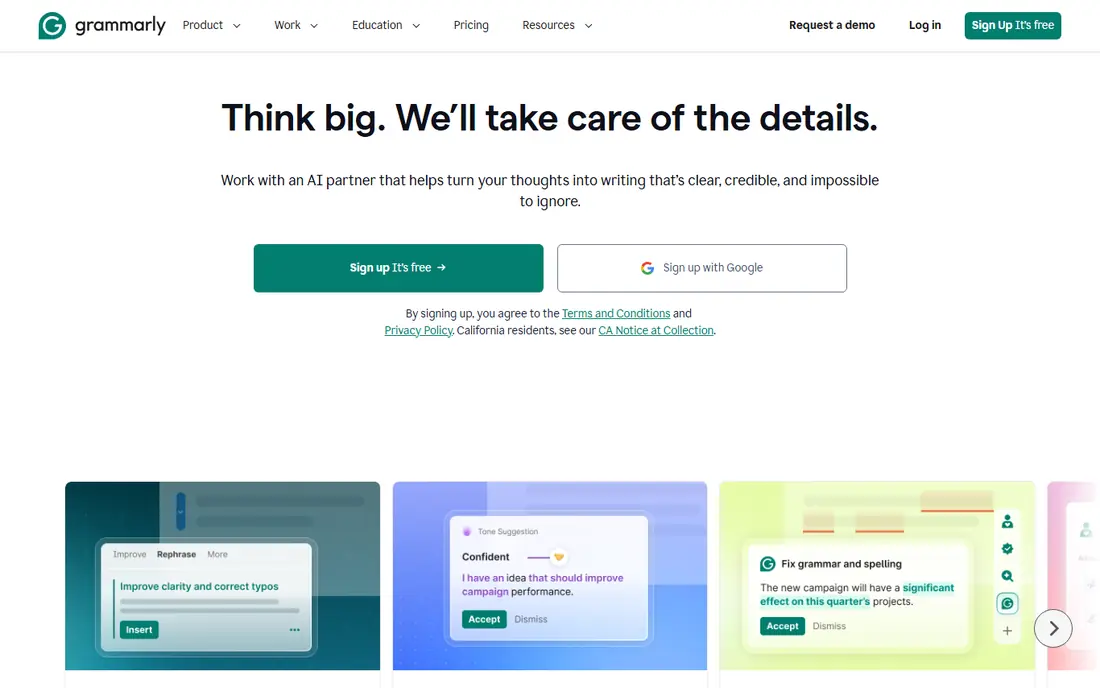
Grammarly is the tool we recommend first for most students because it improves writing you have already done. It catches grammar, spelling, and punctuation errors, flags wordy sentences, and suggests tone changes, all inside Google Docs, Word, email, and the browser. That makes it useful for essays, reports, applications, and everyday class work without changing how you write. The honest catch is that Grammarly does not teach a topic or check facts, and its suggestions can miss subject-specific terms. Use it as an editor, not as a source. The free plan covers the basics well, and Pro adds clarity, tone, and plagiarism-related checks that help older students and teachers.
- Works across docs, email, and browsers
- Clear tone and clarity suggestions
- Free plan covers basics
- Paid features sit behind Pro
- Suggestions can be wrong in specialist subjects
ChatGPT is most useful in education before drafting starts. Ask it to explain a concept in plain language, suggest an essay structure, list counterarguments, or turn rough notes into an outline, then write the essay yourself. That workflow keeps your thinking at the center and uses AI for planning and feedback rather than for finished text. The risk is well known: ChatGPT can invent facts, quotes, and references that look convincing. Never copy a reference without checking it in a library catalog or publisher site, and never submit AI-generated text as your own work unless your teacher explicitly allows that use. The free plan is enough for planning, while Plus adds faster responses and newer models.
- Strong for outlines and explanations
- Free plan for basic use
- Wide subject coverage
- Can invent facts and references
- School rules vary widely
Claude suits revision better than first drafting. Paste a draft you wrote, ask for feedback on structure, clarity, and argument gaps, and use the response to plan your next edit. It handles long documents well, which helps with essays, dissertations, and reports where a full read-through matters. The limit is the same as with other chat tools: feedback is a suggestion, not a grade, and Claude can miss errors or praise weak arguments. Keep your own judgment, check any factual claims it makes, and do the rewriting yourself. For students who want a patient reader for a second draft, Claude is a strong option.
- Helpful for long document review
- Clear, structured feedback
- Good for revision prompts
- Can still make errors
- Free plan has usage limits
QuillBot helps when you understand a source but struggle to put it in your own words. Its paraphraser offers different modes, from standard to formal, and its grammar checker and summarizer support the editing stage. For students working with dense academic text, that can make the difference between copying and genuinely restating an idea. The catch is academic honesty. Paraphrasing does not remove the need to cite, and a paraphrased passage still needs a reference in your required style. Use QuillBot to learn phrasing, then cite the original source and check the result reads naturally. The free plan is useful for short passages, while Premium raises limits.
- Paraphraser with tone modes
- Grammar checker
- Summarizer for long readings
- Paraphrasing must still cite the source
- Premium limits are not always clear
Notion AI fits students who already keep notes, reading lists, and project plans in Notion. It can summarize a page of notes, turn rough points into a structured outline, and help draft a first version of a report inside the same workspace. That keeps research and writing together instead of scattered across apps. The limit is that Notion AI is for organization and drafting help, not for detailed grammar or citation checking. You will still need Grammarly or a similar editor for the final polish, and you will still need to verify sources yourself. Choose Notion AI when your main problem is messy notes, not sentence-level editing.
- Summaries inside your notes
- Good for research organization
- Team pages for classes
- AI is an add-on cost in some plans
- Not a dedicated essay checker
Perplexity is a better research starting point than a general chatbot because it shows sources beside its answers. You can ask a research question, follow the links to primary sources, and use follow-up questions to narrow the topic. For school and college research, that habit of checking the source is more valuable than the answer itself. The catch is source quality. Perplexity can cite weak or outdated pages, and it can misread a source. Treat its answer as a map to sources, not as a final citation, and open each key source yourself. The free plan covers basic research, while Pro adds more advanced models and file uploads.
- Answers link to sources
- Good for starting research
- Follow-up questions refine results
- Sources vary in quality
- Answers still need checking
Google Docs is the most accessible writing workspace in education, and that is why it belongs here. Teachers can comment, students can collaborate, and version history shows how a draft changed. Gemini features inside Docs can help draft, summarize, and rewrite passages without leaving the document, depending on your account. The limit is that Docs is a workspace, not a specialist editor. Its AI help is useful for drafting and summaries, but it does not replace careful proofreading or a citation tool. If your school already uses Google Workspace, Docs is the lowest-friction place to write, share, and revise work with a teacher.
- Free with a Google account
- Teacher comments and peer review
- Gemini help inside Docs
- AI features vary by account and plan
- Not a specialist writing checker
Jenni AI is designed for academic writing, with autocomplete-style drafting, paraphrasing, and citation features aimed at essays and research papers. It suits students who have notes and a thesis but struggle to turn them into connected paragraphs, because it works from your own text rather than starting from a blank prompt alone. The risk is overuse. If Jenni AI writes most of the essay, the work is no longer yours in any meaningful sense, and many schools will treat that as misconduct. Use it for sentence help, citations, and structure, keep your own argument, and check every citation it produces. Confirm pricing on the Jenni AI site before you commit.
- Built for academic writing
- Citation support
- Helps continue drafts from your notes
- Must be used within school rules
- Pricing needs checking on its site
How we picked these
We looked for tools that are available in 2026, that offer a free plan or trial, and that support a clear stage of academic writing, from planning to revision. We checked official feature pages, pricing pages, and education guidance for free tiers, citation features, collaboration, and privacy controls, and we favored tools that edit or organize your own work over tools that simply generate essays. Where pricing was unclear, we listed See website. We did not claim hands-on testing, and we excluded tools with no clear education use or that encouraged submitting generated work as original.
Using AI writing tools honestly in school and college
Start by reading your school or course policy, because rules differ by subject, level, and assignment. Some teachers allow AI for brainstorming and editing but not for drafting, while others require you to declare any AI help. When in doubt, ask before you use a tool, and keep a record of what you used it for. Next, use AI at the right stage. Brainstorm with ChatGPT or Claude, research with Perplexity, organize with Notion, draft in Google Docs, and polish with Grammarly and QuillBot. Write your thesis and main arguments yourself, check every fact and reference, and revise the final text so you can explain every claim if asked. That workflow helps you learn, and it keeps your work honest.
Frequently asked questions
What are the best ai writing tools for education for students?
Grammarly for editing, ChatGPT or Claude for planning and feedback, Perplexity for research, and Google Docs for writing and collaboration cover most student needs. Add QuillBot for paraphrasing practice and Notion AI if your notes need organizing. The best mix depends on your subject and your school policy.
Is it cheating to use AI writing tools for school?
It depends on the tool and the assignment. Using Grammarly to fix grammar is widely accepted, while submitting AI-generated text as your own work is usually treated as misconduct. Check your course policy, declare AI help when required, and use AI for planning, feedback, and editing rather than for finished essays.
Which AI writing tool is free for students?
Grammarly, ChatGPT, Claude, QuillBot, Perplexity, Notion, Google Docs, and Jenni AI all offer a free plan or free tier, with limits on usage or features. Google Docs is free with a Google account, which makes it the most accessible option. Free plans suit planning and basic editing, while paid plans raise limits.
Can AI tools help with citations?
Yes, with limits. Perplexity links answers to sources, and Jenni AI supports citations in academic styles, but both can make errors. Always open the source yourself, check the author, date, and publisher, and format the citation in the style your course requires. Never trust an AI citation you have not verified.
What should teachers look for in an AI writing tool?
Teachers should look for privacy controls, clear data handling, collaboration and comment features, and tools that support revision rather than replacement of student thinking. Google Docs and Notion suit classroom collaboration, while Grammarly suits editing feedback. Check age rules and data policies before asking younger students to create accounts.
Do AI writing tools work for non-native English speakers?
Yes, and they can help a lot with grammar, clarity, and sentence structure, especially Grammarly and QuillBot. They work best when you write a first draft yourself, then use the tool to polish it and learn from its suggestions. Check subject terms carefully, because general tools can flag specialist language as an error.
Sources we checked (8)

Online Jobs is an independent blog about careers, online work, learning new skills and the tools that help people earn. More about us.
Keep reading
All posts
Best Tools for Virtual Tutoring
Compare the best tools for virtual tutoring, from one-to-one tutor marketplaces to free self-paced learning, with pricing, subjects and honest limits.
Best Study Apps for Young Children
Compare the best study apps for young children in 2026, from Khan Academy Kids and ABCmouse to Reading Eggs, Starfall, Duolingo ABC and PBS Kids, with prices.
Best Study Apps for Kids
Looking for the best study apps for kids? We compare Khan Academy Kids, ABCmouse, Prodigy, IXL and more on age, safety, price and subjects for home learning.