Best AI Visibility Checking Software in 2026: 9 Apps Compared

How we put this together: we compare official feature and pricing pages, app store listings, privacy policies and public user reviews. Prices change, so check the provider's site before you pay.
Key takeaways
- Otterly.AI is our pick for regular, low-cost checking because it covers core engines, shows full answer text and includes GEO audits.
- Peec AI and Profound suit teams that want to check the same prompts daily and compare results over time with competitor data.
- RankPrompt, LLMrefs and Mangools AI Search Watcher offer different checking styles, from fix-focused reports to broad engine coverage and budget checks.
- Checking works best as a routine, with the same prompts run on a schedule, rather than as a one-off search.
Quick comparison
| Name | Who it suits | Starting price | Free option | |
|---|---|---|---|---|
 Otterly.AI Otterly.AI | Regular low-cost checks | $29 per month | Free trial | Visit |
 Peec AI Peec AI | Daily prompt checks for teams | See website | Free trial | Visit |
 Profound Profound | Enterprise daily checking | See website | Free trial | Visit |
 Semrush AI Visibility Toolkit Semrush AI Visibility Toolkit | Checking inside SEO workflow | $99 per month | No | Visit |
 Ahrefs Brand Radar Ahrefs Brand Radar | Checking brand mentions at scale | $199 per month | No | Visit |
 RankPrompt RankPrompt | Checking with fix suggestions | See website | Free trial | Visit |
 LLMrefs LLMrefs | Broad engine checking | See website | Free trial | Visit |
 Mangools AI Search Watcher Mangools AI Search Watcher | Budget multi-engine checks | See website | Free trial | Visit |
 HubSpot AEO HubSpot AEO | Checking with CRM context | See website | Free trial | Visit |
The best AI visibility checking software
Checking AI visibility is a routine job, not a one-time audit. You want to know, on a regular schedule, whether AI answers mention your brand for the prompts buyers actually use, whether that mention rate is rising or falling, and whether competitors are taking the recommendation instead. The nine tools below are chosen for checking, which means scheduled prompt runs, clear history, citation views and alerts when answers change.
Otterly.AI works well as a checking routine because it keeps the job simple. You set a prompt list, it runs those prompts across ChatGPT, Google AI Overviews, Perplexity and Microsoft Copilot, and you can read the full answer text rather than just a score. That full text matters when you need to check why a brand was missed, because the reason is often in the wording of the answer or in the sources it cites. The entry plan suits a small brand with a focused list. If you check many prompts or need Gemini and Claude included, add-ons raise the cost, so confirm engine coverage before you build a long prompt list. For a weekly or daily check that a small team will actually read, Otterly.AI is a practical starting point.
- Low starting price for scheduled checks
- Full answer text for prompts
- GEO audits to explain missing mentions
- Entry plan prompt count is limited
- Gemini, AI Mode and Claude are paid add-ons
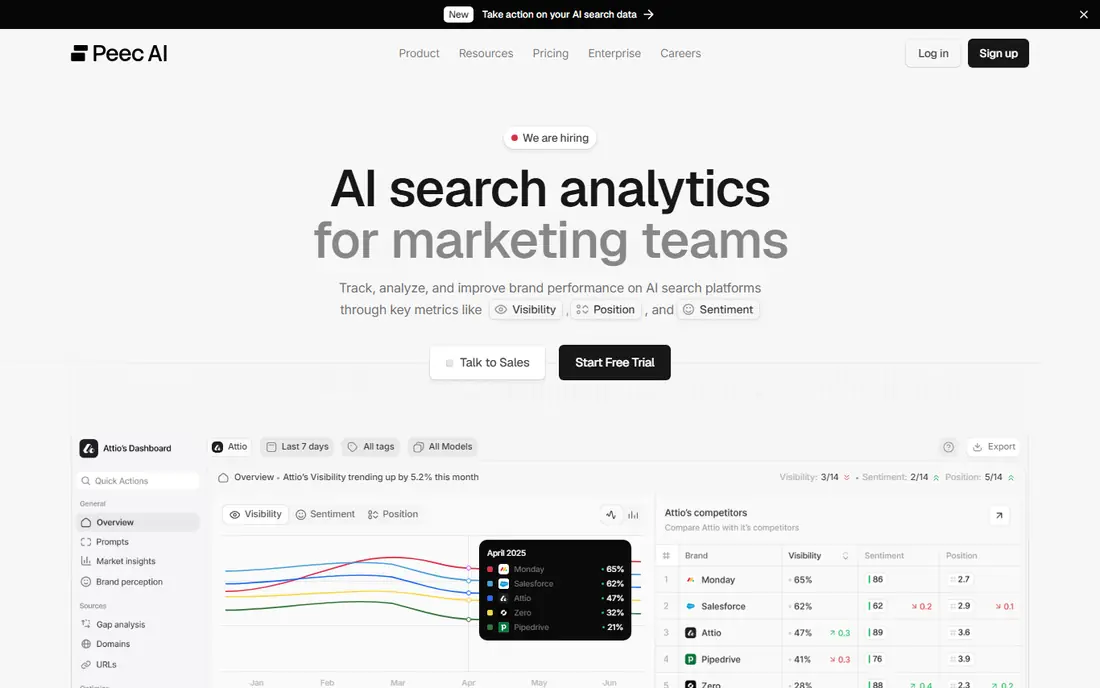
Peec AI is built for teams that want to check the same prompts every day and watch trends. Prompt-level history shows whether a brand appears consistently or only on some runs, which is important because AI answers change often. Competitor checks on the same prompts help you see whether a drop in your visibility is a general answer change or a competitor gaining ground. Before you buy, check that your key engines are included on the plan you choose, because self-serve plans limit model choice and enterprise plans cover more engines. For a marketing team that reports visibility weekly, Peec AI gives a clear, repeatable checking routine without enterprise complexity.
- Daily prompt runs with history
- Competitor checks on the same prompts
- Prompt volume and suggestion features
- Engine choice is limited on self-serve plans
- Pricing varies by plan and currency
Profound suits larger brands that need checking as part of a formal reporting routine. It runs prompts on a schedule, tracks citations and competitor presence, and supports reporting that can be shared with leadership or across regions. That structure helps when checking must be consistent, auditable and comparable month to month. Smaller teams may find the buying process heavy, because Profound does not offer a simple published monthly plan in every listing. If you need enterprise controls, multi-region checking or a dedicated reporting workflow, Profound is worth the sales conversation. If you only need a quick weekly check, start with Otterly.AI or Peec AI.
- Scheduled checking across answer engines
- Conversation and citation detail
- Enterprise reporting and controls
- Full plans require a sales conversation
- Not built for a quick self-serve monthly signup
Semrush AI Visibility Toolkit
Who it suits: Checking inside SEO workflow
Semrush is a good checking choice for SEO teams that already open Semrush daily. The AI Visibility Toolkit lets you check prompts, track mentions and citations, and keep AI checks next to organic rank data, so the team does not need a second dashboard for a routine task. Prompt discovery from a large database can also help you find buying prompts you had not planned to check. Check prompt limits and add-on pricing for your Semrush plan, and test chatbot engines separately from AI Overviews. If your buyers mainly use ChatGPT or Gemini chat, confirm that Semrush checking covers those answers in the way you need before you make it your only checker.
- Checking inside a familiar SEO dashboard
- Prompt and citation history
- Large prompt database for discovery
- Add-on pricing varies by Semrush plan
- Chatbot-specific checking is thinner than AI Overviews in some reports
Ahrefs Brand Radar checks brand presence from a web and citation perspective, which complements chatbot-specific checkers. It tracks mention trends, helps you discover prompts at scale, and links AI exposure to web signals that SEO teams already monitor. For a research-heavy team, that breadth helps you check not only whether you appear, but which web sources drive that appearance. The cost is higher than entry checkers, because Brand Radar sits on top of Ahrefs plans in many listings. It fits best for teams already paying for Ahrefs who want AI checking in the same workflow. For a standalone weekly check, a dedicated tool is usually cheaper and simpler.
- Brand mention checking with web citation context
- Prompt discovery at scale
- Useful for research-heavy teams
- Higher all-in cost with Ahrefs plans
- Checking is an index rather than a standalone lightweight tool
RankPrompt is useful when checking should lead directly to a fix. It tracks prompts across ChatGPT, Perplexity, Google AI Mode, Claude, Gemini and Grok in its listings, reports citations and competitor gaps, and suggests fixes for schema, citations and content gaps. That link from check to action helps small teams that otherwise collect reports without changing pages. Suggestions are not automatic improvements. You still need to edit pages, earn citations or fix technical issues, and then check again to see whether visibility moves. Use RankPrompt when you want a checking routine that ends with a short, assigned fix list each week, not just a score.
- Prompt checking with schema, citation and competitor gap suggestions
- Location-based checking options
- Clear starter tiers in many listings
- Fix suggestions still need content work to implement
- Plan limits vary
LLMrefs appeals to teams that want to check many engines without paying enterprise prices. Listings describe coverage across 11 AI engines, including Claude and Grok, on a single plan, which helps you compare answers across models instead of assuming one engine represents them all. That breadth is valuable because cited sources differ sharply by engine. As a newer tool, LLMrefs has less long-term public history than Profound or Semrush. Test it on your core prompts for a few weeks, compare its answer captures with a manual check on one engine, and judge it on whether the history and citation views help you act. For broad checking on a budget, it is worth a trial.
- Broad engine coverage for the price in many listings
- Prompt-level checking across many models
- Useful for multi-engine comparison
- Newer tool with less public documentation than larger rivals
- Plan details need checking on the vendor site
Mangools AI Search Watcher
Who it suits: Budget multi-engine checks
Mangools AI Search Watcher is a budget checker for teams that want multi-engine coverage without a large subscription. It runs prompts multiple times across major engines, which helps smooth out the variation you get from a single AI answer. A free AI Search Grader lets you test the concept before you pay, which is useful for a small brand that is new to AI checking. Depth is the trade-off. Reporting and competitor analysis are thinner than Profound or Peec AI, so Mangools fits best as a regular checker for a focused prompt list. Use it to spot changes and citation gaps, then use a deeper tool or manual review when a prompt shows a persistent problem.
- Budget checking across ChatGPT, Gemini, Claude, Grok and Google AI Overviews
- Prompts run multiple times
- Free grader to test
- Checking depth is thinner than enterprise tools
- Agency reporting needs checking on the vendor site
HubSpot AEO, which stands for answer engine optimisation, suits teams already using HubSpot who want checking close to CRM data. Standalone plans run a set number of prompts daily across ChatGPT, Gemini and Perplexity, with citation and competitor views. Higher Marketing Hub plans add CRM-informed prompt suggestions, which can help you check prompts tied to real customer segments. Prompt limits matter. Standalone checking covers a modest prompt list, so prioritise buying prompts over broad topic lists. If your team already uses HubSpot for marketing and sales, AEO keeps checking in a familiar system. If you need many prompts or many engines, a dedicated checker may offer more room.
- Standalone AI visibility checking with daily prompt runs
- CRM-informed prompt suggestions on higher plans
- Citation and competitor views
- Prompt count on standalone plans is limited
- Deeper CRM context requires Marketing Hub Professional or Enterprise
How we picked these
We compared official feature pages, pricing pages and public comparison guides that describe scheduled prompt runs, engines covered, prompt limits and citation views. We favoured tools that check the same prompts on a schedule and show history, rather than tools that only offer a one-off audit. We did not run hands-on trials for this guide, and we did not invent check frequencies, engine counts or prices that vendors do not publish clearly.
Set up a checking routine that lasts
A checking routine fails when the prompt list is too long, too vague or changed every week. Start with 20 to 40 prompts that mirror real buyer questions, including unbranded prompts such as best CRM for a small team and branded prompts such as your brand versus a named competitor. Run the same prompts on the same schedule, ideally daily for core prompts and weekly for a broader list, and keep the list stable for at least a month. Review results on a fixed day. Note mention rate, citation rate and competitor share for each prompt group, and flag only changes that hold for several runs. A one-day drop can be noise, because AI answers vary. A two-week trend is a signal worth investigating. Assign each flagged prompt to an owner, with a clear next step, such as updating a comparison page, adding a fact sheet or pitching a review site that AI systems cite.
Check manually sometimes
Automated checking is efficient, but a manual check once a month helps you spot issues a dashboard hides. Open ChatGPT, Gemini and Perplexity yourself, ask three core prompts, and read the full answers. Note tone, competitors named and sources cited. That manual read often explains a dashboard change faster than a chart.
Keep prompts tied to buyers
Avoid tracking vanity prompts that no buyer would ask. Use sales calls, support questions and search data to build your list, and retire prompts that never lead to a content or PR action. A short list tied to revenue is more useful than a long list that no one reads.
Frequently asked questions
What is the best ai visibility checking software?
Otterly.AI is our pick for regular low-cost checking, while Peec AI and Profound suit teams that need daily checks and history. Mangools AI Search Watcher is a good budget option for multi-engine checks.
How often should I check AI visibility?
Check core buying prompts daily or weekly, and review trends monthly. Daily checks catch change early, but decisions should wait for a trend across several runs, because single AI answers vary.
Which engines should I check?
Check ChatGPT, Gemini, Perplexity and Google AI Overviews at minimum. Add Microsoft Copilot or Claude if your buyers use them, and report engines separately rather than averaging them into one score.
What is the difference between checking and analysis software?
Checking software runs the same prompts on a schedule and reports whether your brand appears, while analysis software goes deeper into citations, sentiment, perception and competitor gaps. Many tools do both, but checking tools prioritise a repeatable routine and history.
Can I check AI visibility for free?
You can start with free trials, free graders and manual checks in ChatGPT, Gemini and Perplexity. For scheduled, multi-engine checking with history, a paid plan is usually needed once your prompt list grows.
Why do AI answers change so much?
AI systems generate answers from many sources and can vary wording, sources and recommendations between runs. That is why checking should focus on mention and citation trends over weeks, not on a single answer.
Sources we checked (9)

Online Jobs is an independent blog about careers, online work, learning new skills and the tools that help people earn. More about us.
Keep reading
All posts
Zoom Alternatives
Zoom alternatives compared for 2026: Google Meet, Microsoft Teams, Webex, Jitsi and more for free calls, large meetings and webinars for teams and classrooms.

Top Rated Poster Maker Software
Top rated poster maker software compared for 2026: Canva, Adobe Express, VistaCreate, PosterMyWall and more for events, sales and classrooms for US users.

Surfshark Alternatives
Looking for Surfshark alternatives? We compare 8 VPN services on price, privacy, streaming, and device limits to help you find a VPN that fits your needs.