Best AI Tools for Students in 2026: 8 Tools Compared

How we put this together: we compare official feature and pricing pages, app store listings, privacy policies and public user reviews. Prices change, so check the provider's site before you pay.
Key takeaways
- ChatGPT, Claude, and Gemini all have strong free tiers, so most students should start free before paying for anything.
- Perplexity suits research with citations, while NotebookLM suits revising your own readings and notes.
- Notion and Grammarly help with organization and writing polish, not with doing the work for you.
- Check your school policy before you use AI for assessed work, and always verify facts and citations yourself.
Quick comparison
| Name | Who it suits | Starting price | Free option | |
|---|---|---|---|---|
 ChatGPT | All-round study help | $20 per month | Yes | Visit |
 Claude | Long readings and feedback | $20 per month | Yes | Visit |
 Gemini | Google Docs and study help | $19.99 per month | Yes | Visit |
 Perplexity | Cited research answers | $20 per month | Yes | Visit |
 Notion | Notes and semester planning | Free | Yes | Visit |
 Grammarly | Writing polish | $12 per month | Yes | Visit |
 NotebookLM | Studying your own sources | Free | Yes | Visit |
 Quizlet | Flashcards and recall | See website | Yes | Visit |
The best AI tools for students
AI tools can help students learn faster, but they can also create a false sense of understanding if you copy answers without working through them. The tools below are useful for explaining concepts, quizzing, organizing, and polishing your own work. Our pick for most students is ChatGPT for all-round help, with Perplexity for research and NotebookLM for revising your own materials. Always follow your school policy on AI use, and never submit AI-written work as your own where that is banned.
ChatGPT is the best starting point for most students because it covers so many study jobs in one place. You can ask it to explain a concept in plain terms, quiz you on a topic, help outline an essay you have already planned, or walk through a math problem step by step. Study mode is designed to guide rather than simply give answers, which suits learning better than a direct answer dump.
The risk is accuracy. ChatGPT can sound confident while being wrong, especially on facts, dates, and citations. Use it to learn and draft, then check key facts against your course materials. The free tier covers a lot of text work, while Plus at $20 per month lifts caps and adds more advanced models. Start free, and upgrade only if you hit limits during exam season.
- Strong free tier for tutoring and drafts
- Study mode for guided learning
- Useful across many subjects
- Answers can contain errors
- Free tier caps some tools such as uploads and image creation
Claude suits students who work with long readings. You can upload papers, chapters, or notes, ask for summaries, compare arguments, and get feedback on a draft. Its responses tend to be structured and careful, which helps when you are revising a long essay or trying to understand a dense article. The free tier allows file uploads and web search, which covers real study work.
Limits apply in rolling sessions, so heavy use during an exam crunch may hit a cap. Pro at $20 per month raises those limits. Claude for Education is available through institutions, not as an individual student discount, so check whether your university offers it. For long-form reading and writing feedback, Claude is our second pick after ChatGPT.
- Strong with long documents and readings
- Clear, structured feedback on writing
- Generous free tier
- No student discount for individuals in most cases
- Usage limits apply on the free tier
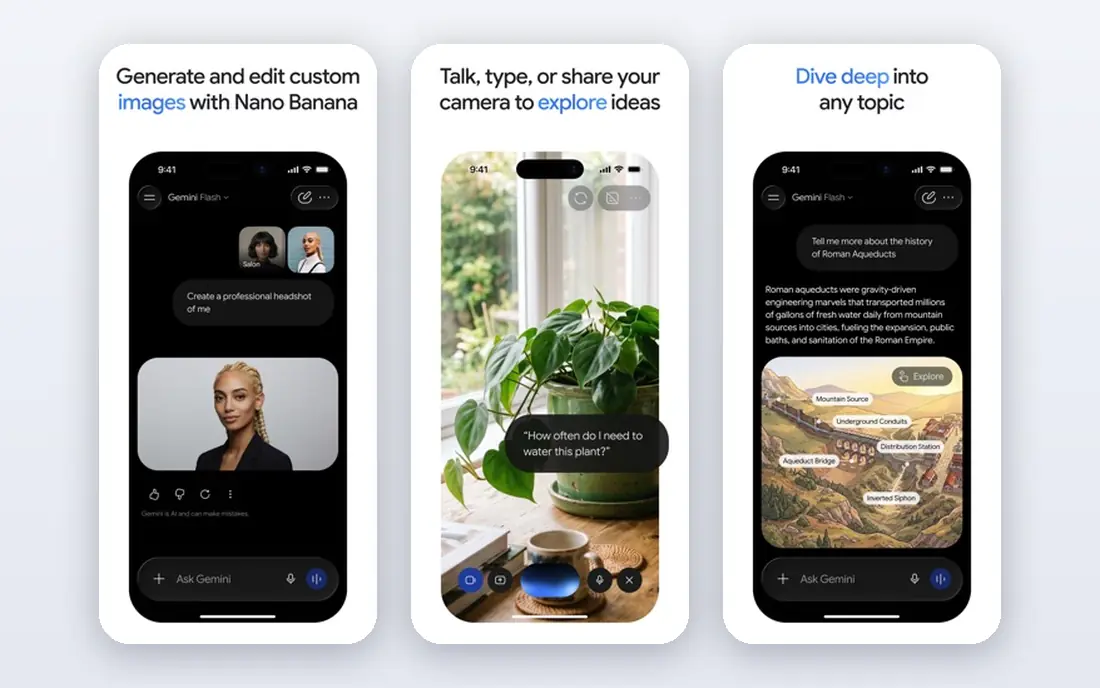
Gemini is the natural choice for students who already live in Google Docs and Drive. It can summarize documents, help draft in Docs, create study quizzes, and answer questions with web grounding. For group projects in Google Workspace, that integration saves time compared with copying text between apps.
Student offers have included a free year of Google AI Pro for eligible US college students, with a renewal at $19.99 per month unless cancelled. Terms and deadlines change, so verify the current offer on Google's student page before you rely on it. Even without a paid plan, the free tier covers a lot of study help, and it pairs well with NotebookLM below.
- Works well inside Google Docs, Gmail, and Drive
- Student offers for Google AI Pro in the US
- Useful for summaries and quizzes
- Student offer terms and end dates change
- Paid plan renews at full price unless cancelled
Perplexity suits research better than a general chatbot, because its answers link to sources you can open and check. That matters for essays and projects where you need real references, not invented citations. You can ask for recent information, compare viewpoints, and follow a source trail to primary materials.
The free tier gives a limited number of advanced searches per day, while Pro at $20 per month lifts those limits. An education plan has been offered at $10 per month for verified students, so check the current student page. Even with citations, always open the source yourself, since a cited page may not actually support the claim as stated.
- Answers include citations to sources
- Good for research and fact-checking
- Student plan at a lower price
- Free tier limits advanced searches
- Citations still need manual checking
Notion helps students organize a semester, not just take notes. You can build a dashboard with deadlines, readings, revision plans, and project trackers, all in one workspace. Templates for class notes, study plans, and research projects make setup faster, and collaboration works well for group work.
Students with a school email can get the Plus tier free, which is a genuine saving. Notion AI, which summarizes and drafts inside Notion, is a separate paid add-on, with a student discount in some cases, so do not assume it is included. If you mainly need organization, the free education plan is enough, and you can use ChatGPT or Claude for AI help alongside it.
- Free Plus tier for students with a school email
- Flexible notes, databases, and planners
- Good templates
- Notion AI is a paid add-on with only a limited trial on education plans
- Can feel complex at first
Grammarly is a writing editor, not a writing replacement. It catches grammar and spelling errors, flags unclear sentences, and suggests tone changes as you type in a browser, document, or app. For students writing in a second language, or for anyone who wants cleaner drafts, that real-time feedback is useful.
The free tier covers core grammar and spelling, plus a limited number of AI prompts per month. Pro, at around $12 per month on annual billing, adds more AI help, plagiarism checking, and style tools. Student discounts have been offered through verification services, so check before you pay full price. Use Grammarly to polish your own writing, not to generate an essay from a prompt.
- Catches grammar, spelling, and clarity issues
- Works across browsers and apps
- Free tier covers core editing
- AI features are capped on the free tier
- Plagiarism and style tools need a paid plan
NotebookLM is different from a general chatbot, because it works from your own materials. Upload lecture notes, papers, or a textbook chapter, and it will summarize, quiz you, and answer questions based on those sources, with citations back to the text. That grounding reduces the risk of invented facts, and it makes revision more active than re-reading notes.
It will not help if your sources are thin or wrong, since it reflects what you give it. Daily caps apply to chats and audio or video overviews, so plan revision sessions rather than relying on unlimited use. For exam revision from your own course materials, NotebookLM is one of the most useful free tools on this list.
- Grounded in sources you upload
- Creates summaries, quizzes, and audio overviews
- Free with a Google account
- Only as good as the sources you add
- Daily caps apply to chats and overviews
Quizlet remains a strong tool for recall, even in an AI-heavy list. Flashcards, learn modes, and tests help with vocabulary, formulas, dates, and definitions, and the shared library means you can often find a set for a common course. Making your own cards is better for learning than copying a set, but a shared set is a useful starting point for review.
Quality varies, since anyone can publish a set, so check cards against your course materials before you trust them. Paid plans add AI features and remove ads, but the free tier covers core flashcard study. For subjects that reward memorization, Quizlet pairs well with NotebookLM: one for recall, one for understanding.
- Huge library of shared flashcard sets
- Learn and test modes for recall
- Useful for vocabulary and facts
- Shared sets vary in quality
- Advanced AI features need a paid plan
How we picked these
We compared official pricing and student pages, plus recent student tool comparisons, and we favored tools with a genuinely useful free tier, a verified student offer, or a clear study job that free tools do not cover. We left out tools that only generate essays, since those harm learning and break most school policies. We also checked whether a tool grounds answers in sources, since that matters for research accuracy.
How to use AI tools without harming your learning
Use AI to explain, quiz, and organize, not to replace practice. A good rule is to try a problem yourself first, then ask an AI tool to explain where you went wrong. For writing, draft your own outline and argument, then use a tool for feedback and polish. For research, use Perplexity or NotebookLM to find sources, then read those sources yourself before citing them.
Also watch your budget. Five paid subscriptions add up fast, and most students do not need them all. Start free, claim a student offer only if you will use it, and cancel before a trial renews at full price. Finally, keep a note of your school policy. Some courses allow AI for brainstorming but not for final work, and the safest approach is to ask your instructor when you are unsure.
Frequently asked questions
What is the best AI tool for students overall?
ChatGPT, thanks to its strong free tier and versatility across subjects. Claude is better for long readings, and Perplexity is better for cited research, so try all three free tiers before paying.
What is the best AI app for students on a budget?
Start with the free tiers of ChatGPT, Claude, Gemini, NotebookLM, and Notion, which cover most study work at no cost. Add a paid plan only when you hit a real limit during exam season.
Which AI tool is best for students doing research?
Perplexity for web research with citations, and NotebookLM for revising your own readings and notes. Use both, and always open and check the sources yourself.
Are AI tools for students free?
Many have free tiers that cover real study work, including ChatGPT, Claude, Gemini, Notion, Grammarly, NotebookLM, and Quizlet. Paid plans mainly lift limits or add advanced features.
Can students use AI for homework without cheating?
It depends on your school policy and how you use the tool. Explaining concepts, quizzing, outlining, and polishing your own writing are often allowed, while submitting AI-written work as your own usually breaks academic rules. Ask your instructor if you are unsure.
What student discounts are available for AI tools?
Eligible students have been offered a free year of Google AI Pro, a lower-priced Perplexity education plan, free Notion Plus with a school email, and Grammarly discounts. Terms change, so verify each offer on the vendor site.
Sources we checked (8)

Online Jobs is an independent blog about careers, online work, learning new skills and the tools that help people earn. More about us.
Keep reading
All posts
Best Vocabulary Apps
We compare 8 vocabulary apps in 2026, free and paid, for English learners, students, and test prep, with honest notes on what each one does best for daily use.
Best Udemy Alternatives
Explore the best Udemy alternatives for 2026, including Coursera, Skillshare, and LinkedIn Learning, with pricing, certificates, and who each platform suits.
Best Tools for Virtual Tutoring
Compare the best tools for virtual tutoring, from one-to-one tutor marketplaces to free self-paced learning, with pricing, subjects and honest limits.