Home / Trading and investing tools
8 Best AI Stock Trading Apps and Platforms for Research

How we put this together: we compare official feature and pricing pages, app store listings, privacy policies and public user reviews. Prices change, so check the provider's site before you pay.
Key takeaways
- The best ai stock trading app for you depends on style: chart traders, scanners, and long-term researchers need different tools.
- AI signals are research inputs, not guarantees, and past backtest results do not predict future returns.
- Costs vary widely, from free research tiers to high monthly plans for active traders.
- Check broker links, data coverage, and market access before paying, since not every tool covers every market.
- This article is not financial advice. Trading carries risk, and you can lose money, so only risk capital you can afford to lose.
Quick comparison
| Name | Who it suits | Starting price | Free option | |
|---|---|---|---|---|
 TrendSpider TrendSpider | Automated chart analysis | See website | Free trial | Visit |
 Trade Ideas Trade Ideas | Real-time AI scanning | See website | Free trial | Visit |
 Tickeron Tickeron | AI robots and pattern signals | See website | Free trial | Visit |
 Danelfin Danelfin | AI stock scores for research | See website | Yes | Visit |
 Magnifi Magnifi | AI-assisted long-term research | See website | Free trial | Visit |
 Composer Composer | No-code strategy automation | See website | Free trial | Visit |
 Kavout Kavout | AI scores for screening | See website | Free trial | Visit |
 StockHero StockHero | Bot trading for beginners | See website | Yes | Visit |
The best ai stock trading app
We compared the best ai tools for stock trading on scanning, charting, backtesting, AI scoring, broker links, and price. This is not financial advice. Trading carries risk, and AI tools can be wrong, late, or misleading during fast markets.
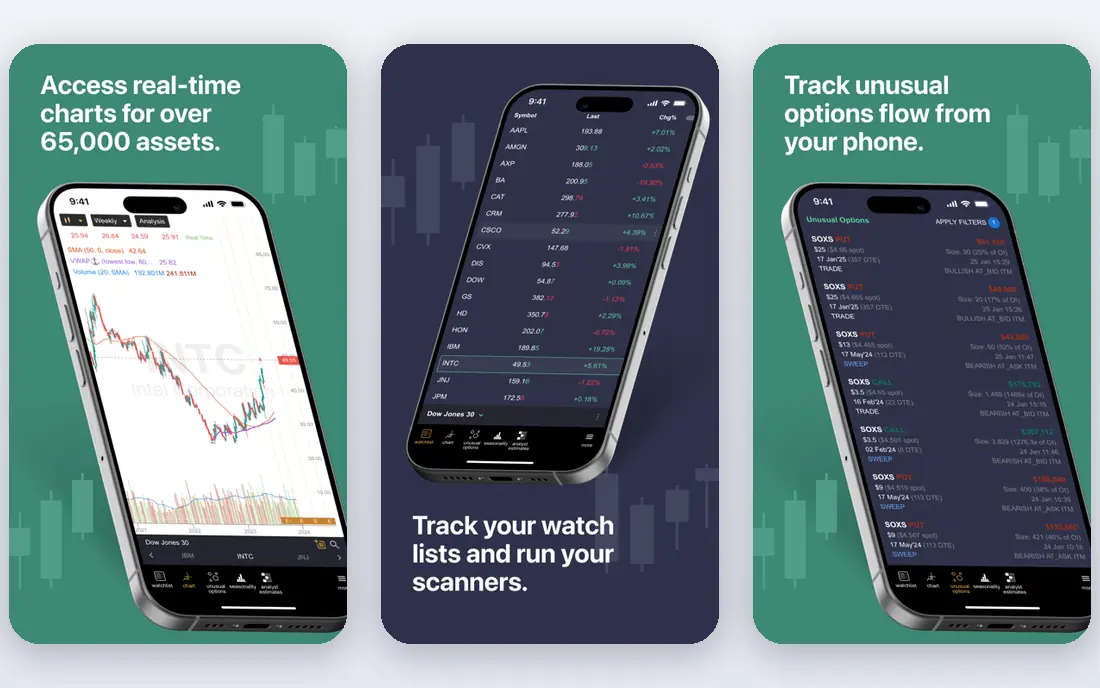
TrendSpider fits a technical trader who spends too much time drawing lines and checking patterns by hand. The platform detects trendlines, Fibonacci levels, and chart patterns, then lets you backtest an idea and set alerts on it. That automation saves time for a swing trader who watches many charts each day. The honest catch is fit and cost. If your decisions come mainly from earnings, news, or fundamentals, TrendSpider adds less value. The paid trial also means you should test it during a normal trading week, with your own watchlist, before you commit to a monthly plan.
- Automatic trendlines and pattern detection
- Multi-timeframe charts
- Backtesting and smart alerts
- No free plan, only a paid trial
- Best for technical traders
- Price rises with higher plans
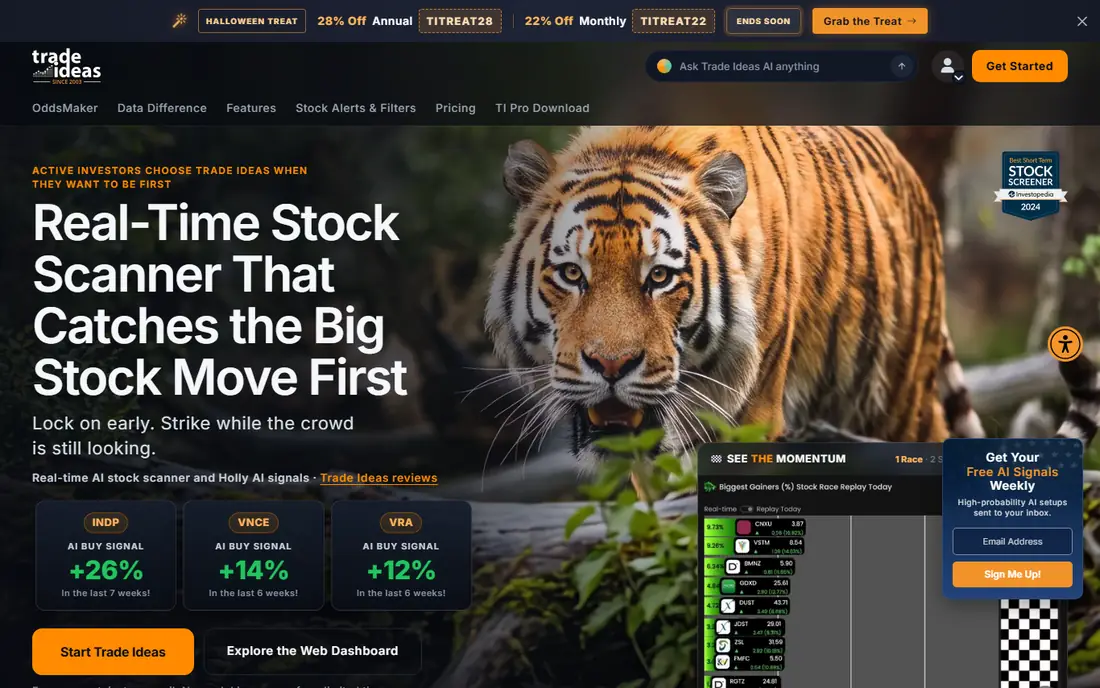
Trade Ideas fits an active day or swing trader who wants live scans and AI-generated ideas each morning. Holly AI runs simulated strategies overnight and presents setups with entry, stop, and target context. Live alerts then flag stocks that match your filters during the session. The risk warning matters here more than usual. Holly ideas are starting points for research, not instructions to buy. A trader who follows them without checking liquidity, news, and position size can lose money fast. Trade Ideas earns its cost only for frequent traders who can use its speed and who treat every signal with care.
- Holly AI generates daily trade ideas
- Live scanning across many stocks
- Backtesting with OddsMaker
- High monthly cost
- Interface feels dense for beginners
- Ideas need your own research before trading
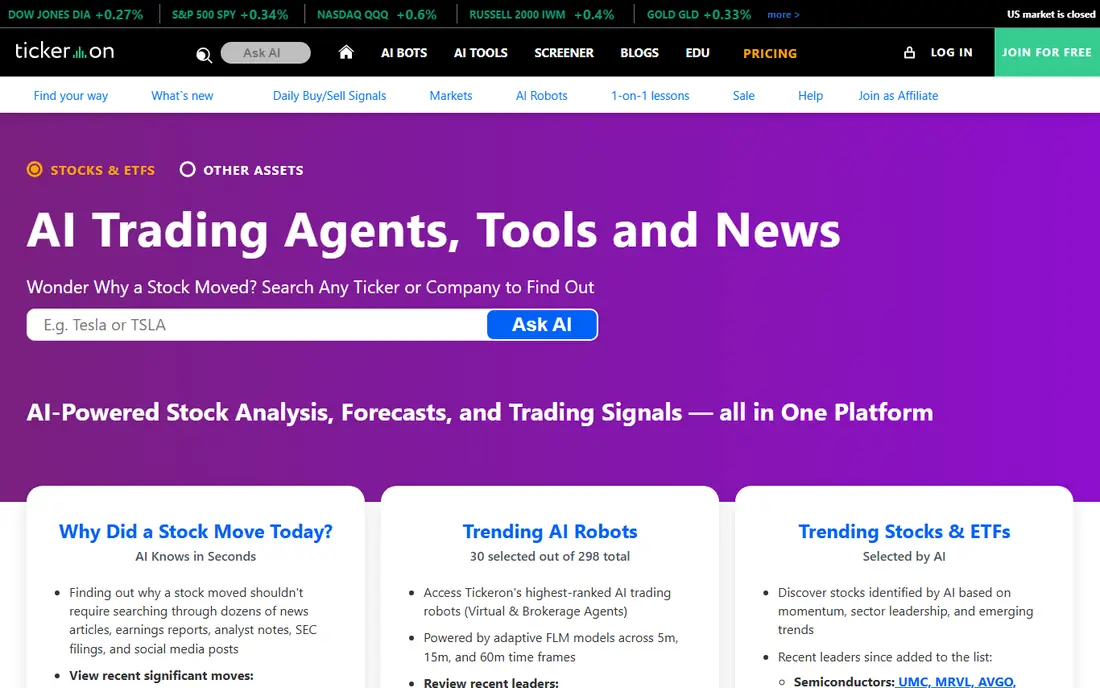
Tickeron fits a trader curious about AI robots and pattern-based signals across stocks, ETFs, and other markets. Its pattern engine, trend tools, and robot portfolios give many ways to test an idea, and the entry tiers are more accessible than some rivals. For a researcher, that breadth is useful. The honest catch is hype. Some robot performance figures look striking, but they often reflect specific periods, geared products, or backtests, not a promise of future gains. Read the method, check drawdowns and fees, and paper trade a robot idea before risking real money. Tickeron is best as a research lab, not as a set-and-forget income tool.
- AI robots for stocks and ETFs
- Pattern search and trend prediction
- Portfolio tools
- Performance claims need sceptical reading
- Many tools can overwhelm beginners
- Subscription tiers vary
Danelfin fits a longer-term researcher who wants a single AI score as one input among many. The score blends technical, fundamental, and sentiment signals, and the breakdown shows which factors drive it. That transparency helps a user who wants to compare two stocks quickly before deeper research. The catch is scope. Danelfin does not cover every stock, and a score is not a buy recommendation. Use it to shortlist, then read earnings, balance sheets, and news yourself. The free tier is a good way to test whether the scoring style matches how you already research stocks.
- AI score for hundreds of stocks
- Free tier for basic research
- Clear score breakdowns
- Scores cover a limited stock universe
- Premium features are paid
- Scores change with market data
Magnifi fits an investor who asks questions in plain language, such as finding stocks in a theme or comparing funds and ETFs. Its AI-assisted search can surface ideas faster than manual screening, and portfolio tools help a user check diversification. For a long-term investor, that research speed is the main gain. The weakness is trading depth. Magnifi is not a day trading scanner, and its AI summaries can miss nuance or date details. Verify any claim against a filing or a primary source before acting. Magnifi works best as an idea generator for a portfolio you manage with care, not as a trading signal service.
- Natural language stock search
- Portfolio and theme research
- Useful for longer-term investors
- Less suited to intraday trading
- AI answers need fact checks
- US focus may limit some users
Composer fits an investor who has a clear rule-based idea and wants to automate it without writing code. You build a strategy with visual blocks, backtest it, and let the platform rebalance on schedule. That structure helps a disciplined investor who wants to avoid emotional trades. The honest risk is that automation does not remove risk. A backtested strategy can fail in live markets, and rebalancing can lock in losses during a downturn. Start small, understand every rule in the strategy, and review performance and fees regularly. Composer is a tool for executing a plan, not a guarantee that the plan is good.
- Visual strategy builder
- Automated rebalancing
- Backtests without coding
- US stocks and ETFs focus
- Automation still carries market risk
- Fees and plan limits need a check
Kavout fits a screener who wants an AI score to narrow a large stock list. The Kai Score combines fundamental and technical factors, which can help a researcher compare stocks across sectors. For a user who already screens on value, growth, or momentum, an AI score adds one more lens. The catch is access and clarity. Kavout has served institutional users as well as retail users, and plan details can be harder to pin down than a simple consumer app. Treat the score as a filter, not a verdict, and always check the underlying financials before any trade. If you cannot explain why a stock scored well, do not trade on the score alone.
- Kai Score blends fundamental and technical signals
- Screening tools
- Institutional-style data views
- Pricing and access vary by plan
- Less transparent for retail users
- Scores are not advice
StockHero fits a beginner who wants to learn bot trading with templates rather than code. The marketplace offers ready bots, and paper trading lets a user test an idea without real money. That low-friction start can teach how bots react to different market conditions. The risk warning is central here. A bot that worked last month can lose this month, and marketplace results may reflect cherry-picked periods. Paper trade for weeks, check fees and slippage, and never fund a bot with money you cannot afford to lose. StockHero is best as a learning tool, not as a passive income promise.
- Bot marketplace and templates
- Paper trading options
- Simpler start than coding a bot
- Bot results vary widely
- Marketplace bots need careful vetting
- Crypto and stock coverage differs
How we picked these
We compared official feature pages, pricing pages, app-store listings, and public reviews for each platform. We weighed scanning and charting quality, AI scoring transparency, backtesting, broker links, market coverage, and price structure. We did not claim hands-on testing, and we did not verify performance claims. Where a price could not be confirmed on the vendor site, we wrote See website. This article is not financial advice, and trading carries risk.
How to choose an AI trading tool safely
Start with your trading style, not with the most impressive AI claim. A day trader needs live data and fast scans. A swing trader needs charts, alerts, and backtests. A long-term investor needs scores, screening, and portfolio research. The best ai stock trading platform for one style can be a poor fit for another.
Test with paper trading first
Use a paper account or a free tier to test any signal, robot, or strategy for several weeks. Track wins, losses, drawdowns, and fees, and compare the result with a simple benchmark. If a tool cannot be tested without real money, treat that as a warning sign, not as a reason to rush in.
Read costs, data, and broker limits
Check the monthly plan, data fees, broker links, and which markets are covered. Some tools cover US stocks well but offer less for UK or European stocks. Others need a linked broker for live trading, while some are research-only. Confirm those limits before you pay, because they decide whether the tool fits your account.
Keep position size and risk controls first
No AI tool replaces risk control. Decide your maximum loss per trade, use stops where suitable, and avoid borrowing until you fully understand it. AI signals can cluster around the same crowded trades, so a signal that many traders follow can move fast and reverse fast. Keep a trading journal, review mistakes monthly, and stop using a tool that encourages overtrading.
Frequently asked questions
What is the best ai trading app for beginners?
For learning, a tool with a free tier and paper trading, such as StockHero or Danelfin, is a safer start than a high-cost scanner. Beginners should learn risk control, position size, and basic research before paying for advanced AI features. No app removes trading risk.
What are the best ai stock trading platforms for active traders?
Trade Ideas and TrendSpider suit active traders, for different reasons. Trade Ideas leads on live scanning and AI ideas, while TrendSpider leads on automated charting and backtests. Active traders should trial both with their own watchlists and compare total monthly costs.
Do AI stock trading tools actually work?
AI tools can surface patterns and save research time, but they do not guarantee profits. Backtests can overfit past data, signals can lag in fast markets, and crowded signals can fail. Treat AI output as research, verify it, and manage risk on every trade.
Is AI stock trading safe?
No trading is safe. AI tools add model risk on top of market risk: a model can be wrong, data can be stale, and automation can execute a bad rule quickly. Only trade with capital you can afford to lose, and never borrow to follow an AI signal.
Can I automate trading with these tools?
Some tools, such as Composer and StockHero, support automation or bot trading, often through a linked broker. Automation still needs monitoring, risk limits, and regular review. A bot is only as good as its rules, its data, and the market conditions it faces.
What is the best ai app for stock trading for research only?
Danelfin and Magnifi suit research-only use, because both focus on scores and idea generation rather than fast trading. Use them to shortlist stocks, then do your own fundamental research before any trade. Research tools still carry risk, because a score can be wrong or out of date.
Sources we checked (8)

Online Jobs is an independent blog about careers, online work, learning new skills and the tools that help people earn. More about us.
Keep reading
All posts
Zoom Alternatives
Zoom alternatives compared for 2026: Google Meet, Microsoft Teams, Webex, Jitsi and more for free calls, large meetings and webinars for teams and classrooms.

Top Rated Poster Maker Software
Top rated poster maker software compared for 2026: Canva, Adobe Express, VistaCreate, PosterMyWall and more for events, sales and classrooms for US users.

Surfshark Alternatives
Looking for Surfshark alternatives? We compare 8 VPN services on price, privacy, streaming, and device limits to help you find a VPN that fits your needs.