Best AI Room Design Apps in 2026: 8 Apps Compared

How we put this together: we compare official feature and pricing pages, app store listings, privacy policies and public user reviews. Prices change, so check the provider's site before you pay.
Key takeaways
- Planner 5D is the best starting point for a full layout, because it pairs floor plans with 2D and 3D views rather than only restyling one photo.
- RoomGPT, Interior AI, and REimagineHome are best for fast photo restyling, and they work well when you want to test a style before you buy anything.
- Homestyler and RoomSketcher suit people who want measurements, furniture placement, and a plan they can share with a contractor or a partner.
- Houzz is strongest for ideas and shopping, because you can move from a photo you like to products that match that look.
- AI results are concepts, not construction plans, so check sizes, colours, and product availability before you spend money based on a generated image.
Quick comparison
| Name | Who it suits | Starting price | Free option | |
|---|---|---|---|---|
 Planner 5D Planner 5D | Full floor plans in 2D and 3D | Free | Yes | Visit |
 RoomGPT RoomGPT | Fast photo restyling | See website | Free trial | Visit |
 Homestyler Homestyler | Room planning with furniture | See website | Yes | Visit |
 Houzz Houzz | Ideas and furniture shopping | Free | Yes | Visit |
 RoomSketcher RoomSketcher | Measured floor plans | See website | Free trial | Visit |
 Interior AI Interior AI | Quick style swaps from photos | See website | Free trial | Visit |
 REimagineHome REimagineHome | Virtual staging for sellers | See website | Free trial | Visit |
 Spacely AI Spacely AI | Simple AI restyling for homes | See website | Free trial | Visit |
The best ai room design apps
AI room design apps fall into two groups. Some restyle a photo you already have, so you can see a living room in a new style in seconds. Others help you draw a floor plan, place furniture, and check whether a sofa will actually fit. The apps below cover both jobs, and the best pick depends on which job you need first.
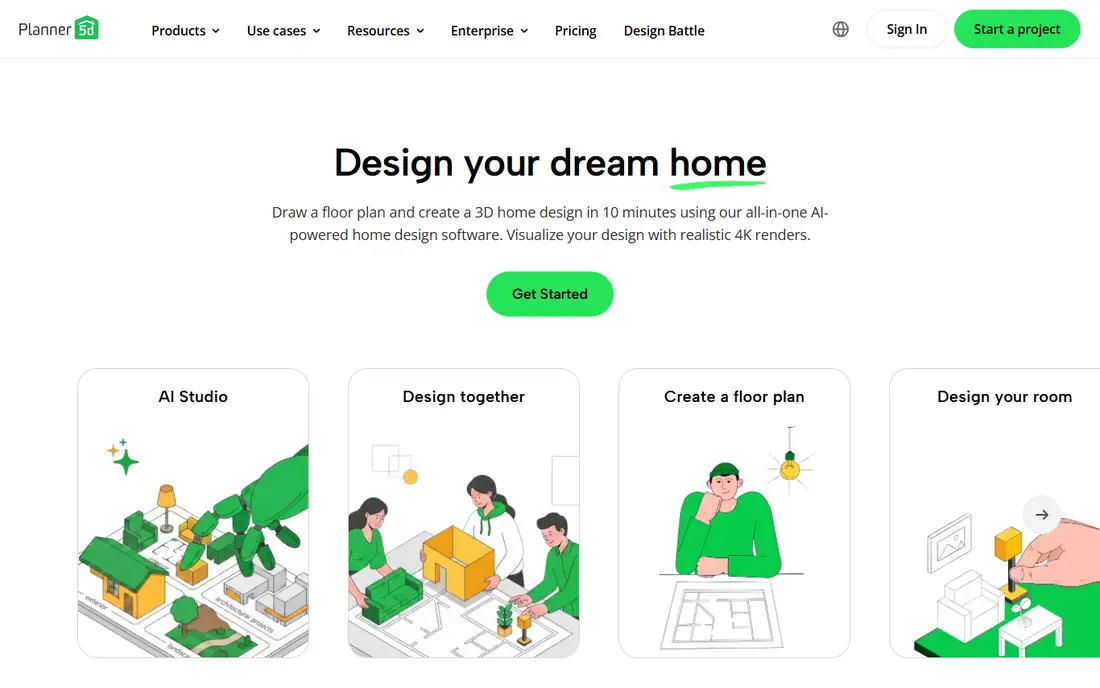
Planner 5D is the most complete planning tool on this list for a homeowner who wants to do more than look at a pretty picture. You can draw walls, set room sizes, add doors and windows, then place furniture and switch between a flat plan and a 3D view. The free plan lets you create and share unlimited projects across web and mobile, with a basic catalog to start from.
Premium starts at $19.99 per month, or $59.99 per year on annual billing, and it adds the AI Designer, the full furniture catalog, and a set number of renders each month. That makes it a good step up when a free project starts to feel limited, but it is not needed just to test a layout. Planner 5D will not replace a contractor drawing for building work, yet it is a strong way to test a layout before you talk to one.
- 2D and 3D planning in one project
- Large furniture catalog on paid plans
- AI tools help turn a plan or image into a 3D room
- Full catalog and high quality renders need a paid plan
- Renders on Premium are limited each month

RoomGPT became well known because it does one job with very little setup. Upload a photo of a room, pick the room type and a theme, and the app returns a restyled version of the same space. Credit packs are sold in bundles, with a small free allowance to test the tool, and unused credits do not expire under the current credit model.
That simplicity is also the limit. You cannot move a sofa, change a wall, or get a shopping list from the result, and the generated room may change details such as furniture size or window placement. Use RoomGPT for early ideas and style direction, then move to a planning app when you need measurements. It is best for a renter or homeowner who wants to see options fast, not for a full remodel plan.
- Very simple photo upload and style choice
- Before and after view makes comparison easy
- Credit packs suit occasional use
- Price is shown after sign in, which makes comparison harder
- Output is an image, not an editable floor plan
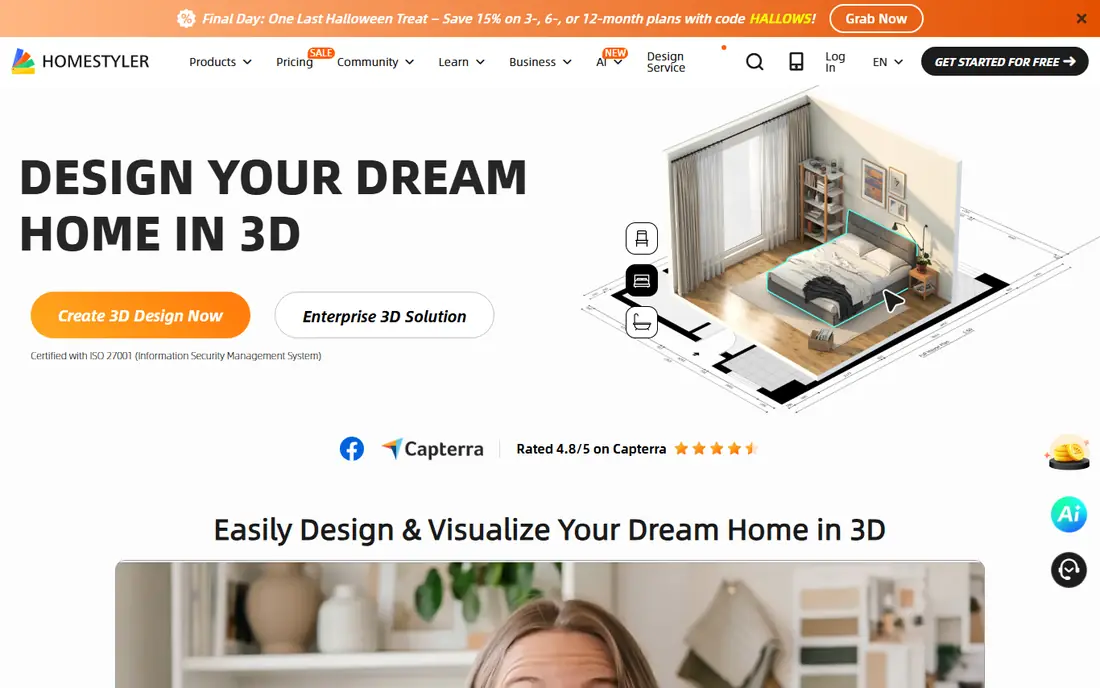
Homestyler sits between a quick photo tool and a professional design program. You can start from a floor plan, build a room in 2D, view it in 3D, and try different furniture arrangements without moving anything in real life. That makes it useful for a common question: will this table fit, and will the room still feel open with it in place.
The free version covers basic planning, while paid plans add more renders, assets, and design features. Check the current pricing page before you commit, because plans and limits can differ by platform. Homestyler fits a homeowner who is ready to plan a room properly, and who wants to share a visual plan with a partner, a landlord, or a contractor.
- Floor plan tools plus 3D views
- Furniture and decor items to place in a room
- Useful for testing layouts before buying
- Advanced renders and some assets sit behind paid plans
- Learning the full toolset takes time
Less of a single AI app, Houzz is more of a design library with shopping built in. You can search real rooms by style, room type, and colour, save the ones you like, and follow links to similar furniture and decor. That link from idea to product is the main advantage, because a generated image alone does not tell you where to buy the sofa in the picture.
The app itself is free to browse and save ideas, while products are sold by retailers at their own prices. Houzz also offers design and visualisation tools, but photo restyling is not its main strength. Use it when you already like a look and need to find real items that match it, or when you want to show a designer a board of rooms you actually want to live in.
- Huge library of real room photos
- Shopping links for furniture and decor
- Tools for saving ideas into project boards
- AI features are less central than in photo restyling apps
- Shopping availability and prices vary by seller
For people who care about measurements, RoomSketcher is the plan first option. You draw a floor plan to scale, add furniture, and view the result in 2D or 3D. That measured approach helps when you need to show a contractor where a wall sits, or when a buyer wants to see how a home flows from room to room.
The free tier lets you test basic planning, while paid plans add features such as high quality 3D photos and floor plan exports. RoomSketcher is less useful if you only want to restyle one photo in a new colour scheme, because that is not its main job. Choose it when accuracy matters more than a quick style experiment.
- Clear measured floor plans
- 2D and 3D views from the same plan
- Useful for real estate and remodel planning
- High quality 3D images and some features need a paid plan
- Less focused on AI style swaps
Interior AI follows the photo restyling model: upload a room photo, choose a style, and compare the new version with the original. It is popular with homeowners who want to test a look before painting or buying, and with agents who want a quick visual for a listing. The workflow is short, and you do not need design training to get a usable first result.
As with other photo tools, treat the result as a concept. A generated image may move furniture, change proportions, or add items that do not exist in your room. Check the pricing page for current plans and any free allowance, since credit and subscription models in this category change often. Interior AI is a good idea tool, not a measured plan.
- Fast photo based redesign
- Many style choices for different rooms
- Simple workflow for homeowners and agents
- Results can change room details
- Commercial use terms need a careful check
Property sellers are the main audience for REimagineHome. Upload a photo of an empty or dated room, and the tool can furnish it virtually, restyle it, or show a cleaner version for a listing. That can help a buyer see potential in a room that looks bare in person, without the cost and effort of physical staging.
The key limit is honesty in a listing. Virtual staging should be clearly marked, so buyers are not surprised when they visit in person. Pricing is shown on the vendor site, with a free allowance or trial to test the tool. REimagineHome fits agents, landlords, and sellers who need listing images fast, and homeowners who want to test furniture in a room before they buy it.
- Virtual staging for empty or dated rooms
- Multiple styles for listings
- Useful for agents and sellers on a budget
- Staged images must be labelled as virtual in listings
- Results need checking for realism
Spacely AI keeps the process short: upload a room photo, pick a style, and view a redesigned version. That makes it a good fit for someone who does not want to learn floor plan software just to see whether a warmer palette or a simpler layout might suit a room. A clear, well lit, wide angle photo gives the best result, while a dark or cluttered photo tends to produce a less useful image.
Spacely AI does not replace a measured plan, and it does not provide a shopping list for the items in the generated image. Use it for early inspiration, then check sizes and products separately. For a quick style test before a weekend decorating project, that simple workflow is often enough.
- Simple photo restyling workflow
- Style options for common rooms
- Low effort way to test a new look
- Fewer planning tools than Planner 5D or RoomSketcher
- Output quality varies with photo quality
How we picked these
We looked for apps that use AI to design or redecorate a room from a photo or a floor plan and still work in October 2026. We checked each vendor website, pricing page, and app store listing for current plans, free allowances, and main features. We kept a mix of photo restyling tools, floor plan tools, and one ideas and shopping platform, because room design involves both inspiration and measurement.
Pricing in this category changes often, with some tools moving between credits and subscriptions. Where a vendor price was not clear on its own site before sign in, we wrote "See website" rather than repeating an older third party figure. Public reviews helped us spot common issues, such as changed room details in generated images and limited renders on lower plans, but plan names and prices here reflect vendor pages checked during research.
How to get a useful result from an AI room app
Start with a good photo. Take it in daylight, from a corner or doorway, with the whole room in frame and clutter moved out of the way. A clear photo gives the AI more to work with, and the result will look closer to your actual room. Try two or three styles for the same photo, rather than judging the tool on one result, because style quality varies a lot.
From image to real room
Measure your room before you buy anything shown in a generated image. Note wall lengths, ceiling height, door swing, and the size of large items you plan to keep. Compare those numbers with product dimensions, and check colours in person where you can, because screen colours shift. Keep a short list of items you like, with prices and delivery times, so a pretty concept turns into a plan you can actually afford.
When to hire a designer instead
AI tools are strong for ideas, but they do not check building rules, wiring, plumbing, or structural limits. If your project moves walls, changes a kitchen layout, or involves a bathroom, talk to a qualified designer or contractor before you commit. Bring your AI images and your floor plan to that conversation, since they help explain what you want, even if the final plan looks different.
Frequently asked questions
What is the best free AI room design app?
Planner 5D is the strongest free starting point for planning, because its free plan covers unlimited projects with basic tools. Houzz is also free for browsing ideas and saving rooms. For photo restyling, free allowances are usually small, so test one or two photos on a free trial before you pay for credits or a subscription.
Can AI design a room from a photo I already have?
Yes, several apps on this list do exactly that. RoomGPT, Interior AI, REimagineHome, and Spacely AI all restyle a photo you upload. Results work best with a clear, well lit photo, and they should be treated as style ideas. They do not measure your room or guarantee that the furniture shown will fit.
Are AI room designs accurate for furniture sizes?
Not reliably. Generated images can change proportions, move windows, or add items that would not fit in real life. Use a floor plan tool such as Planner 5D, Homestyler, or RoomSketcher to check sizes, and compare product dimensions with your measurements. An AI image shows a look, while a measured plan shows whether that look fits.
Can I use AI room images for a property listing?
Yes, but virtual staging and restyled images should be clearly labelled in the listing. Buyers should be able to tell which photos show the real room and which show a virtual version. Check the tool terms for commercial use as well, since some plans limit listing use to paid tiers.
Do I need to pay to get good results?
Not always, but free plans have limits. Free planning tools can be enough for a layout, while photo restyling often needs paid credits for more styles or higher quality images. Start free, test the tool on your own room, and pay only when you need more renders, more styles, or commercial use.
Which app is best for a renter?
A photo restyling app is usually best for a renter, because you do not need to change the structure of the room. RoomGPT, Interior AI, and Spacely AI let you test paint colours, furniture styles, and layouts without a floor plan. Pair the result with a shopping check on Houzz, and keep changes to items you can take with you when you move.
Sources we checked (8)

Online Jobs is an independent blog about careers, online work, learning new skills and the tools that help people earn. More about us.
Keep reading
All posts
Zoom Alternatives
Zoom alternatives compared for 2026: Google Meet, Microsoft Teams, Webex, Jitsi and more for free calls, large meetings and webinars for teams and classrooms.

Workday Alternatives
We compared the best workday alternatives for HR, payroll, and global hiring, from BambooHR and Gusto to Rippling, Deel, and HiBob for growing teams in 2026.

WordPress Alternatives
WordPress alternatives guide: we compare 8 platforms for builders, designers, stores, and publishers to leave WordPress without losing your full site content.