Best AI Learning App in 2026: 8 Apps Compared

How we put this together: we compare official feature and pricing pages, app store listings, privacy policies and public user reviews. Prices change, so check the provider's site before you pay.
Key takeaways
- Khanmigo suits guided tutoring, while Duolingo suits language learning and Quizlet suits flashcards and practice tests.
- Photomath suits step-by-step math help, and Socratic suits free, quick explanations for homework questions.
- NotebookLM suits research from your own course material, while Coursera suits structured courses with AI help.
- AI tools can explain and practise, but they can also make mistakes, so check important facts against course material and school rules.
Quick comparison
| Name | Who it suits | Starting price | Free option | |
|---|---|---|---|---|
 Khanmigo | Guided tutoring | See website | See website | Visit |
 Duolingo | Language learning | Free | Yes | Visit |
 Quizlet | Flashcards and practice | Free | Yes | Visit |
 Socratic by Google | Free homework explanations | Free | Yes | Visit |
 Photomath | Math steps | Free | Yes | Visit |
 NotebookLM | Source-based study | Free | Yes | Visit |
 Coursera | Structured courses | Free | Yes | Visit |
 Memrise | Language practice | Free | Yes | Visit |
The best AI learning app
An AI learning app should help you understand a topic, practise it and check your progress, not just give you an answer to copy. The tools below cover different jobs: guided tutoring, language practice, flashcards, math steps and research from your own notes. We compared official product pages, pricing pages and app store listings to match each app to a clear learning need. Use them for explanation and practice, and follow your school rules on homework and exams. If a tool gives an answer you cannot verify, treat it as a draft and check it against your course material.
Khanmigo is Khan Academy AI tutor and teaching assistant. Instead of handing over an answer, it asks questions, gives hints and guides learners toward understanding, which is closer to how a good tutor works. It connects to Khan Academy lessons in subjects such as math and science, so learners can move from a lesson to guided practice without switching apps. Teachers get tools for lesson planning and for seeing how students use the tutor.
Access and price vary. Khanmigo has been free for teachers in some cases and paid for learners and families, with a family plan covering several children, so check the current terms on the Khan Academy site. For learners who want guided help rather than quick answers, Khanmigo is a strong first choice.
- Socratic tutoring that guides rather than gives answers
- Tied to Khan Academy lessons
- Teacher tools and dashboards
- Pricing and access vary by user type
- Strongest inside Khan Academy subjects
Duolingo is the best-known language learning app, with short, gamified lessons that fit daily practice. Learners practise reading, listening, speaking and writing in small steps, and the app adapts difficulty as they progress. A free plan covers core lessons, while paid plans add features such as unlimited hearts, offline lessons and AI-powered conversation practice in some languages.
Duolingo alone will not make a learner fluent, and advanced learners may need extra grammar and conversation practice outside the app. For daily language habits, vocabulary building and beginner to intermediate progress, Duolingo is easy to start and easy to keep using. Check the current paid plan price on the Duolingo site before upgrading.
- Gamified language lessons
- Adaptive practice
- Large language catalogue
- AI features such as roleplay sit on paid tiers
- Less suited to advanced grammar depth alone
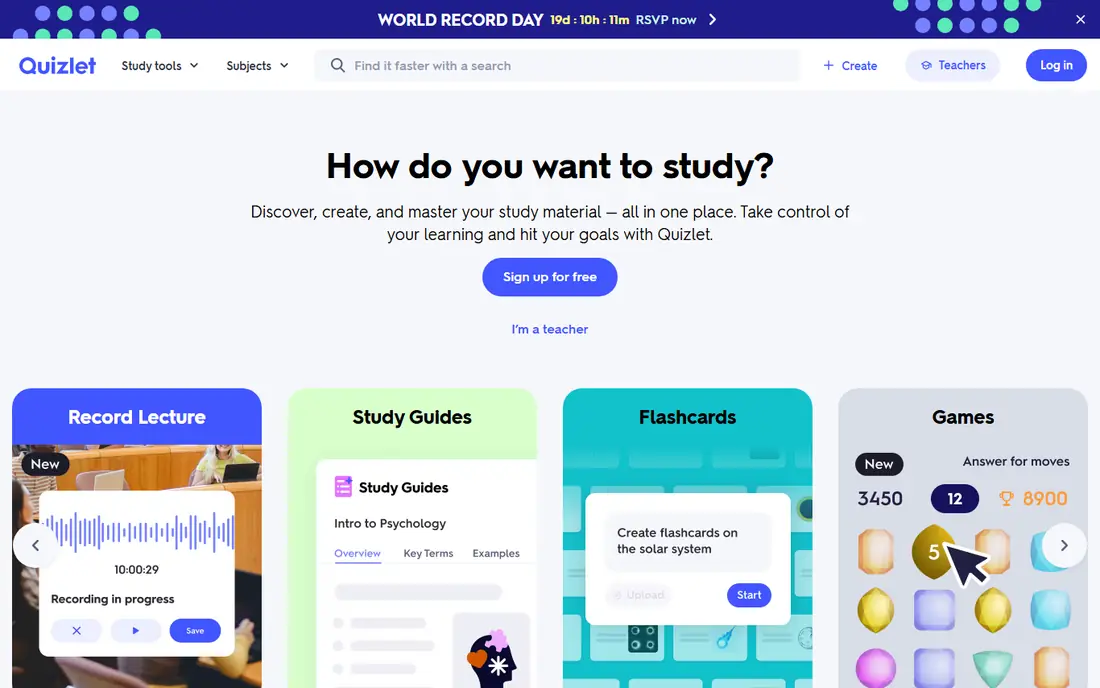
Quizlet is built for memorisation and practice. Learners can create flashcards, use Learn mode to practise until they recall an answer, and take practice tests that mix question types. A large library of shared sets covers many subjects, and AI tools can help generate flashcards and practice questions from notes in paid tiers. That makes Quizlet useful for exams, vocabulary and factual recall.
Shared sets vary in quality, so learners should check answers against course material before trusting a set. AI generation also has limits on free plans. For study that depends on recall, such as terms, dates and formulas, Quizlet is a practical and flexible tool.
- Flashcards, Learn mode and practice tests
- Large shared study sets
- AI-generated practice in paid tiers
- AI generation limits vary by plan
- Shared sets vary in quality
Socratic by Google is a free app that answers a photographed or typed homework question with explanations and learning resources. A learner can take a photo of a problem, ask a question by voice or text, and receive step-by-step guidance and links to related material. It supports many subjects and languages, and it requires no paid plan for core use.
Socratic is not a tutor that tracks progress or adapts to a learner over time. It works best for a quick explanation when you are stuck, followed by your own practice. For a free, no-commitment study aid, Socratic is a useful addition to a study routine, provided learners use it to learn rather than to copy answers.
- Free to use
- Photo, text or voice questions
- Step-by-step explanations with sources
- No progress tracking or personalised tutoring
- Explanations vary by question
Photomath lets learners scan a math problem with a phone camera and see step-by-step working. That step view is the main value: it shows how an answer is reached, so a learner can follow the method and try a similar problem alone. The app covers arithmetic, algebra, geometry, trigonometry and calculus topics, with free core solving and paid features for deeper explanations.
The risk is misuse. Scanning every homework problem without trying it first will not build math skill, and some schools restrict such tools for assessed work. Use Photomath to study steps after an attempt, and check school rules before using it for homework. For math practice done honestly, it is a clear and focused tool.
- Camera-based math solving
- Step-by-step explanations
- Covers many math topics
- Full step explanations for some problems need a paid plan
- Easy to misuse for copying answers
NotebookLM is a Google research and study tool that works from sources you upload, such as lecture notes, PDFs and articles. It can summarise material, create study guides and answer questions with citations to the passages it used. That source grounding helps learners check an answer against their own course material, rather than trusting a general chatbot answer.
NotebookLM is only as good as the sources you give it. If notes are incomplete or outdated, answers will reflect those limits. It is also less suited to learning a brand new topic from scratch, where a structured course or tutor may help more. For revision from your own material, NotebookLM is a strong study tool.
- Answers grounded in your uploaded sources
- Summaries and study guides
- Citations to source passages
- Quality depends on uploaded material
- Not a general tutor for new topics
Coursera offers structured online courses, specialisations and degrees from universities and companies. Learners follow a set syllabus, watch lessons, complete assignments and, on paid plans, earn certificates. AI features, such as a course coach that answers questions and helps with study, appear on some courses and plans, adding a tutoring layer to structured learning.
Free audit access covers many courses, but graded assignments and certificates usually need payment. AI help also varies by course, so check the course page before enrolling. For learners who want a clear path through a subject, rather than scattered apps, Coursera is a solid choice.
- Structured courses from universities and firms
- AI coach and course help on some plans
- Certificates
- Full course access and certificates are paid
- AI features vary by course
Memrise focuses on language learning through video clips of native speakers, vocabulary practice and spaced repetition. Learners hear real speech, practise pronunciation and review words at intervals that help long-term recall. AI conversation features on some plans add speaking practice that goes beyond multiple choice drills.
Advanced learners may need more grammar and reading depth than Memrise alone provides. Some AI and premium features are paid, so check the current plan on the site. For language vocabulary and listening practice, Memrise pairs well with Duolingo or with a tutor for conversation.
- Language courses with video and speaking practice
- Spaced repetition
- AI conversation features on some plans
- Less depth for advanced learners
- Some AI features are paid
How we picked these
We compared official product pages, pricing pages and app store listings for AI learning tools that are actively available in the United States. We looked for tools that teach, practise or explain, rather than tools that only generate answers for submission. We included tutoring, language, flashcard, math and research tools, so learners could compare by subject and study style. We did not claim hands-on testing, and where a vendor does not publish a simple price, we wrote See website.
How to use AI learning tools well
Use AI tools to explain a concept, generate practice questions and check your understanding, not to submit work you did not do. Start by trying a problem yourself, then ask the tool to explain the step where you got stuck. After the explanation, try a similar problem without help. That loop builds skill, while copying an answer does not.
Also check accuracy. AI tools can make mistakes on formulas, dates, definitions and citations, so verify important facts against your textbook or course notes. Keep your own notes alongside AI summaries, and ask the tool to show its source where that feature exists. If your school has rules on AI use, follow them and ask a teacher when you are unsure. A tool that helps you learn is worth more than one that only helps you finish an assignment quickly.
Building a simple study stack
Most learners do not need many apps. Choose one tutor or explainer, one practice tool for recall, and one tool for your main subject, such as language or math. Use them consistently for a few weeks before adding more. A small, regular routine usually beats a large set of apps used only once.
Frequently asked questions
What is the best AI learning platform?
The best AI learning platform depends on your subject. Khanmigo suits guided tutoring, Coursera suits structured courses, and NotebookLM suits study from your own notes. Match the platform to whether you need a course, a tutor or a revision tool.
What are the best AI learning tools for students?
Students often use Khanmigo for tutoring, Quizlet for flashcards, Photomath for math steps and NotebookLM for revision. Duolingo and Memrise cover languages. Choose tools that support practice and understanding, not just answer generation.
What are the best AI learning apps for languages?
Duolingo and Memrise are the strongest language apps in this list. Duolingo suits daily gamified lessons, while Memrise suits vocabulary and listening with native speaker video. Add real conversation practice for speaking progress.
What is the best AI tool for learning math?
Photomath suits step-by-step math help, and Khanmigo suits guided math tutoring inside Khan Academy lessons. Use Photomath to study steps after trying a problem, and use Khanmigo when you want questions and hints rather than a direct answer.
What are the best AI tools for learning in general?
General learning tools include NotebookLM for source-based study, Quizlet for recall, and Coursera for structured courses. No single app covers every subject well, so most learners benefit from one tool for courses, one for practice and one for revision.
Can AI learning apps replace a teacher?
No. AI apps can explain, practise and summarise, but they cannot replace teacher feedback, classroom discussion or personal guidance for complex problems. Use AI apps to support learning, and ask a teacher when a concept remains unclear or when school rules require it.
Sources we checked (8)

Online Jobs is an independent blog about careers, online work, learning new skills and the tools that help people earn. More about us.
Keep reading
All posts
Best Vocabulary Apps
We compare 8 vocabulary apps in 2026, free and paid, for English learners, students, and test prep, with honest notes on what each one does best for daily use.
Best Udemy Alternatives
Explore the best Udemy alternatives for 2026, including Coursera, Skillshare, and LinkedIn Learning, with pricing, certificates, and who each platform suits.
Best Tools for Virtual Tutoring
Compare the best tools for virtual tutoring, from one-to-one tutor marketplaces to free self-paced learning, with pricing, subjects and honest limits.