Best Accounting Software for Nonprofits in 2026: 9 Apps Compared

How we put this together: we compare official feature and pricing pages, app store listings, privacy policies and public user reviews. Prices change, so check the provider's site before you pay.
Key takeaways
- Aplos is our pick for most small and mid-size nonprofits because fund accounting, donor tools and nonprofit reporting are built in from the start.
- QuickBooks Online suits nonprofits whose accountant already uses QuickBooks, though fund tracking relies on classes rather than native fund accounting.
- Sage Intacct and Blackbaud Financial Edge NXT suit larger nonprofits with complex grants, multiple entities and audit needs.
- Wave, MoneyMinder and Zoho Books help very small organisations start cheaply, but they are weaker for restricted funds and grant compliance.
Quick comparison
| Name | Who it suits | Starting price | Free option | |
|---|---|---|---|---|
 Aplos Aplos | Purpose-built nonprofit accounting | $79 per month | Free trial | Visit |
 QuickBooks Online QuickBooks Online | Accountant-friendly general accounting | $38 per month | Free trial | Visit |
 Sage Intacct Sage Intacct | Large nonprofit finance | See website | No | Visit |
 Blackbaud Financial Edge NXT Blackbaud Financial Edge NXT | Large nonprofit fund accounting | See website | No | Visit |
 Xero Xero | Bookkeeper-friendly cloud accounting | See website | Free trial | Visit |
 Wave Wave | Very small volunteer-run orgs | Free | Yes | Visit |
 MIP Fund Accounting MIP Fund Accounting | Grant-heavy fund accounting | See website | No | Visit |
 MoneyMinder MoneyMinder | Small-group bookkeeping | See website | Yes | Visit |
 Zoho Books Zoho Books | Low-cost cloud bookkeeping | See website | Yes | Visit |
The best accounting software for nonprofits
Nonprofit accounting differs from business accounting because money must be tracked by restriction, not just by account. A restricted grant, a donor gift for a specific programme and general operating funds must stay separate in reports, even if they share one bank account. The nine tools below cover purpose-built fund accounting, general accounting adapted for nonprofits, and low-cost options for small groups, with clear notes on where each one fits.
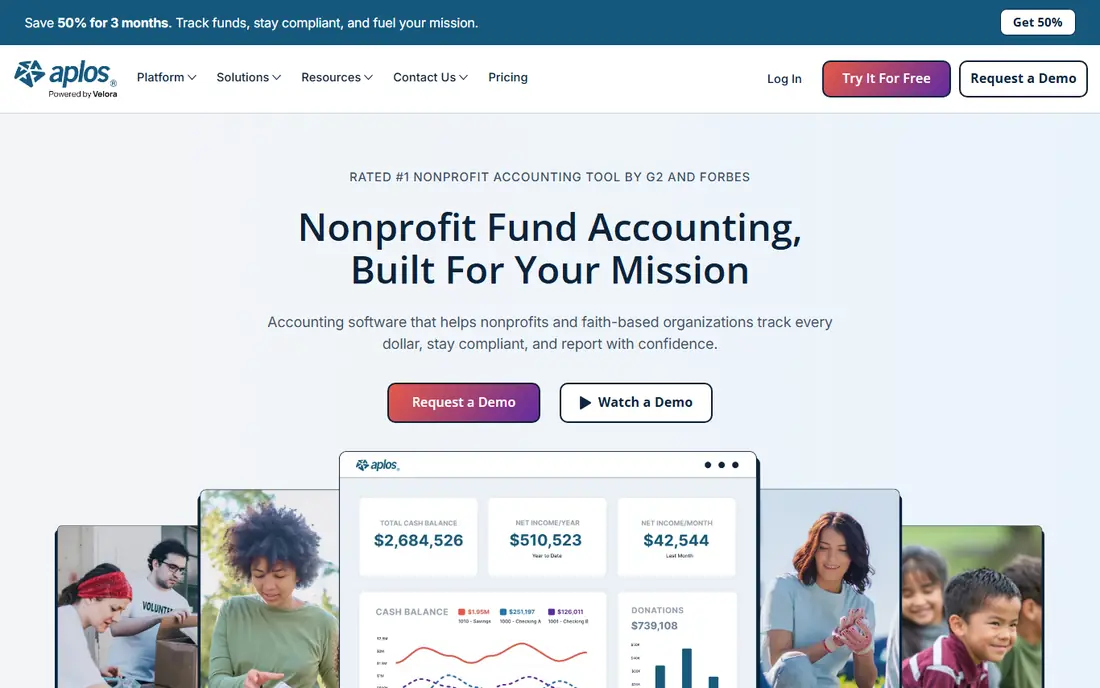
Aplos is built for churches and small to mid-size nonprofits that need true fund accounting without an enterprise project. Funds, grants and programmes are tracked in the ledger itself, so reports can show restricted and unrestricted money separately without a workaround. Donor management, budgeting and bank reconciliation sit in the same product, which helps a small staff team avoid stitching together several tools. The limit is scale. Larger nonprofits with many entities, complex grant rules or heavy payroll needs may outgrow Aplos or need its higher tiers and custom plans. For a growing nonprofit that has just taken its first restricted grant, Aplos is a practical step up from spreadsheets and general accounting, and it is easier for a treasurer to learn than an enterprise fund system.
- Native fund accounting
- Donor management and nonprofit reporting built in
- Easier for non-accountants than enterprise systems
- Advanced needs can push buyers to higher tiers
- Smaller app ecosystem than QuickBooks
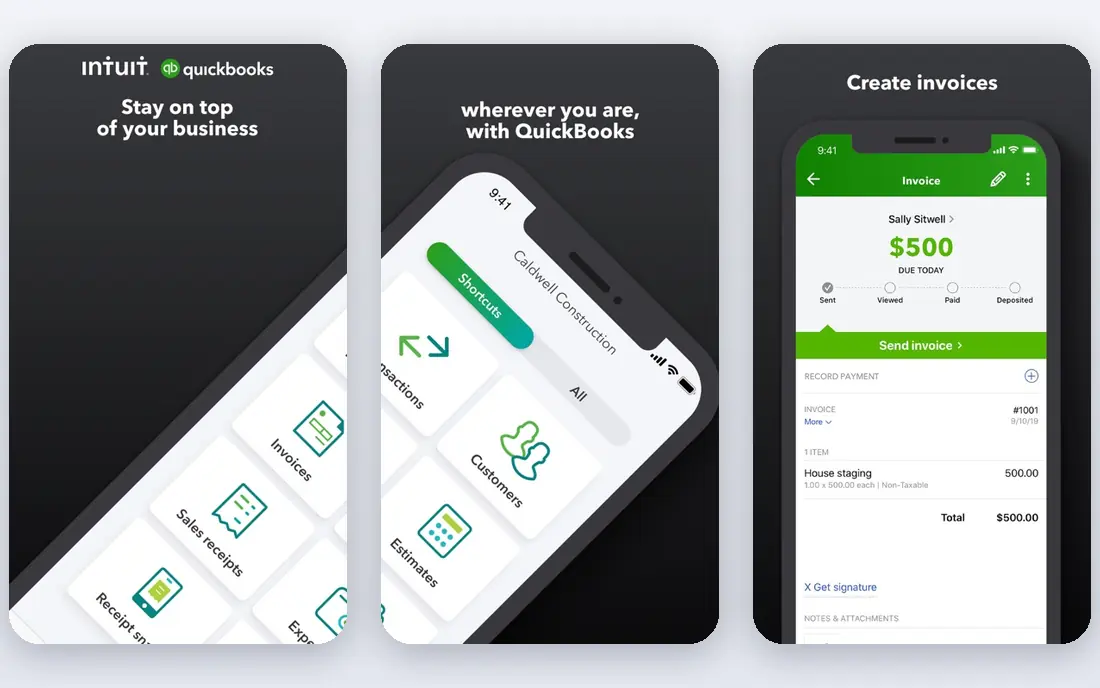
QuickBooks Online is the pragmatic pick for US nonprofits whose CPA or bookkeeper already works in QuickBooks. That familiarity saves training time, makes it easy to find help, and connects to a large range of payroll, expense and donor apps. Classes and locations let you track programmes and funds in a workable way for simpler structures, and the Plus plan is the usual starting point for nonprofits that need that tracking. The warning matters for restricted funds. QuickBooks does not enforce fund restrictions in the same way as purpose-built fund accounting, so auditors may ask more questions and grant reporting can take manual effort. If your nonprofit has many restricted grants, multiple funds or audit pressure, compare Aplos, Sage Intacct or Blackbaud before you commit to a class-based workaround.
- Widely used by accountants
- Broad app ecosystem
- Classes and locations for programme tracking
- Fund accounting is approximated with classes, not native
- Grant compliance reporting needs manual work
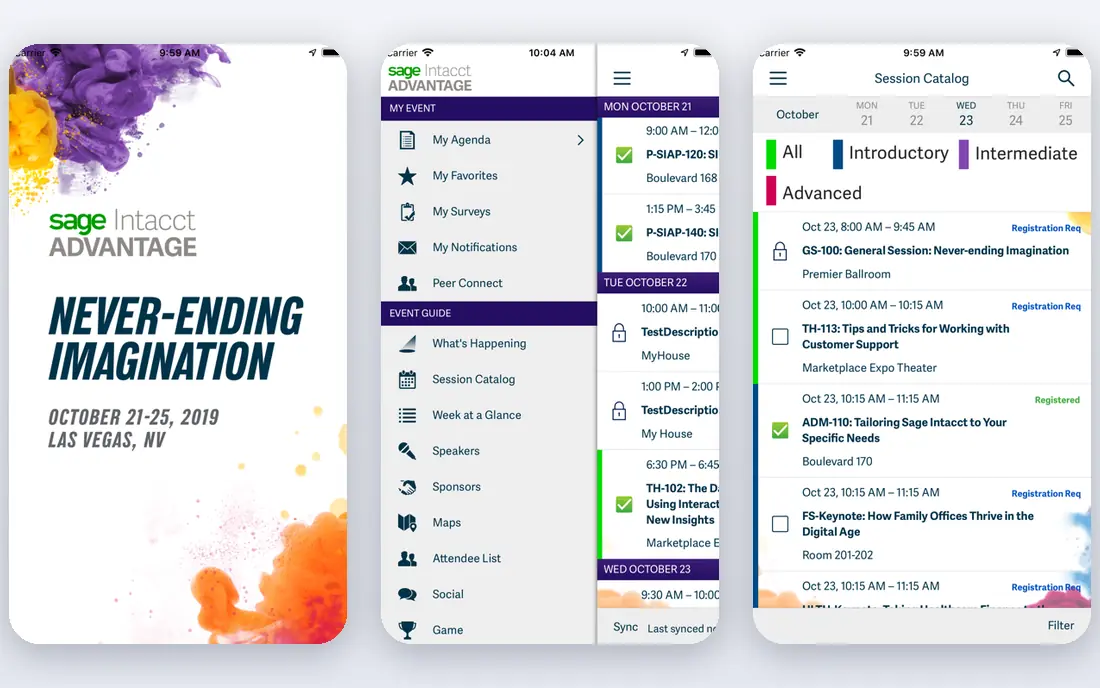
Sage Intacct suits mid-size and large nonprofits that manage multiple funds, grants, entities or locations. Dimensions let you tag transactions by fund, programme, grant and location, then report across those dimensions without rebuilding the chart of accounts. Grant tracking, consolidation and functional expense reporting help finance teams prepare board and audit reports from one system. Cost and implementation are the trade-offs. Pricing is quote-based, and first-year costs with implementation can be far higher than an entry-level tool. Sage Intacct makes sense when reporting complexity, audit needs or multi-entity work justify that investment. Small nonprofits should not buy it for simple bookkeeping alone.
- Dimensional accounting for funds, grants and entities
- Strong grant tracking and consolidation
- Respected for nonprofit finance
- Quote-based pricing
- Implementation and total cost are higher than entry-level tools
Blackbaud Financial Edge NXT
Who it suits: Large nonprofit fund accounting
Blackbaud Financial Edge NXT is built for large nonprofits, universities and institutions with complex fund, grant and fundraising operations. Subfund accounting, grant records and internal controls are core features, and the link to Raiser's Edge NXT helps organisations that already use Blackbaud for fundraising share donor and finance data. For a large charity with many funds and a fundraising team, that ecosystem is a real benefit. Small organisations should look elsewhere. Pricing is quote-based, setup is an enterprise project, and the platform can feel heavy for a team that only needs basic fund reports. Shortlist Blackbaud when your nonprofit already uses Blackbaud fundraising tools or when fund complexity clearly exceeds what Aplos or QuickBooks can handle cleanly.
- Purpose-built fund accounting for large nonprofits
- Deep link to Raiser's Edge NXT fundraising
- Strong internal controls
- Pricing is not public
- Platform can be more than a small nonprofit needs
Xero works well when your bookkeeper or advisor already uses Xero, or when your nonprofit runs programmes in several currencies. The interface is clean, bank reconciliation is straightforward, and tracking categories can separate programmes and projects for simpler reporting. For an international nonprofit with modest fund complexity, those strengths matter. Like QuickBooks, Xero is general accounting adapted for nonprofits, not purpose-built fund accounting. Restricted fund enforcement and grant compliance reporting need manual discipline, and lower plans have transaction caps that can be a poor fit for monthly grant volume. Check current plan limits on the Xero site before you choose a tier.
- Clean cloud interface
- Strong bank feeds and invoicing
- Multi-currency support for international programmes
- Fund tracking relies on tracking categories, not native fund accounting
- Invoice and bill caps on lower plans need checking
Wave is the right starting point for a brand-new nonprofit with no restricted funds and a volunteer treasurer. You can record income and expenses, send invoices and reconcile a bank account without a monthly subscription, which helps when every dollar must go to programmes. The interface is simple enough for a non-accountant to learn quickly. Growth is the limit. Wave cannot track restricted funds properly, and it lacks the grant, audit and reporting depth that a funded nonprofit needs. Use Wave for year one or for a tiny group with simple finances, and move to Aplos or QuickBooks Online as soon as you take a restricted grant or face an audit.
- Free starter bookkeeping and invoicing
- Simple interface for volunteer treasurers
- Low cost to start
- No native fund accounting
- Limited grant and audit features for growing nonprofits
MIP Fund Accounting, from Community Brands, suits grant-heavy nonprofits, government grantees and larger organisations that need detailed fund control. It offers core fund accounting plus optional modules for grants, budgets, workflow, payroll and HR, with the configurability that complex funders often require. Organisations that manage many grants with strict reporting rules value that depth. Buyers need to scope modules carefully, because functionality is spread across the core system and add-ons, and pricing is quote-based. MIP is not a quick self-serve signup for a small charity. Shortlist it when grant volume, funder rules or audit complexity justify a configurable fund system and a guided implementation.
- Longstanding fund accounting depth
- Highly configurable for grants and government funding
- Unlimited funds in many setups
- Quote-based pricing
- Module scoping and setup need care
MoneyMinder fits small groups, clubs, PTAs and tiny nonprofits that need simple bookkeeping and budgets without enterprise cost. It offers category budgets, bank-style tracking and a free tier, with annual pricing that stays low compared with full accounting platforms. For a volunteer treasurer, that simplicity and price are the main appeal. It is not a replacement for fund accounting. Category budgets help you plan spending, but they do not enforce fund restrictions or produce the grant reports a funded nonprofit needs. Use MoneyMinder for a small, unrestricted group, and move to a purpose-built tool when restricted gifts or grants enter the picture.
- Low-cost annual pricing
- Simple budgeting and bookkeeping for small groups
- Free tier for basic use
- Category budgets only, not full fund accounting
- Limited depth for grant-heavy nonprofits
Zoho Books is a low-cost cloud option for small nonprofits that need invoicing, expenses and bank reconciliation without a large subscription. The free tier suits organisations with low transaction volume, and multi-currency support helps international programmes. If your team already uses other Zoho apps, the shared login and data links add convenience. Like other general tools, Zoho Books tracks funds with tags rather than native fund accounting, so restricted reporting needs discipline and manual checks. It is a good budget pick for a small nonprofit with simple finances, but not the best pick for a grant-heavy organisation that needs auditable fund separation.
- Low-cost cloud accounting with a free tier
- Multi-currency support
- Good for international small nonprofits
- Fund tracking relies on tags, not native fund accounting
- Nonprofit reporting needs manual work
How we picked these
We compared official feature pages, pricing pages and nonprofit reporting descriptions, plus public reviews that describe fund accounting, grant tracking and audit readiness. We favoured tools with a clear nonprofit use case, from purpose-built fund systems to low-cost starters, and we noted where fund tracking is native and where it relies on classes, categories or tags. We did not run hands-on trials for this guide, and we did not invent prices for quote-based enterprise tools.
How to choose by size and funding
Start with your funding mix, not your budget alone. If you have no restricted funds, a general tool such as Wave, Zoho Books or QuickBooks Online can work, provided you review reports with your accountant. If you have one or two restricted grants, a purpose-built tool such as Aplos gives you cleaner fund reports and less manual work. If you manage many grants, multiple entities or a formal audit, shortlist Sage Intacct, Blackbaud Financial Edge NXT or MIP Fund Accounting and compare implementation costs, not just licences. Also check who will use the tool daily. A treasurer who is a volunteer needs a simple interface and clear fund reports, while a finance team needs dimensions, approvals and audit trails. Ask each vendor for a demo using your own fund structure, with a restricted grant, an unrestricted gift and a programme expense, and check whether the resulting report would satisfy a board member and an auditor without a spreadsheet rebuild.
Ask about total cost
For quote-based tools, ask for implementation fees, training, the cost of extra users and entities, and renewal terms. For subscription tools, ask whether donor management, budgeting and payroll are included or add-ons. A low monthly price can grow quickly once you add the modules a nonprofit actually needs.
Plan the move from spreadsheets
If you are moving from spreadsheets, clean your fund list first, decide how each grant maps to a fund or class, and keep a parallel run for one month if possible. That discipline matters more than the tool you pick, because a new system with messy fund data will produce messy reports.
Frequently asked questions
What is the best accounting software for nonprofits?
Aplos is our pick for most small and mid-size nonprofits because fund accounting is built in. QuickBooks Online suits nonprofits whose accountant already uses it, while Sage Intacct and Blackbaud suit larger, grant-heavy organisations.
What is the best nonprofit accounting software for churches?
Aplos is a strong choice for churches and small 501(c)(3) organisations because it combines fund accounting, donor management and nonprofit budgeting in one product. MoneyMinder can work for a very small church group with simple, unrestricted finances.
Can QuickBooks handle nonprofit fund accounting?
QuickBooks Online can approximate fund accounting with classes and locations, and many small nonprofits use it that way. It is not native fund accounting, so restricted-fund enforcement and grant compliance reporting need manual work and careful setup.
How much does nonprofit accounting software cost?
Entry tools range from free for Wave starter use to $79 per month for Aplos Lite and $38 per month for QuickBooks Online Simple Start, with higher tiers for larger needs. Enterprise tools such as Sage Intacct, Blackbaud and MIP are quote-based, and first-year costs with implementation can be much higher.
Do nonprofits need fund accounting software?
If you take restricted donations or grants, you need fund tracking that can prove money was spent as directed. Spreadsheets work until the first restricted grant, after which purpose-built fund accounting or a carefully set up general tool becomes important for donors and auditors.
What is the difference between fund accounting and regular accounting?
Regular accounting tracks income and expenses by account, while fund accounting also tracks money by source and restriction. That separation lets a nonprofit show donors and grantors that restricted gifts were used for their stated purpose, and it supports nonprofit financial statements.
Sources we checked (9)

Online Jobs is an independent blog about careers, online work, learning new skills and the tools that help people earn. More about us.
Keep reading
All posts
Zoom Alternatives
Zoom alternatives compared for 2026: Google Meet, Microsoft Teams, Webex, Jitsi and more for free calls, large meetings and webinars for teams and classrooms.

Top Rated Poster Maker Software
Top rated poster maker software compared for 2026: Canva, Adobe Express, VistaCreate, PosterMyWall and more for events, sales and classrooms for US users.

Surfshark Alternatives
Looking for Surfshark alternatives? We compare 8 VPN services on price, privacy, streaming, and device limits to help you find a VPN that fits your needs.