Best Accounting Software for Medium Sized Business in 2026: 9 Compared


Growing firms needing broad app support · Starting price: $38 per month
How we put this together: we compare official feature and pricing pages, app store listings, privacy policies and public user reviews. Prices change, so check the provider's site before you pay.
Key takeaways
- QuickBooks Online and Xero suit growing firms that still run on core accounting, while Sage Intacct, NetSuite and Acumatica suit firms that need multi-entity consolidation.
- Entry prices range from free or low cost plans for Zoho Books to quote based pricing for enterprise platforms, so total cost depends on users, entities and implementation.
- Multi-entity reporting, approval workflows, inventory and project tracking separate medium sized tools from small business tools more than invoicing does.
- A platform that cannot handle your transaction volume, currencies or approval rules in two years will cost more to replace than a slightly higher subscription today.
- Implementation time, data migration and staff training should be budgeted alongside the subscription, especially for ERP style platforms.
Quick comparison
| Name | Who it suits | Starting price | Free option | |
|---|---|---|---|---|
| QuickBooks Online | Growing firms needing broad app support | $38 per month | Free trial | Visit |
 Xero | Multi-currency and multi-location firms | $25 per month | Free trial | Visit |
 Zoho Books | Cost-conscious growing firms | $15 per month | Yes | Visit |
 Sage Intacct | Multi-entity financial management | See website | No | Visit |
 Oracle NetSuite | Fast-growing firms needing full ERP | See website | No | Visit |
 Microsoft Dynamics 365 Business Central | Firms deep in Microsoft 365 | See website | Free trial | Visit |
 Acumatica | Manufacturing and distribution firms | See website | No | Visit |
 FreshBooks | Service firms with project billing | $23 per month | Free trial | Visit |
 Odoo Accounting | Modular firms wanting custom workflows | See website | Free trial | Visit |
The best accounting software for medium sized business
We compared tools that can handle larger teams, higher transaction volumes and more complex reporting than a freelancer tool. The list moves from core accounting to full ERP, so you can stop at the level your firm actually needs.
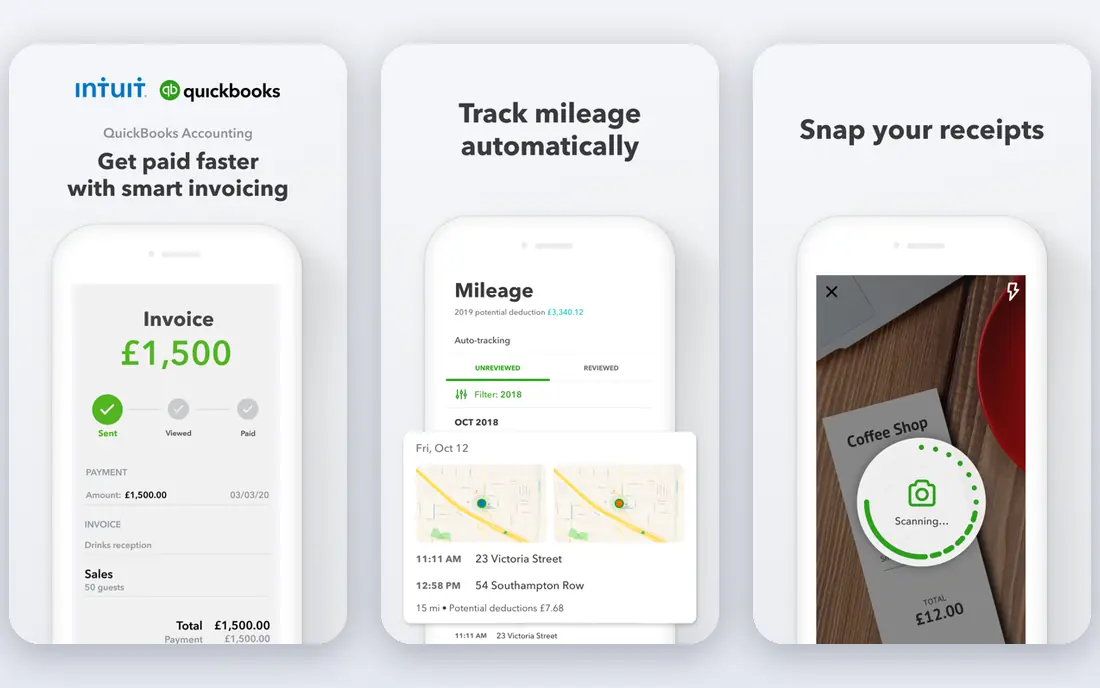
QuickBooks Online is the default choice for many growing firms because accountants know it, staff can learn it quickly, and hundreds of apps connect to it for payroll, expenses, inventory and e-commerce. Simple Start is listed at $38 per month in recent pricing guides, with Plus and Advanced plans above it for larger teams. Invoicing, bank reconciliation, expense tracking and management reporting cover most day-to-day needs without ERP complexity.
The limit appears as firms add entities, locations or complex approval chains. QuickBooks Online handles growth well up to a point, but multi-entity consolidation and deep project accounting require workarounds or add-ons. If your firm runs one main entity, needs broad app choice and wants a tool your accountant already supports, QuickBooks Online is a strong first pick.
- Widest app marketplace in this group
- Familiar to many accountants
- Strong reporting and invoicing
- Multi-entity support is limited
- Advanced plan costs rise with users and features
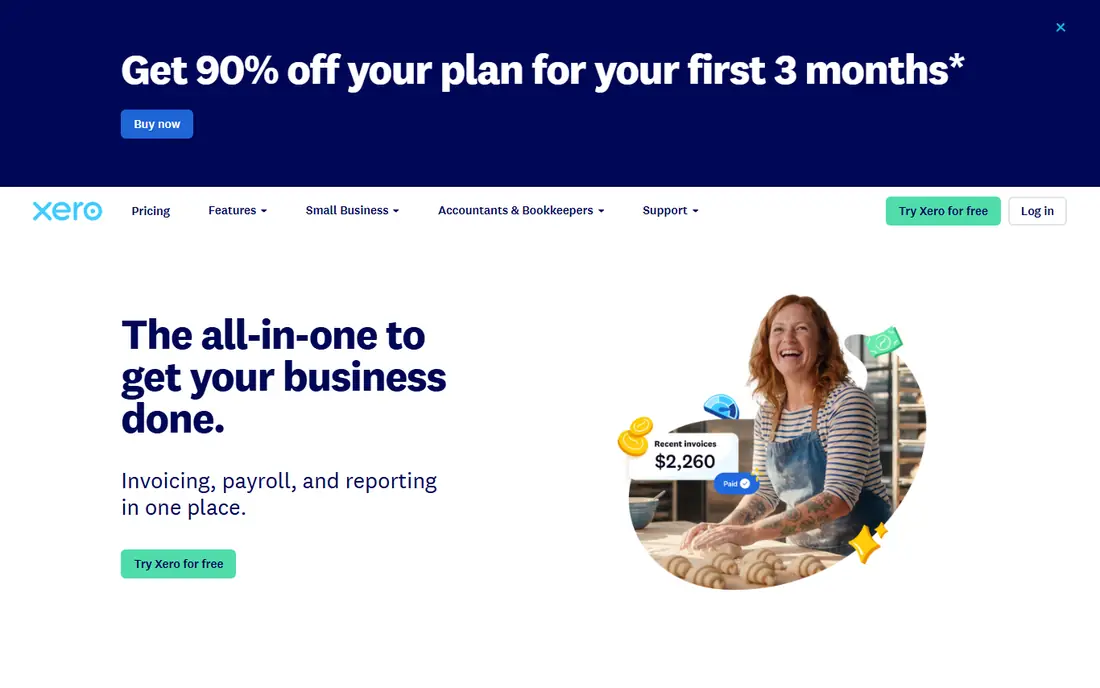
Xero appeals to firms that operate across borders or across several locations, because multi-currency handling and accountant access are built into its design. Recent pricing guides list an Early plan from $25 per month, with Growing and Established plans above it for higher invoice volumes. Unlimited users on paid plans help larger finance teams and external accountants work without per seat penalties.
The entry plan cap on invoices and bills is the main catch, so firms with high monthly volume should price the Established plan from the start. Payroll, project tracking and inventory also vary by country, so check your local feature set before committing. For internationally minded firms that want clean collaboration with accountants, Xero is a practical alternative to QuickBooks Online.
- Unlimited users on paid plans in many regions
- Strong multi-currency support
- Over 1,000 app connections
- Entry plan limits invoices and bills
- Payroll and inventory depth varies by country
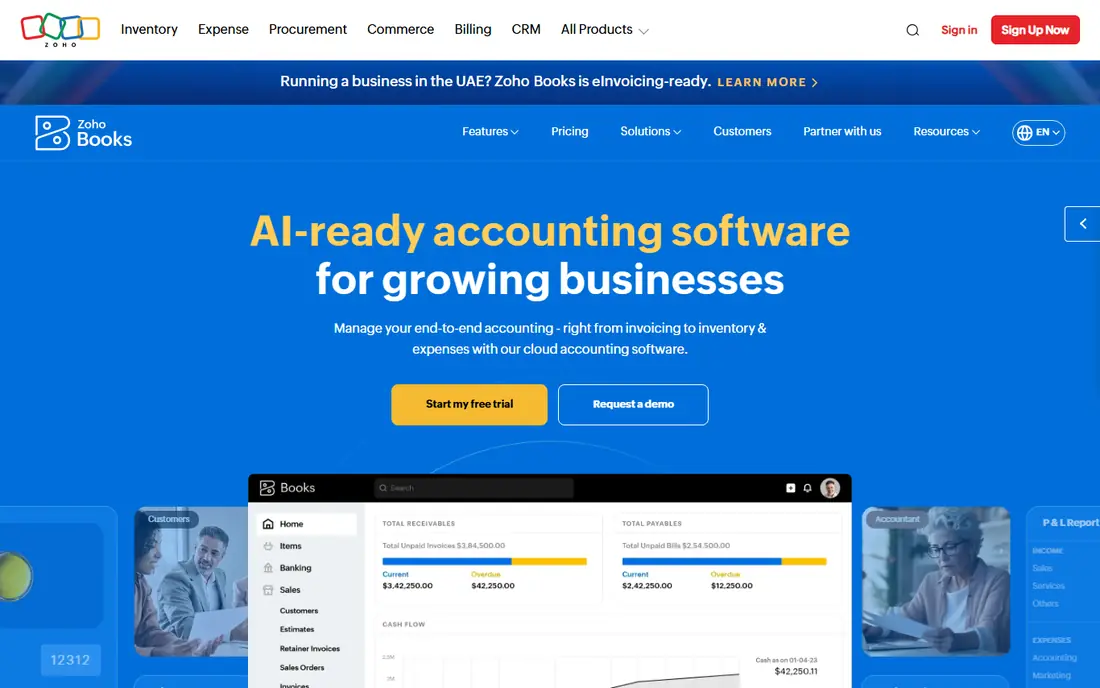
Zoho Books is the budget pick in this group, with recent guides listing paid plans from $15 per month and a free plan for firms under a revenue threshold. Invoicing, expense tracking, bank reconciliation and client portals cover core accounting well, and automation rules reduce manual data entry. Firms already using Zoho CRM, Zoho Inventory or Zoho People get extra value, because data flows between apps without extra connectors.
The trade-off is depth. Zoho Books is excellent core accounting, but it is not a full ERP for multi-entity consolidation at NetSuite scale. Firms that need that depth will outgrow it or add other tools. For a growing firm that wants low cost, clean automation and a suite that can expand step by step, Zoho Books deserves serious consideration.
- Low entry cost
- Free plan for smaller firms
- Strong automation inside the Zoho suite
- Best value inside Zoho ecosystem
- Advanced ERP features need other Zoho apps or integrations
Sage Intacct is built for finance teams that manage several entities, departments, locations or projects and need consolidated reporting without spreadsheet workarounds. Dimensional reporting lets you slice revenue and costs by entity, project or location, and approval workflows plus audit trails suit firms with formal controls. Industry editions for nonprofits, professional services, construction and healthcare add relevant templates and reports.
Pricing is the honest catch. Sage Intacct is quote based, and buyers report wide ranges depending on modules, entities and users, so budget for implementation as well as subscription. Mobile tools are also thinner than some rivals. If your firm has outgrown QuickBooks or Xero on multi-entity reporting, Sage Intacct is often the next logical step.
- Strong multi-entity and dimensional reporting
- Industry editions for nonprofits and services
- Automation for journals and approvals
- Pricing is quote based and can be high
- Implementation takes planning and time
Oracle NetSuite is the full ERP option for fast-growing firms that need accounting, inventory, order management, CRM and e-commerce in one system. Real-time consolidation across unlimited entities, strong global currency and tax handling, and a large SuiteApp marketplace make it suitable for firms planning major growth or international expansion. For firms that have already outgrown separate accounting and inventory tools, that unity is the main selling point.
Cost and complexity are the trade-offs. NetSuite pricing is quote based, with base licences plus user fees, and implementation often takes months and professional help. Smaller medium firms may find Sage Intacct or Business Central enough. For firms with multi-entity, multi-subsidiary or high-volume operations that need one system of record, NetSuite is the benchmark to compare against.
- Full ERP with accounting, inventory, CRM and e-commerce
- Real-time consolidation across entities
- Global scale
- High total cost
- Implementation can take months
- Complexity needs trained staff
Microsoft Dynamics 365 Business Central
Who it suits: Firms deep in Microsoft 365
Microsoft Dynamics 365 Business Central suits firms that already run on Outlook, Excel, Teams and SharePoint, because it shares identity, data and reporting links with that ecosystem. Finance, inventory, sales, purchasing and project functions sit in one cloud ERP, and Power BI reporting helps finance teams build dashboards without exporting data by hand. Recent guides list per user pricing from around $70 per month for Essentials, with Premium above it, so check current Microsoft pricing for your region.
Per user pricing is the catch for large teams, and implementation usually needs a Microsoft partner for setup, migration and training. Firms outside the Microsoft world may get similar value from NetSuite or Acumatica with less lock-in. For Microsoft centred firms that want ERP depth without leaving their existing tools, Business Central is a natural fit.
- Deep Microsoft 365 and Power BI links
- Strong ERP functions
- Familiar interface for Office users
- Per user pricing adds up for large teams
- Implementation and partner help often needed
Acumatica stands out on pricing model: it charges for resources used rather than per user, which helps firms with large teams, seasonal staff or many occasional users. Manufacturing, distribution, construction and field service editions give it depth in operational industries, with inventory, production, warehouse and project functions alongside core finance. That combination suits firms where accounting alone is not enough, but full NetSuite scale is more than they need.
Pricing is quote based and implementation needs a partner, so total cost is harder to pin down from a web page. The app marketplace is also smaller than QuickBooks or Xero. For manufacturing and distribution firms that want ERP depth, flexible user access and a pricing model that does not punish headcount, Acumatica is worth a detailed quote.
- Consumption based pricing rather than per user
- Strong manufacturing and distribution modules
- Flexible deployment
- Quote based pricing
- Partner implementation usually required
- Smaller app marketplace than QuickBooks
FreshBooks is built around service firms: time tracking, project billing, estimates, invoices and client portals feel polished and easy to use. Recent guides list a Lite plan from $23 per month, with Plus and Premium plans for more clients and team members. For agencies, consultants and professional services firms that bill by hour or project, that workflow focus saves time every week.
The limit is accounting depth. FreshBooks does not offer the same double entry, multi-entity or inventory strength as QuickBooks, Xero or Sage Intacct, and bank reconciliation features are thinner in some plans. If your firm is service led, with straightforward accounting and a strong need for clean client billing, FreshBooks fits well. If you need complex consolidation, look higher up this list.
- Clean time tracking and client billing
- Simple client portals
- Good for service and project work
- Not full double entry accounting in some plans
- Limited multi-entity and inventory depth
Odoo Accounting sits inside a modular business suite, so a firm can start with accounting and add CRM, inventory, manufacturing, HR or e-commerce modules as needed. That modular path appeals to tech confident firms that want one platform but do not want to pay for full ERP from day one. Recent guides list accounting app pricing from around $24 per user per month in some configurations, with suite pricing varying by apps and users, so confirm the quote for your module set.
Customisation is both the strength and the catch. Odoo can be shaped to unusual workflows, but shaping it takes time, testing and sometimes developer help. Firms that want a ready-made, accountant familiar tool may prefer QuickBooks or Xero. Firms that want a flexible, growing suite and have the skills to configure it will find Odoo a cost effective long term platform.
- Modular suite covering CRM, inventory, sales and HR
- Customisable workflows
- Open source roots
- Setup and customisation take technical effort
- Accounting depth depends on modules chosen
How we picked these
We compared pricing pages, vendor documentation and independent pricing guides updated in September and October 2026, and we kept only tools with active medium sized customers, cloud access and current pricing or quote processes. We weighted multi-entity handling, automation, approval workflows, integration range and scalability, because those factors decide whether a tool lasts through growth. We excluded freelancer only tools and desktop only tools, since medium firms need team access, audit trails and higher volume handling.
Where pricing is quote based, we wrote See website rather than inventing a figure, and where guides gave an entry price we used that figure as a starting point, not a total cost. Total cost also includes users, entities, modules, implementation and training, so we recommend a written quote for the top two or three tools on your shortlist before signing.
How to choose accounting software for a growing firm
The right tool depends on where your firm is heading, not only on where it is today.
Map your entities, volume and approvals first
Count your legal entities, locations, currencies and monthly transactions, and list who must approve invoices, expenses and journals. A tool that handles one entity well may struggle with five, and a tool without approval workflows will force manual checks outside the system. Bring finance, operations and IT into that mapping, because each team sees different pain points.
Test migration, integrations and reporting
Ask each vendor for a migration plan from your current tool, including chart of accounts, open invoices, customer records and historical data. Test the integrations you actually use, such as payroll, CRM, inventory and payment providers, and build one real management report during the trial. A tool that cannot produce your monthly pack without spreadsheets is not yet the right tool.
Price the full three year cost
Compare subscription, implementation, training, add-ons and support over three years, not just month one. ERP tools cost more up front but can replace several separate systems, while core accounting tools cost less but may need add-ons as you grow. Choose the tool that fits your three year plan with the least rework, even if its first year price is higher.
Frequently asked questions
What is the best accounting software for medium sized business?
QuickBooks Online and Xero suit firms that need strong core accounting with broad app support, while Sage Intacct suits firms that need multi-entity consolidation. NetSuite and Business Central suit firms that need full ERP. The best choice depends on entities, volume, industry and existing tools.
What is the best accounting software for medium business with multiple locations?
Sage Intacct, NetSuite, Business Central and Acumatica handle multi-entity and multi-location reporting best, with dimensional reporting and consolidation built in. Xero also handles multi-location and multi-currency work well for firms that do not yet need full ERP consolidation.
What is the best accounting software for medium sized businesses on a budget?
Zoho Books offers the lowest entry cost in this group, with a free plan for smaller firms and paid plans from $15 per month in recent guides. FreshBooks and Xero are also lower cost than ERP platforms, provided their feature limits fit your firm. Budget tools save money only if they avoid a costly replacement in two years.
Is QuickBooks Online enough for a medium sized business?
Often yes, especially for a single entity firm with straightforward inventory and reporting needs. QuickBooks Online Advanced adds users, reporting and workflow features for larger teams. Firms with several entities, complex project accounting or heavy manufacturing needs usually outgrow it and move to Sage Intacct, NetSuite or Acumatica.
How long does it take to switch accounting software?
Core accounting switches can take a few weeks, while ERP implementations often take three to six months, including data migration, testing and training. Plan the switch around year end or a quiet period, run old and new systems in parallel for at least one month end, and keep a rollback plan.
Should I choose ERP or core accounting software?
Choose core accounting if you have one or two entities, straightforward reporting and a clear app stack around it. Choose ERP if you need multi-entity consolidation, integrated inventory and operations, and formal approval and audit controls in one system. Moving to ERP too early adds cost and complexity, while staying too long on core accounting adds manual work.
Sources we checked (9)

Online Jobs is an independent blog about careers, online work, learning new skills and the tools that help people earn. More about us.
Keep reading
All posts
n8n Alternatives
n8n alternatives compared for 2026, with Zapier, Make, Activepieces, and more, covering visual builders, code steps, self-hosting, and pricing models.

ZoomInfo Alternatives
The best ZoomInfo alternatives in 2026, compared on price, free plans, data coverage, and which tool fits small teams or large sales teams best in detail.

Yotpo Alternatives
Find cheaper alternatives to Yotpo for reviews and loyalty, with Judge.me, Loox, Stamped, and more compared for Shopify stores in 2026, all in one guide.