Best Alternatives to QuickBooks in 2026: 8 Tools Compared

How we put this together: we compare official feature and pricing pages, app store listings, privacy policies and public user reviews. Prices change, so check the provider's site before you pay.
Key takeaways
- Xero is the closest like-for-like QuickBooks alternative for a growing small business with multi-user and multi-currency needs.
- Wave and Zoho Books offer genuine free plans, with Wave best for very small firms and Zoho Books best under $50,000 in revenue.
- FreshBooks suits freelancers and service firms that live in invoices, time tracking and client projects.
- Sage and Kashoo suit firms with deeper accounting or inventory needs, though both cost more than the budget options.
- Switching costs time, so export your chart of accounts, open invoices and customer lists before you cancel QuickBooks.
Quick comparison
| Name | Who it suits | Starting price | Free option | |
|---|---|---|---|---|
 Xero Xero | Growing small businesses | $25 per month | Free trial | Visit |
 Wave Wave | Free small business accounting | Free | Yes | Visit |
 FreshBooks FreshBooks | Freelancer invoicing | $23 per month | Free trial | Visit |
 Zoho Books Zoho Books | Low-cost full accounting | Free | Yes | Visit |
 Sage 50 Sage 50 | Inventory-heavy firms | See website | Free trial | Visit |
 Kashoo Kashoo | Simple small business books | See website | Free trial | Visit |
 ZipBooks ZipBooks | Low-cost simple books | Free | Yes | Visit |
 GnuCash GnuCash | Free desktop accounting | Free | Yes | Visit |
The best alternatives to QuickBooks
We compared official pricing pages, invoicing, bank reconciliation, reporting, payroll links and public reviews, with a focus on US small businesses that want to leave QuickBooks without losing core bookkeeping.
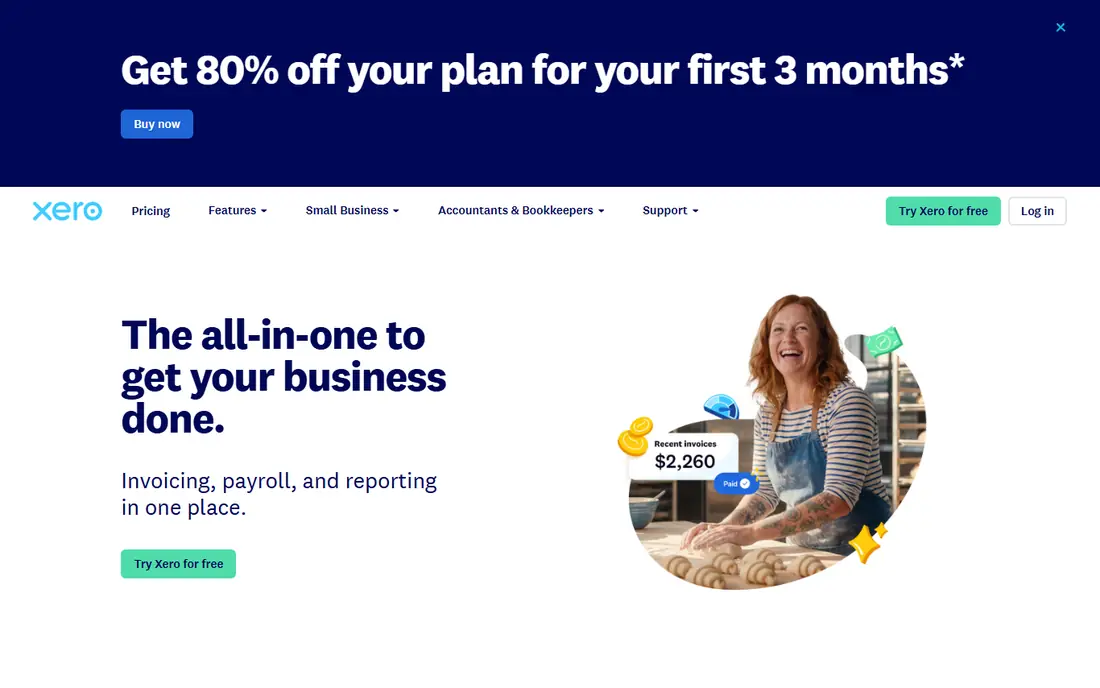
Xero is the closest QuickBooks alternative for a business that is outgrowing a solo setup. Unlimited users on paid plans mean an owner, a bookkeeper and an accountant can work in the same file without per-user fees, and bank reconciliation, invoicing and reporting cover the core bookkeeping cycle well. Multi-currency support also helps firms that bill overseas clients.
The catch is payroll and plan limits. US payroll sits outside the core Xero plans in many cases, so a separate payroll tool may be needed, and the entry plan caps monthly invoices and bills. Growing firms should price the mid-tier plan, not the entry plan, when comparing with QuickBooks.
- Unlimited users on paid plans
- Strong bank reconciliation
- Multi-currency support
- Payroll needs a separate add-on in the US
- Entry plan limits invoices and bills
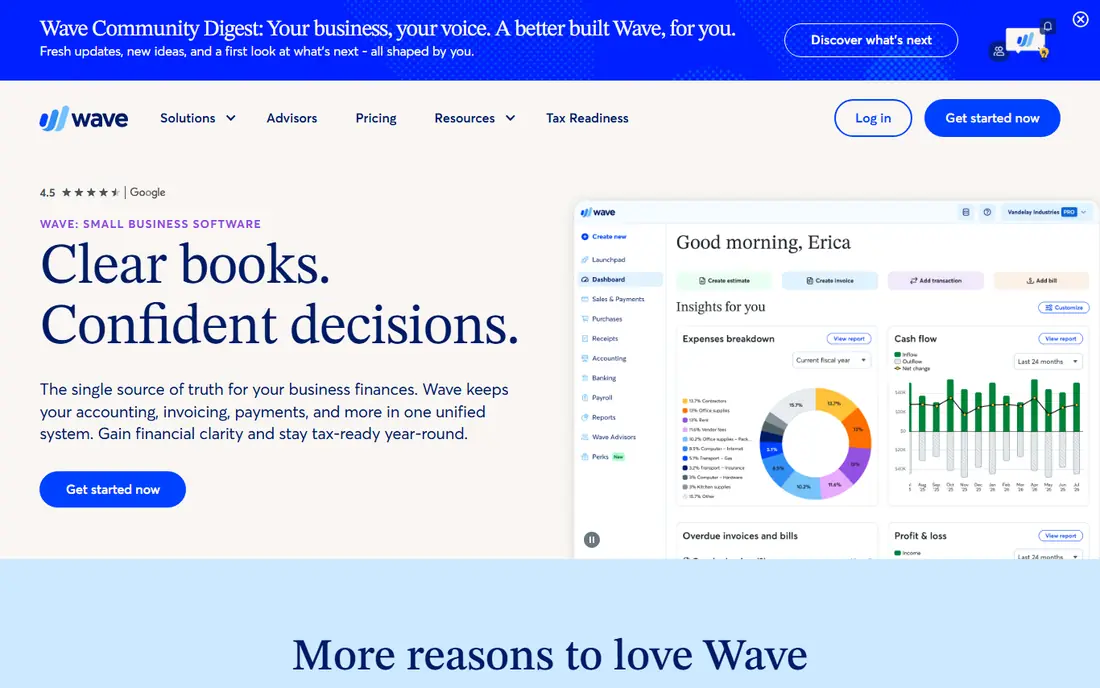
Wave suits a solopreneur or very small firm that wants free accounting without a trial clock. The starter plan covers unlimited invoices, estimates, bills and bookkeeping records, which is enough for many service businesses. The interface is simple, and the learning curve is short for owners who do their own books.
The catch is scale. Inventory, advanced reporting and multi-user controls are thin, and payroll is a paid add-on where available. Wave is a strong free start, not a full replacement for a growing firm with complex books. When complexity rises, Xero or Zoho Books usually fit better.
- Free starter plan with unlimited invoices
- Simple interface
- Good for solopreneurs
- Limited inventory and reporting depth
- Payroll is a paid add-on in supported states
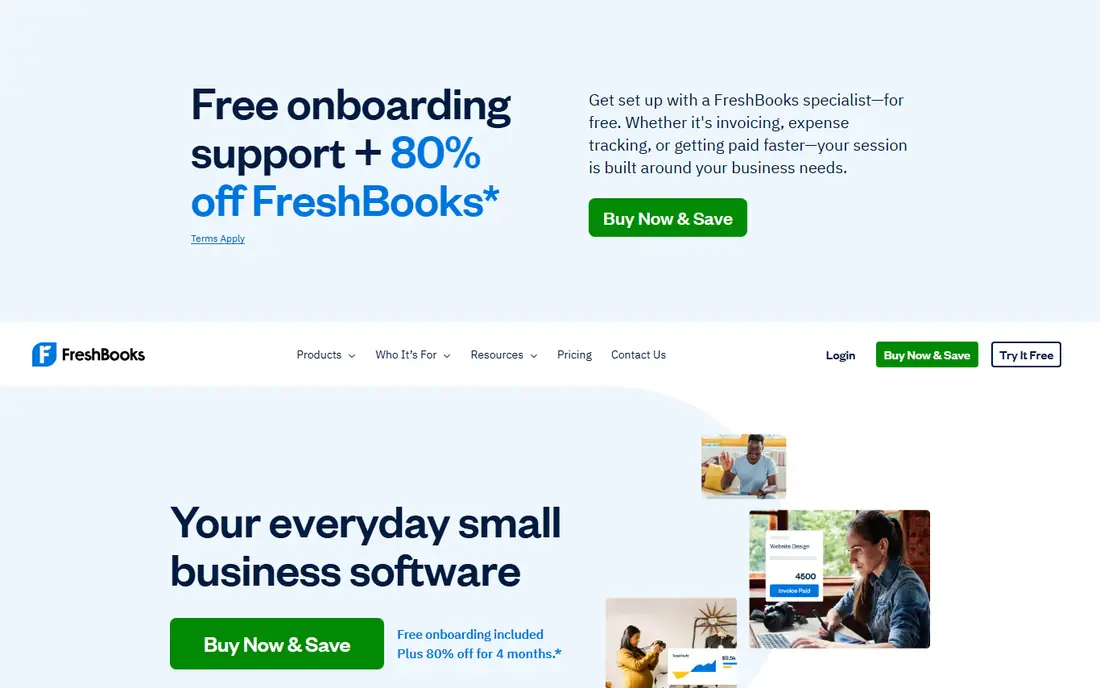
FreshBooks is the best QuickBooks alternative for freelancers and service firms whose work revolves around clients, projects and billable time. Invoices look polished, clients can pay online, time tracking feeds directly into invoices, and project profitability is easy to follow. For a consultant or agency, that client-centred design saves daily friction.
The catch is accounting depth. FreshBooks handles double-entry accounting, but complex inventory, multi-entity books and deep reporting still favour Xero or QuickBooks. The entry plan also caps the number of billable clients, so a growing agency should price a higher tier. For service billing, FreshBooks is hard to beat.
- Excellent invoicing and client tools
- Time tracking and project billing
- Easy to learn
- Less deep than QuickBooks for complex accounting
- Entry plan caps billable clients
Zoho Books gives the most accounting per dollar in this list. The free plan covers small firms with annual revenue under $50,000, and paid plans add automation, workflows and multi-user access at prices below QuickBooks. Bank feeds, invoicing, expense tracking and reporting cover the full bookkeeping cycle.
The catch is US-specific depth. Payroll, sales tax and some US reporting features are thinner than QuickBooks, so a US firm with complex tax needs should test those areas before switching. For a cost-conscious firm with standard books, Zoho Books is excellent value.
- Free plan for revenue under $50,000
- Strong automation
- Good value on paid plans
- US payroll and tax features are thinner than QuickBooks
- Interface takes learning
Sage 50 suits a product or inventory-heavy business that needs deeper accounting than a browser app offers. Inventory tracking, job costing, serialised stock and detailed reporting handle operations that simple tools struggle with. Firms that manage stock across locations or jobs will feel the difference quickly.
The catch is price and platform. Sage 50 starts well above budget rivals, and its desktop roots mean cloud access works differently from a born-cloud tool. For a small service firm, Sage 50 is more than needed. For an inventory business, its depth justifies the cost.
- Deep inventory and job costing
- Strong reporting
- Desktop reliability
- High starting price
- Desktop focus with less cloud flexibility
Kashoo fits an owner who wants proper double-entry books without a complex interface. Invoicing, expense tracking, bank reconciliation and reporting cover the essentials, and the design stays approachable for non-accountants. That simplicity helps owners who keep their own books and meet an accountant at year end.
The catch is scale and integrations. The integration range is smaller than Xero or QuickBooks, and multi-user controls are thinner. A firm with several bookkeepers or many connected apps may outgrow Kashoo. For a small owner-managed firm, it is a clean and capable alternative.
- Simple double-entry books
- Clear invoicing
- Good for owner-managed books
- Smaller integration range
- Less suited to large teams
ZipBooks suits a small firm that wants a free or low-cost start with simple books. The free plan covers basic invoicing and reporting, and paid plans add more users and features at modest prices. Setup is quick, which helps a firm that wants to move off QuickBooks without a long project.
The catch is depth. Advanced inventory, payroll depth and complex reporting are limited, and the support community is smaller than Xero or FreshBooks. ZipBooks works best as a simple, low-cost alternative for straightforward books, not as a replacement for a complex QuickBooks setup.
- Free starter plan
- Simple invoicing and reporting
- Easy setup
- Limited advanced features
- Smaller support community than larger rivals
GnuCash fits a technically comfortable owner who wants free, offline, double-entry accounting with no subscription. It handles accounts, transactions, invoices, budgets and reports on Windows, Mac and Linux, and it stores data locally rather than in a vendor cloud. For a privacy-minded solo firm, that control is a benefit.
The catch is usability. The interface feels dated, there is no built-in cloud collaboration for a bookkeeper, and setup assumes some accounting knowledge. GnuCash is a capable free tool for a solo owner, but a team that needs shared online access should choose a cloud alternative instead.
- Free and open source
- True double-entry accounting
- Offline desktop use
- Dated interface
- No cloud collaboration
- Setup needs accounting knowledge
How we picked these
We compared official pricing pages, invoicing, bank reconciliation, reporting, payroll links and public reviews for small businesses. We favoured tools that are actively maintained, offer a clear migration path from QuickBooks, and publish pricing or a genuine free plan. Where a price could not be verified from the vendor page during this check, we wrote "See website".
How to switch from QuickBooks without losing data
Switching accounting software is a data project first and a software choice second, so plan the move carefully.
Export before you cancel
Export your chart of accounts, customer and vendor lists, open invoices and bills, and at least a year of transaction history. Keep a QuickBooks backup or export file even after the switch, since tax and audit questions can arise later. Never cancel QuickBooks before confirming the new file balances.
Run both systems for one month
Enter new transactions in both systems for a short parallel period, then compare bank balances, receivables and payables. That check catches import errors, missing opening balances and tax settings that differ between systems. Fix those gaps before the old system closes.
Check payroll and tax first
Payroll, sales tax and year-end forms are the hardest parts of a switch, so test them early. Confirm how the new tool handles payroll, tax rates and 1099 forms for your states, and ask your accountant to review the first month. A cheap plan that mishandles tax costs far more than it saves.
Frequently asked questions
What are the best QuickBooks alternatives for small business?
Xero is the closest full replacement for a growing firm, FreshBooks leads for service billing, and Zoho Books and Wave lead for low cost. The best choice depends on whether you need multi-user access, inventory depth or simple invoicing. Test payroll and tax handling before committing, since those areas differ most between tools.
Is there a free alternative to QuickBooks?
Yes, Wave offers a free starter plan with unlimited invoices, Zoho Books is free for firms with revenue under $50,000, and GnuCash is free desktop software. Free plans suit simple books, but inventory, payroll and multi-user needs usually require a paid plan. Check free plan limits on invoices, users and bank connections before switching.
What is the best QuickBooks alternative for freelancers?
FreshBooks is the strongest freelancer alternative, thanks to client-centred invoicing, time tracking and project billing. Wave is a good free option for a solo freelancer with simple books, while Xero suits a freelancer who plans to grow into a small firm. Choose FreshBooks when client billing is the daily work, not just a monthly task.
Can I import my QuickBooks data into Xero or FreshBooks?
Most cloud tools offer import guides or assisted migration for customers, vendors, chart of accounts and open balances, though the depth varies by tool. Export a clean QuickBooks file first, and check that opening balances, receivables and payables match after import. Your accountant should review the first month in the new system.
What is the best alternative to QuickBooks Desktop?
Xero and Sage 50 are common routes off QuickBooks Desktop, with Xero offering cloud access and Sage 50 offering desktop depth with inventory strength. Zoho Books also suits firms that want cloud books at low cost. Desktop users should check whether they need offline access, since most cloud tools need an internet connection for full use.
Do QuickBooks alternatives handle payroll?
Some do, but depth varies. Xero, Zoho Books and Wave handle payroll through add-ons or partners in supported regions, while FreshBooks focuses more on invoicing than payroll. If payroll is central to your firm, compare payroll features and state coverage separately, or pair an accounting tool with a dedicated payroll service such as Gusto.
Sources we checked (8)

Online Jobs is an independent blog about careers, online work, learning new skills and the tools that help people earn. More about us.
Keep reading
All posts
Best Web Scraping Tools
Compare the best web scraping tools in 2026, from no-code Octoparse and Browse AI to Apify, Firecrawl, Bright Data, Zyte, ScraperAPI and free Scrapy, with prices.
Best Web Hosting Services
Find the best web hosting services for your site in 2026. We compare prices, speed, support and ease of use across eight leading hosting providers today.
Best Video Conferencing Software
Looking for the best video conferencing software? We compare 8 meeting apps on price, meeting limits, features, security and ease of use. Read the guide.