Best Alternatives to pnpm in 2026: 8 Package Managers Compared

How we put this together: we compare official feature and pricing pages, app store listings, privacy policies and public user reviews. Prices change, so check the provider's site before you pay.
Key takeaways
- pnpm saves disk space with a shared store and strict dependency isolation, so alternatives differ on layout, speed, and workspace features.
- npm is our pick for most teams, because it ships with Node.js and has the widest tool compatibility.
- Bun is the speed pick for teams that also want a fast runtime, bundler, and test runner in one tool.
- Yarn, Deno, Volta, Rush, and Corepack each solve a narrower problem, from version pinning to monorepo scale.
- All tools on this list are free, and all install from the same npm registry, so switching usually costs setup time rather than license fees.
Quick comparison
| Name | Who it suits | Starting price | Free option | |
|---|---|---|---|---|
 npm | Default Node.js workflows | Free | Yes | Visit |
 Yarn | Flexible workspaces and Plug and Play | Free | Yes | Visit |
 Bun | Fast installs and all-in-one tooling | Free | Yes | Visit |
 Deno | Secure runtime with npm support | Free | Yes | Visit |
 Volta | Pinning Node and package manager versions | Free | Yes | Visit |
 Rush | Large monorepos | Free | Yes | Visit |
 Corepack | Built-in package manager versions | Free | Yes | Visit |
 Lerna | Versioning multi-package repos | Free | Yes | Visit |
The best alternatives to pnpm
pnpm is popular because it stores each package version once on disk, links it into projects, and keeps dependencies strictly isolated. The tools below take different paths to the same job of installing, updating, and running JavaScript packages. Since they share the npm registry and package.json format, a library installed by one generally works with the others.

npm is the safe default, and that safety is practical. It comes with Node.js, every tutorial assumes it, and almost every CI setup supports it without extra steps. Workspaces handle multi-package repos, and lockfiles keep installs reproducible.
The trade is disk use and speed. npm copies packages into each project, so a machine with many projects uses more space than pnpm would. Cold installs can also be slower. For a small or standard project, those costs rarely matter. For a large monorepo, compare Bun or Rush below.
- Ships with Node.js, so no extra install
- Widest tool and tutorial compatibility
- Workspaces for monorepos
- Flat node_modules layout uses more disk
- Slower cold installs than pnpm or Bun in many benchmarks

Yarn, in its modern Berry form, offers a different model from npm. Workspaces handle monorepos well, and Plug and Play stores dependencies in zip archives instead of a node_modules folder, which can make installs fast and disk use lower. Classic Yarn remains familiar to many teams.
Plug and Play is also the main watch point, since some tools need plugins to resolve dependencies from archives. Yarn can use a node_modules layout instead, which avoids that issue. Teams that want workspace flexibility with a long history should test Yarn on a real project before switching a whole monorepo.
- Strong workspace support
- Plug and Play option avoids node_modules
- Active modern releases
- Plug and Play needs tool support
- Two major versions can confuse newcomers
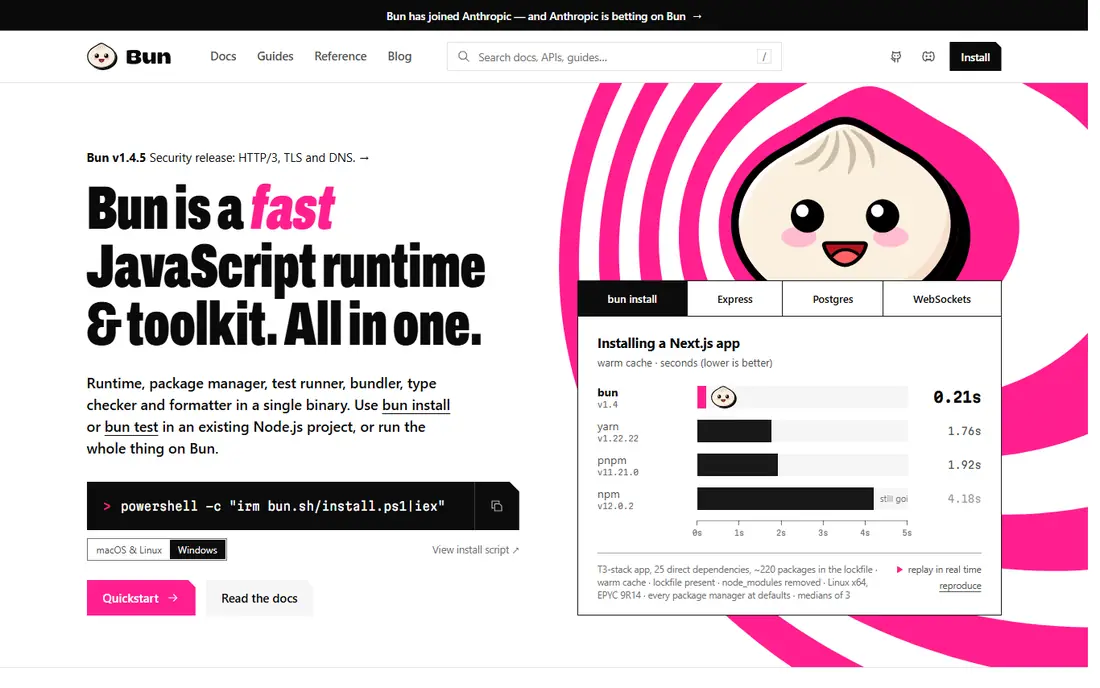
Bun is the speed pick on this list. Its package manager uses a global cache, so repeated installs are quick, and it bundles a runtime, bundler, and test runner in one binary. That single-tool approach appeals to teams tired of wiring many tools together.
It is younger than Node.js, so compatibility checks matter for unusual packages or native modules. Most common projects work, but test your own dependency set before committing a production app. For a new project where speed matters, Bun is a compelling pnpm alternative.
- Very fast installs in many benchmarks
- Built-in runtime, bundler, and test runner
- Global cache similar to pnpm
- Younger ecosystem than Node.js
- Some Node.js edge cases still need checking
Deno approaches the problem from the runtime side. It runs TypeScript natively, requires explicit permissions for files and network access, and includes formatting, linting, and testing. Modern Deno also supports npm packages, so many existing libraries work.
It is not a like-for-like pnpm replacement for a team that only wants a faster npm. Deno fits teams willing to adopt its runtime and security model, especially for new services. Teams tied to Node.js tooling should stay with npm, Yarn, or Bun instead.
- Permission-based security by default
- Built-in formatter, linter, and test runner
- Npm package support
- Not a drop-in package manager for every Node.js workflow
- Ecosystem is smaller than Node.js
Volta solves a different problem: making sure every developer and CI run uses the same tool versions. It pins Node and your package manager per project, then switches automatically when you enter that project. That removes a whole class of works-on-my-machine problems.
Volta does not replace a package manager, since it manages tool versions rather than installing dependencies. Pair it with npm, Yarn, or pnpm when version consistency matters. For a team that has fought version drift, it is a small tool with a large payoff.
- Pins Node, npm, Yarn, and pnpm versions per project
- Fast version switching
- Simple setup
- Does not install packages itself
- Adds one more tool to the chain
Rush, from Microsoft, is built for monorepos at a scale where simple workspaces strain. It manages many packages, supports linked installs, and adds publishing, versioning, and change-file workflows. Large organizations with dozens of packages use it to keep releases orderly.
For a small repo with two or three packages, Rush is too much process. Setup and concepts take time, and a simple workspace in npm, Yarn, or pnpm will move faster. Choose Rush when package count, release discipline, and shared tooling justify a dedicated monorepo manager.
- Built for large monorepos
- Linked and isolated installs
- Publishing and change management
- Heavier setup than simple workspaces
- Overkill for small repos
Corepack is the lightest option here, because it ships with Node.js. A project declares which package manager and version it uses, and Corepack activates that version when you run it. That keeps a team on the same Yarn or pnpm version without a separate version manager.
It does not install your project packages itself, since that job still belongs to npm, Yarn, or pnpm. Think of Corepack as version glue, not as a manager. For teams that already use Yarn Berry or pnpm and want version consistency with no extra tool, it is a neat fit.
- Ships with Node.js
- Activates the package manager version a project declares
- No separate install step
- Covers manager versions only, not package installs
- Needs enabling in some Node.js setups
Lerna focuses on versioning and publishing packages from one repo. It can bump versions, create changelogs, and publish changed packages together, which helps libraries and design systems. It works alongside npm, Yarn, or pnpm rather than replacing them.
Modern package managers now cover much of the workspace ground Lerna once owned, so its value is mainly in release workflows. A team with a simple monorepo may not need it. A team that publishes many packages on a schedule still finds its versioning tools useful.
- Versioning and publishing for multi-package repos
- Works with npm, Yarn, and pnpm
- Long history
- Workspace features now overlap with native managers
- Setup adds complexity for simple repos
How we picked these
We compared official docs for package managers, runtime tools, and monorepo managers that install from the npm registry or manage the tools around it. We favored free, actively maintained tools with a clear pnpm overlap, and we avoided benchmark figures tied to one machine, since install speed varies with cache, network, and project size. We did not claim hands-on testing.
How to choose a pnpm alternative
Start with your project shape. A single app usually needs only npm, Yarn, or Bun. A monorepo needs workspaces plus, at larger scale, Rush or Lerna for releases. A team fighting version drift needs Volta or Corepack alongside its manager, not instead of it.
Test on your real dependency set
Install your actual project with the candidate manager and check that tests, builds, and native modules still work. Speed on a tiny demo means little if a key package behaves differently under Plug and Play or a new runtime. Run your CI pipeline too, since lockfile and cache behavior matter there.
Check lockfiles and CI cost
Each manager uses its own lockfile, so switching means a new lockfile and updated CI caching. Confirm that your CI provider caches the new manager well, and that your team is comfortable with the new commands. A faster install that breaks CI caching can cost more time than it saves.
Do not switch for speed alone
Disk savings and install speed are real, but they rarely decide a project outcome. Compatibility, team familiarity, and monorepo needs matter more. Switch when a manager solves a concrete pain, such as disk use, version drift, or release chaos, not because a benchmark looked fast.
Frequently asked questions
What is pnpm?
pnpm is a JavaScript package manager that stores each package version once in a shared store and links it into projects, which saves disk space and keeps dependencies strictly isolated. It uses the same npm registry and package.json format as npm and Yarn.
What is the best alternative to pnpm?
npm is the best default for most teams, since it ships with Node.js and works everywhere. Bun is the speed pick, Yarn suits flexible workspaces, and Deno suits teams that want its secure runtime model.
Can I switch from pnpm to npm without changing my code?
Usually yes for application code, since packages and package.json stay the same. You will need a new lockfile, and you should retest builds, since dependency layout and hoisting behavior differ between managers.
Is Bun a full replacement for pnpm?
Bun includes a fast package manager, runtime, bundler, and test runner, so it can replace pnpm for many projects. Check compatibility with your specific packages and Node.js tooling before moving a production app.
Do I need Volta or Corepack if I use npm?
Not always, but they help when a team must stay on exact Node and package manager versions. Volta pins versions per project automatically, while Corepack activates the manager version a project declares. Both pair with a package manager rather than replacing it.
Sources we checked (8)

Online Jobs is an independent blog about careers, online work, learning new skills and the tools that help people earn. More about us.
Keep reading
All posts
Best Alternatives to Qwik
Alternatives to Qwik for fast, low-JavaScript sites include Astro, SvelteKit, SolidStart, Next.js, and Nuxt. We compare speed focus and fit.

Best Alternatives to Nuxt
Looking for alternatives to Nuxt? We compare 9 frameworks for Vue, React, and Svelte teams, with free pricing and honest trade-offs.

Best AI Tools for Web App Development
Compare the best ai tools for web app development, from prompt-to-app builders to AI code editors, with pricing, free plans and honest trade-offs for 2026.