Best Tax Software for Tax Preparers in 2026: 9 Tools Compared


Value for small and mid-size firms · Starting price: $299.99 per year
How we put this together: we compare official feature and pricing pages, app store listings, privacy policies and public user reviews. Prices change, so check the provider's site before you pay.
Key takeaways
- Drake Tax is the value pick for many small firms, with Drake Tax Online starting at $299.99 and a pay-per-return option at $379.99.
- Lacerte and ProSeries both come from Intuit, but Lacerte suits complex returns while ProSeries suits 1040-focused firms with a simpler workflow.
- UltraTax CS and CCH Axcess Tax suit larger firms already in those ecosystems, and both are priced by quote rather than a published entry price.
- Pay-per-return pricing suits a new or seasonal practice, while unlimited bundles suit a firm that knows its return volume.
- This article is general information, not tax advice, and prices change with promotions, so confirm the current price before tax season.
Quick comparison
| Name | Who it suits | Starting price | Free option | |
|---|---|---|---|---|
| Drake Tax | Value for small and mid-size firms | $299.99 per year | Free trial | Visit |
 Lacerte Lacerte | Complex returns and multi-preparer firms | $599 per year | No | Visit |
 ProSeries ProSeries | 1040-focused firms | $539 per year | No | Visit |
 UltraTax CS UltraTax CS | Firms in the Thomson Reuters suite | See website | No | Visit |
 CCH Axcess Tax CCH Axcess Tax | Cloud-based multi-office firms | See website | No | Visit |
 TaxAct Professional TaxAct Professional | Budget unlimited 1040 filing | See website | Free trial | Visit |
 TaxSlayer Pro TaxSlayer Pro | Seasonal high-volume 1040 offices | $1,395 per year | Free trial | Visit |
 ATX ATX | Sole practitioners and small firms | $939 per year | Free trial | Visit |
 ProConnect Tax ProConnect Tax | Cloud-first Intuit firms | See website | No | Visit |
The best tax software for tax preparers
Professional tax software is not consumer tax software with a different label. It must handle many clients, many forms, e-filing, diagnostics, and review workflows, all under deadline pressure. The nine products below cover the main professional options in the US, from low-cost desktop tools to enterprise cloud platforms.
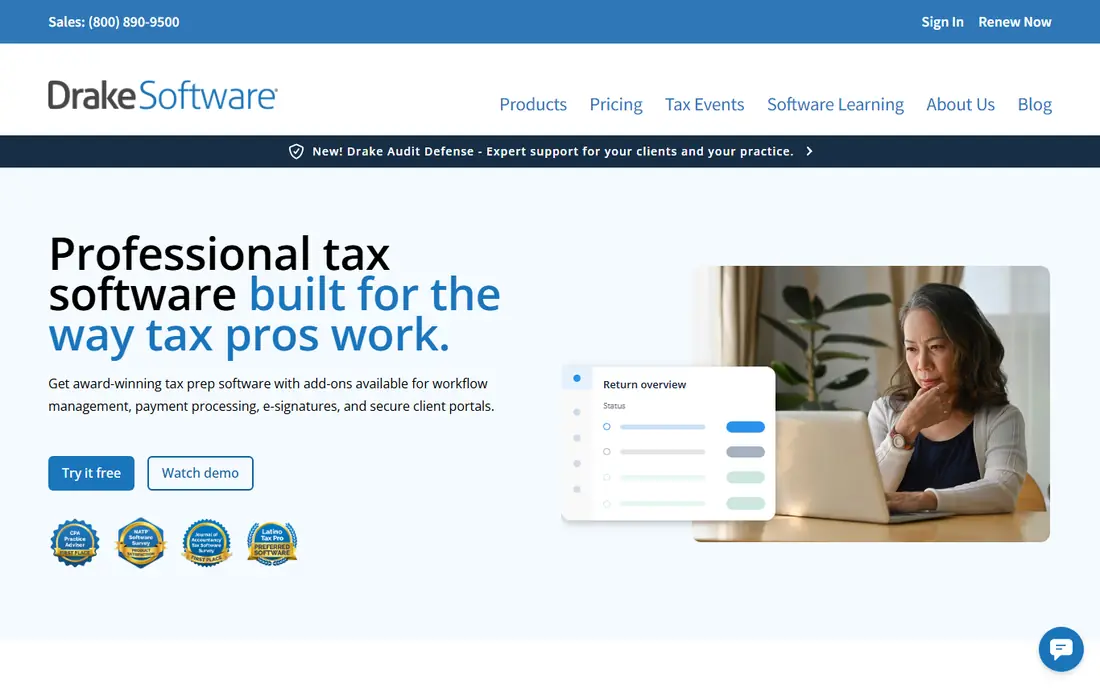
Drake Tax is the value story in professional tax software, and the pricing explains why. Drake Tax Online starts at $299.99 for the tax year, and the pay-per-return option is listed at $379.99, which gives a new practice a low-cost way in without an unlimited bundle it cannot fill. The desktop version covers individual and business returns, with e-filing, diagnostics, and multi-user access for a team.
The catch is feel. Drake is form-based, which experienced preparers often like for speed, but new staff may need more training than with a more guided interview style. Integration with outside practice tools is also weaker than some rivals. For a solo preparer or small firm that wants predictable cost and a complete return workflow, Drake is a strong first shortlist pick.
- Predictable pricing for individual and business returns
- Desktop and cloud versions
- Built-in diagnostics and e-filing
- Interface feels form-based and takes learning
- Integration with outside tools is weaker than rivals
- Some specialist forms need checking
Lacerte is Intuit's professional desktop product for firms with complex, high-value returns. Its pay-per-return licence starts at $599 per year, with return charges on top, so the entry figure is not the full season cost. What you get for that is a deep forms library, input-based preparation, and diagnostics suited to multi-entity, multi-state, and pass-through work.
That depth suits a firm that already handles complex returns and has staff who know the product. A new solo practice may find the total cost and learning curve harder to justify than Drake or TaxSlayer Pro. Choose Lacerte when your return mix includes the specialist forms and complex cases that cheaper tools handle less well, and price the full return volume, not just the licence.
- Deep professional tax engine from Intuit
- Broad specialist form coverage
- Strong diagnostics for complex returns
- Entry licence is pay-per-return, not unlimited
- Total cost rises with return charges
- Learning curve for new staff

ProSeries is the other main Intuit desktop product, and it suits firms that focus on individual returns. Its pay-per-return licence starts at $539 per year, and it offers bundles for higher volume. Many preparers find its workflow easier to learn than Lacerte, which matters when a firm hires seasonal staff each spring and needs them productive quickly.
The limit is specialist coverage. ProSeries does not cover every form Lacerte does, so a firm with unusual returns should test its ten strangest cases before committing. Modular pricing can also add up once state returns and business entities are included. For a 1040-focused practice that wants Intuit depth without Lacerte cost, ProSeries is a sensible middle ground.
- Proven desktop workflow
- Easier to learn than Lacerte for many preparers
- Pay-per-return and bundle options
- Form coverage is narrower than Lacerte for specialist work
- Modular pricing can add up
- Desktop-first, with hosting as an add-on
UltraTax CS is Thomson Reuters' professional tax product, and it fits best in a firm already using other CS Professional Suite tools such as practice management or document systems. It handles related entities, state allocation, and complex multi-state work, which is why many mid-size firms stay with it despite its cost and learning curve.
Pricing is quote-only, based on users, return volume, modules, and jurisdictions, so a firm cannot budget from a published entry price alone. That also means a quote comparison is essential. Shortlist UltraTax CS when your firm needs deep multi-state coverage and already runs Thomson Reuters tools, and expect a migration and training cost if you move to it from a simpler product.
- Deep multi-state and related-entity coverage
- Strong fit with other CS Professional Suite tools
- Trusted by many mid-size firms
- Quote-only pricing
- Learning curve for new users
- Total cost depends on modules, users, and jurisdictions
CCH Axcess Tax is Wolters Kluwer's cloud tax platform, aimed at growing and multi-office CPA firms. Because it is cloud-based, staff in different offices can work on the same client data without desktop installs, and it connects with other Axcess products for documents, workflow, and firm management. Newer versions add AI-assisted features for review and research.
The pricing is quote-only and sold as packages after a consultation, so budgeting needs a direct quote. Tax is also separate from the document and workflow products, which can raise the total suite cost. Choose CCH Axcess Tax when cloud access and a single Axcess environment matter more than a low published entry price.
- Cloud platform for multi-office firms
- Integrated with other CCH Axcess products
- Built-in AI features in newer versions
- Quote-only pricing
- Separate products for documents and workflow
- Migration takes planning for a large firm
TaxAct Professional suits budget-focused practices that want a choice between paying per return and buying an unlimited bundle. Published comparisons list a 1040 bundle and a complete bundle at different price points for single and multi-user setups, with prices rising at set dates, so the current vendor price is the only reliable figure. That flexibility helps a firm match pricing to its actual volume.
The product is simpler than Lacerte or UltraTax CS, which is a strength for routine 1040 work and a limit for complex cases. Check that it covers the forms your clients need, especially for business and specialist returns, before switching. For a small practice that wants unlimited 1040 filing without enterprise cost, TaxAct Professional deserves a trial.
- Flexible pay-per-return and bundle pricing
- Unlimited 1040 bundles for higher volume
- Lower entry cost than Intuit enterprise options
- Published prices vary by bundle and promotion
- Interface is simpler than Lacerte or UltraTax CS
- Check form coverage for specialist work
TaxSlayer Pro is built for seasonal and high-volume 1040 offices, and its pricing reflects that: the Classic package starts at $1,395 per year with unlimited 1040 filing included. For an office that files hundreds of individual returns in a short season, a flat unlimited price is easier to budget than per-return charges that climb with volume.
The entry price is higher than Drake Tax Online, so a low-volume practice may pay more for capacity it does not use. It is also less suited to complex enterprise work than UltraTax CS or CCH Axcess Tax. For a seasonal office with known high 1040 volume, TaxSlayer Pro offers predictability and a straightforward workflow.
- Unlimited 1040 filing at a flat published price
- Desktop and cloud options
- Clear pricing for seasonal offices
- Higher entry price than Drake Tax Online
- Less suited to complex enterprise returns
- Add-ons can raise the total
ATX, also from Wolters Kluwer, suits sole practitioners and small firms that want a deep forms library at a published price. Its pay-per-return option is listed at $939 for six returns included, and higher bundles cover larger volumes. For a small firm that files a mix of individual and business returns, ATX gives more form depth than some budget tools.
The product feels older than cloud-first rivals, and the top bundles cost several thousand dollars per year, so the entry price is only part of the story. A solo preparer should trial the interface and confirm that the forms they need are in the package they intend to buy. For a small firm that values form coverage over a modern cloud interface, ATX is worth testing.
- Deep forms library for a Wolters Kluwer product
- Published pay-per-return option
- Suits sole practitioners and small firms
- Desktop product with a dated feel in places
- Higher tiers cost much more
- Support and updates vary by package
ProConnect Tax is Intuit's cloud tax product, and it suits firms that want browser-based preparation without desktop installs or hosting. It fits well with a QuickBooks Online client base, since client data can flow between systems, and some bundles include Intuit Sign for e-signatures. For a remote or multi-location team, cloud access is a real advantage over desktop-only tools.
Pricing is bundle-based, with essentials packages covering a set number of individual returns and one paid user, while business returns cost extra. That structure needs careful counting: a firm with many business returns may pay more than the headline bundle suggests. Choose ProConnect Tax when cloud access and the Intuit ecosystem matter most, and price your full return mix before committing.
- Browser-based preparation with no desktop install
- Fits firms with QuickBooks Online clients
- Intuit sign and advisor tools included in some bundles
- Pricing depends on bundle and return count
- Business returns cost extra in some bundles
- Needs reliable internet for daily work
How we picked these
We compared official pricing pages, published professional comparisons, and product documentation, and checked that each homepage loads and belongs to the product or vendor named. We kept products that are sold to professional preparers, not consumer filing products, and we included desktop, cloud, value, and enterprise options. Where a vendor prices by quote, we wrote "See website" rather than inventing a figure. We did not claim hands-on testing we did not do. This article is general information, not tax advice, and it does not replace professional judgment about licensing, IRS requirements, or firm workflow.
Choosing tax software for a professional practice
Price the full season, not the licence. A pay-per-return licence, state charges, e-file fees, and user seats can turn a low entry price into a higher total than an unlimited bundle.
Match pricing to return volume
A new practice with uncertain volume should favour pay-per-return or a low-cost cloud option, so it does not pay for capacity it cannot fill. A firm with stable, high volume should compare unlimited bundles on total cost per return, including states and business entities. Revisit the choice each year, because volume and pricing both change.
Test your strangest returns first
Before switching, run your most complex cases through a trial: multi-state returns, pass-through entities, and any specialist forms your clients need. A product that handles routine 1040s well may still miss a form you file every year. Check diagnostics, review tools, and e-file support for those cases, not just the sales page.
Plan training and migration time
Switching tax software in peak season is a mistake. Trial in the off-season, train seasonal staff on the new workflow, and migrate client data with time to check it. The cheapest product can become expensive if it slows a team during the busiest weeks of the year.
Frequently asked questions
Which tax software is best for tax preparers?
Drake Tax is a strong value pick for small and mid-size firms, while Lacerte suits complex returns and ProSeries suits 1040-focused firms. UltraTax CS and CCH Axcess Tax suit larger firms already in those ecosystems. The best choice depends on return volume, form needs, and whether you want desktop or cloud software.
What is the best software for tax preparers starting a new practice?
A pay-per-return or low-cost cloud option usually suits a new practice, because it keeps costs down until volume is known. Drake Tax Online, starting at $299.99, and pay-per-return licences from Intuit are common starting points. Trial the workflow on real returns before buying an unlimited bundle.
What is the best tax preparation software for professionals handling complex returns?
Lacerte and UltraTax CS are the usual shortlist for complex, multi-state, and multi-entity work, with CCH Axcess Tax as a cloud alternative for larger firms. All three cost more than value tools, and all three need training time. Test your complex cases in a trial before choosing.
Is Drake Tax or ProSeries better?
Drake Tax usually wins on price and predictable cost, while ProSeries often wins on ease of learning for new staff. Both handle individual returns well. The deciding factors are your return mix, your staff experience, and the total season cost including states and business returns.
How much does professional tax software cost?
Entry prices in this list range from $299.99 per year for Drake Tax Online to $1,395 per year for TaxSlayer Pro Classic, with Lacerte at $599 and ProSeries at $539 for pay-per-return licences. Enterprise products such as UltraTax CS and CCH Axcess Tax are quote-only. Always confirm the current price, since promotions and bundle changes affect the total.
Do tax preparers need professional software, or can they use consumer software?
Professional software is designed for many clients, e-filing at volume, diagnostics, and review workflows, while consumer software is designed for one household return. A preparer filing for clients should use professional software that meets IRS e-file and record requirements for preparers, and should check current IRS rules for their practice.
Sources we checked (6)

Online Jobs is an independent blog about careers, online work, learning new skills and the tools that help people earn. More about us.
Keep reading
All posts
Best Whole Life Insurance Companies
We compared the best whole life insurance companies on dividends, cash value, riders and financial strength, so buyers can shortlist wisely in 2026 today.

Best Trading Apps for Beginners
Compare the best trading app for beginners, with $0 stock commissions, fractional shares, education, paper trading and account types explained in 2026 now.

Best Trading App
We compared the best trading apps for beginners and active traders on fees, tools, accounts and ease of use, so you can pick a platform that fits your plan.