Best Subscription Cancellation App in 2026: 8 Apps Compared


Automatic detection and done for you cancellation · Starting price: $7 per month
How we put this together: we compare official feature and pricing pages, app store listings, privacy policies and public user reviews. Prices change, so check the provider's site before you pay.
Key takeaways
- Only a few apps actually cancel subscriptions for you, and that service usually sits behind a paid plan, while free plans mostly track and remind.
- Rocket Money is the strongest all round pick for automatic detection, because it links bank accounts and finds recurring charges without manual entry.
- If you do not want to link bank accounts, manual trackers such as Bobby, Subby, and Subtrack give a full list with no account access.
- Bill negotiation is a separate service with its own fee, often a share of first year savings, so read the fee terms before accepting an offer.
- A free plan plus 20 minutes of manual cancelling often beats paying a monthly fee, unless a provider makes cancellation deliberately difficult.
Quick comparison
| Name | Who it suits | Starting price | Free option | |
|---|---|---|---|---|
| Rocket Money | Automatic detection and done for you cancellation | $7 per month | Yes | Visit |
 OneMain MyMoney | Free tracking for everyone, cancellation help for customers | Free | Yes | Visit |
 Hiatus | Subscription tracking with bill negotiation help | See website | Yes | Visit |
 Subby | Simple manual subscription reminders | See website | Yes | Visit |
 Bobby | Quick manual list with renewal alerts | Free | Yes | Visit |
 Subtrack | Minimal manual tracking without bank linking | $1.99 per month | Yes | Visit |
 PocketGuard | Spending and subscription views in one budget app | Free | Yes | Visit |
 Empower | Free net worth and spending tracking with subscription views | Free | Yes | Visit |
The best subscription cancellation apps
Subscription costs creep up quietly. A free trial converts, a yearly plan renews, and a service you stopped using keeps charging. We compared apps that find those charges, remind you before renewal, or cancel them on your behalf, and we separated the apps that act from the apps that only watch, because that difference decides whether a paid plan is worth it.
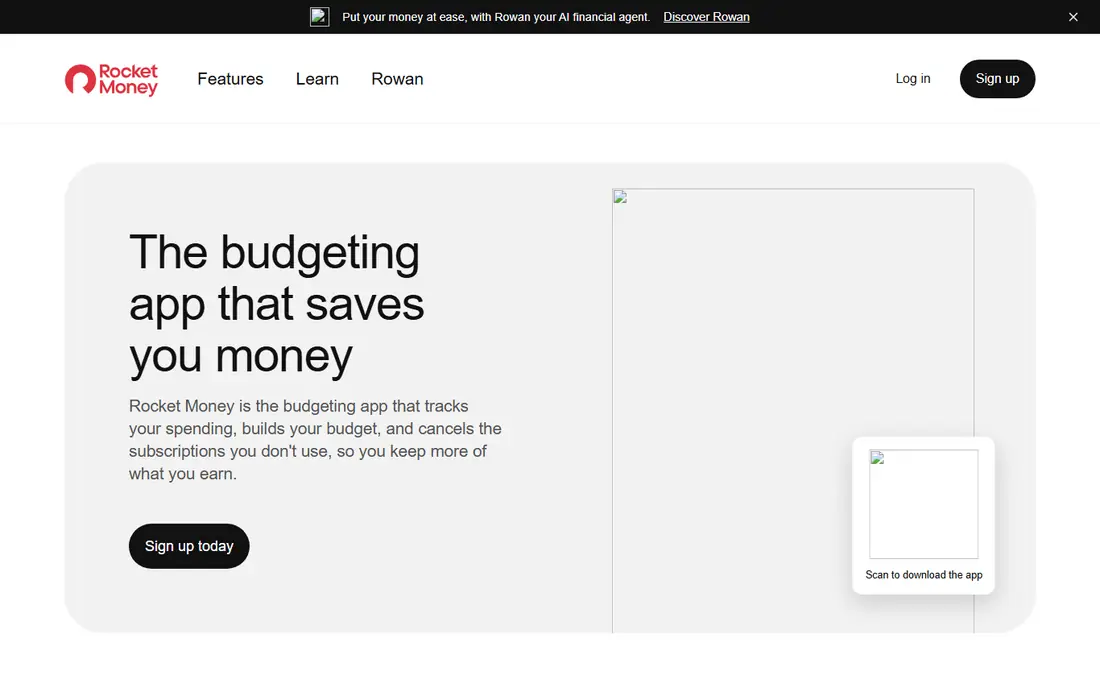
Rocket Money, formerly Truebill, is the app most people mean when they ask for a subscription cancellation app. Link bank and card accounts and it scans transactions for recurring charges, then lists them with monthly totals in one place. That automatic step matters, because most forgotten subscriptions are found in statements, not in memory. Its homepage confirms that Premium adds a cancellation assistant that contacts providers on your behalf. The catch is the paywall. The free plan tracks and shows subscriptions, but you cancel them yourself. Premium, priced from $7 per month on a sliding scale in published 2026 guides, adds the cancellation service, bill negotiation, and extra budgeting tools. Bill negotiation fees have changed over time and are charged as a share of first year savings when a negotiation succeeds. If you want hands off cancellation and you are comfortable linking accounts, Rocket Money is our pick. If you only want a list, the free plan may be enough.
- Automatically finds recurring charges from linked accounts
- Premium cancels subscriptions for you
- Bill negotiation and budgeting in one app
- Monthly cost totals in one dashboard
- Cancellation is a Premium feature, not free
- Premium price varies on a sliding scale
- Bill negotiation takes a share of savings
- Requires bank linking for detection
OneMain MyMoney
Who it suits: Free tracking for everyone, cancellation help for customers
OneMain MyMoney is the current form of Trim, which joined OneMain Financial in 2021. For any user, the free app finds subscriptions, tracks spending, and sends alerts, which covers the awareness half of the problem at no cost. Its help pages list those features as free, and the app does not charge a monthly fee for core tracking. The limit is who gets the action half. Bill negotiation and done for you cancellation are free, but only for OneMain Financial loan customers and Brightway card holders. Everyone else sees the subscription and the steps to contact the merchant, then cancels directly. That still beats guessing, and it costs nothing, but do not sign up expecting a concierge service unless you are an eligible customer. Pair it with Rocket Money Premium if you want both free tracking and paid cancellation help.
- Free subscription tracking for all users
- Transaction alerts and budgeting tools included
- Bill negotiation and done for you cancellation for eligible customers
- No monthly fee for the core app
- Done for you cancellation is limited to OneMain and Brightway customers
- Other users must cancel manually
- Formerly Trim, so older guides use a different name
Hiatus follows the same pattern as Rocket Money, with account linking at the center. Once connected, it surfaces recurring charges and upcoming bills, so users can see the full monthly load in one view. Its negotiation service then targets bills such as cable, internet, and phone, where providers often have room to move on price. The honest limit is that no app can cancel every service with one tap, because some merchants require direct contact, identity checks, or retention offers. Hiatus helps with the bills it can negotiate and tracks the rest, but users should expect some manual steps for stubborn providers. Check current pricing and fee terms on its site before signing up, since negotiation fees and plan details have changed over time. Hiatus suits users who want tracking plus negotiation in one place without committing to a single large finance app.
- Links accounts to surface recurring bills
- Bill negotiation service for eligible bills
- Budgeting views alongside subscriptions
- Free tier for basic tracking
- Cancellation help varies by provider and plan
- Negotiation fees apply when savings are found
- Bank linking required for automatic detection
Subby takes the opposite approach from Rocket Money. You enter each subscription yourself, set its cost and renewal date, and the app reminds you before it renews. That manual step sounds like a drawback, and in one way it is, because a subscription you forget to enter will never trigger a reminder. In another way it is a privacy advantage, since no bank account access is involved at all. For households, Subby works well as a shared list. Everyone can see what the family pays for streaming, apps, and services, and decide together what to keep. The app does not cancel anything for you, so renewal reminders are only useful if you act on them. Set the reminder a few days before renewal, not on the day, so you have time to cancel. Subby is our pick for users who refuse bank linking and want a clean, low cost reminder system.
- No bank linking required
- Clear renewal reminders
- Simple list of subscriptions and costs
- Works for shared and household subscriptions
- Manual entry means forgotten subscriptions stay hidden
- No done for you cancellation
- Limited budgeting features
Bobby is a small, focused app that does one job well. Add a subscription, its price, and its billing cycle, and Bobby totals your monthly and yearly costs and alerts you before renewal. There is no account linking, no budgeting suite, and no negotiation service to learn. That narrow scope is the point, since many users only want a reliable list and a nudge before money leaves. The trade off is the same as Subby. Bobby cannot find a subscription you forgot, and it cannot cancel one you want gone. Its value depends on a short setup session where you go through a bank or card statement and enter every recurring charge you find. Do that once, keep it updated when you start a trial, and Bobby becomes a cheap guard against trial conversions. Skip it if you want automation, since manual apps reward the habit of updating them.
- Free to start
- Fast manual entry
- Renewal alerts for each subscription
- Simple total cost view
- No bank linking needed
- Manual entry only, so detection is up to you
- No cancellation service
- IPhone focused history, so check Android availability
Subtrack is the most minimal option in this list. Users enter each recurring bill, set due dates, and track costs without connecting a financial account. That privacy first design appeals to people who do not want a third party reading transaction history, and the premium tier is listed around $1.99 per month in published guides, making it the cheapest paid option here. Minimal has a cost. If a price rises or a free trial converts, Subtrack does not catch it unless you edit the entry. It is a reminder tool, not a detective tool. That still works if you review statements monthly and update the list, and the low price means the app pays for itself if it prevents a single unwanted renewal. Choose Subtrack when privacy and low cost matter more than automation, and pair it with a monthly statement check.
- No bank linking required
- Very low cost premium tier in published guides
- Manual entry with due dates
- Payment method tags on some plans
- Nothing is automatic, so price changes go unnoticed unless you update entries
- Free tier shows ads in published reviews
- No cancellation service
PocketGuard is a budgeting app first and a subscription tracker second, which suits users who want one app for both jobs. It links accounts, categorizes spending, and surfaces recurring charges inside the broader budget, then shows what is safe to spend after bills and goals. That context helps when deciding whether a subscription is worth keeping, since the cost sits next to rent, groceries, and savings in the same view. Do not buy PocketGuard expecting concierge cancellation. It shows subscriptions and helps with the budget decision, but cancelling remains a manual step with the merchant. The free plan covers the core tracking, while the paid plan adds deeper features at a yearly price listed in published guides. Pick PocketGuard if you already want a budget app and want subscription visibility inside it, rather than as a separate tool.
- Free plan includes subscription and spending views
- Shows a safe to spend figure after bills
- Budgeting tools beyond subscriptions
- Paid plan adds more features
- Not a dedicated cancellation service
- Cancellation is manual
- Paid plan costs more than single purpose trackers
Empower, formerly Personal Capital, gives free account linking, spending tracking, and net worth views, and recurring charges appear as part of that spending picture. For users who already track investments and accounts in Empower, subscription visibility comes at no extra cost and no extra app. That makes it a practical zero cost starting point before paying for a specialist tool. The limit is scope. Empower does not cancel subscriptions, negotiate bills, or send dedicated renewal reminders in the way specialist apps do. Its strength is the overall financial picture, not the cancellation workflow. Use Empower to spot recurring charges during a monthly review, then cancel directly with merchants or move to Rocket Money Premium if you want the cancellation step handled. This is not financial advice, and no app here can guarantee savings.
- Free tracking with no monthly fee for core tools
- Net worth and investment views alongside spending
- Recurring charge visibility from linked accounts
- Useful for overall financial picture
- Not a cancellation app
- No done for you cancellation
- Investment and advisory upsells inside the app
- Bank linking required for detection
How we picked these
We started with apps that track, remind about, or cancel subscriptions, and we checked official homepages to confirm each app still operates under its current name, since Trim is now OneMain MyMoney and Truebill is now Rocket Money. We compared automatic detection, done for you cancellation, bank linking requirements, free plan scope, and published pricing using vendor pages, app store listings, privacy policies, and public reviews. We favored apps with clear fee terms and a real free or low cost entry point, and we marked manual trackers honestly as trackers, not cancellers. Prices and negotiation fees change, so vendor pages are the final word before you subscribe. This is general information only, not financial advice.
What to check before you pay for cancellation help
Does it cancel, or only track
Read the plan comparison before paying. Free plans usually track, paid plans usually act, and the gap between those two words is the whole purchase. If an app only sends reminders, a free manual tracker may do the same job. If an app cancels through its own team, confirm which merchants it covers, since some providers require direct contact.
What the negotiation fee really costs
Bill negotiation often costs a share of first year savings, not a flat fee, so a large saving can still mean a large fee. Ask for the percentage, the period it applies to, and whether the fee is charged if savings do not last. A negotiation that saves $10 a month for a year at a 40 percent fee costs $48, which changes the value of the deal.
Frequently asked questions
What is the best app for canceling subscriptions?
The best app for canceling subscriptions is Rocket Money Premium, because its team cancels subscriptions on your behalf after automatic detection from linked accounts. The free plan tracks subscriptions but does not cancel them, so users who stay free must cancel manually. If you do not want to link accounts, a manual tracker plus direct cancellation is the safer route.
What is the best app to find and cancel subscriptions?
The best app to find and cancel subscriptions combines detection and action in one plan, which points to Rocket Money Premium for most users. OneMain MyMoney finds subscriptions free for everyone, but done for you cancellation is limited to eligible customers. The right pick depends on whether finding or cancelling is your bigger problem.
What is the best app to get rid of subscriptions?
The best app to get rid of subscriptions is the one you will actually use through the cancellation step, not just the tracking step. Rocket Money Premium handles that step for covered merchants, while manual apps depend on you acting on reminders. Start with a statement review, cancel the easy ones yourself, and pay for help only for the providers that resist direct cancellation.
What are the best subscription cancellation apps?
The best subscription cancellation apps are Rocket Money for automation, OneMain MyMoney for free tracking, and Subby, Bobby, and Subtrack for private manual tracking. Hiatus adds negotiation help, while PocketGuard and Empower add subscription views inside broader finance apps. No single app cancels every merchant automatically, so expect some manual steps.
What is the best app for subscription cancellation?
The best app for subscription cancellation for most users is Rocket Money Premium, because it pairs automatic detection with a cancellation team. Users who will not link bank accounts should choose a manual tracker and cancel directly, since privacy focused apps cannot detect or cancel automatically. Check current Premium pricing and fee terms before subscribing.
What is the best subscription cancellation service?
The best subscription cancellation service is a paid concierge style plan such as Rocket Money Premium or Hiatus negotiation, rather than a free tracker. Services charge through a subscription fee, a share of savings, or both, so compare total cost against the subscriptions you expect to cancel. For a small list, direct cancellation is usually cheaper than any service fee.
Sources we checked (8)

Online Jobs is an independent blog about careers, online work, learning new skills and the tools that help people earn. More about us.
Keep reading
All posts
Top AI Financial Software
Searching for top AI financial software? We compared 9 AI finance tools for AP, spend, close, forecasting and bookkeeping to help teams choose wisely.

Quicken Alternatives
Compare the best quicken alternatives for Mac, Windows, and small business owners, from Monarch Money and YNAB to Copilot, Tiller, and Banktivity in 2026.
QuickBooks Online Alternatives
Looking for quickbooks online alternatives? We compared 8 accounting tools on invoicing, bank feeds, payroll, pricing and fit for small businesses today.