Best Retirement Planning Software in 2026: 8 Tools Compared

How we put this together: we compare official feature and pricing pages, app store listings, privacy policies and public user reviews. Prices change, so check the provider's site before you pay.
Key takeaways
- Detailed planners beat simple calculators when you need to model taxes, Social Security timing, withdrawals, and what-if scenarios side by side.
- Free tools from Empower, Fidelity, and Vanguard are strong starting points, and a paid planner makes sense only when you will use its extra modelling.
- Account linking saves time but requires sharing financial data, so check each tool's security and privacy approach before connecting accounts.
- A projection is only as good as its assumptions, so test low returns, higher spending, and a longer retirement, not just the optimistic case.
Quick comparison
| Name | Who it suits | Starting price | Free option | |
|---|---|---|---|---|
 Boldin | Detailed DIY retirement modelling | See website | Yes | Visit |
 ProjectionLab | Visual scenario planning and early retirement | See website | Yes | Visit |
 Empower | Free tracking plus a retirement planner | Free | Yes | Visit |
 Fidelity Retirement Score | Quick free readiness snapshot | Free | Yes | Visit |
 Vanguard Nest Egg Calculator | Simple estimate of how long savings last | Free | Yes | Visit |
 T. Rowe Price Retirement Income Calculator | Free monthly income projection | Free | Yes | Visit |
 MaxiFi | Economics based lifetime spending plan | See website | No | Visit |
 Quicken Simplifi | Retirement planning inside a budgeting app | See website | Free trial | Visit |
The best retirement planning software
This is not financial advice. Retirement planning software gives projections based on assumptions you enter, and those projections will be wrong if your returns, spending, taxes, or lifespan differ from the model. Use these tools to test scenarios and to prepare questions for a qualified adviser, not as a promise about your future income. The tools below range from free calculators to detailed planners that model taxes, Social Security timing, and Roth conversions.
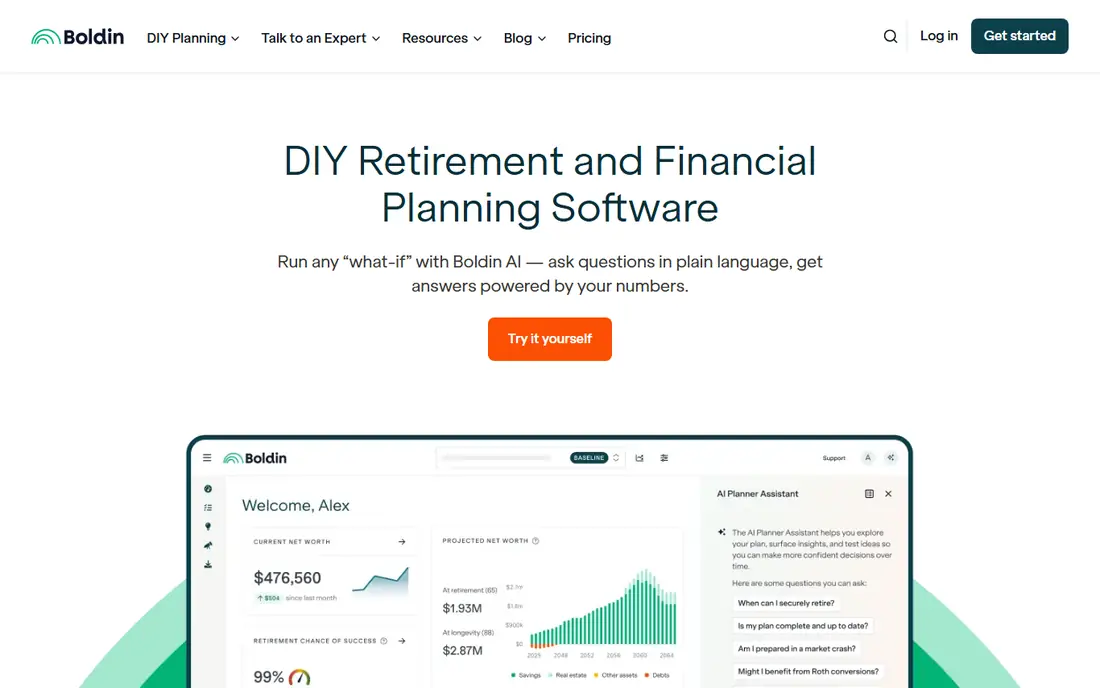
Boldin, formerly NewRetirement, is the most detailed DIY planner on this list. The free Basic plan covers core income, assets, Social Security, and a long range projection, while the paid PlannerPlus tier adds Monte Carlo simulations, up to ten scenarios with side by side comparison, and deeper tax, Social Security, and Medicare modelling. That depth matters when the question is not just whether you can retire, but when to claim, how to withdraw, and how to handle taxes year by year.
The depth is also the learning curve. A beginner who wants a quick readiness score may find Boldin more than they need, and the full modelling sits behind the paid tier. Boldin does not manage your assets, so you still need to implement its plan yourself. For someone within ten to fifteen years of retirement who wants to test real decisions, it is the strongest DIY choice.
- Deep modelling for income, taxes, Social Security, and Roth conversions
- Scenario comparison
- Flat fee adviser option
- Paid tier needed for full modelling
- Depth can overwhelm beginners
- No asset management service
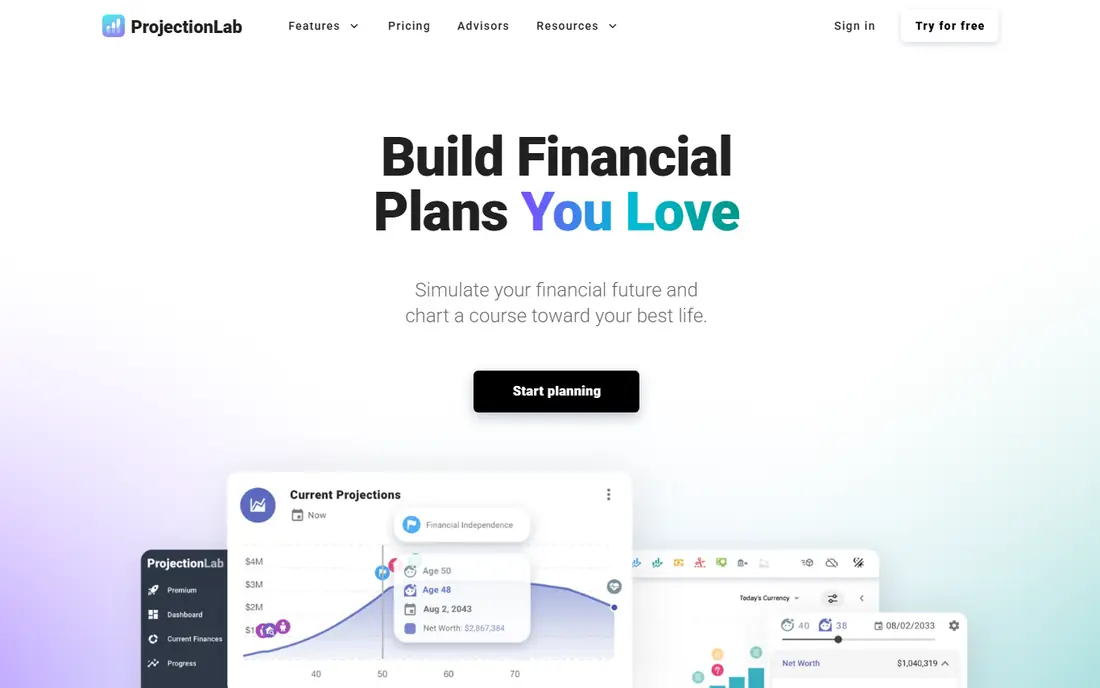
ProjectionLab is a browser based planner built around visual, what-if planning. You can build a plan, change a retirement date, add an income stream, or test a sabbatical, and see the effect as a chart rather than a single number. It supports early retirement scenarios, multiple income streams, and Monte Carlo testing, which makes it a favourite for people planning an early exit or a nonstandard career path.
The trade-off is that ProjectionLab does not link to your accounts in the same way an aggregator does, so you enter balances manually and keep them updated. That manual step is also a privacy advantage for some users, since your data stays in the plan you built. If you want linked tracking plus planning, pair it with a free tracker, and use ProjectionLab for the scenario work.
- Clear visual scenario modelling
- Monte Carlo simulations
- Supports early retirement and multiple income streams
- No account linking in the same way as some rivals
- Paid tier needed for full features
- Learning curve for advanced tax settings
Empower, formerly Personal Capital, is the best free starting point for many people because it combines tracking with planning. Link bank, investment, and retirement accounts, and you get net worth, asset allocation, fee analysis, and a retirement planner that projects income against estimated expenses. For a quick readiness check based on real balances rather than guesses, it is hard to beat at no cost.
The free planner has limits that matter for advanced decisions. It does not model withdrawal sequencing, Roth conversions, or taxes across future years in the depth Boldin or ProjectionLab offer, and that deeper work sits in its paid wealth management service, which has a high minimum. Use Empower to track and to get a first projection, then move to a detailed planner for tax and withdrawal decisions.
- Free net worth tracking and fee analysis
- Retirement planner with income projections
- Account linking
- Free planner does not model withdrawal sequencing or Roth conversions in depth
- Paid wealth management has a high minimum
Fidelity Retirement Score
Who it suits: Quick free readiness snapshot
Fidelity offers a set of free retirement calculators and a retirement score that gives a quick readiness snapshot without requiring you to buy anything. The tools cover income projections, Social Security timing, and spending, and they are a sensible first step for someone who wants a number before committing to a paid planner. Fidelity account holders get deeper integration with their actual holdings.
A snapshot is not a plan. Fidelity's free tools will not model a full tax and withdrawal strategy in the way Boldin does, and the most useful features assume you hold accounts at Fidelity. Treat the score as a starting point: if it shows a gap, use a detailed planner to test how changes to saving, retirement age, or spending close it.
- Free readiness score
- Detailed calculators for income and Social Security
- No account needed for basic tools
- Snapshot is simpler than a full planner
- Best depth requires a Fidelity account
- Advice services are separate
Vanguard Nest Egg Calculator
Who it suits: Simple estimate of how long savings last
Vanguard's Nest Egg Calculator answers one question in a few minutes: given your savings, spending, and expected returns, how long might the money last. That simplicity is its virtue. It is a good tool for a first conversation with a partner, or for a young saver who wants to see why starting early matters, without wading through a full planner.
Do not mistake simplicity for a plan. The calculator uses basic assumptions and does not model taxes, Social Security, pensions, or changing spending in retirement. Use it to get a feel for the numbers, then move to Empower, Fidelity, or a detailed planner for a plan you can act on. Vanguard savers get the most value when they pair it with their account tools.
- Free and very simple to use
- Estimates how long savings may last
- Useful for a first conversation
- Very basic assumptions
- No tax, Social Security, or scenario modelling
- Best for Vanguard savers as a supplement
T. Rowe Price Retirement Income Calculator
Who it suits: Free monthly income projection
T. Rowe Price offers a free retirement income calculator that projects monthly and annual retirement income, which helps people think in terms of a monthly pay cheque rather than a lump sum. That framing matters: retirement feels more concrete when you see projected monthly income against monthly spending, and the tool makes that comparison clear.
As with other free calculators, the projection rests on simplified assumptions and does not replace a detailed tax and withdrawal plan. T. Rowe Price account holders can go further with planning tools and advice, but the free calculator alone is best used as a check on a fuller plan. If the monthly income figure looks short, test a later retirement date or higher saving in a detailed planner.
- Free monthly and annual income projections
- Clear income versus expense view
- No purchase needed
- Calculator depth is limited
- Full planning needs an account or adviser
- Assumptions are simplified
MaxiFi takes an economics based approach that sets it apart: instead of asking how much you can spend in retirement alone, it models your lifetime spending to keep your living standard as smooth as possible across your life. That approach, plus Monte Carlo testing and detailed tax and Social Security modelling, appeals to planners who want a mathematically grounded plan rather than a simple projection.
The cost is accessibility. MaxiFi is paid only, and its interface feels more academic than Boldin or ProjectionLab, so beginners may struggle to set it up. It suits someone who is comfortable with detailed inputs and wants a second, economics based view on a plan built elsewhere. If you want visual, drag and drop scenario work, ProjectionLab will feel easier.
- Consumption smoothing approach to lifetime spending
- Monte Carlo testing
- Detailed tax and Social Security modelling
- Paid only
- Interface is more academic than visual rivals
- Learning curve for new users
Quicken Simplifi bundles a retirement planner into a budgeting and tracking app, which suits someone who wants planning and day to day money management in one place. Its retirement planner supports adjustable variables, including separate pre and post retirement return rates, Social Security and pension income, inflation, and scenario testing, giving it more depth than most budgeting apps.
The planner is still a feature, not the whole product. Dedicated planners such as Boldin offer deeper tax and withdrawal modelling, and Simplifi requires a paid subscription after a trial. Simplifi makes sense if you already want a budgeting app and will use its planner regularly. If retirement planning is your only goal, a dedicated tool gives more for a similar price.
- Retirement planner with adjustable variables and scenario testing
- Budgeting and tracking in one app
- Spending insight
- Retirement planner is one feature among many
- Paid subscription needed
- Depth below dedicated planners
How we picked these
When we compared retirement planning software, we checked official product and pricing pages, current comparison material, and each tool's stated modelling features. We favoured tools that state their assumptions clearly, model Social Security and taxes where claimed, and offer scenario or Monte Carlo testing for serious planning. We left out simple one input calculators with no scenario testing, and tools that require an adviser sale before you can see any projection.
How to use a planner without fooling yourself
Run three versions of every plan: a base case, a low return case, and a high spending case. If your plan only works when returns are strong and spending stays low, it is not yet a plan. Test a longer retirement too, since living longer is a good outcome that still needs funding.
Check the assumptions before the answer
Look at the return, inflation, tax, and Social Security assumptions behind any projection, and change them to match your own view. A planner that assumes high returns will flatter every plan. A planner that lets you see and change its assumptions is more trustworthy than one that hides them behind a single score.
Use the planner to prepare for advice
Bring your planner output to a qualified adviser, including the scenarios that worry you. A good adviser will challenge your assumptions, check tax details for your state, and help with decisions a planner cannot make, such as health cover and estate plans. The planner saves time and sharpens questions; it does not replace advice.
Frequently asked questions
What is the best retirement planning software?
Boldin is the strongest detailed DIY planner, ProjectionLab is the best visual scenario tool, and Empower is the best free starting point for tracking plus planning. The best choice depends on whether you need tax and withdrawal modelling or just a readiness snapshot.
What is the best free retirement planning software?
Empower offers free tracking and a retirement planner, Fidelity offers a free retirement score and calculators, and Vanguard and T. Rowe Price offer free calculators. Boldin and ProjectionLab also have free tiers, with paid tiers for full modelling.
What is the best retirement planning app?
Empower and Quicken Simplifi work well as apps that combine tracking with planning, while Boldin and ProjectionLab are strongest as browser based planners. Choose by whether you want linked accounts or manual scenario control.
What is the best software for retirement planning with taxes?
Boldin and MaxiFi offer the deepest tax modelling among DIY tools, including Roth conversion and withdrawal considerations. For complex tax situations, pair a planner with advice from a qualified tax professional.
What is the best retirement planning software for early retirement?
ProjectionLab is built for early retirement scenarios, with multiple income streams and visual what-if modelling. Boldin also handles early retirement well, especially when you need to model taxes and health costs before Medicare age.
Sources we checked (8)

Online Jobs is an independent blog about careers, online work, learning new skills and the tools that help people earn. More about us.
Keep reading
All posts
Top AI Financial Software
Searching for top AI financial software? We compared 9 AI finance tools for AP, spend, close, forecasting and bookkeeping to help teams choose wisely.

Quicken Alternatives
Compare the best quicken alternatives for Mac, Windows, and small business owners, from Monarch Money and YNAB to Copilot, Tiller, and Banktivity in 2026.

GoFundMe Alternatives
Looking for GoFundMe alternatives? We compared 8 fundraising platforms on fees, campaign types, donor tools and who each platform suits best in 2026 today.