Best Mobile Trading Platform in 2026: 8 Platforms Compared

How we put this together: we compare official feature and pricing pages, app store listings, privacy policies and public user reviews. Prices change, so check the provider's site before you pay.
Key takeaways
- Fidelity and Charles Schwab are the strongest all-round mobile trading platforms for long-term investors.
- Robinhood is the simplest mobile-first app, while Webull suits traders who want charts and paper trading from the start.
- Most major platforms now charge no commission on US stocks and ETFs, so the real differences are in options fees, research and account types.
- SoFi Invest and Public suit beginners who want a simple account or automated investing alongside stock picking.
- Trading carries risk, and commission-free does not mean cost-free, so check spreads, options fees and transfer fees before funding an account.
Quick comparison
| Name | Who it suits | Starting price | Free option | |
|---|---|---|---|---|
 Fidelity | Long-term investors and research | Free | Yes | Visit |
 Charles Schwab | Education and full-service support | Free | Yes | Visit |
 Robinhood | Simplest mobile-first trading | Free | Yes | Visit |
 Webull | Charts and paper trading | Free | Yes | Visit |
 SoFi Invest | Simple investing plus automation | Free | Yes | Visit |
 Public | Multi-asset investing in one app | Free | Yes | Visit |
 Interactive Brokers | Global and active traders | Free | Yes | Visit |
 E*TRADE | Balanced research and tools | Free | Yes | Visit |
The best mobile trading platforms
This is not financial advice. Trading carries risk, including the risk of losing money, and the right platform depends on your goals, experience and how much risk you can accept. The platforms below all offer mobile trading of US stocks and ETFs with no commission, but they differ sharply in research, account types and the extras that cost money.
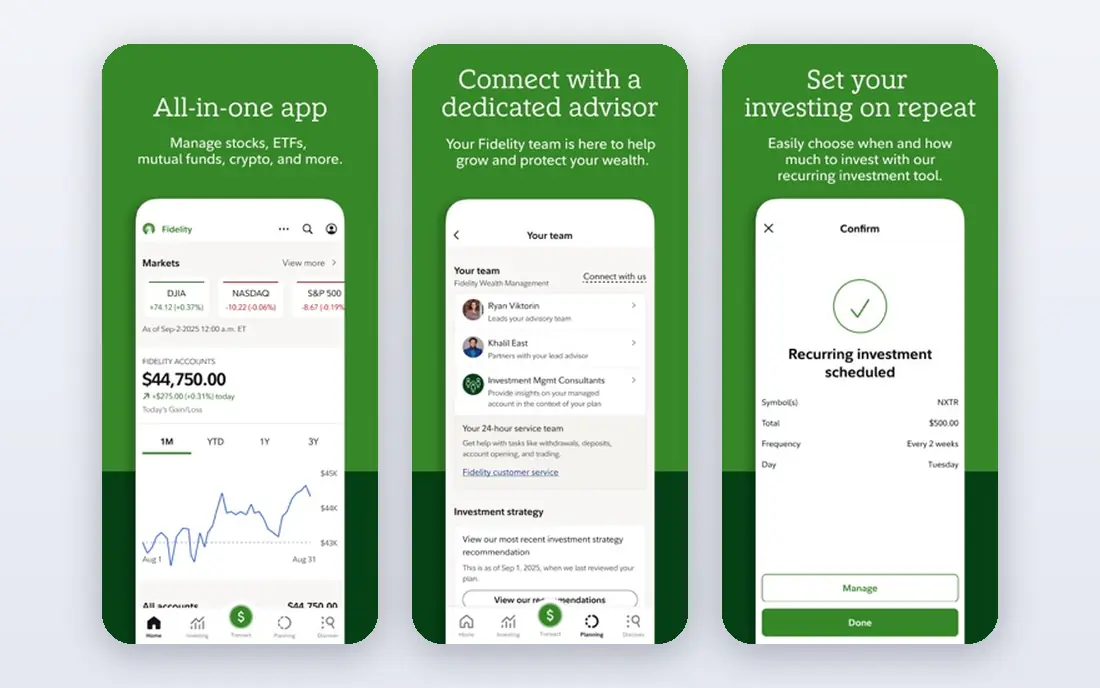
Fidelity is our pick for most people because it combines low cost with depth. There is no commission on US stocks and ETFs, no account minimum on core accounts, and fractional shares let a beginner start with small amounts. Retirement accounts, including IRAs, sit in the same app, so a long-term plan does not need a second broker later.
The app packs in a lot, and a first-time investor may find the research tools and account choices busy at first. Options trading carries a per-contract fee, which matters if you trade options often. For steady, long-term investing with good research behind it, Fidelity is hard to beat.
- No commission on US stocks and ETFs
- Fractional shares from 1 dollar
- Strong research and retirement accounts
- Mobile app can feel busy for pure beginners
- Options contracts carry a per-contract fee
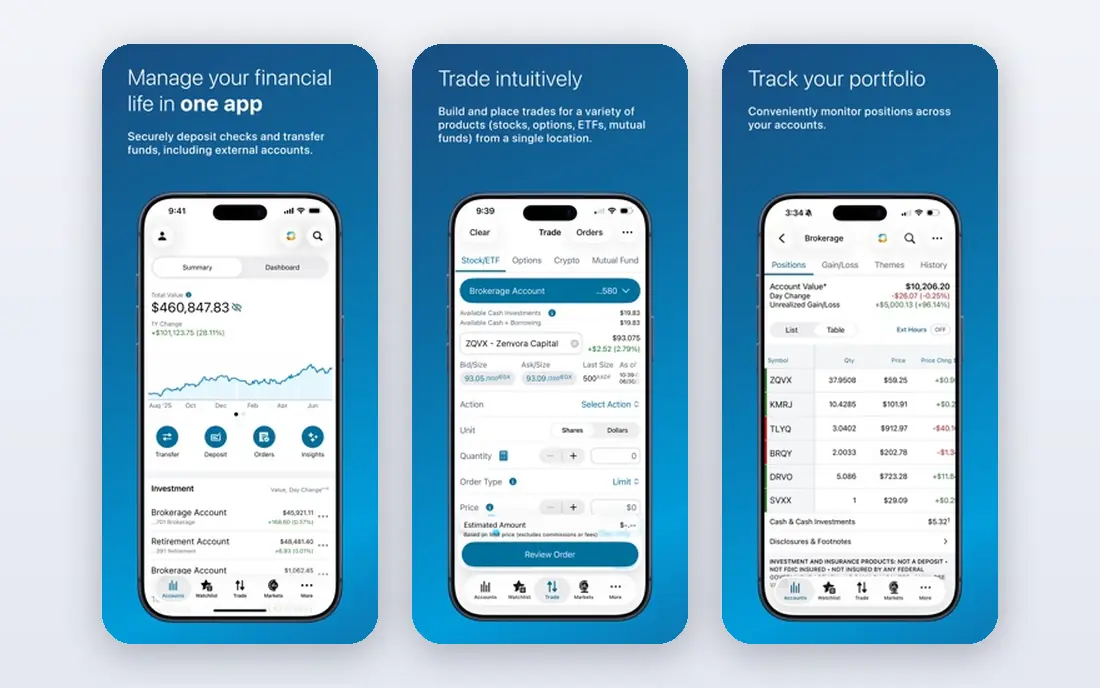
Charles Schwab pairs a simple mobile app with one of the most powerful trading platforms available, thinkorswim, for traders who grow into advanced charting and paper trading. Education material, retirement planning tools and round-the-clock support make it a comfortable choice for beginners who want help nearby. There is no minimum to open a brokerage account.
The breadth is also the drawback for a casual user who only wants to buy an ETF each month, since the advanced tools add clutter. Options fees follow the standard per-contract pattern. Schwab suits investors who want a broker that can grow with them from first trade to serious trading.
- No commission on online US stock and ETF trades
- Thinkorswim platform
- Extensive education and support
- Options contracts carry a per-contract fee
- The full platform can overwhelm a casual trader
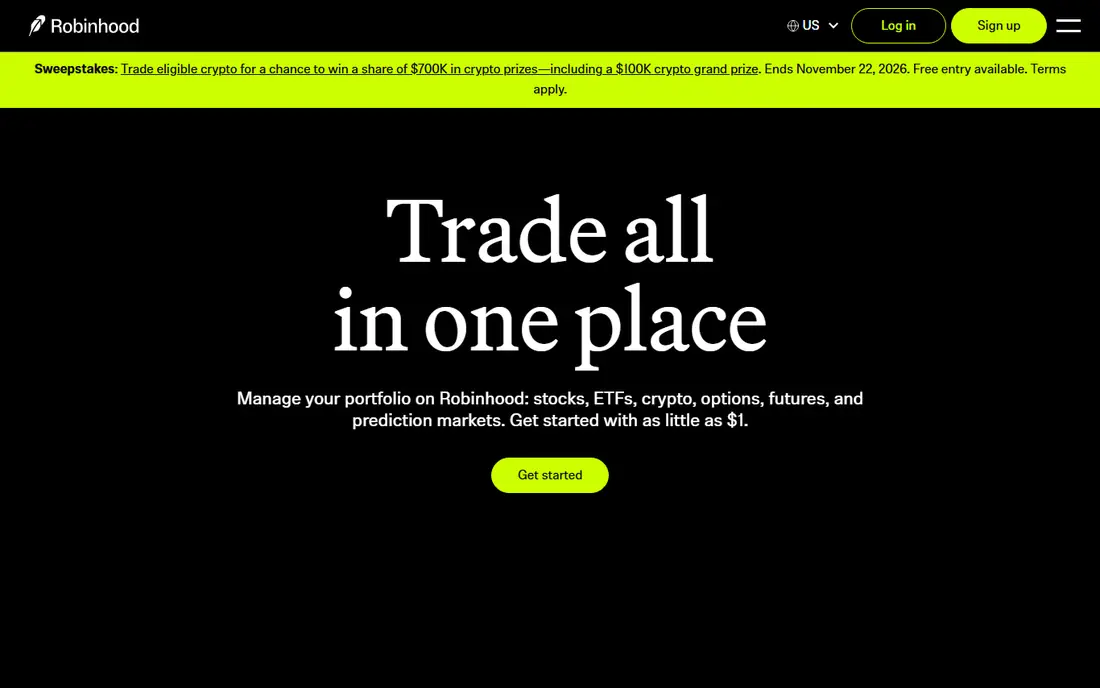
Robinhood remains the easiest app to start with on a phone. The interface is clean, trades take a few taps, and fractional shares from 1 dollar remove the barrier of a high share price. Stocks, ETFs, options and crypto sit in one account, which suits mobile-first users who want everything in one place.
Research tools are thinner than at Fidelity or Schwab, and there are no mutual funds. Crypto trades carry spreads, and moving assets out carries a transfer fee, so read those terms before you fund a large account. For a beginner who values simplicity above depth, Robinhood is still a strong first app.
- No commission on stock and ETF trades
- Fractional shares from 1 dollar
- Stocks, options and crypto in one app
- Limited research compared with full brokers
- No mutual funds
- Transfer-out fee applies
Webull gives active traders professional-style charts, technical indicators and extended-hours trading without charging stock or ETF commissions, and it charges no options contract fee on its standard offering. Paper trading lets a beginner practise with virtual money before risking real funds, which is a genuine advantage for learning.
The app is busier than Robinhood, and a new investor may need time to learn its layout. It also lacks mutual funds and some long-term account features found at full brokers. If charts, data and practice matter more to you than a minimal interface, Webull is the better mobile choice.
- No commission on stocks, ETFs and options
- Advanced charts and extended-hours trading
- Free paper trading
- No mutual funds
- Interface can overwhelm beginners
SoFi Invest suits people who want investing to sit beside their banking, with a clean app and the choice to pick stocks or let automated investing handle a diversified portfolio. Active investing has a low starting amount, while automated investing starts higher, so check the current minimum before you choose that route. The app stays approachable for beginners.
The trade-off is depth. Research, screening and advanced trading tools are lighter than at Schwab or Fidelity, and serious traders will outgrow it. For a hands-off beginner who wants one financial app for several jobs, SoFi is a practical pick.
- No commission on stock and ETF trades
- Automated investing option
- Banking and loans in the same company
- Research is lighter than at full brokers
- Automated investing has a minimum
Public presents investing in plain language, with stocks, ETFs and other asset types in a single app and simple views of what you own. That clarity helps beginners who find a full broker's platform intimidating, and commission-free stock and ETF trading keeps costs low for straightforward trades.
Advanced traders will miss deeper charting, screening and options tools, and non-stock assets carry spreads or fees of their own. Public is best for an investor who wants a simple, multi-asset account and does not need a professional trading desk on a phone.
- No commission on stocks and ETFs
- Stocks, ETFs, crypto and other assets in one place
- Plain explanations of holdings
- Research and advanced trading tools are limited
- Crypto and other assets carry their own fees and spreads
Interactive Brokers is the platform for traders who need global reach. It covers far more markets than a typical US retail broker, and its Lite plan offers commission-free US stock and ETF trades. Active and international traders get tools and order types that simpler apps do not offer.
Complexity is the price. The platform, pricing plans and account types take study, and a beginner can easily pick the wrong plan. If your trading stays inside US stocks and ETFs, a simpler broker will serve you better. If you trade globally or at volume, Interactive Brokers earns its place.
- Very wide global market access
- Commission-free US trades on its Lite plan
- Low margin rates for qualifying accounts
- Platform complexity
- Lite and Pro pricing differences need careful reading
ETRADE sits in the middle: stronger research than the simplest apps, without the full weight of a Schwab or Fidelity platform. Its mobile app covers everyday trading well, and Power ETRADE gives active traders charting and options tools when they want them. Retirement accounts are available in the same relationship.
Options fees follow the standard per-contract pattern, with a lower rate for qualifying active traders. E*TRADE suits an investor who wants credible research and a capable mobile app, and who may trade options occasionally rather than daily.
- No commission on US stock and ETF trades
- Solid research and screening
- Power E*TRADE for active traders
- Options contracts carry a per-contract fee
- Banking features are less central than at SoFi
How we picked these
We compared official pricing pages, account terms and app store listings for US mobile trading platforms that are live in 2026, and we checked fee guides that summarise those vendor pages. We kept platforms with commission-free US stock and ETF trading, a real mobile app, and a clear account structure, and we noted where options fees, spreads or transfer fees still apply. We did not claim hands-on testing, and this article is education, not personal financial advice.
What to check before you fund an account
Start with the costs beyond the headline commission. Options contracts, crypto spreads, margin interest, account transfer fees and cash sweep terms all vary, and they matter more over time than a zero commission on a single trade. Then check account types: if you want an IRA, a joint account or a custodial account, confirm the platform offers it before you move money.
Next, match the app to your behaviour. A simple app helps if you invest monthly and rarely trade, while charts and paper trading help if you trade often and want to learn. Finally, set a plan you can stick to: how much you will invest, how often, and what would make you sell. An app that encourages frequent trading can work against a long-term plan, so pick tools that support the investor you want to be.
A note on risk and safety
Only invest money you can afford to lose in individual stocks, and be cautious with margin, options and crypto, where losses can grow quickly. Use strong passwords, two-factor authentication and the app's security alerts, and be wary of social media tips promising quick gains. If you are unsure, a qualified financial adviser can help you build a plan for your own situation.
Frequently asked questions
What is the best mobile app for stock trading?
Fidelity is the best all-round choice for most investors, with Schwab close behind. Robinhood is simplest for a first app, and Webull is better if you want charts and paper trading.
What is the best free stock app?
Most major US brokers now offer commission-free US stock and ETF trading with no account minimum, including Fidelity, Schwab, Robinhood, Webull and SoFi Invest. Free still excludes some costs, such as options fees and crypto spreads, so read the fee schedule.
What is the best app for stocks and crypto?
Robinhood and Public both offer stocks and crypto in one app, while Webull also covers crypto alongside stocks and options. Crypto prices carry spreads, and crypto is volatile, so treat it as a higher-risk part of a portfolio, not a savings account.
What is the best mobile trading platform for beginners?
A simple, low-cost app with fractional shares and education material is best, which points to Fidelity, Schwab or SoFi Invest for beginners who want support, and Robinhood for beginners who want the simplest interface.
Do I need a lot of money to start trading?
No. Fractional shares from 1 dollar at several platforms mean you can start small, and many accounts have no minimum. Starting small while you learn is wiser than funding a large account before you understand the risks.
Sources we checked (8)

Online Jobs is an independent blog about careers, online work, learning new skills and the tools that help people earn. More about us.
Keep reading
All posts
Wise Alternatives
Compare the best Wise alternatives in 2026, from Revolut and Remitly to OFX and Xe, with fees, speed, cash pickup options, and honest trade-offs today.
Top AI Financial Software
Searching for top AI financial software? We compared 9 AI finance tools for AP, spend, close, forecasting and bookkeeping to help teams choose wisely.
Quicken Alternatives
Compare the best quicken alternatives for Mac, Windows, and small business owners, from Monarch Money and YNAB to Copilot, Tiller, and Banktivity in 2026.