Best Home Maintenance Apps in 2026: 8 Apps Compared

How we put this together: we compare official feature and pricing pages, app store listings, privacy policies and public user reviews. Prices change, so check the provider's site before you pay.
Key takeaways
- HomeBeacon is the best home maintenance app for most homeowners, because one home is free and the schedule adapts to home type and climate.
- HomeZada suits owners who also want inventory, finance tracking and project records in one place, despite heavier setup.
- Dwellin and Home Hero suit new homeowners who want a simple, guided reminder schedule without a long inventory project.
- The best free home maintenance app depends on whether you need reminders only, or a full record for insurance and resale.
Quick comparison
| Name | Who it suits | Starting price | Free option | |
|---|---|---|---|---|
 HomeBeacon HomeBeacon | Best overall home maintenance | Free | Yes | Visit |
 HomeZada HomeZada | Inventory, finance and projects | See website | Free trial | Visit |
 Home Hero Home Hero | Simple reminders with history | See website | Yes | Visit |
 Dwellin Dwellin | Guided reminders for new owners | See website | Yes | Visit |
 Oply Oply | Building a home record from day one | See website | Yes | Visit |
 Centriq Centriq | Appliance manuals and recalls | Free | Yes | Visit |
 HomeBinder HomeBinder | Simple home binder and records | Free | Yes | Visit |
 HomeAlmanac HomeAlmanac | Private iPhone home records | See website | Yes | Visit |
The best home maintenance apps
We compared official feature pages, pricing pages and app store listings for home maintenance apps that are still available in October 2026. We favoured apps that generate a useful schedule, store service history, and keep reminders tied to real completion dates, rather than apps that only offer a generic checklist.
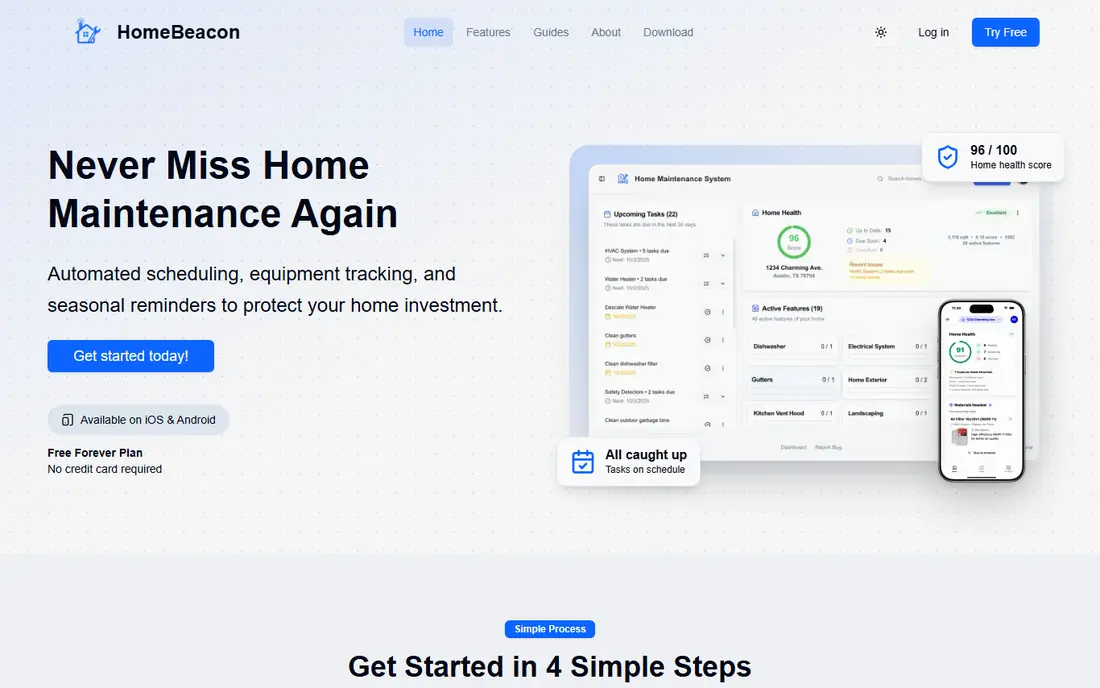
HomeBeacon is our top pick because it balances a free start with a genuinely useful system. Add your home type and climate, and it generates a personalised maintenance checklist, rather than handing you the same list for a condo, a townhouse and a detached house. Reminders, equipment tracking, inventory, warranties, manuals and maintenance history sit in one workflow, which helps when a service visit or a sale needs proof of upkeep.
Setup is the honest cost. Entering equipment, manuals and warranties takes an evening, even with a guided flow, and some users will never use the deeper inventory features. If you only want a reminder for filter changes, a simpler app may feel lighter. If you want one free home record that grows with ownership, HomeBeacon is the best home maintenance app on this list.
- One home completely free
- Personalised schedule by home type and climate
- Equipment, inventory, warranty and manual tracking
- More features than a reminders-only user may need
- Setup still takes time to enter equipment details
HomeZada is the best home maintenance app for owners who want a full home record, not just reminders. Photograph rooms, tag appliances and furniture, store purchase dates and warranties, and set recurring reminders for HVAC filters, gutter cleaning and smoke detector checks. Budgets, project tracking and service history add a finance and planning layer that simpler apps lack.
That depth is also its drawback. A full inventory can take several hours, and owners who are not naturally organised may stall at setup. HomeZada also works best as a standalone record system, so you may still use a calendar or task app for daily household coordination. Choose it if insurance documentation, resale records and project history matter to you, and if you will invest the setup time to get that value back.
- Detailed home inventory and maintenance schedules
- Budgets and cost tracking
- Project and document storage
- Initial inventory setup can take hours
- Paid subscription after trial
- Interface feels like record-keeping rather than quick tasks
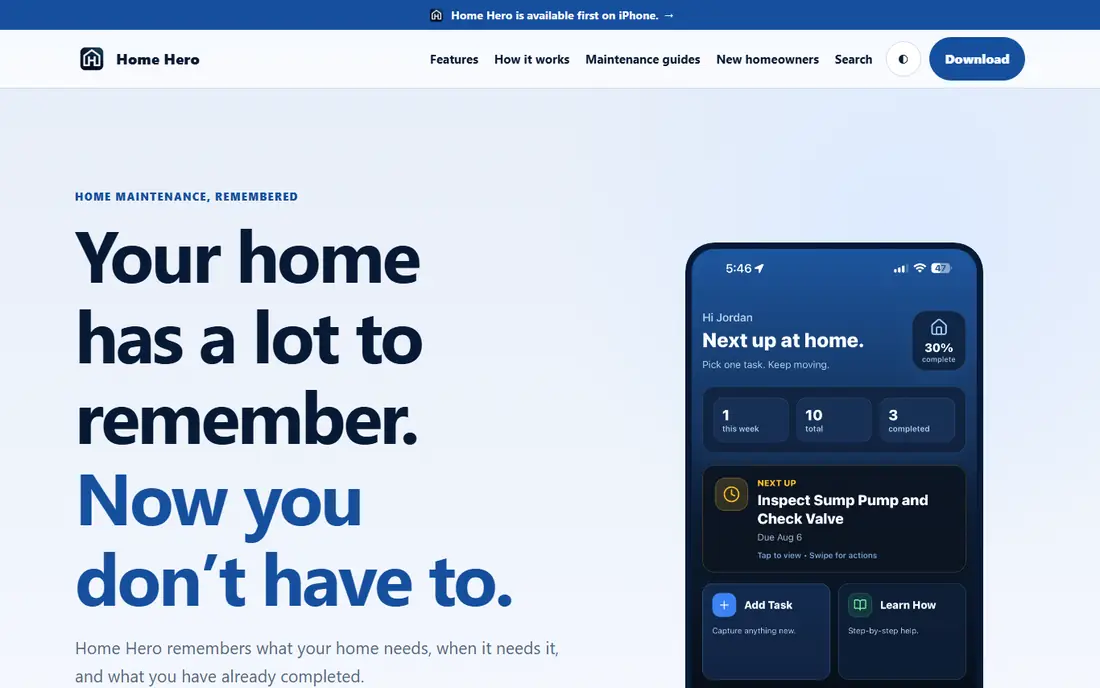
Home Hero takes a calmer approach to home upkeep. Tell it about your heating, cooling, plumbing and appliances, and it builds a first schedule, shows what is due next, and keeps a history of what you completed and when. Task details, such as filter size, service dates and instructions, stay with the task, so you do not have to search old receipts or calendars when work comes round again.
The limit is platform and scope. It launched on iPhone, with Android planned, and it does not try to be a full inventory and finance system like HomeZada. For many owners, that focus is a strength: fewer features, clearer next task, and a record that builds without a heavy setup project. Check current platform availability on the vendor site before committing, especially if your household uses Android.
- Calm, focused maintenance schedule
- History of completed work
- Guides and checklists inside tasks
- IPhone-focused at launch, with Android on the roadmap
- Narrower inventory features than HomeZada
Dwellin is a solid starting point for new homeowners who want structured reminders without a complex setup. Its guided approach to seasonal and recurring tasks helps someone who has never managed a home to know what to do, when to do it, and what comes next. That simplicity is valuable in the first year of ownership, when everything from filters to gutters is new.
The trade-off is long-term record depth. Dwellin helps you remember tasks, but it builds less of the detailed history that supports insurance claims and resale conversations than HomeBeacon, HomeZada or Oply. Use it if you want a low-friction reminder system now, and consider moving to a record-focused app later if you start to value history and documentation more.
- Simple guided maintenance reminders
- Approachable for first-time owners
- Seasonal and recurring task structure
- More reminder-focused than record-building
- Less depth for inventory and finance tracking
Oply is built around a simple idea: your home should have a record, and that record should help you stay ahead. Log projects with dates, notes and professional details, save the contractors you trust, and set reminders that follow real completion dates rather than generic schedules. Small tasks go on a quick list, so they get captured instead of forgotten, and the history view grows into a useful record over time.
Its AI assistant can answer home-specific questions in context, such as how often to change a filter for your system, but that value depends on the detail you enter. Oply is also newer than some rivals, so its feature set and community are still growing. For first-time buyers who want to build a complete record from move-in day, rather than just a reminder list, Oply is a strong and focused choice.
- Builds a permanent maintenance history
- Smart reminders tied to completion dates
- Save trusted professionals with their work
- Newer and smaller than HomeZada
- AI assistant value depends on how much home detail you enter
Centriq solves a narrower problem well: appliance information. Scan an appliance nameplate, and Centriq pulls its manual, model details and recall alerts into one place. That saves the drawer search when a dishwasher breaks, a filter needs replacing, or a recall notice appears. For households with many appliances, that product-level detail is genuinely useful.
It is not a full home maintenance app. Centriq does not manage roof, gutter, plumbing and whole-house schedules in the same way as HomeBeacon or HomeZada, so pair it with a broader tool if you want a complete property schedule. Used as an appliance layer alongside a main maintenance app, Centriq earns its place, especially for owners who value manuals and recall alerts.
- Appliance nameplate scanning
- Manuals and recall alerts in one place
- Free core for appliance tracking
- Appliance-focused, so it does not cover full property maintenance
- Needs a broader app for house-level schedules
HomeBinder is a good free starting point if you want a digital binder for your home without a subscription. Store documents, track appliances, set basic maintenance reminders and build a record that can help at resale time. Its simplicity suits owners who want organisation first and a complex schedule second.
Scheduling depth is the limit. Reminders and task management are more basic than in HomeBeacon or Dwellin, and some features depend on plan and partner integrations. For a free, low-effort binder, HomeBinder is a sensible pick, especially if your main goal is to stop losing manuals, receipts and service dates. If reminders drive your choice, test HomeBeacon or Dwellin alongside it.
- Free starting point for home records
- Document storage and maintenance reminders
- Useful for resale documentation
- Maintenance scheduling is basic compared with HomeBeacon
- Interface and feature depth vary by plan
HomeAlmanac is the privacy-first pick on this list. It keeps service dates, model numbers, warranties and documents on your iPhone, works offline, and does not require an account to start. That model suits owners who dislike cloud accounts and want a calm, searchable record that lives on their device, with widgets and Apple device integration.
The trade-off is sharing and platform. It is built for Apple devices, so mixed-device households will struggle to share a single record, and its feature set is narrower than cloud rivals for multi-user homes. If you are an iPhone household that values privacy and offline access over collaboration, HomeAlmanac is a distinctive and useful choice. If household sharing matters, prefer HomeBeacon or HomeZada.
- Private, on-device records with no account required
- Manuals, warranties and receipts in one search
- Works offline
- IPhone and Apple devices only
- Smaller feature set than cloud-based rivals for household sharing
How we picked these
We compared official feature pages, pricing pages and app store listings for home maintenance apps that are still available in October 2026. We looked for a useful schedule, service history, document and warranty storage, and a free or trial entry point, and we favoured a mix of reminder-focused and record-focused tools. We did not test every app hands-on for this guide, and pricing and platform availability change, so check the vendor site before subscribing.
Setting up a home maintenance system that lasts
Start with systems, not with every item in the house
List heating, cooling, water heating, major appliances, roof, gutters and safety devices first. Add rooms and smaller items later, once the core schedule is working. A short, accurate schedule beats a long, unfinished inventory.
Tie reminders to completion dates
When you finish a filter change or service, log the date straight away. Reminders based on real completion dates are more accurate than fixed calendar repeats, and they build the history that helps with insurance and resale.
Keep manuals and receipts where the task lives
Save the manual link, model number and receipt with the equipment or task, not in a separate folder you will forget. When something breaks, that habit turns a stressful search into a quick lookup.
Frequently asked questions
What is the best home maintenance app overall?
HomeBeacon is the best home maintenance app for most homeowners, thanks to a free first home, a personalised schedule and combined reminders, inventory and warranty tracking. HomeZada suits owners who want deeper inventory and finance tools.
What is the best free home maintenance app?
HomeBeacon offers one home free, Centriq is free for appliance tracking, and HomeBinder offers a free binder starting point. The best free home maintenance app depends on whether you need full-house reminders, appliance manuals or simple document storage.
Which home maintenance app is best for new homeowners?
Dwellin and Home Hero are best for new homeowners who want guided, simple reminders without heavy setup. Oply suits new owners who want to build a full home record from day one, while HomeBeacon balances both needs with a free first home.
Do home maintenance apps help with insurance or resale?
Yes, a dated record of maintenance, receipts, manuals and service history can support insurance claims and resale conversations. No app guarantees a claim outcome, so keep original receipts and photos as well as app records, and check your policy terms.
How long does setup take for a home maintenance app?
A reminder-focused app can be set up in minutes, while a full inventory app such as HomeZada can take several hours if you photograph every room and appliance. Start with core systems, then add detail gradually rather than trying to finish everything in one session.
Can I use a home maintenance app for a rental or condo?
Yes, many apps personalise by home type, and condo owners often get a trimmed checklist without exterior tasks handled by a building association. Check the app home-type options during setup, and focus on interior systems, appliances and safety devices you control.
Sources we checked (8)

Online Jobs is an independent blog about careers, online work, learning new skills and the tools that help people earn. More about us.
Keep reading
All posts
Best Home Warranty Company
Compare the best home warranty company options in 2026, with plans, coverage limits, service fees and waiting periods explained in detail before you buy.

Zoom Alternatives
Zoom alternatives compared for 2026: Google Meet, Microsoft Teams, Webex, Jitsi and more for free calls, large meetings and webinars for teams and classrooms.

Top Rated Poster Maker Software
Top rated poster maker software compared for 2026: Canva, Adobe Express, VistaCreate, PosterMyWall and more for events, sales and classrooms for US users.