Best FP&A Software in 2026: 8 Tools Compared

How we put this together: we compare official feature and pricing pages, app store listings, privacy policies and public user reviews. Prices change, so check the provider's site before you pay.
Key takeaways
- Excel-native tools suit finance teams that refuse to leave spreadsheets, while model platforms suit complex multi-department planning.
- Most enterprise FP and A pricing is quote-based, so budget for implementation as well as licences.
- Forecasting and scenario tools are only useful if your source data is clean and updated on a reliable schedule.
- Smaller firms should test a lighter planner before committing to an enterprise rollout.
Quick comparison
| Name | Who it suits | Starting price | Free option | |
|---|---|---|---|---|
 Anaplan | enterprise connected planning | See website | No | Visit |
 Workday Adaptive Planning | Workday customers | See website | No | Visit |
 Planful | mid-market close and planning | See website | No | Visit |
 Vena | Excel-centric finance teams | See website | No | Visit |
 Datarails | Excel automation | See website | No | Visit |
 Cube | spreadsheet-native startups | $1500 per month | No | Visit |
 Pigment | visual scenario planning | See website | No | Visit |
 Mosaic | SaaS metrics and reporting | See website | No | Visit |
The best FP and A software
FP and A software replaces spreadsheet chaos with controlled budgets, forecasts, and reports. Some tools keep Excel as the interface, others move planning into a new model. The eight tools below cover both paths, from startup-friendly planners to enterprise platforms.
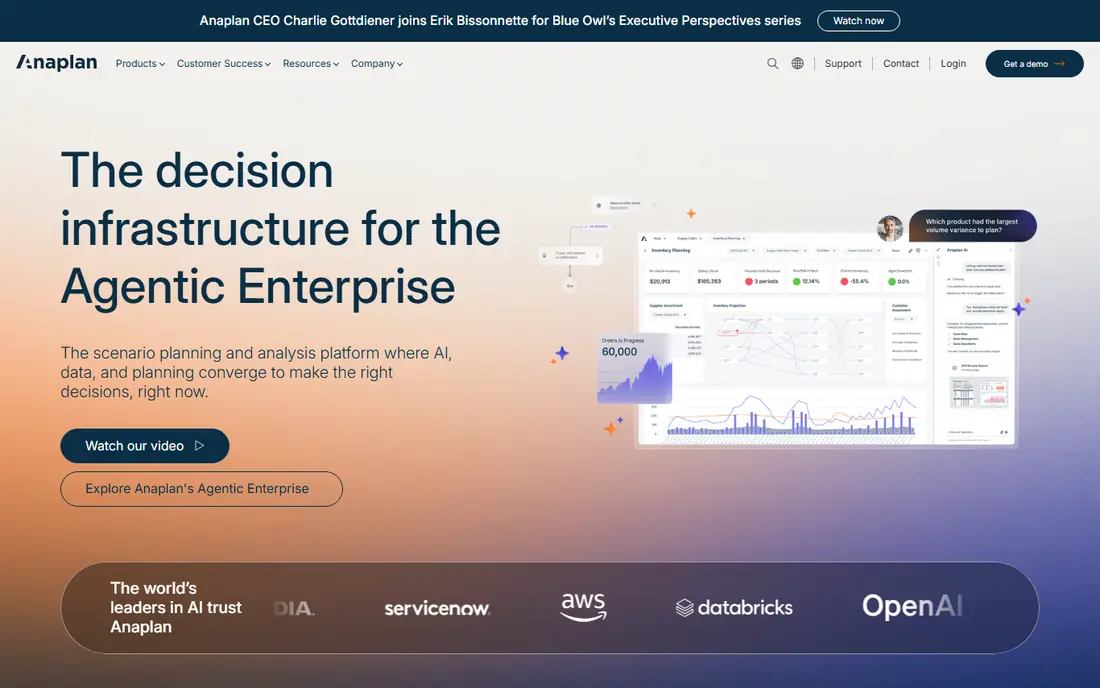
If enterprise connected planning is the priority, Anaplan deserves a close look. Anaplan suits large organisations that plan across many departments on one connected model. In practice, that means connected planning across finance, sales, and operations and scenario modelling for complex organisations. What stands out most is Its scenario tools let finance test headcount, sales, and supply assumptions together, rather than in separate files. AI-assisted analysis on a central calculation engine That combination is why it earns a place in this list, rather than sitting as an also-ran. The honest catch is The catch is cost and effort, since enterprise pricing and implementation demand a serious budget and internal owner. Quote-based pricing and long implementation for large rollouts Needs dedicated model owners to stay well governed Check that trade-off against your own workload before you commit, and confirm the current plan on the vendor site.
- Connected planning across finance, sales, and operations
- Scenario modelling for complex organisations
- AI-assisted analysis on a central calculation engine
- Quote-based pricing and long implementation for large rollouts
- Needs dedicated model owners to stay well governed

Workday Adaptive Planning takes a practical route to Workday customers, with less setup fuss than many rivals. Workday Adaptive Planning suits organisations already running Workday for finance or HR. In practice, that means strong budgeting, forecasting, and reporting in one cloud tool and workforce planning depth for HR and finance together. The strongest point here is Its shared data and workforce planning help finance and HR agree on headcount costs without reconciling files. Integrations with Workday ERP and HR systems That combination is why it earns a place in this list, rather than sitting as an also-ran. The trade-off to weigh is The limit is ecosystem fit, since firms outside Workday may get similar planning depth elsewhere for less effort. Best value depends on already using Workday products Complex scenarios can be less flexible than specialist model platforms Check that trade-off against your own workload before you commit, and confirm the current plan on the vendor site.
- Strong budgeting, forecasting, and reporting in one cloud tool
- Workforce planning depth for HR and finance together
- Integrations with Workday ERP and HR systems
- Best value depends on already using Workday products
- Complex scenarios can be less flexible than specialist model platforms

For teams focused on mid-market close and planning, Planful offers a clear and direct fit. Planful suits mid-market finance teams that want planning plus close help in one place. In practice, that means budgeting, forecasting, and reporting in one platform and close management features beside planning tools. Where this tool pulls ahead is Its combined planning and close tools reduce the gap between forecast and actuals each month. Anomaly detection signals for forecast review That combination is why it earns a place in this list, rather than sitting as an also-ran. The limit to check first is The trade-off is modelling depth, since very complex multi-entity models may need a larger platform. Quote-based pricing slows quick comparison Custom modelling depth is thinner than enterprise rivals Check that trade-off against your own workload before you commit, and confirm the current plan on the vendor site.
- Budgeting, forecasting, and reporting in one platform
- Close management features beside planning tools
- Anomaly detection signals for forecast review
- Quote-based pricing slows quick comparison
- Custom modelling depth is thinner than enterprise rivals
Vena earns its place here through Excel-centric finance teams, rather than through headline features alone. Vena suits finance teams that want to keep Excel while adding control, workflows, and audit trails. In practice, that means full Excel fidelity with governance underneath and workflow and audit trails for planning cycles. The detail that matters most is Its Excel-native approach means staff keep familiar formulas and layouts, with version control added behind them. Microsoft 365 integration for finance teams That combination is why it earns a place in this list, rather than sitting as an also-ran. The drawback that matters is The catch is scale, since very large models may run better on a purpose-built calculation engine. Large datasets can feel slower than native model platforms Pricing is quote-based, so comparison needs a sales call Check that trade-off against your own workload before you commit, and confirm the current plan on the vendor site.
- Full Excel fidelity with governance underneath
- Workflow and audit trails for planning cycles
- Microsoft 365 integration for finance teams
- Large datasets can feel slower than native model platforms
- Pricing is quote-based, so comparison needs a sales call
When Excel automation matters most, Datarails is one of the stronger options in this list. Datarails suits Excel-heavy teams that spend too much time consolidating files each close. In practice, that means automated consolidation from Excel and source systems and dashboards and reports built from live finance data. A closer look shows Its automation pulls actuals into reports and dashboards, cutting manual copy work and version errors. Scenario tools without leaving Excel workflows That combination is why it earns a place in this list, rather than sitting as an also-ran. The watch-out here is The limit is data readiness, since messy source systems still need cleanup before automation pays off. Quote-based pricing and demo-led sales Implementation effort depends on source system quality Check that trade-off against your own workload before you commit, and confirm the current plan on the vendor site.
- Automated consolidation from Excel and source systems
- Dashboards and reports built from live finance data
- Scenario tools without leaving Excel workflows
- Quote-based pricing and demo-led sales
- Implementation effort depends on source system quality
Cube is best understood as a tool for spreadsheet-native startups, built around that single job. Cube suits startups and smaller firms that want controlled planning without an enterprise rollout. In practice, that means published pricing, rare in this category and native Excel and Google Sheets planning. The main strength is Its spreadsheet-native setup lets finance teams start quickly, with shared dimensions and reporting built in. Fast setup for smaller finance teams That combination is why it earns a place in this list, rather than sitting as an also-ran. The compromise is The catch is depth, since very large enterprise models may need a larger platform. Entry plan still costs more than a spreadsheet alone Enterprise modelling depth is thinner than Anaplan Check that trade-off against your own workload before you commit, and confirm the current plan on the vendor site.
- Published pricing, rare in this category
- Native Excel and Google Sheets planning
- Fast setup for smaller finance teams
- Entry plan still costs more than a spreadsheet alone
- Enterprise modelling depth is thinner than Anaplan
Buyers who need visual scenario planning should start with Pigment and compare outward from there. Pigment suits teams that need clear, visual scenario planning across departments. In practice, that means visual, collaborative scenario modelling and anomaly detection and trend analysis. What gives this option its edge is Its collaborative models let sales, operations, and finance test assumptions in one shared view. Modern interface that non-finance planners can use That combination is why it earns a place in this list, rather than sitting as an also-ran. The point to test before buying is The trade-off is spreadsheet fidelity, since teams wedded to Excel formulas may need time to adjust. Quote-based pricing for most buyers Excel fidelity is thinner than native tools Check that trade-off against your own workload before you commit, and confirm the current plan on the vendor site.
- Visual, collaborative scenario modelling
- Anomaly detection and trend analysis
- Modern interface that non-finance planners can use
- Quote-based pricing for most buyers
- Excel fidelity is thinner than native tools
Mosaic rounds out this list for SaaS metrics and reporting, with a balance of price and features. Mosaic suits SaaS finance teams that need metrics, forecasts, and board reports from one system. In practice, that means automation-first forecasting and rolling forecasts and saaS metrics and board reporting built in. The part worth noting is Its automation and variance tools help small finance teams explain results without building reports by hand. Root-cause analysis for variance explanations That combination is why it earns a place in this list, rather than sitting as an also-ran. The weakness to plan around is The limit is focus, since firms outside SaaS may find general FP and A tools a closer fit. Quote-based pricing slows comparison Depth for non-SaaS planning is thinner than general platforms Check that trade-off against your own workload before you commit, and confirm the current plan on the vendor site.
- Automation-first forecasting and rolling forecasts
- SaaS metrics and board reporting built in
- Root-cause analysis for variance explanations
- Quote-based pricing slows comparison
- Depth for non-SaaS planning is thinner than general platforms
How we picked these
We compared official feature pages, pricing pages, and app store listings for each product, then checked privacy policies and public reviews where they clarified limits, free tiers, or plan rules. We did not claim hands-on testing we did not carry out, and we treated vendor claims with care where a plan page was vague. Where pricing was not published on the vendor site, we wrote See website rather than guessing a figure. Prices and plan limits change often, so use this guide to shortlist two or three options, then confirm the current price, free tier, and feature set on the vendor site before you buy.
How to choose FP and A software for your finance team
Start with your planning cycle, not with a feature list. Monthly close, quarterly forecast, and annual budget each stress a tool differently.
Decide how much Excel you keep
If your team lives in Excel, a native tool reduces training and resistance. If your models span many departments, a central platform with governance may serve you better in the long run.
Price the rollout, not just the licence
Implementation, data cleanup, and training often cost as much as the first year of licences for enterprise tools. Ask for a realistic timeline and a named implementation owner.
Test on your own data
Run a real forecast and a variance report on your own numbers during a trial or demo. Marketing claims about AI forecasting mean little until you see the output on your chart of accounts.
Frequently asked questions
What is the best FP and A software for midsize companies?
Midsize companies often choose a tool that balances Excel familiarity with controlled planning and reporting. Planful, Vena, and Datarails suit this band, while Anaplan and Workday suit larger, more complex organisations.
What are the best FP and A tools for startups?
Startups often benefit from spreadsheet-native tools with published pricing and fast setup, such as Cube or Mosaic. Enterprise platforms can be too costly and slow to implement for a small finance team.
Can FP and A software replace Excel?
Some platforms are designed to replace spreadsheet planning, while others keep Excel as the front end with governance underneath. The right answer depends on how your team models today and how much control you need.
How long does FP and A implementation take?
Focused deployments can go live in weeks, while enterprise rollouts take months. The timeline depends on data quality, entity count, and planning scope more than on the software alone.
What is the difference between FP and A software and a CPM platform?
The terms overlap heavily. Both cover budgeting, forecasting, consolidation, and reporting, though CPM platforms often add close management and wider enterprise planning features.
Sources we checked (8)

Online Jobs is an independent blog about careers, online work, learning new skills and the tools that help people earn. More about us.
Keep reading
All posts
Top AI Financial Software
Searching for top AI financial software? We compared 9 AI finance tools for AP, spend, close, forecasting and bookkeeping to help teams choose wisely.

Quicken Alternatives
Compare the best quicken alternatives for Mac, Windows, and small business owners, from Monarch Money and YNAB to Copilot, Tiller, and Banktivity in 2026.

QuickBooks Online Alternatives
Looking for quickbooks online alternatives? We compared 8 accounting tools on invoicing, bank feeds, payroll, pricing and fit for small businesses today.