Best Food Tracker App Free in 2026: 8 Apps Compared

How we put this together: we compare official feature and pricing pages, app store listings, privacy policies and public user reviews. Prices change, so check the provider's site before you pay.
Key takeaways
- Cronometer Free is the strongest free pick for nutrient detail, with barcode scanning and up to 84 nutrients in published guides, while MyNetDiary Free is the calmest ad free option.
- FatSecret is the best fully free option with no premium pressure in published guides, since barcode scanning, macros, and a food diary stay free.
- MyFitnessPal Free still has the largest food database, but barcode scanning and custom macro goals now sit behind Premium in published guides.
- Lose It Free suits beginners who want a simple calorie budget, though barcode scanning has moved behind Premium for newer accounts in published guides.
- This article gives general information only, not medical advice, and anyone with a health condition should talk to a clinician or dietitian before changing diet.
Quick comparison
| Name | Who it suits | Starting price | Free option | |
|---|---|---|---|---|
 Cronometer | Nutrient detail and verified data | Free | Yes | Visit |
 MyNetDiary | Clean, ad free free tracking | Free | Yes | Visit |
 FatSecret | Fully free tracking with no paywall pressure | Free | Yes | Visit |
 Lose It | Simple beginner calorie budgets | Free | Yes | Visit |
 MyFitnessPal | Largest food database | Free | Yes | Visit |
 Carb Manager | Low carb and keto tracking | Free | Yes | Visit |
 Lifesum | Guided plans and simple diary | Free | Yes | Visit |
 Yazio | Fast logging with plans and recipes | Free | Yes | Visit |
The best free food tracker apps
Free food trackers differ more than their app store pages suggest. Some keep barcode scanning free, others charge for it. Some track dozens of micronutrients, others track calories and macros only. We compared the leading free apps on database quality, barcode access, macro controls, ads, and what actually stays free, so you can pick the one that fits how you eat and log.
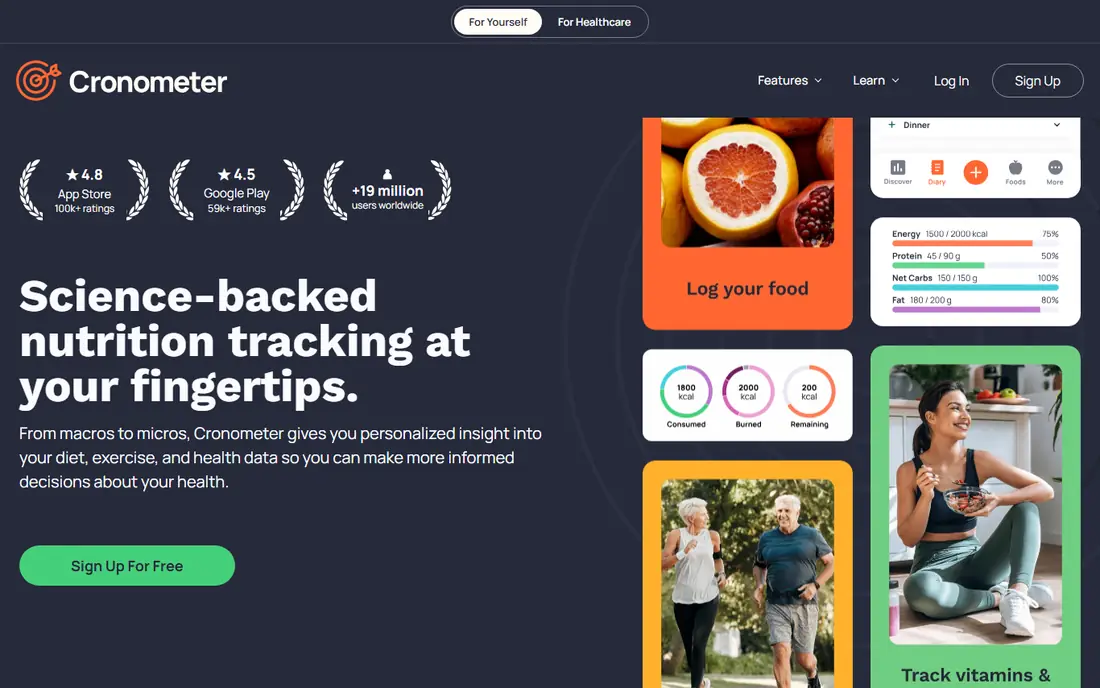
Cronometer is our top free pick for users who care about nutrient detail. Its free plan tracks calories, macros, and up to 84 micronutrients from a verified database, with barcode scanning included, which makes it unusually complete at zero cost. Custom macro targets by grams are also free, while some rivals charge for gram targets, so users who track protein or other macros precisely do not need to pay for that control. The trade off is density. The interface shows more numbers than a beginner diary, and the free plan shows ads and keeps only seven days of nutrition data in published guides. Gold, listed at $59.99 per year, adds photo and voice logging, custom charts, and an ad free app. If you track specific nutrients, follow a restricted diet, or want verified data over user entered entries, Cronometer Free is the strongest starting point. This is general information only, not medical advice.
- Free barcode scanning in published guides
- Tracks up to 84 nutrients on the free plan
- Verified data sources
- Custom macro targets by grams free
- Water and exercise logs included
- Interface is denser than simpler apps
- Free plan shows ads
- Free data history is limited to seven days in published guides
- Gold needed for photo and voice logging
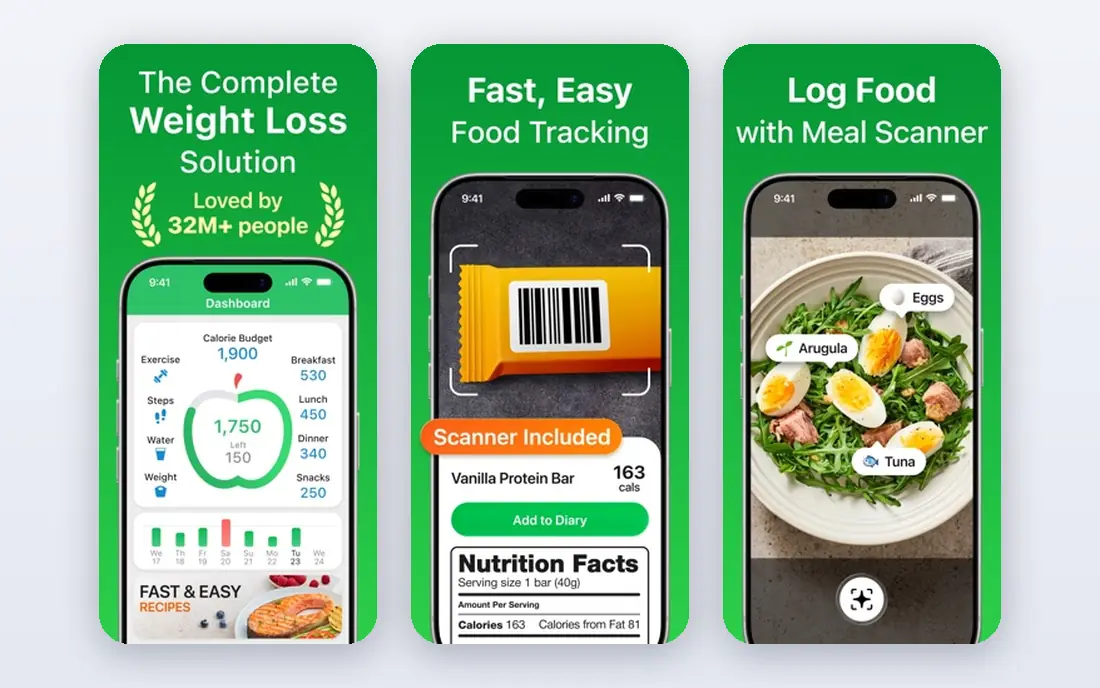
MyNetDiary Free stands out for calm. Unlike most free trackers, it shows no ads on the free plan in published guides, and it still includes a barcode scanner, macro tracking, water tracking, and a food journal with nutrient detail. Logging feels fast, because the interface avoids clutter, and custom macro targets by grams or percentages are free, which helps users who track macros closely. The database is smaller than MyFitnessPal, so niche or international foods may need manual entry more often. Premium, listed at $59.99 per year, adds meal planning, deeper analytics, and dietitian content, but the free version covers everyday calorie and macro tracking well. Choose MyNetDiary if ads annoy you, if you want a quiet daily diary, or if you log the same meals often and value speed over database size.
- Free plan with no ads in published guides
- Barcode scanner and macro tracking free
- Custom macro targets by grams or percentages free
- Water tracking and food journal included
- Food database is smaller than MyFitnessPal
- Premium features such as meal planning need payment
- Fewer community features than larger rivals
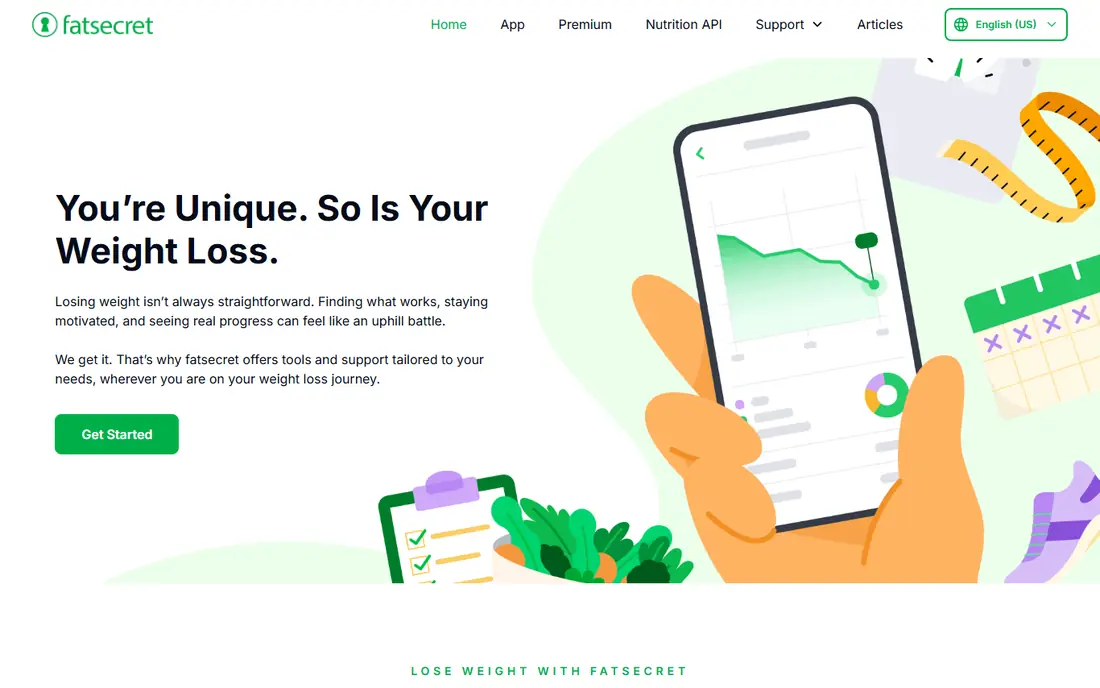
FatSecret is the best completely free food tracker in published beginner guides, because it includes barcode scanning, photo recognition in some listings, calorie and macro goals, and a food diary with no premium tier pushing users to pay. That makes it a strong pick for cost conscious users who want the core job done without ads for upgrades or locked features appearing at every step. The app feels simpler and less polished than MyFitnessPal or Cronometer, and its analytics are lighter. For users who want a straightforward diary, weight tracking, and community support, that simplicity is enough. For users who want deep micronutrient charts or adaptive coaching, Cronometer or a paid app fits better. FatSecret proves that free does not have to mean crippled, as long as you accept a plainer design.
- Barcode scanning, macro goals, and food diary free in published guides
- No premium tier pressure in beginner guides
- Community and weight tracking included
- Simple interface
- Interface feels less polished than rivals
- Fewer advanced analytics
- Premium features in some regions are limited or unclear
Lose It is the easiest free tracker for beginners who want a calorie budget and a simple diary. Onboarding sets a daily budget from a goal, logging takes a few taps, and weekly summaries show progress without overwhelming charts. The database covers more than 10 million foods in published guides, so common meals and branded items appear quickly. The catch is the barcode scanner. Published guides note that newer free accounts should expect scanning to require Premium, listed at $79.99 per year, while long time free users may still have it. Custom macro targets also need Premium. If you log by search and eat common foods, Lose It Free still works well. If barcode scanning is essential to your routine, Cronometer, MyNetDiary, or FatSecret keep it free.
- Clean, beginner friendly interface
- Calorie budget based on goal
- Large food database
- Weight tracking and weekly summaries free
- Barcode scanner has moved behind Premium for newer free accounts in published guides
- Custom macro targets need Premium
- Free plan shows ads
MyFitnessPal remains famous for its database, with 14 million entries cited in published guides, which helps when tracking niche, branded, or international foods that smaller databases miss. Free logging covers calories and basic macros, and integrations with fitness apps and devices keep activity and food in one view. For advanced users tracking unusual foods, that database depth is a real advantage. The free tier has narrowed. Barcode scanning, Meal Scan, voice logging, custom macro goals, and an ad free experience now sit behind Premium at $79.99 per year in published guides, with Premium+ at $99.99 per year adding meal planning and recipes. Beginners who rely on scanning will find better free value elsewhere. MyFitnessPal Free still suits users who log by search and value database breadth over free scanning.
- Largest food database in this list, with millions of entries
- Free logging with ads
- Strong device and app integrations
- Large community and recipe features
- Barcode scanner now requires Premium in published guides
- Custom macro goals by grams need Premium
- Free plan shows ads
- Premium costs $79.99 per year
Carb Manager is the free pick for low carb and keto eating. It tracks net carbs clearly, sets daily macro targets free, and offers keto recipes and meal tools that general trackers treat as an afterthought. The free plan shows no third party ads in published guides, which keeps daily logging calmer than ad heavy rivals. General users who do not follow low carb eating may find the keto focus unnecessary, and per meal targets and some advanced tools need Premium at $39.99 per year. For keto and low carb users, however, Carb Manager Free covers the core job well, with macros, food search, and tracking in one place. Check with a clinician or dietitian before starting a restrictive diet, since this article gives general information only.
- Free macro tracking with no third party ads in published guides
- Daily macro targets free
- Keto focused tools such as net carbs
- Recipe and meal features
- Best value is for low carb users, so general users may prefer a general tracker
- Per meal and day of week targets need Premium
- Premium costs $39.99 per year in published guides
Lifesum suits users who want guidance alongside a diary. It offers diet plans, visual progress, and a clean interface that feels friendlier than data heavy rivals, and its free plan covers basic food logging with barcode scanning listed in some guides. That combination helps beginners who want structure without a dense nutrient table. The free plan is lighter on nutrient detail and customization than Cronometer, and Premium is needed for fuller plans and features. Users who track only calories and macros, and who like a guided plan, will find Lifesum Free pleasant. Users who want micronutrient depth or free gram level macro control should choose Cronometer or MyNetDiary instead.
- Free diary with ads in published guides
- Barcode scanning on free plans in some listings
- Guided plans and diet options
- Clean visual design
- Customization and deeper features need Premium
- Free plan is more limited than Cronometer or MyNetDiary for nutrients
- Premium pricing varies by region
Yazio is a fast, polished tracker with diet plans, recipes, and activity tracking alongside its food diary. Logging is quick, plans give structure to users who want it, and the interface stays clean across phone and web. That speed matters, since a tracker that takes too long per meal is a tracker users abandon. The scanner question needs care. Published guides note that Yazio lists a scanner but does not clearly state which plan includes it, unlike rivals that state free or Premium clearly. Deeper customization also needs Pro. Trial the free plan with your usual foods and check whether scanning works without payment before relying on it. If scanning is essential, pick an app that states free scanning clearly.
- Fast food search and logging
- Diet plans and recipes
- Barcode scanner listed in some guides
- Weight and activity tracking
- Which plan includes the scanner is unclear in published guides
- Deeper customization needs Pro
- Free plan limits some features
How we picked these
We started with food tracking apps that offer a real free plan for calorie and macro logging, not just a trial, and we checked official homepages to confirm each app still operates and matches its stated focus. We compared food database size, barcode access on free plans, macro controls, micronutrient depth, ads, and published pricing using official feature pages, pricing pages, app store listings, and public reviews. We favored apps where free users can log, scan, and review real data without paying, and we marked scanner and macro paywalls honestly. Prices and free limits change, so vendor pages are the final word. This article gives general information only, not medical advice.
How to pick a free tracker that you will keep using
Decide what you actually track
If you track calories only, any app here works, so pick the simplest interface. If you track macros by grams, choose Cronometer or MyNetDiary, which keep that free. If you track micronutrients, choose Cronometer. If you follow keto, choose Carb Manager. Matching the tracker to the metric you care about prevents paying for features you never open.
Test barcode scanning with your own foods
Scan five foods you eat weekly during a free trial week, including a branded item, a fresh item, and a restaurant style meal. Some apps scan branded foods well but fail on fresh or local items, and some reserve scanning for paid plans. A tracker that scans your actual diet will save more time than one with a larger database on paper.
Plan for accuracy, not perfection
Weigh portions when you start, log cooking oil and dressings as separate items, and save repeat meals as favorites or recipes. No app can see hidden oil in a stew or sauce under rice, so mixed dishes will always carry some error. Consistent logging matters more than perfect logging, and weekly patterns matter more than any single day.
Know when to stop or seek advice
Food tracking helps many people understand portions, but it can also become stressful or obsessive for some users. If tracking causes distress, affects eating in unhealthy ways, or relates to a medical condition, pregnancy, or eating disorder history, talk to a clinician or registered dietitian before continuing. This article is general information only, not medical advice, and no app here replaces professional guidance.
Frequently asked questions
What are the best free calorie counter apps?
The best free calorie counter apps are Cronometer, MyNetDiary, FatSecret, Lose It, and MyFitnessPal, each with a real free plan for calorie logging. Cronometer leads on nutrient detail, MyNetDiary leads on ad free simplicity, FatSecret leads on fully free access, Lose It leads on beginner ease, and MyFitnessPal leads on database size. Pick by barcode needs and macro controls, not by brand alone.
What is the best free diet app?
The best free diet app depends on the diet you follow. For general calorie tracking, MyNetDiary and Lose It are strong free picks. For keto or low carb, Carb Manager Free is the better pick. For nutrient focused eating, Cronometer Free is the better pick. All of these give general information only, not medical advice, and restrictive diets deserve professional guidance.
What is the best app for tracking calories and macros?
The best app for tracking calories and macros free is Cronometer or MyNetDiary, because both keep custom macro targets by grams free, while MyFitnessPal and Lose It reserve gram targets for Premium in published guides. FatSecret also covers calorie and macro goals free. Test macro entry with your usual meals, since a tracker that makes macro edits easy will get used more consistently.
What are the best diet apps free?
The best diet apps free are Cronometer, MyNetDiary, FatSecret, Lose It, MyFitnessPal, Carb Manager, Lifesum, and Yazio, covering general, keto, and guided plan needs. Free plans differ on scanning, ads, and nutrient depth, so the best free diet app is the one that keeps your must have features free. Check the current free plan on the official site before committing to daily logging.
What are the best apps to count calories?
The best apps to count calories are the ones with fast search, barcode scanning, and repeat meal saving, which points to Cronometer, MyNetDiary, and FatSecret for free scanning, and Lose It for simple search based logging. Speed matters more than extra charts, since a slow app leads to missed entries. Save frequent meals as favorites to cut logging time each day.
What is the best free food tracker app?
The best free food tracker app overall is Cronometer Free for nutrient detail and free scanning, with MyNetDiary Free as the best ad free alternative and FatSecret as the best fully free option. The best free food tracker app for you is the one that scans your foods, tracks your metrics, and stays pleasant to open daily. This is general information only, not medical advice.
Sources we checked (8)

Online Jobs is an independent blog about careers, online work, learning new skills and the tools that help people earn. More about us.
Keep reading
All posts
BetterHelp Alternatives
Compare alternatives to BetterHelp for online therapy, from insurance friendly platforms to low cost options, and find a better fit for your needs in 2026.

Best Walking Apps
We compared the best walking apps in 2026, from Strava and MapMyWalk to Pacer, AllTrails and Komoot, for fitness, routes, motivation and exploration today.

Best Telehealth Services
Compare the best telehealth services for urgent care, primary care, and mental health, with visit prices, insurance cover, and app options explained here.