Best Food Delivery Apps in 2026: 8 Apps Compared

How we put this together: we compare official feature and pricing pages, app store listings, privacy policies and public user reviews. Prices change, so check the provider's site before you pay.
Key takeaways
- DoorDash has the widest restaurant coverage in the United States, and it is our pick for most people who live outside a big city center.
- Uber Eats is the strongest all-rounder for city dwellers, especially if you also use Uber rides and want one membership to cover both.
- Grubhub is often the cheapest option in the places where it is strong, and Grubhub+ is free for Amazon Prime members.
- No single app is cheapest on every order, so comparing the checkout total across two apps before you pay is the habit that saves the most money.
- Delivery subscriptions cost $9.99 per month at the big three apps, and they tend to pay for themselves at around two orders per month.
Quick comparison
| Name | Who it suits | Starting price | Free option | |
|---|---|---|---|---|
 DoorDash DoorDash | Widest restaurant coverage | Free | Free trial | Visit |
 Uber Eats Uber Eats | City dwellers and Uber riders | Free | Free trial | Visit |
 Grubhub Grubhub | Value in its strong cities | Free | Free trial | Visit |
 Seamless Seamless | New York and office ordering | Free | Free trial | Visit |
 ChowNow ChowNow | Supporting local restaurants | Free | Yes | Visit |
 Slice Slice | Local pizzerias | Free | Yes | Visit |
 Instacart Instacart | Restaurant delivery plus groceries | Free | Free trial | Visit |
 GoPuff GoPuff | Late-night snacks and essentials | Free | Yes | Visit |
The best food delivery apps
Ordering dinner through an app is now routine for millions of Americans, but the apps are not interchangeable. Coverage, fees and membership perks differ by city, and the cheapest app for one order can be the priciest for the next. We compared official pricing pages, membership terms and app store listings to rank the options that are actually worth keeping on your phone.
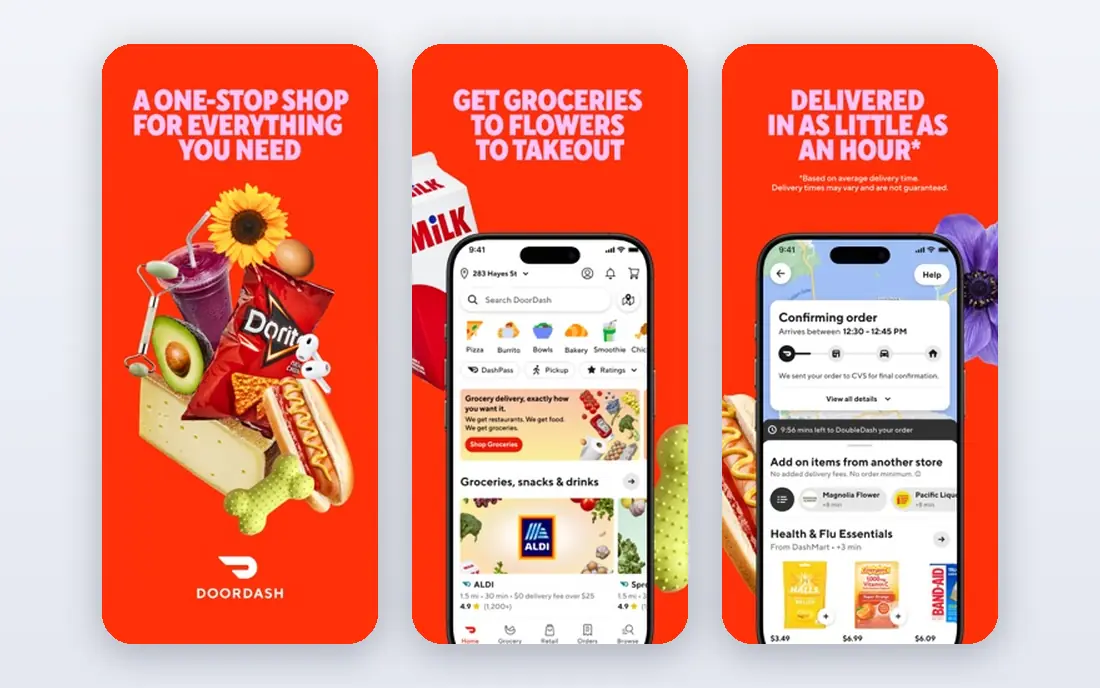
DoorDash is the default choice for most people, and the reason is simple coverage. It lists more restaurants than any rival in the United States, and it holds up better than the others in suburbs and smaller towns where rival apps thin out. If you live outside a dense city center, DoorDash is usually the app that actually has your favorite local spots. It also goes beyond restaurants, with grocery, convenience and retail delivery in the same app, plus a feature that lets you add items from a second store to one order without a second delivery fee.
The catch is cost. Delivery fees, service fees and menu markups stack up, and a single order can easily run 30 percent or more above the restaurant menu price once tip is included. DashPass, at $9.99 per month or $96 per year, removes delivery fees and lowers service fees on eligible orders over $12, and it includes a free trial period. If you order twice a month or more, it is worth doing the math on your own orders. For everyone else, the free app with occasional promo codes still works fine.
- Largest restaurant selection in the US
- DashPass cuts delivery and service fees
- Grocery and convenience delivery in the same app
- Menu prices are often marked up over in-store prices
- Fees add up fast without DashPass

Uber Eats is the closest rival to DoorDash and the better pick in many big cities, where its restaurant lineup is deep and its delivery times are competitive. The app itself is clean and fast, with live tracking, scheduled delivery and group orders that let friends add their own items to one cart. It also handles grocery and alcohol delivery in many markets, so it can cover more than dinner.
The real draw is Uber One. At $9.99 per month, it gives members no delivery fee on eligible food orders, up to 10 percent off eligible orders, and 5 percent off eligible Uber rides. If you already use Uber for rides, that bundle is hard to beat, and it is the main reason to pick Uber Eats over DoorDash when both cover your area. Without a membership, though, Uber Eats delivery fees can be on the high side, so compare the checkout total before you commit.
- Strong city coverage
- Uber One bundles food delivery with ride discounts
- Scheduled orders and group ordering
- Delivery fees can run high in some areas
- Menu markups vary by restaurant
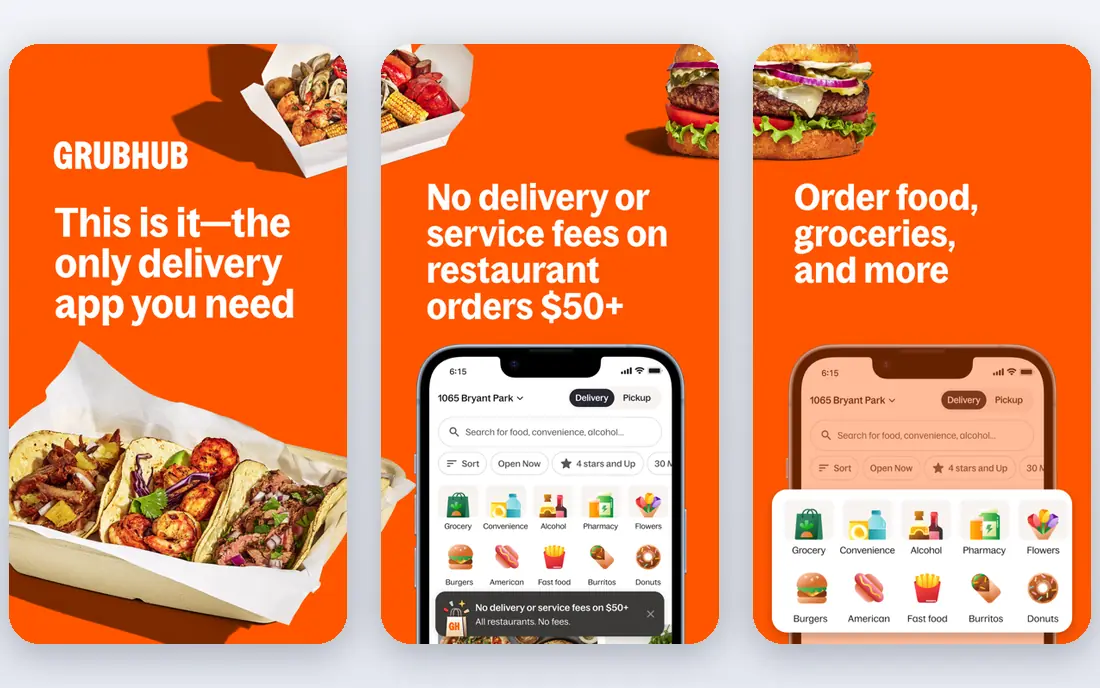
Grubhub has been around longer than its rivals, and it still wins on price in the cities where it is strong, including New York and Chicago. Independent cost comparisons have repeatedly found Grubhub cheapest in more states than any other app, and its Perks tab surfaces direct restaurant deals that the bigger apps do not always match. Pickup is free, and Grubhub+ members earn credit back on pickup orders.
Grubhub+ costs $9.99 per month and removes delivery fees on eligible orders, but the best deal is for Amazon Prime members, who get Grubhub+ at no extra cost. That alone can make Grubhub the cheapest app in your rotation. The weakness is coverage. Outside its strong cities, the restaurant list gets thin, and in some suburbs you may find only a handful of options. Keep it installed alongside DoorDash and check both before ordering.
- Often cheapest where it is strong
- Grubhub+ free with Amazon Prime
- Pickup orders earn credit for members
- Weaker coverage outside major cities
- Restaurant selection is thinner than DoorDash in many suburbs
Seamless is Grubhub's sibling app, and it shares the same restaurants, the same Grubhub+ membership and the same ordering system. Its roots are in corporate and office ordering, and it still shines there, with group ordering tools that make it easy for a team to build one order from one restaurant. If your office already orders through Seamless, there is no reason to switch.
For most home diners, Seamless is a matter of habit and location. It is strongest in New York, where it started, and in a handful of other cities. Elsewhere, the Grubhub app gives you the same food with a wider footprint. There is no penalty for having both, and if you already have a Grubhub+ membership through Prime, it works in Seamless too.
- Built for office and group ordering
- Same Grubhub+ membership benefits
- Strong New York restaurant list
- Limited usefulness outside its core cities
- Largely duplicates Grubhub
ChowNow takes a different approach from the big three. Instead of charging restaurants a commission on every order, it sells restaurants ordering software and lets diners order direct, which means more of your money reaches the restaurant. For diners, the app is free, and ordering through a restaurant's own ChowNow-powered page often shows menu prices closer to what you would pay in person.
The trade-off is selection. ChowNow lists far fewer restaurants than DoorDash or Uber Eats, and in some towns you may find only a few options. Delivery is also handled by third-party partners in many areas rather than by ChowNow itself, so speed can vary. Still, if your favorite local restaurant offers ChowNow ordering, it is worth using for that spot, both for the price and for the principle.
- No commission model means restaurants keep more of each order
- Direct ordering from restaurant websites
- Marketplace for local spots
- Smaller restaurant selection than the big apps
- Delivery is handled by partners in many areas
Slice does one thing and does it well: pizza from local, independent pizzerias. The app lets you customize pies down to half-and-half toppings, track the order from oven to door, and reorder a saved favorite in a couple of taps. Its rewards program gives a point for every $15 spent, with a free large cheese pizza at eight points, which adds up fast for a weekly pizza household.
Because Slice works only with independent shops, you will not find the big chains here, and in some towns the list is short. That focus is also the point. Local pizzerias keep more of each order than they do on the big apps, and the menus tend to be complete and accurate. If pizza night is a regular event in your house, Slice earns its place on your home screen next to a general app.
- Focused on independent pizzerias
- Detailed pizza customization
- Rewards points toward free pizza
- Pizza only, so it cannot replace a general delivery app
- Coverage varies by town
Instacart is best known for groceries, but it also delivers from restaurants in many markets, which makes it a useful second app if you already shop through it. The same account covers hundreds of grocery and retail partners, and restaurant orders over $25 qualify for free delivery with an Instacart+ membership. That combination suits households that want one delivery account for both the weekly shop and Friday dinner.
Instacart+ costs $99 per year or $9.99 per month, and it lowers but does not remove the service fee, which is a real difference from DashPass and Uber One. Item prices on Instacart can also run above store prices, since each retailer sets its own pricing. For restaurant orders alone, the big three usually offer a deeper menu, but as an all-in-one household app, Instacart is hard to match.
- One app for groceries and restaurant meals
- Huge retailer network
- Same-day delivery in most cities
- Service fees apply even with a membership
- Some item prices are marked up over store prices
GoPuff is not a restaurant app, but it belongs on a food delivery list because of how people actually use it: the 10 pm snack run. It stocks its own micro-fulfillment centers with snacks, drinks, groceries and household items, and it delivers in as little as 15 minutes in many cities. That owned-inventory model is why it can be faster than a courier picking up from a store.
The app is free, and delivery fees are low compared with restaurant delivery, though a membership option exists for frequent users. The limits are clear: you cannot order a hot meal from your favorite restaurant here, and alcohol is only available in select markets to customers aged 21 and over. Think of GoPuff as the complement to a restaurant app, not a replacement for one.
- Very fast delivery from its own micro-fulfillment centers
- Late-night hours
- Snacks, drinks and essentials in one order
- Not a full restaurant delivery app
- Alcohol only in select markets and for ages 21 and over
How we picked these
We started with the apps Americans actually use, then checked each one against its own pricing and membership pages, app store listings and public fee comparisons. An app made the list only if it is live in the United States in October 2026, serves a real diner need, and has a current official homepage. We left out apps that have shut down or folded into a rival, and we did not count a membership perk as a saving unless the vendor states it plainly.
Prices change, and delivery fees vary by distance, time of day and restaurant. Where a price depends on your order or address, we say so rather than printing a single number. Check the checkout total before you pay, since that is the only figure that reflects your order.
How to get the lowest total on any order
The menu price is only the start. Every app adds a delivery fee, a service fee and sometimes a small order fee, and restaurants often list higher prices in apps than on their own menus to cover commissions. That is why two apps can show very different totals for the same meal from the same restaurant.
Start by comparing the same order in two apps before you pay, and include the tip in the comparison since it is part of what you spend. Pickup is the cheapest option of all when it is practical, since it removes delivery and often service fees. If you order twice a month or more from one app, test its membership for a month and compare your actual totals with and without it. And check benefits you may already have: a credit card, a Prime membership or a student plan can include a delivery membership at no extra cost.
When a membership is worth it
A $9.99 monthly membership pays for itself when the delivery and service fees it removes add up to more than $9.99. For most people that happens at two orders a month, sometimes one. Below that, pay per order and use promo codes instead. Above that, pick the membership for the app you already open most, not the one with the longest perk list.
Frequently asked questions
What is the best food delivery app right now?
There is no single winner for every address. DoorDash has the widest coverage, Uber Eats is strongest in big cities and for Uber riders, and Grubhub is often cheapest in its strong cities. Open the two or three apps that cover your area and compare the checkout total for your usual order.
What is the best food delivery app for cheap orders?
Grubhub is frequently the cheapest in the states where it is strong, and pickup is free on every app. Small orders also attract small-order fees on some apps, so a pickup order or a slightly larger basket can cost less overall than a tiny delivery order.
Are food delivery apps worth the membership?
If you order twice a month or more from one app, usually yes. DashPass, Uber One and Grubhub+ each cost $9.99 per month and remove delivery fees on eligible orders. If you order less often, skip the membership and compare prices per order instead.
Which food delivery app has the most restaurants?
DoorDash lists the most restaurants in the United States, and its lead is biggest in suburbs and smaller towns. Uber Eats is close in major cities, and Grubhub is competitive in New York, Chicago and a handful of other large markets.
Can I use more than one food delivery app?
Yes, and it is the simplest way to save money. Accounts are free, and there is no penalty for keeping several apps installed. Compare the same order across apps, use whichever is cheaper that night, and keep memberships only for the app you use most.
Do food delivery apps charge more than the restaurant menu?
Often, yes. Restaurants commonly list higher prices in delivery apps than on their own menus to cover the commission they pay the app. Delivery fees, service fees and tip add further cost, which is why a delivered meal can run well above the dine-in price.
Sources we checked (9)

Online Jobs is an independent blog about careers, online work, learning new skills and the tools that help people earn. More about us.
Keep reading
All posts
Best Meal Kit Delivery Services
Compare the best meal kit delivery service options for families, couples and solo diners, with honest prices, kit types and ready-made meals today in 2026.
Best Meal Delivery Services
We compared the best meal delivery services for families, busy cooks and plant based eaters, checking menus, pricing and prep time before ranking them.

Surfshark Alternatives
Looking for Surfshark alternatives? We compare 8 VPN services on price, privacy, streaming, and device limits to help you find a VPN that fits your needs.