Best Flight Tracker Apps in 2026: 9 Apps Compared

How we put this together: we compare official feature and pricing pages, app store listings, privacy policies and public user reviews. Prices change, so check the provider's site before you pay.
Key takeaways
- FlightAware is our pick for most travellers because it answers the practical question fast: delayed, landed, cancelled or on time.
- Flightradar24 is the best flight tracker app for plane spotting and live maps, with aircraft details, speed and altitude.
- Flighty suits frequent flyers on iOS who want delay predictions and fast gate alerts, but Android users need another app.
- Most of the best flight tracker apps are free to start, with paid plans adding history, alerts and an ad-free view.
- For an airport pickup, use the airline app as well as a tracker, since airline updates remain the source for gate and boarding decisions.
Quick comparison
| Name | Who it suits | Starting price | Free option | |
|---|---|---|---|---|
 Flightradar24 Flightradar24 | Live maps and plane spotting | Free | Yes | Visit |
 FlightAware FlightAware | Flight status and pickups | Free | Yes | Visit |
 Flighty Flighty | Delay predictions on iOS | See website | Free trial | Visit |
 App in the Air App in the Air | Trips plus flight tracking | Free | Yes | Visit |
 Plane Finder Plane Finder | Live map with filters | Free | Yes | Visit |
 FlightBoard FlightBoard | Airport departure boards | See website | No | Visit |
 Airplanes Live Airplanes Live | Unfiltered live map | Free | Yes | Visit |
 RadarBox RadarBox | Aviation data and history | Free | Yes | Visit |
 FlightStats FlightStats | Simple status checks | Free | Yes | Visit |
The best flight tracker apps
We compared official feature pages, pricing pages, app store listings and public reviews to find the best flight tracker app for different travellers. The list covers live maps, status alerts, airport pickups and aviation fans, with free and paid options.
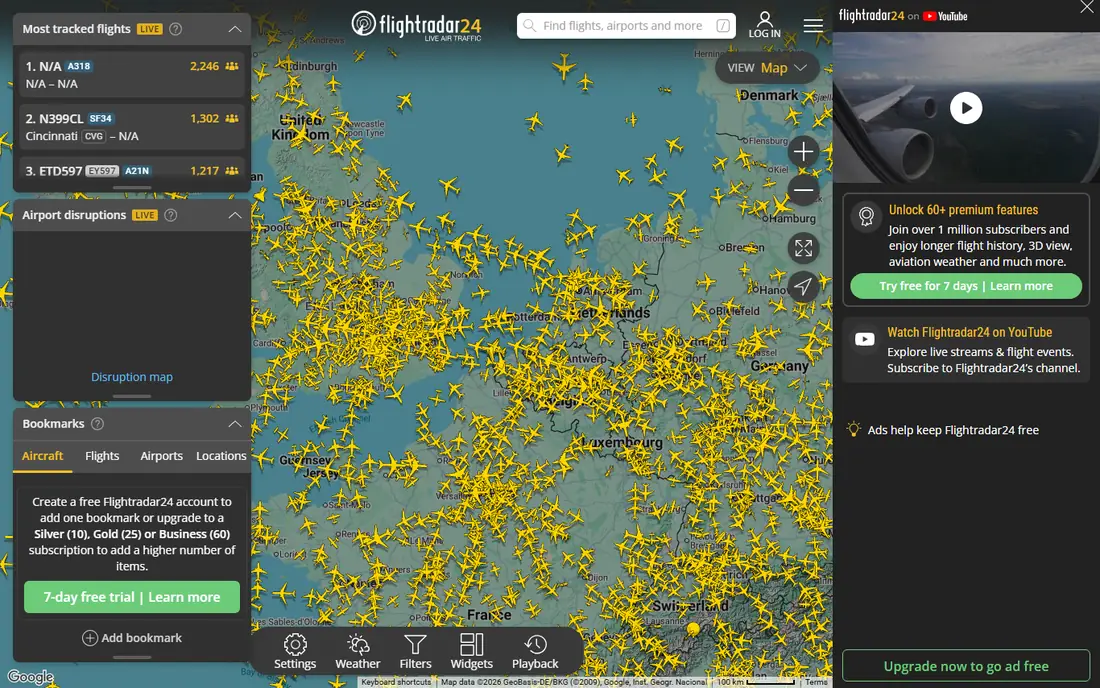
Flightradar24 fits aviation fans and curious travellers who want to see flights moving on a map. Tap a plane to see its type, altitude, speed, route and photos, and follow it from departure to arrival. That visual detail is why it is often named the best plane tracker app, even when a simpler app would answer a status question faster.
The app is free to download, with Silver and Gold upgrades listed in the app in many regions. A subscription figure of $14.99 appears in some vendor and review pages for a paid tier, but prices vary by country and currency, so check the price shown in your app store before paying.
The honest catch is that the free view is a map first and a status board second. If you only need to know whether a flight is delayed, FlightAware or FlightStats will give you that answer with fewer taps.
- Detailed live map with aircraft type, speed and altitude
- Photos and flight history on paid plans
- Wide global coverage
- Best features need a paid plan
- Map can feel busy for a simple status check
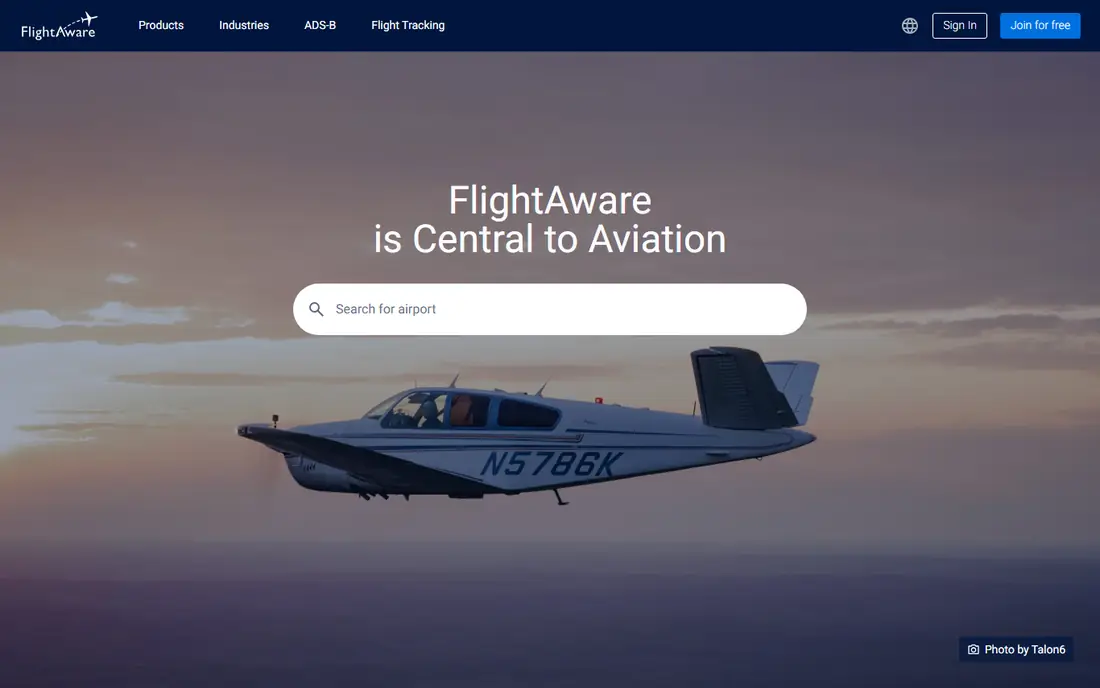
FlightAware fits travellers, families and pickup drivers who need a clear answer. Search by flight number, route or airport, and see status, delays, gate information where available, and the inbound aircraft for your flight. That inbound view helps you judge whether a delay will grow before you leave for the airport.
The app is free, supported by ads in some listings, with paid options to remove ads and add features. Vendor pages describe data from government sources, airlines and a network of receivers, which supports its status and delay information.
The catch is presentation. FlightAware is practical rather than pretty, and plane spotters will prefer the map and aircraft detail in Flightradar24. For a pickup or a connection, though, practical wins.
- Clear status, delays and inbound aircraft views
- Free app with alerts
- Airport delay boards
- Map and design feel less polished than Flightradar24
- Some features need a paid upgrade
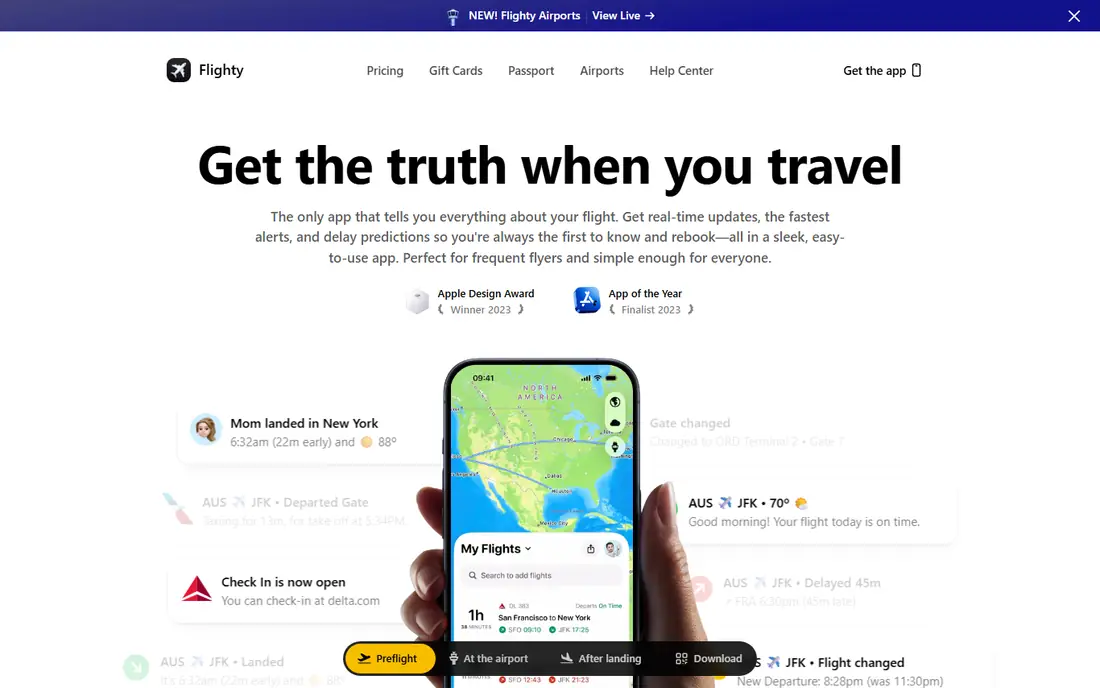
Flighty fits frequent flyers who want early warning about delays. It tracks the inbound aircraft, estimates delay risk, and sends fast alerts for gate changes and delays, which helps with tight connections. Reviews in 2026 still describe Flighty as iOS only, so Android users should pick FlightAware or Flightradar24 instead.
Pricing comparisons list Flighty at $49.99 per year, with a free trial for new users. Check the current price in the App Store, since annual prices can change and trial terms vary.
The catch is platform and price. Flighty is the most expensive app on this list for a single traveller, and it only helps if you fly often enough to use its predictions. Occasional flyers will get what they need from a free tracker.
- Delay probability and inbound tracking
- Fast gate and delay alerts
- Clean iOS design
- IOS only in recent reports
- Paid plan needed for full features
App in the Air fits travellers who want tracking inside a wider trip plan. You can organise flights, see status updates, and keep trip details in one place, rather than juggling a tracker, a calendar and a notes app. That trip view suits people who travel for work or take multi-leg journeys.
The app offers a free version, with paid upgrades for extra features in store listings. Check the current plan in your app store, since feature limits differ between free and paid versions.
The catch is depth of tracking. App in the Air covers status well, but aviation fans will miss the detailed live map, filters and aircraft history in Flightradar24 or RadarBox. Pick it for trips, not for plane spotting.
- Trip organisation beside flight tracking
- Offline airport information in some versions
- Boarding pass and trip views
- Full features and some airport tools need a paid plan
- Less map detail than Flightradar24
Plane Finder fits map lovers who want to explore live traffic with filters. You can filter by traffic type, follow a flight on a 3D globe view, and use playback to see past flights. The Explore view also surfaces live aviation events, which makes it fun to open even without a specific flight in mind.
The app is free to download, with in-app purchases listed from $1.99 to $19.99 per item in store listings. Start with the free map and only pay if notifications or extra filters matter to you.
The catch is status depth. Plane Finder is strong on the map and weaker on the practical status detail that FlightAware gives for a pickup or a connection. Use both if you spot planes and also meet travellers at the airport.
- Live map with filters by traffic type
- 3D globe view
- Flight status notifications
- In-app purchases for full features
- Status detail is thinner than FlightAware
FlightBoard fits travellers who think in airport boards rather than maps. Open an airport, see departures and arrivals in a clean board layout, and tap a flight for its status. That board view is fast when you are already at the airport and want to scan many flights at once.
App Store listings put FlightBoard Pro at $3.99 as a paid app, with no free tier in those listings. Check the current store price before buying, since paid app prices vary by region.
The catch is scope. FlightBoard does the board view well but offers less live map detail, history and alert depth than Flightradar24 or FlightAware. It works best as a second app for airport days, not as your only tracker.
- Clear airport board view
- Simple search by airport or flight
- Good for quick airport checks
- Paid app in App Store listings
- Fewer live map features than rivals
Airplanes Live fits aviation fans who want the map without filtering. Its vendor page describes an unfiltered live map, with altitude colouring, type-specific silhouettes, flight trails and search by callsign, registration or code. Weather radar and controller-style data blocks add detail that spotters value.
The free tier covers the full unfiltered live map, aircraft details, photos, routes and search, with no ads, according to the vendor pricing page. A Pro tier adds extras, and people who feed data to the network can receive Pro at no charge while they keep feeding.
The catch is audience. Casual travellers who only need a delay answer will find FlightAware simpler, while Airplanes Live rewards users who enjoy reading the map itself. Pick it for spotting, not for a quick pickup check.
- Unfiltered live map with no ads on the free tier
- Weather radar
- ATC-style data blocks
- Spotter-focused design
- Less practical status help for casual travellers
RadarBox fits aviation professionals and serious enthusiasts who want data beyond a single flight. It covers live tracking, fleet information, airport activity and historical data, which helps for research, spotting logs and following an airline fleet over time.
The service offers free access with paid plans for deeper history, filters and business use. Check the vendor pricing page for the current plan that matches your use, since enthusiast and business tiers differ sharply.
The catch is complexity. RadarBox gives you more data, but a traveller who only wants a gate or delay update will find FlightAware faster. Use RadarBox when history and fleet detail matter to you.
- Live tracking plus fleet and airport data
- History and playback tools
- Business and enthusiast plans
- Interface suits enthusiasts more than casual travellers
- Best data sits behind paid plans
FlightStats fits people who want the best free flight tracker app for a quick check and nothing else. Search a flight, see its status, and move on. There is no map to learn and no trip plan to maintain, which suits occasional travellers and people checking a flight for someone else.
The web service and app offer free status access, with paid data products aimed at businesses rather than individual travellers. For personal use, the free status view covers the main need.
The catch is that FlightStats is a status tool, not a full tracker. It lacks the live map depth of Flightradar24, the delay predictions of Flighty and the trip tools of App in the Air. Keep it as a quick-check option beside a map app if you also enjoy tracking.
- Simple flight status search
- Airport delay information
- No map learning curve
- Less live map detail
- Fewer alerts and trip tools than rivals
How we picked these
We compared official feature pages, pricing pages and app store listings, and checked public reviews for how each app handles live maps, status, alerts and airport information. We favoured apps with a real free option or a clear paid price, a distinct strength, and current availability on iOS, Android or the web. Where a price varied by store or region, we marked it as See website and described the plan structure instead of quoting a single figure as final.
What to check before you pick a flight tracker
Start with your main use. A live map, a status alert, a delay prediction and an airport board are different jobs, and the best app for one is not always best for another. Pick the app that matches the moment you open it most: spotting, pickup, connection or trip planning.
Check platform and alerts first
Flighty is iOS only in recent reports, while FlightAware and Flightradar24 cover iOS and Android. Check that your phone is supported, then set alerts for the flights you care about and test them on a real trip. An alert that arrives late is worse than no alert, because it creates false confidence.
Check what free really covers
Free flight tracking usually covers search, basic status and a live map, while history, extra alerts, ad removal and advanced filters sit behind paid plans. Use the free version for a real flight before paying, and check whether the paid feature you want is history, alerts or simply an ad-free view.
Use the airline app for boarding decisions
Trackers are excellent for context, but the airline remains the source for boarding, gate and rebooking decisions. If a tracker and the airline disagree, follow the airline, and use the tracker to understand why a delay is happening and how long it may last.
Frequently asked questions
What is the best flight tracker app?
The best flight tracker app for most travellers is FlightAware, because it gives clear status, delays and inbound aircraft information for pickups and connections. Flightradar24 is better for live maps and plane spotting, and Flighty is better for delay predictions on iOS. The best app to track flights depends on whether you need status, a map or a prediction.
What is the best free flight tracker app?
FlightAware and Flightradar24 both offer strong free flight tracking, with search, maps and basic status at no cost. FlightStats is a good free option for simple status checks, and Airplanes Live offers a free unfiltered map with no ads. Paid plans mainly add history, extra alerts and an ad-free view.
What is the best flight app tracker for Android?
FlightAware and Flightradar24 are the best flight app tracker options for Android, since both cover Android and iOS with live maps and status alerts. Flighty is iOS only in recent reports, so Android users should not rely on it. Plane Finder and RadarBox also cover Android for map and data use.
How can I track a flight for free?
Search the flight number on FlightAware, Flightradar24 or FlightStats, or open the live map in Flightradar24 or Airplanes Live and tap the aircraft. Free tracking covers most status and map needs, while paid plans add history and extra alerts. For a pickup, set an alert in the app and also check the airline app for gate updates.
Why do flight trackers and airlines sometimes disagree?
Trackers combine data from airlines, government sources and receiver networks, while airlines publish their own operational updates. Timing differences, gate changes and data delays can cause short gaps between the two. If the two disagree on boarding or departure, follow the airline, and use the tracker for context on the delay.
Is Flighty worth paying for?
Flighty is worth paying for if you fly often on iOS and value delay predictions and fast gate alerts for connections. At around $49.99 per year in pricing comparisons, it is expensive for occasional flyers, who will get what they need from free trackers. Try the free trial on a real trip before committing to a year.
Sources we checked (9)

Online Jobs is an independent blog about careers, online work, learning new skills and the tools that help people earn. More about us.
Keep reading
All posts
Zoom Alternatives
Zoom alternatives compared for 2026: Google Meet, Microsoft Teams, Webex, Jitsi and more for free calls, large meetings and webinars for teams and classrooms.

Top Rated Poster Maker Software
Top rated poster maker software compared for 2026: Canva, Adobe Express, VistaCreate, PosterMyWall and more for events, sales and classrooms for US users.

Surfshark Alternatives
Looking for Surfshark alternatives? We compare 8 VPN services on price, privacy, streaming, and device limits to help you find a VPN that fits your needs.