Best Expense Management Software in 2026: 9 Platforms Compared

How we put this together: we compare official feature and pricing pages, app store listings, privacy policies and public user reviews. Prices change, so check the provider's site before you pay.
Key takeaways
- Card-first platforms such as Ramp, Brex and BILL Spend and Expense start free for qualifying companies, which makes them hard to beat on entry cost.
- Expensify and Zoho Expense suit teams that want to keep their current cards and still automate receipts, approvals and reports.
- Navan is the clearest choice when travel booking and expense reporting need to live in one place.
- SAP Concur and Airbase fit larger companies with stricter policies, multi-entity structures and deeper approval chains.
- Always check card eligibility, platform fees and accounting integrations before you switch, because the headline seat price is rarely the full cost.
Quick comparison
| Name | Who it suits | Starting price | Free option | |
|---|---|---|---|---|
 Ramp Ramp | Card-first spend control for growing teams | Free | Yes | Visit |
 Brex Brex | Startups and global teams that need cards and banking together | Free | Yes | Visit |
 Expensify Expensify | Receipt capture while keeping your current cards | $5 per member per month | Yes | Visit |
 Navan Navan | Travel booking and expenses in one workflow | $15 per user per month | Yes | Visit |
 Zoho Expense Zoho Expense | Low-cost expense tracking for small teams | $3 per user per month | Yes | Visit |
 BILL Spend and Expense BILL Spend and Expense | Free card budgets for small and mid-sized teams | Free | Yes | Visit |
 SAP Concur SAP Concur | Enterprise travel and expense governance | $7 per expense report | No | Visit |
 Airbase Airbase | Procurement, approvals and spend control in one place | See website | No | Visit |
 Rydoo Rydoo | Simple expense reports for travelling employees | $9 per user per month | Free trial | Visit |
The best expense management software
We compared official pricing pages, feature pages and public documentation for the leading expense platforms. Our pick for most small and mid-sized teams is Ramp, because its free tier covers cards, expenses and bill pay, while paid upgrades stay optional until you need deeper controls.
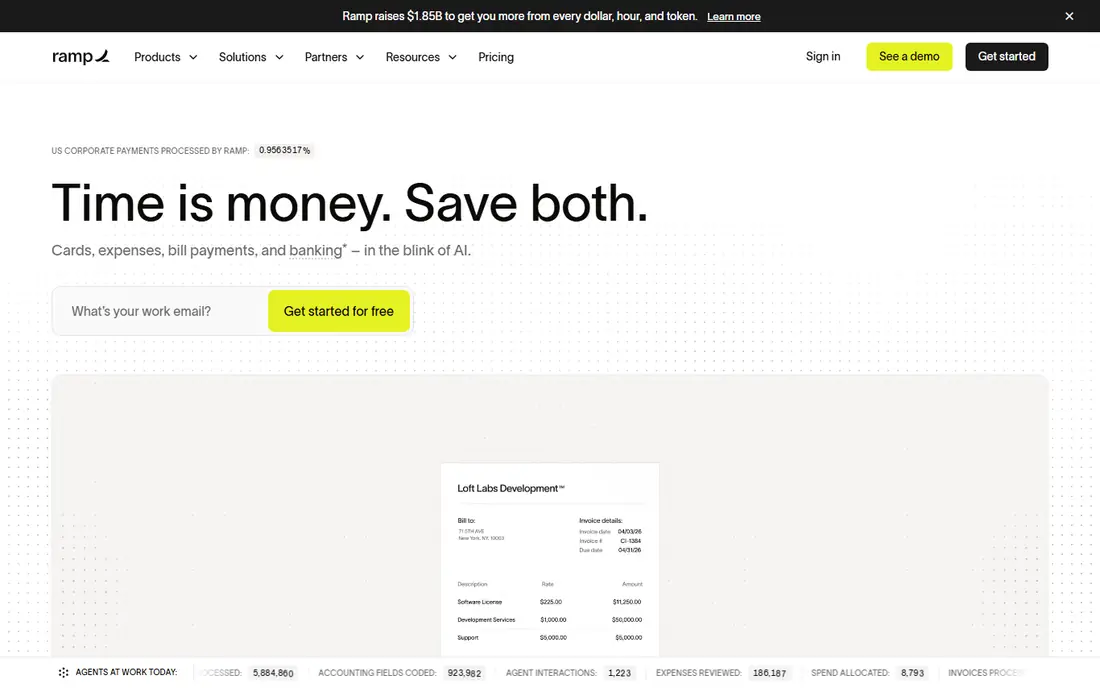
Ramp starts with the problem most finance teams feel first, which is money leaving the company before anyone reviews it. The free tier gives you corporate cards, issuing controls, travel booking and expense completion by text message or Slack, plus automatic receipt collection. That combination removes a lot of chasing at month end, because transactions arrive with context instead of as bare card lines.
The paid Plus tier adds AI-driven expense reviews, cards that lock when compliance items are missing, and deeper accounting integrations such as NetSuite and Sage Intacct. Check the platform fee before you budget for Plus, since Ramp states that fee separately from the per-user price.
- Free tier covers cards, expenses and bill pay
- Automatic receipt collection and matching
- Clear budget tracking in real time
- Plus adds a platform fee based on team size
- Advanced ERP integrations sit on paid tiers
- Card approval is required
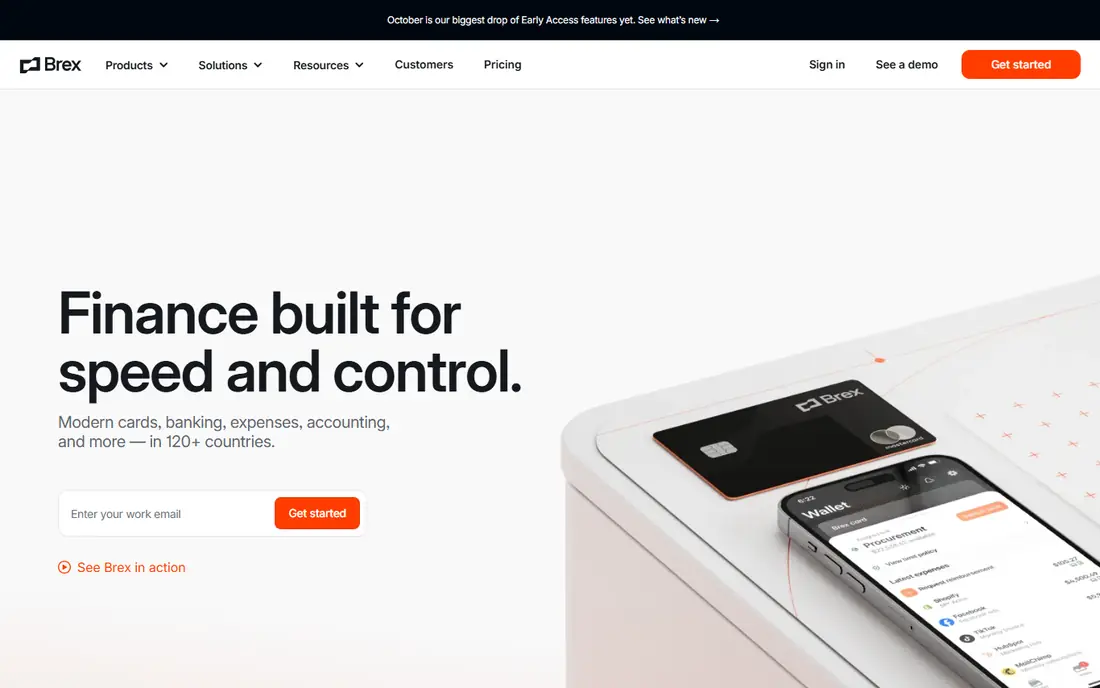
Brex works best as a combined finance stack rather than as a narrow receipt app. Essentials is free for qualifying companies and includes corporate cards, business banking, bill pay, expense management and travel booking. That breadth matters for startups that do not want four separate vendors in their first year.
Premium adds customizable expense policies, HR and ERP integrations, live budgets and multi-entity support. The step up is worth it when approval chains get longer and managers need live budget views instead of end-of-month reports. The honest catch is eligibility, since not every business will qualify for Brex cards. If you qualify, the free tier is one of the strongest starting points in this list.
- Free Essentials tier with unlimited global cards
- Bill pay and reimbursements included
- Premium adds custom policies and live budgets
- Card eligibility rules can exclude very small companies
- Premium costs $12 per user per month on annual billing
- International card spend may carry foreign exchange costs
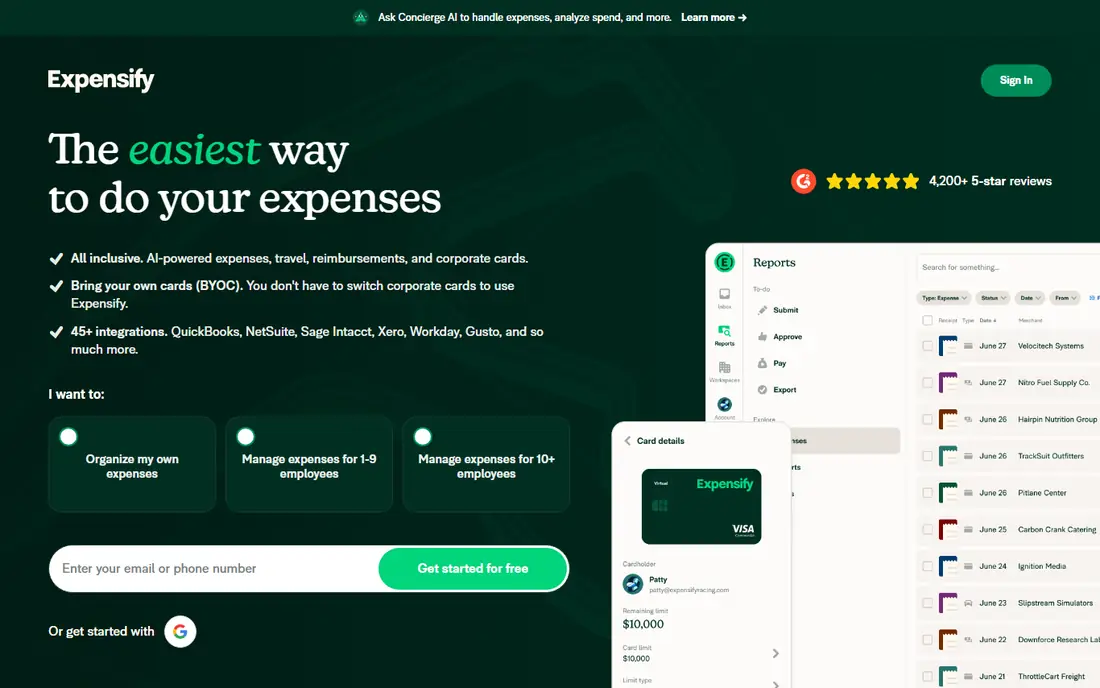
Expensify remains the classic expense report tool, and that is a strength for teams that do not want to change banks or card providers. You scan a receipt, Expensify reads the details, and the expense flows into a report with approvals and accounting sync. The Collect plan at $5 per member per month includes unlimited SmartScans, approvals, bill pay, invoicing, third-party card feeds, global reimbursements and QuickBooks and Xero sync.
Control, from $9 per active member per month, adds multi-level approvals, custom rules and deeper ERP integrations. That tier suits larger teams with stricter controls. The trade-off is pricing complexity, because the final Control price can depend on commitment and card use. Start with Collect if your main pain is receipts and reports, and move up only when approval rules or ERP depth force the change.
- SmartScan receipt capture
- Works with cards you already use
- Collect includes approvals, travel and accounting sync
- Advanced controls cost more on Control
- Pricing varies by card use and commitment
- Some categorization features need a paid plan
Navan makes sense when trips create most of your expenses. Employees book flights, hotels, car rentals and trains inside Navan, and expenses flow from those bookings and from connected cards. Receipts can also be uploaded through the mobile app or forwarded by email, which helps for out-of-pocket spending that never touches a booking.
For companies with 300 or fewer employees, travel booking itself is free, and Navan Expense is free for the first five monthly expensing users, then $15 per user per month. If your team rarely travels, a card-first or report-first tool may give you the same expense controls with less travel machinery attached.
- Travel and expense in one app
- First five monthly expensing users are free
- Works with existing corporate cards through Navan Connect
- Expense pricing starts after the free user allowance
- Companies over 300 employees need an Enterprise quote
- Travel focus may be more than non-travelling teams need
Zoho Expense is our pick for budget-conscious teams that want a standalone expense tool without a card program attached. The free plan covers expense reports, mileage, multi-currency expenses and accounting integrations for up to three users. That is enough for a freelancer, a tiny team or a pilot inside a larger company.
Paid Standard plans add corporate card management, multiple expense policies, custom roles and cash advance handling. The price stays low compared with enterprise suites, and the Zoho ecosystem is a real plus if you already run Zoho Books. The catch is the scan cap on the free plan, so receipt-heavy teams should price the paid tier from the start.
- Free plan for up to three users
- Receipt capture with mileage and multi-currency support
- Strong value if you already use Zoho Books
- Free plan caps receipt autoscans
- Paid features such as corporate card reconciliation sit on higher tiers
- Minimum user counts can apply on paid plans
BILL Spend and Expense
Who it suits: Free card budgets for small and mid-sized teams
BILL Spend and Expense, formerly Divvy, takes a budget-first approach. You give each team or vendor a budget, issue cards against that budget, and spending stops when the limit is reached. Employees request funds in the app, photograph receipts and categorize spend, while finance sees budgets update in real time.
The software itself is free, which makes it easy to trial without a seat budget. Virtual cards for individual vendors add a useful fraud control, because a compromised vendor card cannot be reused elsewhere. The limits show up when you need full accounts payable or receivable, which BILL sells separately, and when you need deep ERP controls. For straightforward card spending and budgets, the free price is difficult to argue with.
- Free software with physical and virtual cards
- Real-time budget tracking by team
- Reimbursements and receipt photos in the mobile app
- Credit lines depend on approval and are not guaranteed
- BILL accounts payable and receivable are separate paid products
- Reporting depth is lighter than enterprise suites
SAP Concur is the enterprise standard for a reason, and also the tool most small teams should skip. It handles complex travel policies, multi-entity approvals, tax handling and audit trails at a scale that simpler apps cannot match. Base pricing starts at $7 per expense report, with Plus from $11 per report adding receipt capture and support desk features, and Premium quoted for travel and advanced capabilities.
That per-report model changes the budgeting question, so model your actual report volume before you compare it with per-user tools. Implementation also takes longer, because policy setup, card feeds and ERP mapping need care. Choose Concur when compliance, audit and global policy control matter more than speed of setup.
- Deep policy and audit controls
- Wide travel and ERP ecosystem
- Per-report pricing with unlimited users on base plans
- No free plan
- Per-report costs add up at high volume
- Setup and administration take more time than simpler tools
Airbase sits between a simple expense app and a full procurement suite. It issues physical and virtual cards, automates approval workflows, handles accounts payable and syncs spend to the general ledger. That breadth helps mid-market finance teams that are tired of reconciling cards, invoices and reimbursements in three places.
The honest downside is price transparency, since Airbase does not publish a simple starting price, so you will need a quote based on headcount, entities and modules. If your bottleneck is purchase requests and vendor approvals rather than receipts alone, Airbase earns its place on a shortlist. If receipts are the whole problem, start with a cheaper standalone option first.
- Cards, expenses and accounts payable in one workflow
- Multi-level approvals with audit trails
- Real-time reporting and ledger sync
- Pricing is quote-based, so budgeting needs a sales conversation
- Less suited to teams that only need simple receipt reports
- Setup rewards a clear approval design up front
Rydoo keeps the expense workflow short, which is exactly what travelling employees want. Scan a receipt, add mileage or per diem where needed, submit the report and let approvals handle the rest. Managers get a clean review queue instead of a pile of paper receipts and email threads.
At $9 per user per month, Rydoo sits in the middle of this list on price, above Zoho Expense and Expensify Collect, but below many enterprise suites. The free trial lets you test the mobile flow with real receipts before committing. Larger companies with complex approvals may outgrow it, but for small and mid-sized teams that travel regularly, Rydoo is a practical choice.
- Clear receipt scanning and report flow
- Mileage and per diem handling for travellers
- Integrations with common accounting tools
- No permanent free plan
- Advanced enterprise controls are limited compared with Concur or Airbase
- Pricing and feature depth vary by plan
How we picked these
We compared official pricing pages, feature pages and public documentation for each platform, and we kept only products that exist today and truly fit employee expense management, reimbursement and card-based spend control. We looked at starting price and free tiers, card requirements, receipt capture, approvals, travel handling and accounting integrations. We also weighed the honest catch for each product, because a tool that looks cheap can cost more once card eligibility, platform fees or per-report charges are counted.
We did not claim hands-on testing we did not do. Our comparisons rest on vendor pages, pricing pages, app store listings and public reviews, and prices can change, so check the vendor pricing page before you buy.
How to choose the right expense tool for your team
Start with how your team actually spends. If most spending goes through company cards, a card-first platform such as Ramp, Brex or BILL Spend and Expense will remove more manual work than a report-only app. If employees pay out of pocket and claim money back, receipt capture, mileage and reimbursement speed matter more, which points toward Expensify, Zoho Expense or Rydoo.
Match the tool to your accounting stack
Check the accounting integration before you fall for a feature list. QuickBooks Online and Xero cover most small teams, while NetSuite, Sage Intacct and Workday matter far more at enterprise scale. A clean sync saves finance hours every month, while a weak sync creates a new manual job that cancels out the automation you just bought.
Count the real cost, not just the seat price
Add up card eligibility, platform fees, per-report charges and the cost of any separate accounts payable product. A free tier with a card requirement is not free if your company cannot qualify for that card. A per-user plan looks tidy until headcount grows, and a per-report plan looks tidy until report volume grows. Model both for the next twelve months.
Pilot with real receipts and real approvers
Run a short pilot with one team, real receipts and your actual approval chain. Watch how long reports take from submission to approval, how often receipts go missing, and how clean the accounting export looks. That pilot tells you more than a demo, and it surfaces policy gaps before you roll the tool out company-wide.
Frequently asked questions
What is the best expense management software for small businesses?
Ramp, Brex and BILL Spend and Expense are strong starting points because their core tiers are free for qualifying companies and include cards and budget controls. Zoho Expense and Expensify suit small teams that want to keep existing cards, since both focus on receipts, reports and approvals without forcing a card switch. Pick based on card eligibility and your accounting software, not on the feature list alone.
What is the best expense management app for employees?
The best expense management app is the one employees will actually use on the road. Look for fast receipt scanning, mileage tracking, clear approval status and a mobile app that works without a desktop. Expensify, Navan and Rydoo all score well here, because they keep submission to a few taps and show employees where their report sits in approval.
What is the best software for expense management with travel?
Navan is the strongest fit when travel and expenses belong together, because booking, card transactions and receipts flow into one workflow. Ramp also covers travel booking on its free tier, which suits teams that want travel policy controls without a separate travel tool. SAP Concur remains the enterprise choice for complex travel policy and global compliance.
What is the best expense reimbursement software?
Expensify and Zoho Expense handle reimbursements well for teams that pay out of pocket, with report approvals, global reimbursements and accounting sync. Ramp and Brex also cover reimbursements, but their strength is card spending that never needs a reimbursement in the first place. If most spending is already on cards, reducing reimbursements may matter more than speeding them up.
Do I need a corporate card to use expense management software?
No, not always. Expensify, Zoho Expense, Rydoo and SAP Concur work with cards you already use, while Ramp, Brex and BILL Spend and Expense are built around their own cards. Card-first tools give you tighter pre-spend controls, while card-flexible tools give you an easier switch. Check eligibility and credit terms before you commit to a card-first platform.
How much does expense management software cost?
Costs range from free for qualifying card-first platforms and small Zoho Expense teams, through $3 to $15 per user per month for most mid-market tools, to per-report pricing at SAP Concur. Quote-based tools such as Airbase vary by headcount and modules. Always get a written quote that covers platform fees, card terms and any separate payables product.
Sources we checked (9)

Online Jobs is an independent blog about careers, online work, learning new skills and the tools that help people earn. More about us.
Keep reading
All posts
Best Whole Life Insurance Companies
We compared the best whole life insurance companies on dividends, cash value, riders and financial strength, so buyers can shortlist wisely in 2026 today.

Best Trading Apps for Beginners
Compare the best trading app for beginners, with $0 stock commissions, fractional shares, education, paper trading and account types explained in 2026 now.
Best Trading App
We compared the best trading apps for beginners and active traders on fees, tools, accounts and ease of use, so you can pick a platform that fits your plan.