Best Card Scanner App in 2026: 8 Tools Compared

How we put this together: we compare official feature and pricing pages, app store listings, privacy policies and public user reviews. Prices change, so check the provider's site before you pay.
Key takeaways
- CollX is the best all-round scanner for sports cards, with fast scanning and price tracking in one app.
- Cardbase and Ludex suit collectors who want a clean collection view plus market prices.
- Collectr and Card Mavin suit collectors who track value across many card types and want simple portfolio views.
- TCGplayer suits trading card game players, since its app links scanning to a large marketplace.
Quick comparison
| Name | Who it suits | Starting price | Free option | |
|---|---|---|---|---|
 CollX | Sports card scanning | Free | Yes | Visit |
 Cardbase | Collection and prices | Free | Yes | Visit |
 Ludex | Fast card scanning | Free | Yes | Visit |
 Collectr | Portfolio tracking | Free | Yes | Visit |
 Card Ladder | Price history and sales data | See website | Free trial | Visit |
 SportsCardPro | Sports card values | Free | Yes | Visit |
 TCGplayer | Trading card games | Free | Yes | Visit |
 Card Mavin | Collection value tracking | Free | Yes | Visit |
The best card scanner app
This guide covers trading and collectible cards, including sports cards and trading card games, since that is what most collectors mean by a card scanner app. A good scanner should identify a card from a photo, match it to the right set, year, and variant, add it to a collection, and show a current market price. Accuracy matters most, since a wrong variant can change value sharply.
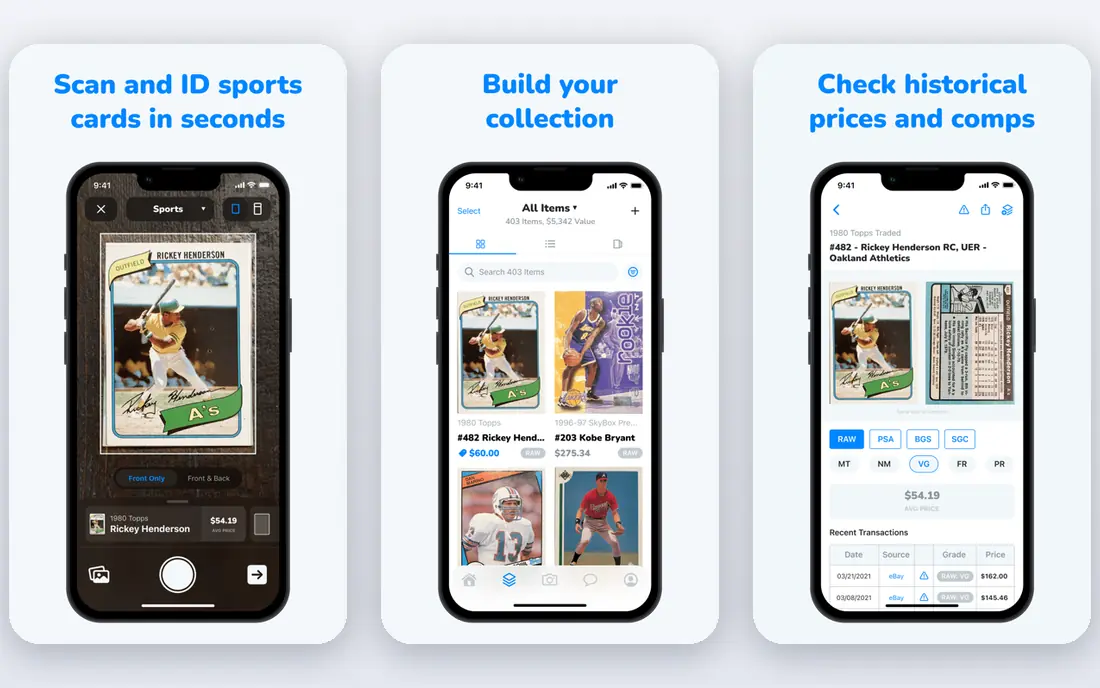
CollX is our pick for sports card collectors who want to scan, organise, and price a collection in one app. Point the camera at a card, and CollX matches it to a set and variant, adds it to your collection, and shows price data. That speed matters when you buy a box, a lot, or a stack at a show and want to sort it the same day.
Coverage is strongest for sports cards, so trading card game players may find gaps. Paid plans add more scans, price history, and collection tools, while the free tier is enough to test scanning accuracy on your own cards. Scan in good light, on a plain background, and check the matched variant before you trust a price, especially for parallels and graded cards.
- Fast photo scanning for sports cards
- Collection and price tracking
- Marketplace links
- Best coverage is sports cards, not every trading card game
- Some features need a paid plan
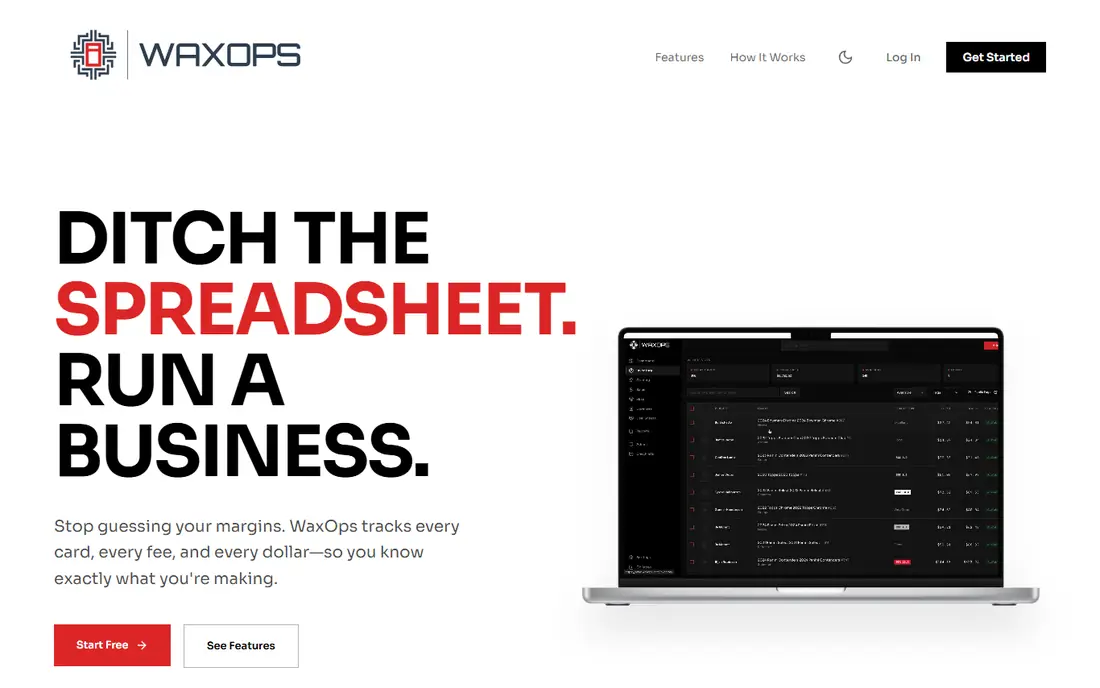
Cardbase suits collectors who want a tidy collection view plus a running total value. Scanning adds cards to sets and portfolios, and price data helps you see which cards drive most of your collection value. The interface is clear enough for new collectors, while still offering the detail that experienced collectors expect.
Scanning works best with clean, well-lit photos and cards in good condition. Worn, sleeved, or glare-heavy cards can confuse any scanner, so check the match for set, year, and variant. Cardbase is a good second app to test alongside CollX, since scanning accuracy can differ by card type and by the condition of your collection.
- Clean collection view
- Price tracking for sports and trading cards
- Portfolio totals
- Scanning accuracy varies by card condition and lighting
- Some price features need a paid plan
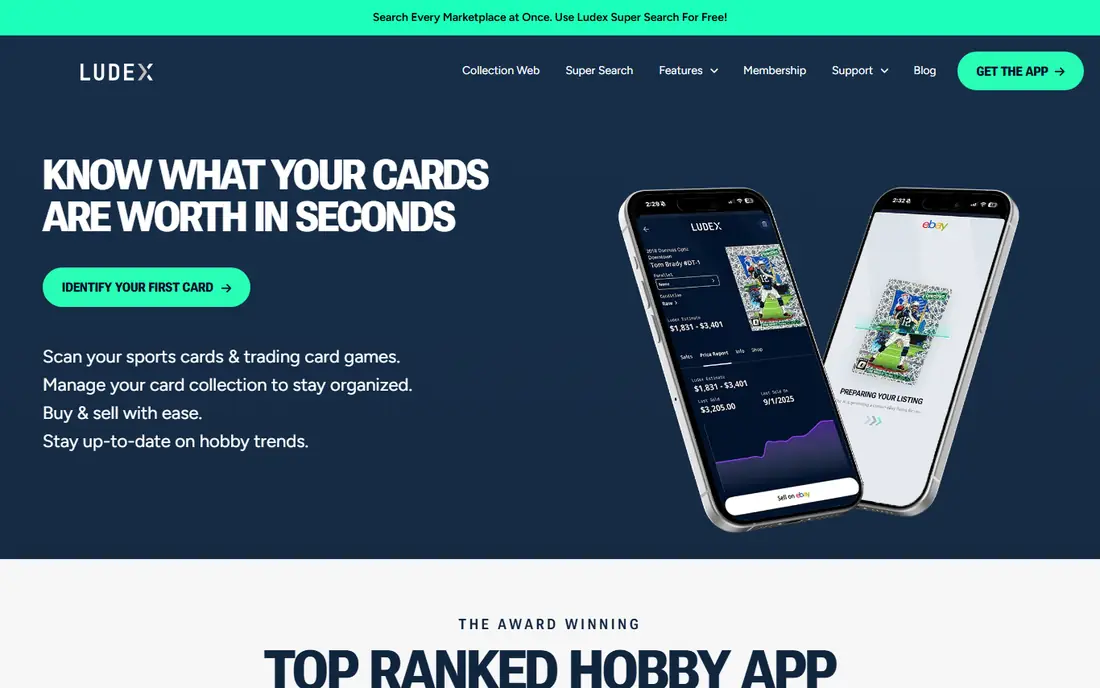
Ludex focuses on speed. You can scan cards one after another, build a collection quickly, and see prices without a long setup process. That makes it useful at card shows, where you need to check a card before you buy, or at home when sorting a large lot. Support for both sports cards and trading card games widens its appeal beyond a single hobby.
Price accuracy still depends on the matched variant and on market data for that card. Rare, low-volume cards may have thin price data, so treat any single price as a guide rather than a sale guarantee. Use Ludex for fast identification and collection building, then check recent sales on a marketplace before you price a card for sale.
- Quick scan and match
- Supports sports and trading cards
- Collection organisation
- Price data varies by card type
- Some advanced features need a paid plan
Collectr suits collectors who think in terms of a portfolio, not just a list. It tracks collection value over time, shows top holdings, and lets you follow price changes for cards you own or want. That view helps when you need to decide whether to hold, grade, or sell a card, and it gives a clear total for insurance or record keeping.
Scanning is useful, but Collectr strength is tracking rather than instant identification at a show. Collectors who scan hundreds of cards in one session may prefer CollX or Ludex for that step, then use Collectr for ongoing value tracking. Check which card types and price sources Collectr covers for your collection before you import a large set.
- Portfolio view across card types
- Price tracking and alerts
- Simple collection import
- Scanning is one part of a wider portfolio tool
- Marketplace selling is limited
Card Ladder is best for collectors who care about price history as much as scanning. It tracks sales data, price trends, and graded card values, which helps you judge whether a current price is high, low, or typical for that card. Portfolio tools show value change over time, and graded card support matters for higher-value collections.
It is less of a quick-scan app than CollX, so use it as a pricing companion rather than your only scanner. The free trial is a good way to test whether its sales data covers your cards, especially for less common sets. For a card you plan to sell at a high price, checking Card Ladder sales history alongside marketplace listings gives a firmer basis than any single scanner price.
- Deep price history and sales data
- Portfolio tracking
- Graded card support
- More of a price tool than a quick scanner
- Paid plans needed for full data
SportsCardPro has served sports card collectors for years as a price guide and collection tracker. It offers set checklists, card values, and collection tools that suit collectors who build sets over time. That checklist view helps when you are chasing the last few cards in a set, rather than just tracking total value.
Scanning is lighter than on CollX or Ludex, so SportsCardPro works best as a reference and tracking tool alongside a scanner. The traditional interface may feel dated next to newer apps, but the underlying price and checklist data remain useful. Use it to verify a set and variant, then use a scanner app for fast bulk identification.
- Long-running sports card price guide
- Set checklists
- Collection tracking
- Interface is more traditional than newer apps
- Scanning features are lighter
TCGplayer is the clear pick for trading card game players, covering games such as Magic: The Gathering, Pokemon, and Yu-Gi-Oh. Its app lets you scan cards and see marketplace prices, and you can buy or sell through the same platform. That link between scanning and a real marketplace makes price checks more practical than a guide price alone.
Sports card collectors should look elsewhere, since TCGplayer focus is trading card games. Marketplace prices also need care: a listing price is what a seller asks, not necessarily what buyers pay, so check recent sales where available. For a TCG player building decks or selling pulls, TCGplayer combines scanning, pricing, and selling in a way few rivals match.
- Large trading card game marketplace
- Scanning linked to buy and sell prices
- Wide game coverage
- Sports card coverage is limited
- Marketplace prices reflect listings, not just sales
Card Mavin suits collectors who want a fast value check without a complex setup. You can look up a card, see an estimated value, and add it to a collection total. That simplicity helps new collectors who are sorting a first box or an inherited collection and want a rough sense of what they hold.
Estimates are guides, not sale prices, especially for rare or low-volume cards where few recent sales exist. Card Mavin works best as a starting point, with a marketplace or sales history check before you sell anything valuable. Pair it with CollX for scanning and Card Ladder for sales history when a card looks valuable enough to grade or sell.
- Quick card lookup and value estimates
- Collection tracking
- Supports sports and other cards
- Value estimates vary by card liquidity
- Interface is simpler than full portfolio tools
How we picked these
We reviewed official app pages, app store listings, and product documentation for each app, and we kept only apps that are live and used for card scanning or collection tracking in October 2026. We weighted scanning accuracy, card coverage, price data quality, collection tools, and ease of use at shows and at home. We did not treat any single price estimate as a sale price, since market prices move and vary by condition, grading, and sales channel.
Free tiers and trials vary, so check scan limits and price history access before you import a large collection. The vendor pages in Sources give current features and pricing, which are the best source for plan limits.
How to scan cards accurately
Good light and a plain background help every scanner. Place the card flat, avoid glare from sleeves and top loaders where possible, and scan the front first, then the back if the app asks for it. Check the matched set, year, card number, and variant, especially for parallels, refractors, and short prints, since those details drive value.
For graded cards, check the grading company, grade, and cert number against the matched entry. For raw cards, be honest about condition when you use a price guide, since a near-mint price does not apply to a heavily played card. Keep a record of purchase price and date for valuable cards, and store high-value cards safely after scanning.
Business card scanners: a note
If you meant business cards, not trading cards, the tools above are not the right fit. Business card scanners such as CamCard, ScanBizCards, and the LinkedIn app focus on contact details, not card values. Search for business card scanner apps separately, since the scanning goal, contact export, and CRM links are wholly different from collectible card scanning.
Frequently asked questions
What is the best card scanner app overall?
CollX is the best all-round choice for sports cards, thanks to fast scanning and price tracking in one app. Cardbase and Ludex are strong alternatives, and TCGplayer is best for trading card games. Test two apps on your own cards, since accuracy varies by card type and condition.
How accurate are card scanner apps?
Accuracy is good for common, clean cards in good light, and weaker for worn, sleeved, or rare variant cards. Always check the matched set, year, and variant before trusting a price. For valuable cards, verify the match on a marketplace or price history tool before selling or grading.
Do card scanner apps give the true value of my cards?
No, they give estimates based on market data, and true sale value depends on condition, grading, buyer demand, and sales channel. Use scanner prices as a guide, check recent sales for the same variant and grade, and expect fees and shipping costs if you sell online.
Can I scan graded cards?
Yes, most apps support graded cards, and some let you enter grading company, grade, and cert number. Graded prices differ sharply from raw prices, so make sure the app matched the graded version, not the raw version. Check the cert number with the grading company for high-value cards.
Are free card scanner apps enough?
Yes, for most collectors starting out. Free tiers usually cover scanning and basic collection tracking, with paid plans adding more scans, price history, and portfolio tools. Start free, test accuracy on your cards, and pay only when you need deeper price data or higher scan limits.
Which app is best for Pokemon cards?
TCGplayer is best for Pokemon, since it covers trading card games and links scanning to a large marketplace. CollX, Cardbase, and Ludex also cover many Pokemon cards, so test scanning accuracy on your sets. For sales, compare TCGplayer market prices with recent sold listings before you set a price.
Sources we checked (8)

Online Jobs is an independent blog about careers, online work, learning new skills and the tools that help people earn. More about us.
Keep reading
All posts
Best Lightsaber Company
Compare the best lightsaber companies for custom, Neopixel and duelling sabers, with hilt quality, soundboards and prices explained before you buy a saber.

n8n Alternatives
n8n alternatives compared for 2026, with Zapier, Make, Activepieces, and more, covering visual builders, code steps, self-hosting, and pricing models.

eBay Alternatives
Looking for ebay alternatives? We compared 9 marketplaces for sellers on fees, buyer reach, categories and ease of listing, to help you sell with confidence.