Best Apps for Reading in 2026: 9 Apps Compared

How we put this together: we compare official feature and pricing pages, app store listings, privacy policies and public user reviews. Prices change, so check the provider's site before you pay.
Key takeaways
- Libby is the best free starting point for most readers, since a library card gives you ebooks, audiobooks, and magazines at no extra cost.
- Kindle and Kobo are the strongest choices for buying ebooks, while Apple Books and Google Play Books suit readers who stay inside one phone ecosystem.
- Goodreads is best for a large community and simple tracking, while StoryGraph gives you richer stats and mood-based recommendations.
- Bookly is the pick for building a daily reading habit with a timer, and Literal suits readers who want a calmer, community-first tracker.
- Most tracking apps are free to start, so try two for a week and keep the one whose shelves and stats you actually check.
Quick comparison
| Name | Who it suits | Starting price | Free option | |
|---|---|---|---|---|
 Kindle Kindle | Buying and reading ebooks | Free | Yes | Visit |
 Libby Libby | Free library borrowing | Free | Yes | Visit |
 Kobo Kobo | Ebooks plus an open reading system | Free | Yes | Visit |
 Apple Books Apple Books | Apple device owners | Free | Yes | Visit |
 Google Play Books Google Play Books | Android and web readers | Free | Yes | Visit |
 Goodreads Goodreads | Community and simple tracking | Free | Yes | Visit |
 The StoryGraph The StoryGraph | Reading stats and recommendations | $4.99 per month | Yes | Visit |
 Bookly Bookly | Daily reading habits | $4.99 per month | Yes | Visit |
 Literal Literal | Calm community tracking | Free | Yes | Visit |
The best apps for reading
Reading apps fall into two groups, and most readers end up using one from each. Ereader apps are where you buy or borrow the book itself, while tracking apps record what you read, what you thought, and what comes next. This list covers both, so you can pair a store or library app with a tracker that fits how you read.
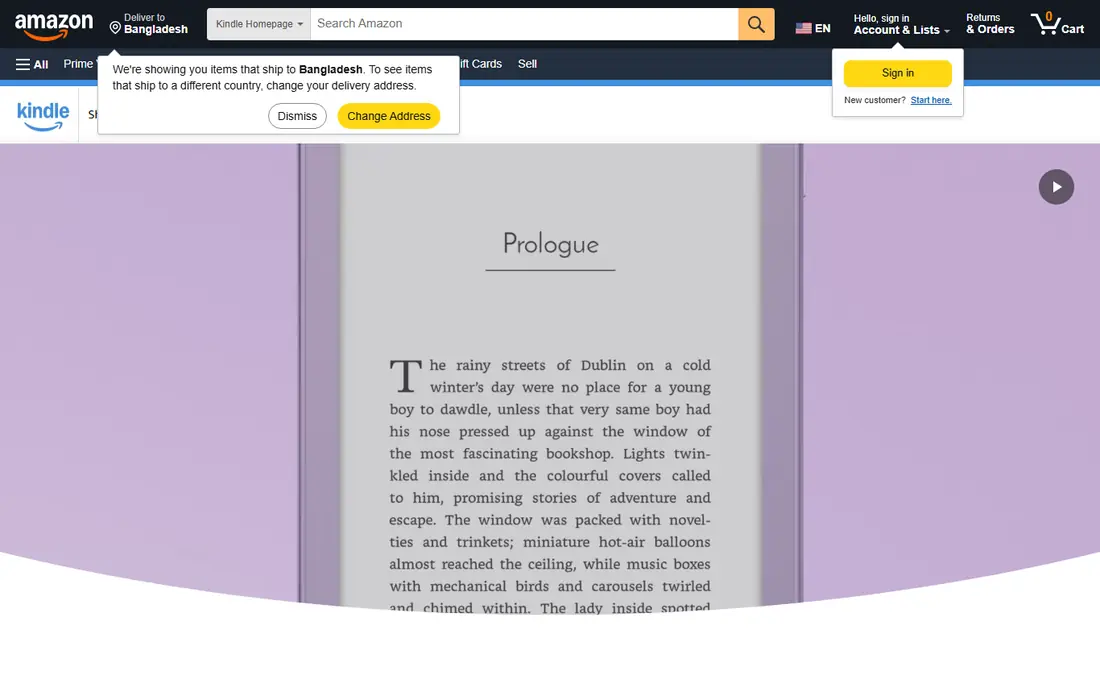
Kindle is the default ebook app for a simple reason. The store is huge, the app is free, and your place, notes, and highlights sync between your phone and a Kindle ereader if you own one. You pay per book, and many older titles and daily deals cost only a few dollars, though new releases usually cost close to paperback prices. The reading view is plain in a good way, with adjustable fonts, margins, and brightness, and a dictionary is built in for unfamiliar words.
The catch is lock-in. Kindle books use Amazon's system, so moving a library to another ereader takes work. If you borrow from a public library, Libby can send many ebooks to a Kindle in the US, which softens that problem. Still, if you value an open system above store size, Kobo below deserves a closer look.
- Largest ebook store most readers will use
- Reading progress syncs across phone, tablet, and ereader
- Built-in dictionary and notes
- Books are tied to Amazon's system
- Library borrowing needs an extra step through Libby in the US
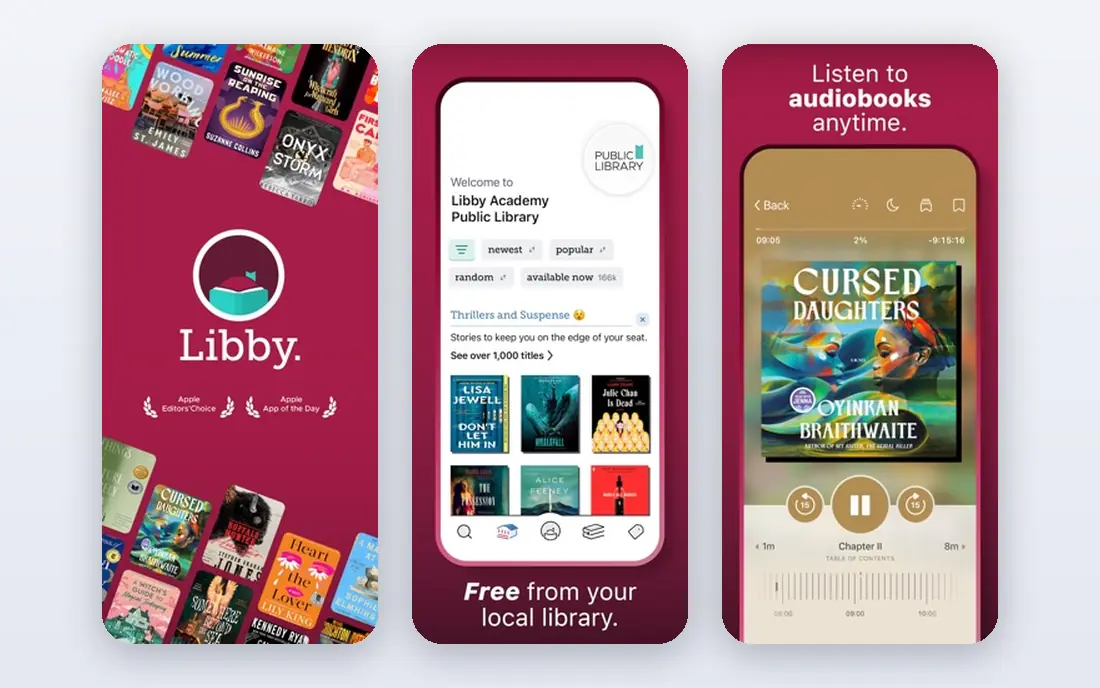
Libby, from OverDrive, turns a public library card into a free reading app. Borrowed ebooks, audiobooks, and magazines appear on your shelf, download for offline reading, and return themselves on the due date, so there are no late fees. You can place holds on busy titles, get a notice when a hold is ready, and read in the app or in a browser. In the US, many borrowed ebooks can also be sent to a Kindle.
The main limit is supply. Your library chooses what to buy, and a popular new release may carry a long hold queue. That is a fair trade for a free service, and it pairs well with a tracking app for the wait. If you do not have a library card, most public libraries let you sign up online or in person, and that one card is all Libby needs.
- Free ebooks, audiobooks, and magazines with a library card
- No late fees since loans return automatically
- Works on phones and in a browser
- Popular titles often have wait lists
- Selection depends entirely on your local library
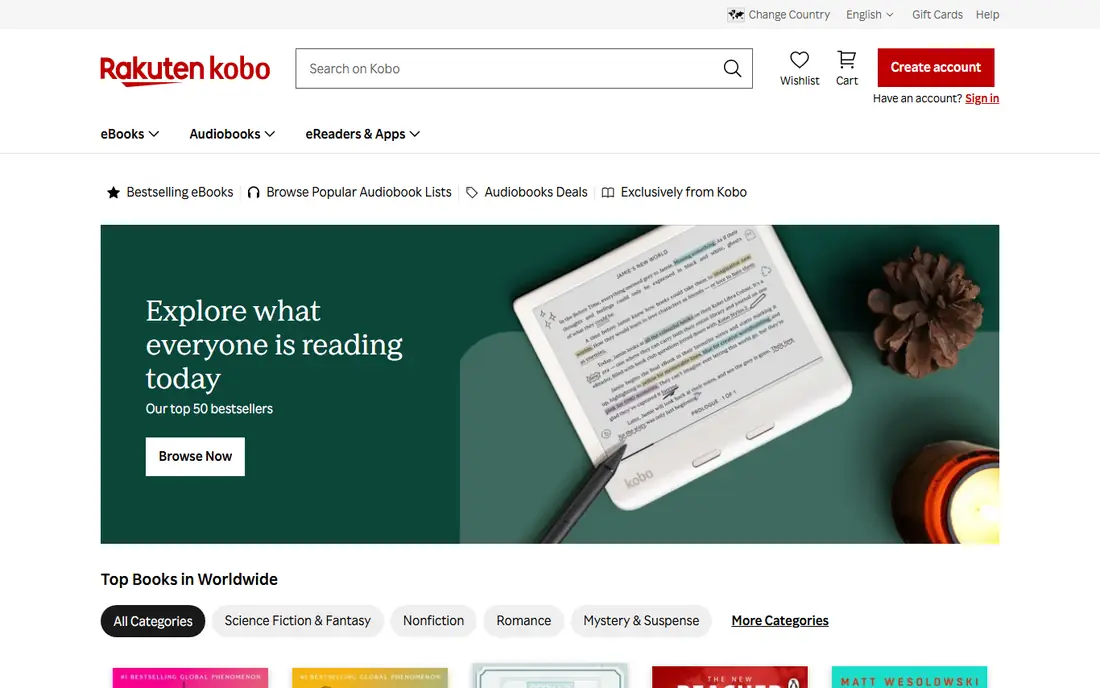
Kobo, from Rakuten, is the strongest rival to Kindle for readers who buy ebooks. The app itself is free, books are priced individually, and the store runs frequent sales, with many titles listed for a few dollars and a good range of free classics. On Kobo ereaders, the system is more open than Kindle, which matters if you already own ebook files or want a device that is not tied to one store.
In the US, the trade is store depth. Kindle still carries more titles and more exclusive deals, and some readers will notice gaps in niche genres. Kobo also sells a subscription, Kobo Plus, for selected ebooks and audiobooks, but its price and catalog vary by region, so we list the app itself as free and advise checking the current offer in the store. For most buyers, though, the per-book store is the real product.
- Free app with a large ebook store
- Supports common ebook formats on its ereaders
- Regular sales and free titles
- Store is smaller than Kindle in the US
- Subscription pricing varies, so check the price shown before you commit
Apple Books is the built-in reading app on iPhone, iPad, and Mac, and Apple states plainly that the app is free with no subscription. Ebooks and audiobooks are priced individually, thousands of free titles are available, and samples are free while you browse. Reading Goals track daily minutes, streaks, and yearly totals, and iCloud sync keeps your place across devices. Family Sharing lets you share purchases with up to five other family members.
The limit is the ecosystem. Apple Books makes little sense on an Android phone or a Windows PC, and its tracking is basic next to StoryGraph or Bookly. If you already read on Apple devices, though, it is a clean, no-subscription home for bought books, and it pairs well with Libby for borrowed titles.
- Built into Apple devices with no subscription
- Reading goals and streaks
- Purchases share with up to five family members
- Only practical inside the Apple ecosystem
- Tracking features are lighter than dedicated trackers
Google Play Books is the most flexible store app here for people who switch devices. It runs on Android, iOS, and in a web browser, and books are priced individually, with many bestsellers listed under 10 dollars in the store's discount sections. A useful extra is file upload, which lets you add your own ebook files to your library and read them with the same sync and notes as bought titles.
Tracking is the weak point. Play Books records your library and progress, but it does not offer the goals, stats, and community features of a dedicated tracker. Treat it as a store and reader first, then add StoryGraph, Goodreads, or Bookly for the record-keeping side. For Android users who want one store that also works on a laptop, it is hard to beat.
- Works on Android, iOS, and any browser
- Large store with frequent discounts
- Upload your own ebook files
- Tracking features are minimal
- Audiobook and ebook catalogs differ by region
Goodreads is the tracker most readers already know, and it is still free. You shelve books as want to read, currently reading, or read, rate them, write reviews, and join the yearly reading challenge. Because the community is so large, almost any book has reviews, lists, and discussion attached, which helps when you are choosing between two similar titles. It is owned by Amazon, which also explains the close ties to Kindle and book buying.
The honest complaint is the design. The site and app feel dated next to StoryGraph and Literal, and recommendations tend to push popular books rather than matching your taste closely. If you want a simple, free record of what you read and a place where friends already track books, Goodreads remains the practical default. If you want detailed stats, the next entry is stronger.
- Free
- Largest reader community for reviews and recommendations
- Simple shelves and yearly reading challenge
- Interface feels dated
- Recommendations lean heavily on popular titles
The StoryGraph is the tracker for readers who like data. The free plan covers tracking, shelves, reading goals, community features, and standard stats, including breakdowns by mood, pace, genre, and format. Recommendations draw on those same tags rather than raw popularity, which makes them feel more personal than Goodreads suggestions. It is independent, ad-free, and lets you import a Goodreads library.
Plus costs 4.99 dollars per month, or 49.99 dollars per year, and adds custom charts, extra filters, comparisons between reading periods, and priority support, with a 30-day trial. The catch is sync. StoryGraph does not pull progress directly from Kindle or Kobo, so you update pages by hand. For readers who enjoy the stats, that small chore is worth it, but ereader-only readers may prefer a simpler tracker.
- Rich reading stats by mood, pace, genre, and format
- Independent and ad-free
- Imports from Goodreads
- No direct ereader sync, so progress is updated by hand
- Some advanced stats need the paid plan
Bookly is a habit app first and a tracker second. Start the timer when you read, log your page, and Bookly estimates when you will finish the book at your current pace. Goals, reminders, streaks, and achievements push you to read a little each day, and you can save quotes, notes, and character details as you go. The free plan covers core tracking, while Pro costs 4.99 dollars per month, with longer plans at 19.99 dollars for six months and 29.99 dollars for a year, and adds unlimited book tracking and cloud sync.
One point needs stating clearly. Bookly does not sell or contain book text, so you still need a reader app or a paper book alongside it. That split suits readers who love paper books or library loans and want a timer and stats on top. If you want tracking and reading in one place, Goodreads or StoryGraph may fit better.
- Reading timer with pace estimates
- Goals, reminders, and streaks
- Quotes, notes, and character tracking
- It tracks books but does not contain the books themselves
- Unlimited tracking needs the Pro plan
Literal is a community-first tracker that feels calmer than Goodreads. You organize books on shelves, set reading goals, follow readers you trust, join book clubs, and save highlights, including passages scanned from a paper book with your camera. It imports from Goodreads and StoryGraph, and it offers free public-domain ebooks and audiobooks inside the app. The core experience is free, with no ads, and the site states that it does not sell your data.
The trade is size. The community is smaller, so a niche book may have few reviews, and the stats are lighter than StoryGraph. For readers who found Goodreads noisy and StoryGraph too numbers-heavy, Literal sits in a useful middle spot. It is the tracker we would suggest to someone who mainly wants to remember what they read and talk about it with friends.
- Free
- Clean shelves and reading goals
- Book clubs, highlights, and Goodreads import
- No ads in the core experience
- Smaller community than Goodreads
- Fewer stats than StoryGraph
How we picked these
We looked for apps that are live in the United States in October 2026 and that fit one of three jobs: reading ebooks, borrowing from a library, or tracking books. We checked each vendor's own homepage, store listing, or app store page for current pricing, and we used "See website" in our thinking wherever a subscription price varied by region or could not be confirmed. We favored a mix of large stores, a free library option, and independent trackers, and we did not claim hands-on testing. What mattered most was whether the app still does its stated job well, and whether its free plan is genuinely usable.
How to choose between a store, a library app, and a tracker
Start with where your books come from. If you buy most books, pick Kindle, Kobo, Apple Books, or Google Play Books based on your phone and ereader. If you borrow, Libby should be your first install, since it costs nothing beyond a library card. Then add one tracker, not three, since a shelf you never update helps no one.
Next, test the tracker for a week with books you are already reading. Log pages, set one small goal, and see whether you open the app again without prompting. StoryGraph rewards data lovers, Bookly rewards habit builders, Goodreads rewards social readers, and Literal rewards readers who want a quieter community. The right answer is the one you keep using after the novelty fades.
A simple setup that works
Pair Libby with one tracker if you borrow, or pair your store app with one tracker if you buy. Keep the tracker on your phone's home screen and the store app next to it, so logging a session takes seconds. Review your shelves once a month, move finished books off your currently reading list, and let your to-read pile shrink before you add to it.
Frequently asked questions
What is the best book tracking app?
Goodreads is the best-known free option, and StoryGraph is the best choice for detailed stats and mood-based recommendations. Bookly suits readers who want a timer and daily habit tools, while Literal suits readers who want a calmer community. Try two free plans for a week and keep the one you open most.
What is the best reading app for free books?
Libby is the best free reading app for most people, since a library card gives you ebooks, audiobooks, and magazines at no cost. Apple Books and Google Play Books also offer many free titles, and Literal includes free public-domain ebooks and audiobooks. For bought books, the app itself is usually free and you pay per title.
What is the best book reading app for Kindle users?
The Kindle app itself is the natural pick, since it syncs with Kindle ereaders and the Kindle Store. Libby pairs well with it in the US, because many borrowed ebooks can be sent to a Kindle. For tracking, Goodreads links closely to Amazon, while StoryGraph and Bookly work independently of any store.
What is the best app for tracking books you already own?
Bookly works well for paper books, since its timer and page logging do not depend on a store. StoryGraph and Literal also accept books in any format, including print, ebook, and audio. Goodreads does the same, with simpler stats and a larger community for reviews.
Is there a best book app that does both reading and tracking?
Goodreads comes closest for Kindle readers, since it tracks books and links to buying, but it does not contain the book text itself. Most readers get a better result by pairing a reader app such as Kindle, Kobo, or Libby with a dedicated tracker such as StoryGraph or Bookly. That split keeps each job simple.
Do I need to pay for a good reading app?
No. Libby is free with a library card, Goodreads and Literal are free, and the Kindle, Kobo, Apple Books, and Google Play Books apps are free to install, with books priced individually. Paid plans from StoryGraph and Bookly add stats, sync, and unlimited tracking, but their free plans cover the basics well.
Sources we checked (9)

Online Jobs is an independent blog about careers, online work, learning new skills and the tools that help people earn. More about us.
Keep reading
All posts
Best Goodreads Alternatives
We compared 7 goodreads alternatives on tracking, stats, privacy, and book clubs, so you can move your shelves today without losing your reading history.

Surfshark Alternatives
Looking for Surfshark alternatives? We compare 8 VPN services on price, privacy, streaming, and device limits to help you find a VPN that fits your needs.
Spotify Alternatives
Looking for Spotify alternatives? We compare 8 music services on price, sound quality, free tiers, and catalogs to help you find a good alternative to Spotify.