Best Apps for Interior Design in 2026: 8 Apps Compared

How we put this together: we compare official feature and pricing pages, app store listings, privacy policies and public user reviews. Prices change, so check the provider's site before you pay.
Key takeaways
- Planner 5D is the easiest starting point for most home users, with 2D and 3D planning on web and mobile.
- RoomSketcher and Floorplanner suit measured floor plans, while Homestyler suits lifelike renders from a photo.
- Houzz and IKEA Kreativ are best for ideas and seeing real furniture in your room, rather than for measured plans.
- Free plans often limit renders, furniture catalogues or export options, so test those limits before a renovation.
- For work you will hand to a builder, choose a plan with real measurements and exportable drawings.
Quick comparison
| Name | Who it suits | Starting price | Free option | |
|---|---|---|---|---|
 Planner 5D Planner 5D | Easy room decorating | See website | Yes | Visit |
 Homestyler Homestyler | Lifelike renders | See website | Yes | Visit |
 RoomSketcher RoomSketcher | Measured floor plans | See website | Yes | Visit |
 Houzz Houzz | Ideas and shopping | Free | Yes | Visit |
 HomeByMe HomeByMe | Brand-name furniture visuals | See website | Yes | Visit |
 magicplan magicplan | Scanning rooms | See website | Yes | Visit |
 Floorplanner Floorplanner | Quick browser plans | See website | Yes | Visit |
 Sweet Home 3D Sweet Home 3D | Free offline design | Free | Yes | Visit |
The best interior design apps
We compared official feature pages, pricing pages, app store listings and public reviews, focusing on measured planning, 3D views, furniture catalogues, renders and export options.
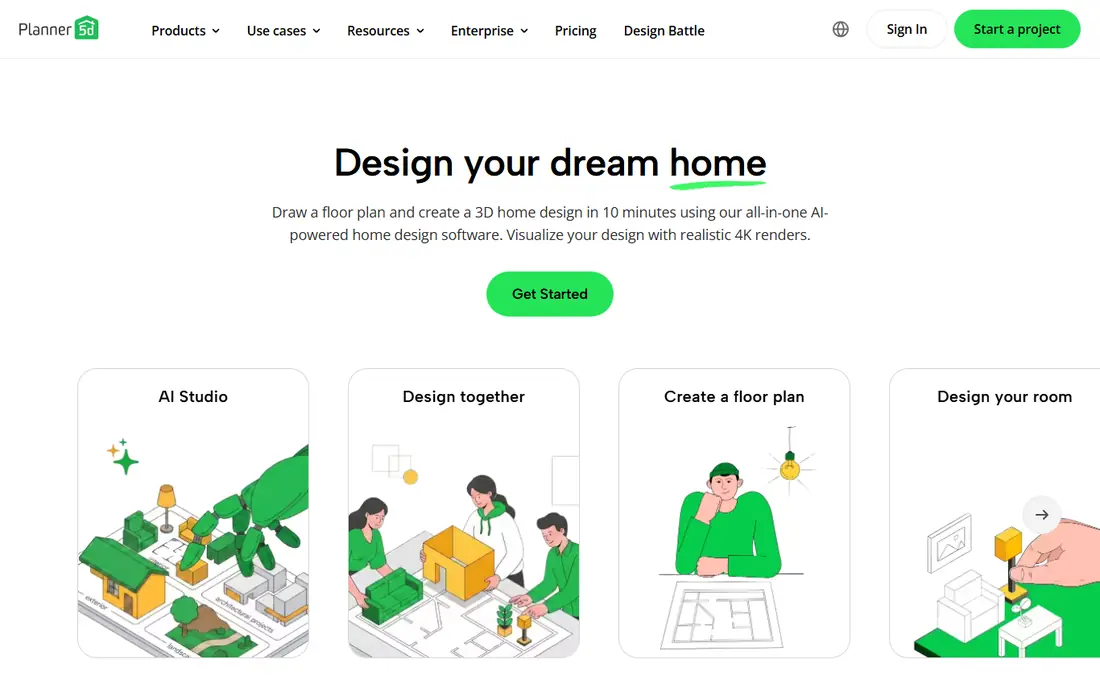
Planner 5D is our pick for most people who want to redesign a room without learning design software. You draw walls, drag in furniture, switch between 2D and 3D views and try layouts in minutes. The catalogue covers sofas, tables, beds, kitchens and decor, and you can change colours, materials and sizes to match what you already own. It works on the web and on mobile, so you can plan on a laptop and tweak a layout on a phone in a shop.
The free plan is useful, but it limits part of the catalogue and the number of high-quality renders. If you want a photorealistic snapshot of every room, a paid plan will be needed. Planner 5D is also not a full building design tool, so it is less suited to structural changes or permit drawings. For decorating, furniture placement and trying ideas before you buy, it is the easiest app on this list to pick up and use.
- Simple drag-and-drop 2D and 3D planning
- Large furniture catalogue
- Works on web, mobile and desktop
- Full catalogue and high-quality renders need a paid plan
- Advanced building features are limited
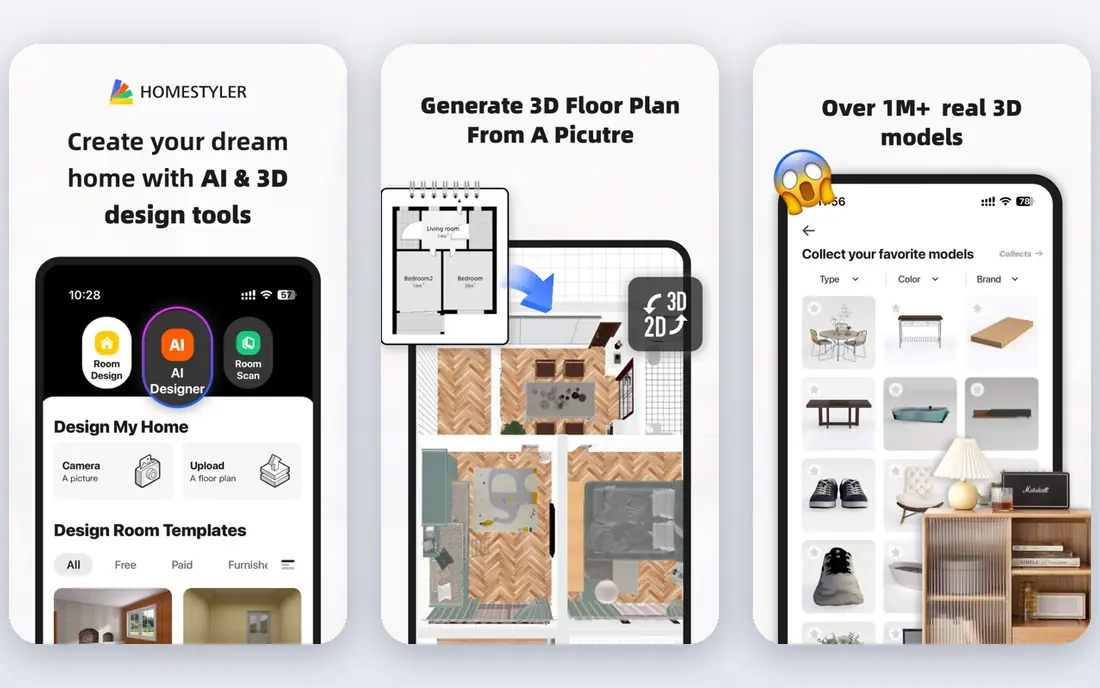
Homestyler is a good choice if you want to see how a room could look, not just a flat plan. You can draw a floor plan, furnish it in 3D and render a lifelike image, or upload a photo and try a new style on that photo. That visual step helps when you are choosing colours, flooring or a sofa, because a rendered image shows light and texture better than a top-down plan. The furniture library is broad, and the app is easy to use on a phone or in a browser.
The trade-off is precision. Homestyler is strong on visuals, but it is less strict about measured construction drawings than a dedicated floor plan tool. Higher-resolution renders and some advanced features also sit behind paid plans. Homestyler suits a homeowner or renter who wants to visualise a redesign and share images with family or a decorator. For a builder-ready plan, pair it with a measured tool, or choose RoomSketcher instead.
- Easy floor plans plus 3D and photo renders
- AI tools to restyle a room photo
- Large furniture and decor library
- Higher-quality renders and some features need a paid plan
- Measured precision is less strict than RoomSketcher
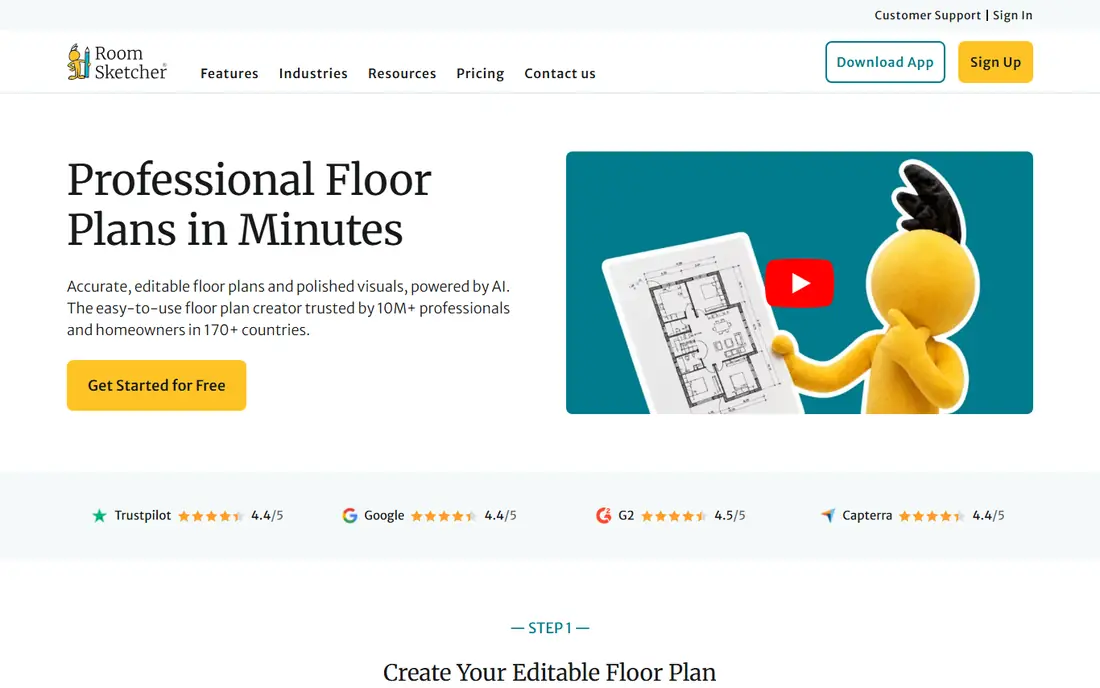
RoomSketcher is the pick when measurements matter. You draw walls to scale, add doors and windows, furnish rooms and view the result in 3D, with a walkthrough that helps you spot tight doorways or awkward furniture placement. That measured approach suits renovation planning, property listings and anyone who needs to show a builder or estate agent a clear plan. The 2D plans are clean and easy to read, which matters when a plan is shared with someone else.
The free plan is limited, and the full furniture library, measured features and high-quality exports need a paid plan. That cost is worth it if you are planning a real renovation or selling a home, but it is more than a casual decorator may want to pay. RoomSketcher is best for a serious project where scale, door swings and room sizes must be right. For quick decorating ideas, Planner 5D will feel faster and cheaper.
- Measured 2D floor plans plus 3D walkthroughs
- Good for property listings and renovation plans
- Clear export options on paid plans
- Full furniture library and measured features need a paid plan
- Free plan is limited
Houzz is less a planner and more a source of ideas, products and professionals. You can browse millions of room photos, save ideas to boards, preview some products in your room with augmented reality and find local designers, builders and tradespeople. That makes it a strong starting point for a renovation, because you can collect a style, find similar products and contact a pro from the same app. The core app is free, which makes it easy to use alongside a planner.
The limit is that Houzz does not replace a measured plan. You cannot draw a scaled floor plan and hand it to a builder in the same way as RoomSketcher, and product availability and pro listings vary by region. Use Houzz for inspiration, product research and finding help, then use Planner 5D or RoomSketcher for the plan itself. As a free ideas tool, it is hard to beat, provided you treat photos as inspiration, not as a substitute for measurements.
- Huge library of room photos and ideas
- AR preview for some products
- Links to professionals and products
- Not a measured floor plan tool
- Shopping and pro features vary by region
HomeByMe suits buyers who want to see real products in a room before they buy. You plan a room in 2D, switch to 3D and furnish it with brand-name items, then view a photorealistic image that shows how a sofa, table or cabinet might look in context. That helps avoid the common mistake of buying furniture that is the wrong scale or colour for a room. The planning tools are simple enough for a home user, and the visuals are clear enough to share with family.
The catch is catalogue and render limits. Not every brand is available in every region, and higher-quality renders and some features need a paid plan. HomeByMe is also a decorating tool, not a construction drawing tool, so it will not produce permit-ready plans. It is best for a shopper who has a shortlist of real products and wants to test them in a room first. For a full renovation plan, use it beside a measured planner.
- Photorealistic 3D visuals with real brand furniture
- Simple 2D and 3D planning
- Good for testing products before buying
- Full features and higher renders need a paid plan
- Catalogue depth varies by brand and region
magicplan is different from the other apps here, because it starts with your real room. Point a phone camera around a room, and the app builds a floor plan, which you can then edit, measure and annotate with photos and notes. That is useful for renovation quotes, insurance records, property work and anyone who does not want to measure every wall by hand. The ability to add notes and photos to a plan makes it practical for tradespeople as well as homeowners.
Scan accuracy is the honest limit. Results depend on the phone, lighting, room shape and clutter, so a scanned plan should be checked against a tape measure before it is used for ordering or building work. The free plan allows a limited number of projects, and full exports need a paid plan. magicplan is best as a fast starting point for a real room, especially for renovation and documentation. For a polished, measured plan, refine the scanned result in RoomSketcher or Floorplanner.
- Scan a room with a phone camera to create a floor plan
- Add photos, notes and measurements
- Useful for renovation and insurance work
- Scan accuracy depends on the phone and room conditions
- Full export and project features need a paid plan
Floorplanner is the quickest browser option for a clean floor plan. You open a web page, draw rooms, add furniture and view the plan in 2D or 3D, without installing software. That speed makes it popular with estate agents, landlords and homeowners who need a presentable plan fast. Sharing links make it easy to send a plan to a partner, agent or builder, and the interface is simple enough for a first-time user.
The free plan limits the number of projects and the export options, and some advanced features use credits or a paid plan. Floorplanner is not as deep as a desktop design tool for complex builds, and its furniture catalogue is more practical than decorative. It is best for quick, clear plans in a browser, especially for property and rental work. For a detailed decorating project with a large catalogue, Planner 5D or Homestyler will give you more visual choice.
- Fast floor plans in a browser with no install
- 2D and 3D views
- Easy sharing links for clients and family
- Free plan limits projects and exports
- Advanced features use credits or a paid plan
Sweet Home 3D is the best free, offline option on this list. It is open source, runs on Windows, Mac and Linux, and lets you draw a home in 2D, furnish it and view it in 3D, without a subscription or an internet connection. You can import extra furniture models, change wall colours and materials, and print or export plans. For a user who refuses subscriptions, or who works offline, that freedom is a real advantage.
The interface looks dated, and the built-in furniture library is basic compared with Planner 5D or Homestyler. You will need to find and import extra models for a polished result, which takes time. Sweet Home 3D suits a patient user who wants a free, private, offline planner and does not mind a plain interface. For a quick, pretty render on a phone, a modern app will be faster. For a no-cost desktop plan you own outright, Sweet Home 3D is hard to beat.
- Fully free and open source
- Works offline on desktop
- 2D plans with 3D views and import options for furniture models
- Dated interface
- Furniture library is basic unless you import extra models
How we picked these
We compared official feature pages, pricing pages, app store listings and public reviews. We looked for apps that plan to scale, offer 2D and 3D views, include a usable furniture catalogue and allow sharing or export. We gave weight to free plans that a real user can test, and to tools that cover different jobs, from ideas and shopping to measured plans and room scanning. We did not claim hands-on testing that did not happen, and we did not invent prices or ratings. Where pricing was not clear on the vendor site, we marked it as See website.
How to choose an interior design app
Start with the job, not the app with the most features. If you want to decorate a room, Planner 5D or Homestyler will be fastest. If you need a plan for a builder or an estate agent, RoomSketcher or Floorplanner will be more useful. If you want ideas and products, start with Houzz, then move to a planner once you have a style in mind. If you have a real room to document, magicplan will save measuring time.
Check measurements, renders and exports early
Free plans often limit the exact features that matter at the end of a project. Before you build a whole home in an app, test three things: draw one room to scale, render it at the quality you want to share, and export or print the plan. If any of those steps needs a paid plan, you will know the real cost before you invest hours. Also check whether furniture sizes are true to scale, because a pretty render with wrong sizes can lead to a costly buying mistake.
Use photos and samples beside the app
An app render is a guide, not a guarantee. Colours look different in real light, fabrics feel different in hand, and flooring samples change a room more than a screen suggests. Order samples, measure doorways and stairwells, and check delivery sizes before you order large furniture. Keep a simple list of room measurements on paper too, so a phone battery or app limit does not stop work on site.
Frequently asked questions
What is the best interior design app?
Planner 5D is the best starting point for most home users, because it is easy, works on web and mobile, and covers 2D and 3D planning. RoomSketcher is better for measured plans, Homestyler is better for lifelike renders, and Houzz is better for ideas and shopping. The best app depends on whether you are decorating, renovating or shopping for furniture.
What is the best home design app for beginners?
Planner 5D and Homestyler are the easiest for beginners, with drag-and-drop planning and clear 3D views. Floorplanner is also simple if you only need a quick browser plan. Sweet Home 3D is free, but its interface takes more patience. Start with a free plan, draw one room, and only pay when you need more renders or a larger catalogue.
What is the best interior design software for professionals?
RoomSketcher and Floorplanner suit professionals who need measured plans and sharing links for clients. For full building design, a desktop tool with construction features will be needed, which is a step beyond the apps on this list. Designers who need brand-name visuals should also look at HomeByMe and Homestyler for client presentations.
What is the best app for interior design on a phone?
Planner 5D and Homestyler work well on phones, with touch planning and 3D views. Houzz is also strong on mobile for ideas and AR previews, and magicplan uses the phone camera to scan rooms. For detailed measured work, a larger screen on a tablet or computer will still be easier than a small phone screen.
Can I design a room for free?
Yes, several apps offer free plans, including Planner 5D, Homestyler, RoomSketcher, Floorplanner and Sweet Home 3D. Free plans usually limit renders, furniture choices or exports, so check those limits before a large project. Sweet Home 3D is fully free, while the others offer a free tier with paid upgrades for more renders and features.
How accurate are room scanning apps?
Room scanning apps such as magicplan give a useful starting plan, but accuracy depends on the phone, lighting and room shape. Always check scanned measurements with a tape measure before ordering furniture, flooring or building work. Scanning is best for a fast draft and documentation, while a measured planner is better for a final plan you will hand to a builder.
Sources we checked (8)

Online Jobs is an independent blog about careers, online work, learning new skills and the tools that help people earn. More about us.
Keep reading
All posts
Best AI Interior Design App
Looking for the best AI interior design app? We compare 8 apps for photo redesigns, 3D room planning, virtual staging, and shoppable designs in 2026 now.

Surfshark Alternatives
Looking for Surfshark alternatives? We compare 8 VPN services on price, privacy, streaming, and device limits to help you find a VPN that fits your needs.

Spotify Alternatives
Looking for Spotify alternatives? We compare 8 music services on price, sound quality, free tiers, and catalogs to help you find a good alternative to Spotify.