Best app for tracking expenses and receipts in 2026: 9 apps Compared

How we put this together: we compare official feature and pricing pages, app store listings, privacy policies and public user reviews. Prices change, so check the provider's site before you pay.
Key takeaways
- Expensify is the strongest all-round choice for employee expenses, receipt scanning, and approvals.
- Zoho Expense offers the best value free tier for small teams, with real scanning and reporting included.
- Dext suits businesses that work closely with an accountant and need high-quality document capture.
- Shoeboxed is unique for paper receipts, thanks to its mail-in scanning service.
- QuickBooks Online and Wave make sense if receipt capture should live inside the accounting software you already use.
Quick comparison
| Name | Who it suits | Starting price | Free option | |
|---|---|---|---|---|
 Expensify | Employee expense reports | Free | Yes | Visit |
 Zoho Expense | Value for small teams | Free | Yes | Visit |
 Dext | Accountant-led capture | See website | Free trial | Visit |
 Shoeboxed | Mail-in paper receipts | See website | Free trial | Visit |
 QuickBooks Online | Receipts inside accounting | See website | Free trial | Visit |
 Wave | Budget bookkeeping | Free | Yes | Visit |
 FreshBooks | Simple invoicing plus expenses | See website | Free trial | Visit |
 Ramp | Card-led company spending | See website | Free trial | Visit |
 Pleo | Company cards plus expenses | See website | Free trial | Visit |
The best app for tracking expenses and receipts
Tracking expenses is not only about saving receipts. A good app scans a receipt, pulls out the merchant, date, and total, categorises the spend, and sends it to the right report or accounting file. That chain matters, because a scanned receipt that sits in a phone gallery does not help at tax time or month-end.
The apps below cover personal, freelance, and team use. Some focus on employee reports, others on bookkeeping, and one even lets you post paper receipts in an envelope. Choose by who submits expenses, who approves them, and where the data needs to end up.
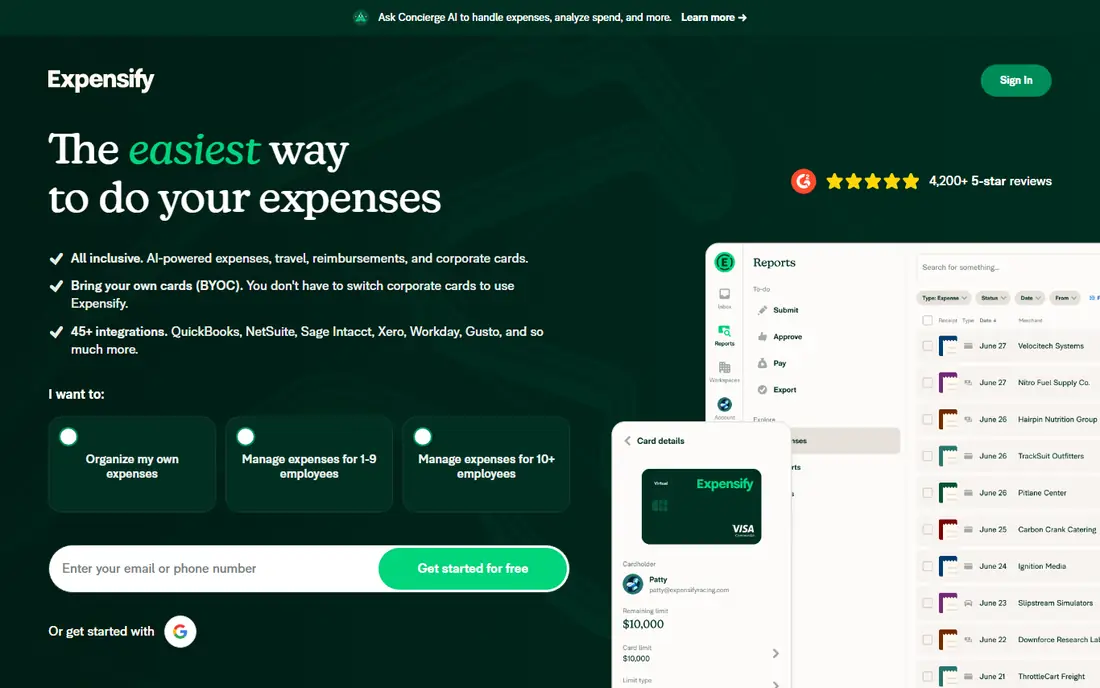
Expensify is our pick for the best expense tracking app for teams. Staff photograph a receipt, SmartScan pulls out the key details, and the expense flows into a report for approval and reimbursement. For teams, matching a receipt to a card transaction helps avoid duplicates and keeps reports tidy.
Individuals can use Expensify free for personal receipts, though the full value appears in a workspace with approvals and accounting links. If you manage employee expenses regularly, Expensify is the closest thing to a default in this category, with a workflow that scales from a small team to a larger company.
- SmartScan receipt capture with card matching for teams
- Expense reports, approvals, and reimbursements in one app
- Supports many currencies
- Pricing and plan structure can feel complex
- Some features depend on workspace setup
- Individual free use is more limited than team plans
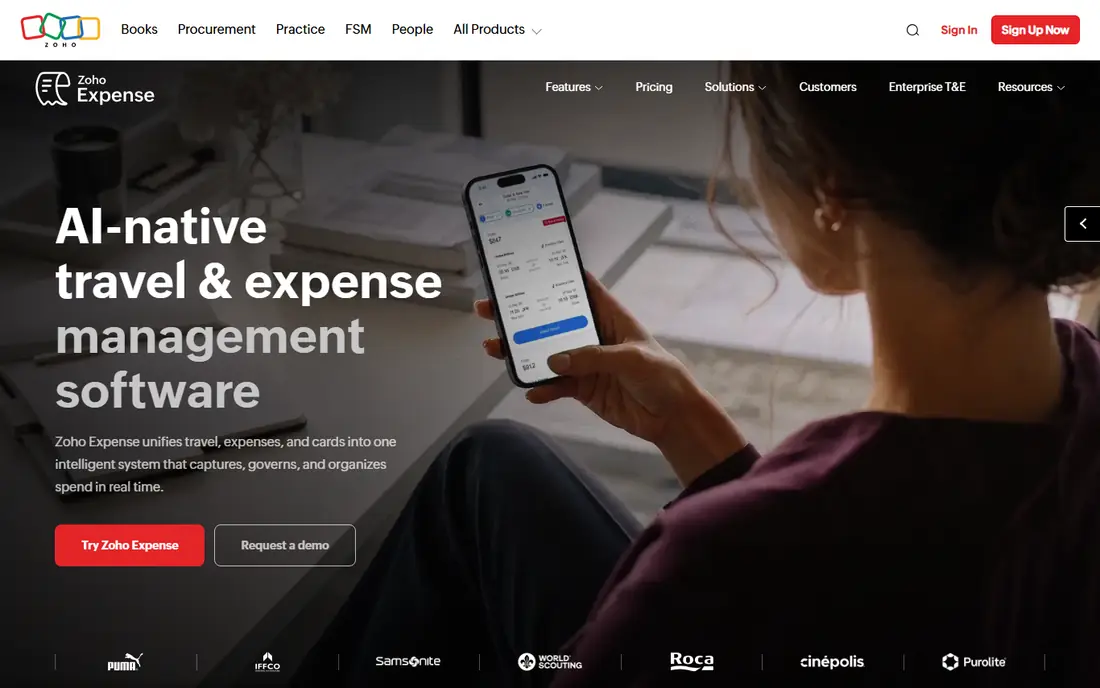
Zoho Expense is the value pick in this list. Its free tier supports a small team with receipt scanning, expense reports, and approvals, rather than a stripped-down demo. Paid plans stay low-cost for small businesses, which makes Zoho Expense easy to justify for freelancers and early-stage teams.
The scan quality and accounting depth are not as strong as Dext for high-volume bookkeeping, but for everyday expenses, travel, and mileage, Zoho Expense covers the basics well. If you already use Zoho Books or other Zoho apps, the integration makes it an even stronger choice.
- Free plan for up to three users with real scanning and reports
- Mileage tracking and multi-currency support
- Links well to Zoho Books
- Free plan limits monthly scans
- OCR quality is basic compared with specialist capture tools
- Best value inside the Zoho ecosystem
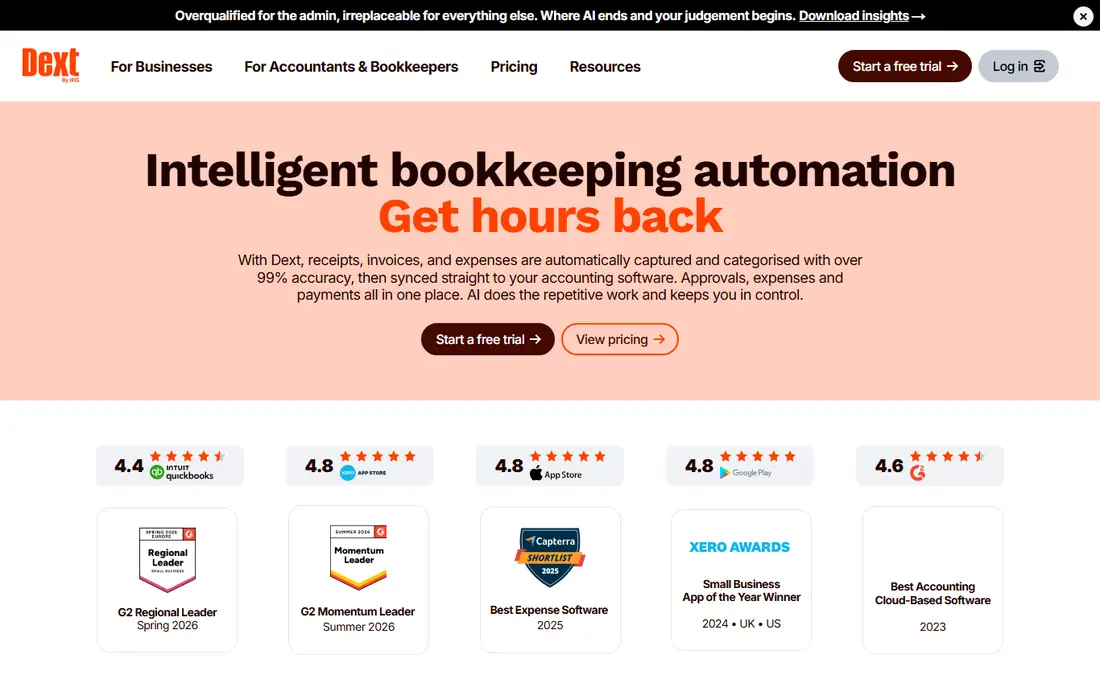
Dext, formerly Receipt Bank, is built for the accountant-and-client workflow. It extracts line items and tax details from receipts and invoices, fetches documents from suppliers where supported, and pushes coded data into accounting software. That accuracy matters when a bookkeeper processes many clients and needs data they can trust.
Dext costs more than a simple expense app, because the buyer is often a practice or a growing business with high document volume. Solo users with a handful of receipts a month may not need its depth. For businesses that hand receipts to an accountant, Dext can cut manual entry and month-end queries noticeably.
- High-quality receipt and invoice extraction
- Automatic fetching from suppliers
- Clean data flow into QuickBooks, Xero, and Sage
- Higher price than consumer expense apps
- Best value when an accountant or bookkeeper manages the flow
- Document limits vary by plan
Shoeboxed stands out for one reason. If your receipts are still mostly paper, you can post them in a prepaid envelope and Shoeboxed scans, categorises, and files them for you. That service suits people with a backlog of paper, such as a shoebox of receipts from a year of trading, as well as businesses that still receive many paper invoices.
Shoeboxed also supports digital scans, so you are not limited to mail. Its plans vary by scan volume and user count, so check the tier against your monthly receipt count. For paper-heavy users, no other app in this list offers the same hands-off digitising route.
- Mail-in Magic Envelope for paper receipts
- Digital scanning and categorisation
- Useful archive for tax records
- Mail-in service suits US users best
- Plans are priced by volume
- Less suited to real-time employee expense approvals
QuickBooks Online makes sense if you already keep your books in QuickBooks. Receipt capture is built in, so a photographed receipt becomes an expense in the same system you use for invoicing, bank reconciliation, and reporting. That single-system flow reduces copying between apps and keeps tax categories consistent.
Buying QuickBooks only for receipt scanning would be costly, so judge it as accounting software first. For small businesses that need invoicing, expenses, and reporting together, the built-in capture is a strong advantage and removes the need for a separate receipt app for many users.
- Receipt capture built into widely used accounting software
- Expenses flow straight into books and tax categories
- Strong reporting and invoicing
- Subscription cost for the full accounting suite
- Receipt capture alone may not justify the price
- Interface has many features to learn
Wave suits freelancers and micro-businesses that want free accounting and invoicing without a monthly fee for the core tools. You can track income and expenses, send invoices, and keep basic books in one place. Receipt scanning sits on a paid plan, so check that cost if scanning is your main need.
Wave is not built for large teams or complex approvals, but for a solo operator, its free core is a strong starting point. If your receipt volume is low and you mainly need clean books and invoices, Wave offers good value without a subscription for the basics.
- Free accounting and invoicing for small businesses
- Receipt scanning on paid plans
- Simple interface for freelancers
- Receipt scanning is not on the free plan
- Features are lighter than QuickBooks for larger businesses
- Support and bank connections vary by region
FreshBooks is a good pick for freelancers and service businesses that invoice clients and track expenses together. You can capture a receipt, attach it to an expense, and see project profitability without learning full accounting software. The interface is friendly, and client documents look professional.
FreshBooks is less suited to businesses with complex inventory or multi-entity accounting, where a full accounting suite fits better. For consultants, designers, coaches, and other service providers, FreshBooks balances invoicing and expense tracking well in one app.
- Easy invoicing, expenses, and time tracking for freelancers
- Receipt capture and expense organisation
- Clean client-facing documents
- Accounting depth is lighter than QuickBooks for complex books
- Pricing rises with clients and features
- Best for service businesses rather than stock-heavy firms
Ramp takes a card-first approach to expenses. Staff spend on a company card, the transaction appears with receipt prompts, and finance can set limits and approval rules in advance. That control helps companies reduce out-of-pocket claims and see spending in real time, rather than waiting for month-end reports.
Ramp is not a personal expense diary. It fits startups and growing companies that want to control card spending and automate much of the expense process. If your team already uses company cards, Ramp can replace a separate claim workflow and give finance clearer, faster data.
- Company cards with built-in expense controls
- Receipt capture linked to card transactions
- Spend insights and approval workflows
- Card-led model suits companies, not solo personal tracking
- Setup needs a business account
- Features vary by region and plan
Pleo combines company cards with expense capture in a way that suits European and UK teams in particular. Employees pay with a Pleo card, photograph the receipt, and finance sees the spend categorised and ready for accounting. Limits and approvals help prevent overspending before it happens, rather than catching it in a report later.
Pleo is less useful for a solo freelancer who does not need company cards. For a team that wants cards, receipts, and accounting links in one system, Pleo is a strong alternative to Expensify and Ramp, with a focus on simple team controls and clear spending views.
- Company cards paired with receipt capture
- Spending limits and categories for teams
- Integrations with accounting software
- Receipt OCR and some features depend on plan
- Pricing varies by region
- Best for teams rather than solo users
How we picked these
We checked official product pages, pricing pages, and help documentation for each app, along with public comparisons of receipt scanning and expense workflows. We kept only apps that are live in October 2026, genuinely scan or capture receipts, and support expense tracking beyond a simple photo gallery. Where pricing was not clearly confirmed on the vendor site, we used See website.
We also judged apps on the full journey, from photo to accounting file. An app ranks higher when it extracts data accurately, categorises spend, supports approvals where needed, and connects to accounting software, because those steps decide whether expense tracking actually saves time.
Making expense tracking stick
The best app is the one you use consistently. Photograph receipts on the day you spend, rather than saving them for month-end, because faded thermal receipts and forgotten trips are hard to reconstruct later. A daily habit of two minutes beats a monthly session of two hours.
Photograph receipts well
Use good light, flatten the receipt, and include the merchant, date, total, and tax lines in the frame. Check the extracted data before you save, especially for totals and tax, since a wrong amount can affect a claim or a tax record. Keep the original photo attached, even after the data is extracted, as your audit record.
Set categories once, then reuse them
Agree on a short category list that matches your accounting or tax needs, such as travel, meals, software, and office costs. Too many categories create confusion, while too few make reporting useless. Most apps let you set rules for repeat merchants, which saves time and keeps categories consistent.
Reconcile weekly, not yearly
Review uncategorised expenses, missing receipts, and unapproved reports once a week. That rhythm catches errors early, keeps reimbursements prompt, and makes tax time far less stressful. For teams, a weekly review also shows whether card limits, approval rules, or receipt prompts need adjustment.
Frequently asked questions
What is the best app to track spending?
Expensify is our top pick for team expense tracking, thanks to receipt scanning, reports, and approvals in one app. For personal spending, a budgeting app or a simple expense tracker may be enough, but for receipts and reimbursements, Expensify, Zoho Expense, and Dext are stronger choices.
What is the best expense tracking app?
The best expense tracking app depends on your use. Expensify leads for employee expenses, Zoho Expense leads on value for small teams, and Dext leads for accountant-led bookkeeping. QuickBooks Online is best if you want expenses inside full accounting software.
What is the best receipt and expense tracking app?
Expensify and Zoho Expense both combine receipt scanning with expense reports, while Dext focuses on high-quality capture for accounting. Shoeboxed is best if your receipts are mainly paper, thanks to its mail-in service. Choose by whether you need approvals, accounting links, or paper digitising most.
Can I track receipts and expenses for free?
Yes, for basic use. Expensify and Zoho Expense offer free tiers, and Wave offers free accounting with receipt scanning on a paid plan. Free tiers usually limit scans, users, or features, so check monthly volume before you rely on a free plan for a busy business.
How accurate is receipt scanning?
Receipt scanning is generally accurate for merchant, date, and total on clear photos, but it can struggle with faded, crumpled, or handwritten receipts. Always check extracted totals and tax before saving, and keep the original image as your record. Specialist tools such as Dext tend to extract more line-item detail than general expense apps.
Should expenses go straight into accounting software?
Yes, where possible. Sending expenses directly to QuickBooks, Xero, Sage, or Zoho Books reduces manual entry and keeps tax categories consistent. If your expense app does not connect to your accounting system, export regularly and reconcile the data, rather than letting a backlog build up.
Sources we checked (9)

Online Jobs is an independent blog about careers, online work, learning new skills and the tools that help people earn. More about us.
Keep reading
All posts
Top AI Financial Software
Searching for top AI financial software? We compared 9 AI finance tools for AP, spend, close, forecasting and bookkeeping to help teams choose wisely.

Quicken Alternatives
Compare the best quicken alternatives for Mac, Windows, and small business owners, from Monarch Money and YNAB to Copilot, Tiller, and Banktivity in 2026.
QuickBooks Online Alternatives
Looking for quickbooks online alternatives? We compared 8 accounting tools on invoicing, bank feeds, payroll, pricing and fit for small businesses today.