Best AI Interior Design App in 2026: 8 Apps Compared

How we put this together: we compare official feature and pricing pages, app store listings, privacy policies and public user reviews. Prices change, so check the provider's site before you pay.
Key takeaways
- RoomGPT suits fast photo redesigns, with a simple upload, style choice, and result workflow.
- Planner 5D suits full room planning, with 2D floor plans, 3D design, and a large furniture catalogue.
- Homestyler suits free 3D design, with unlimited 1K renders and a large free model library.
- Interior AI and REimagineHome suit virtual staging and style exploration at volume.
- AI results are starting points, not final plans, so check dimensions, light, and furniture sizes before buying.
Quick comparison
| Name | Who it suits | Starting price | Free option | |
|---|---|---|---|---|
 RoomGPT RoomGPT | Fast photo redesigns | See website | Free trial | Visit |
 Planner 5D Planner 5D | Full 2D and 3D planning | Free | Yes | Visit |
 Homestyler Homestyler | Free 3D design | Free | Yes | Visit |
 Interior AI Interior AI | Style exploration and staging | See website | Free trial | Visit |
 REimagineHome REimagineHome | Photorealistic staging | See website | Yes | Visit |
 Spacely AI Spacely AI | Generous free redesigns | See website | Yes | Visit |
 Coohom Coohom | Professional 3D visualisation | See website | Free trial | Visit |
 IKEA Kreativ IKEA Kreativ | IKEA furniture in your room | Free | Yes | Visit |
The best AI interior design apps
AI interior tools fall into two groups. Photo tools restyle a picture of your room, while planning tools let you build a room in 2D or 3D with real dimensions and furniture. The best choice depends on whether you want quick ideas, a staging image for a listing, or a plan you can actually build from. The eight apps below cover those jobs.

RoomGPT is the simplest way to see your room in a new style, because the workflow is upload a photo, pick a style, and view a redesigned image. That speed makes it ideal for a first brainstorm, when you want to test ten styles before committing to paint, furniture, or a layout change. The results are visual ideas rather than measured plans, which is fine for inspiration. The limits are pricing transparency and depth. Prices and credit packs are shown after sign-in in some cases, so check the cost before generating many images. RoomGPT also does not build a measured floor plan, so pair it with Planner 5D or Homestyler when you need dimensions and a shopping plan.
- Very simple upload workflow
- Fast style variations
- Good for quick inspiration
- Prices shown at checkout in some cases
- No full 3D planning or floor plan tools
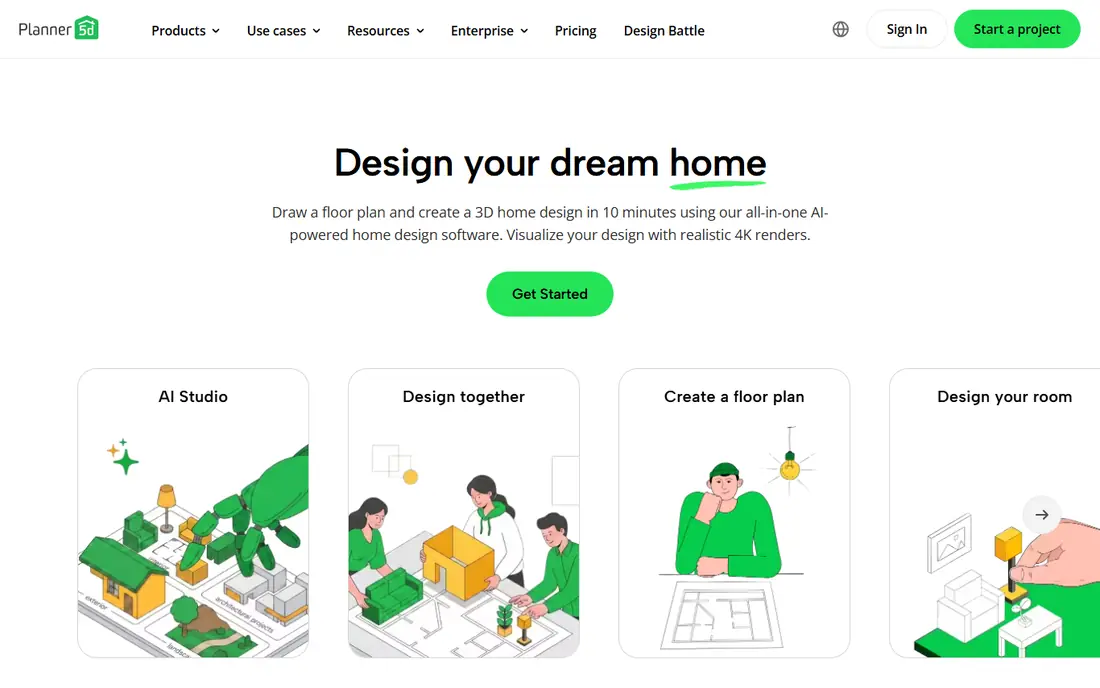
Planner 5D is the all-rounder for people who want to move from an idea to a plan. You can draw a floor plan in 2D, view it in 3D, add furniture from a large catalogue, and render the result for a realistic preview. AI tools help recognise plans and generate rooms, which speeds up the early stages for renovation projects. The free plan covers core planning, while premium features, extra catalogue items, and higher-quality renders sit behind a subscription. Planner 5D suits homeowners planning a renovation, renters testing layouts, and anyone who needs to check whether furniture actually fits before buying.
- 2D and 3D room planning
- AI plan recognition
- Large furniture catalogue and rendering
- Premium features need a paid plan
- Detailed renders take time on larger projects

Homestyler offers one of the most generous free plans in this list, with unlimited 1K renders and a large free furniture library. That makes it a strong pick for users who want to design in 3D without paying up front, whether for a single room or a whole home. Floor planning, 3D modelling, and moodboard tools cover most home projects in one app. Paid plans add higher-resolution renders, pro tools, and extra catalogue access, which matter for professional presentations. The interface also takes a little time to learn for advanced modelling, though basic room design is approachable. Homestyler fits budget-conscious designers who want a capable free 3D tool.
- Free plan with unlimited 1K renders
- Large free furniture library
- Floor planning and 3D modelling
- Higher-resolution renders and pro tools need a paid plan
- Learning curve for advanced modelling
Interior AI is built for fast style exploration, turning a room photo into many style variations in minutes. That breadth helps homeowners who are unsure which style they like, and agents who need staging images for listings. Sketch-to-render options also help designers turn a rough idea into a visual concept for clients. There is no permanent free plan, only a trial or limited free allowance depending on current terms, and higher-volume plans are priced for professionals. Interior AI suits users who need many variations quickly and are willing to pay for volume, rather than casual users who want one free redesign.
- Many interior styles
- Fast photo redesigns
- Virtual staging and sketch-to-render options
- Trial rather than a permanent free plan
- Volume pricing suits professionals more than casual users
REimagineHome focuses on photorealistic results, which matters when a staging image will be used in a property listing or a client presentation. It covers interior redesign, virtual staging, object removal, and exterior visualisation, so agents and homeowners can test a room, a garden, or a facade in one tool. The conversational flow also helps users who are new to design tools. Free designs are limited, so regular use needs a monthly plan. REimagineHome suits real estate staging and serious redesign projects where image quality matters, while casual users may prefer a free trial elsewhere for a single idea.
- Photorealistic redesigns
- Virtual staging for listings
- Object removal and exterior options
- Free designs are limited
- Monthly plans needed for regular use
Spacely AI stands out for its free allowance, with trial credits that let new users test many redesigns without a watermark in many cases. That generosity makes it a good first test for anyone who wants to compare AI redesign quality before paying. The workflow is fast, with style choices and room types that cover common home projects. It is a smaller service than Planner 5D or Homestyler, so support, tutorials, and catalogue depth are less extensive. Spacely AI fits users who want free, fast redesigns and are happy to move to a planning tool once they have chosen a direction.
- Generous free trial credits
- Watermark-free trial renders in many cases
- Fast redesigns
- Smaller brand and support range than Planner 5D
- Paid plans needed for heavy use
Coohom is the professional end of this list, with AI floor-plan recognition, auto layouts, 3D modelling, and 4K rendering for client presentations. Retailers and designers use its branded furniture catalogues to show real products in a planned room, which helps clients approve a design before ordering. The presentation tools are stronger than consumer-only apps. Pricing reflects that professional focus, with a trial rather than a permanent free plan and paid tiers for regular use. Coohom suits designers, retailers, and serious renovators who need accurate, presentable 3D work, while casual users will find Planner 5D or Homestyler easier and cheaper.
- Full 3D planning
- AI floor-plan recognition
- 4K rendering and client presentation tools
- Trial rather than a permanent free plan
- Professional pricing suits designers and retailers
IKEA Kreativ answers a practical question that generic AI tools cannot, which is how a specific IKEA sofa, shelf, or table will look in your actual room. You scan your room in the IKEA app, remove existing furniture in the view, and place IKEA products to test size, colour, and layout. Shopping integration then lets you buy the pieces you chose. The limit is obvious, since only IKEA products are available, so it cannot plan a room with mixed brands. Scanning quality also depends on phone, lighting, and room tidiness. IKEA Kreativ fits IKEA shoppers perfectly, and it pairs well with a planning tool when you need a full room plan beyond IKEA pieces.
- Free to use in the IKEA app
- Places real IKEA furniture in a scan of your room
- Shopping integration
- Limited to IKEA products
- Room scanning quality depends on your phone and lighting
How we picked these
We compared official feature pages, pricing pages, app store listings, and public plan notes for AI interior tools that cover photo redesign, 3D planning, staging, and shoppable design. We favoured tools with a clear free or trial starting point, a stated platform, and a distinct job, so readers are not choosing between eight near-identical photo filters. We also noted render limits, catalogue size, and whether a tool offers measured planning or only visual ideas. We did not claim hands-on rendering tests for every tool, and we did not rank by image beauty alone. The picks reflect workflow, planning depth, free allowance, and fit for homeowners, agents, and professionals. Prices and credit allowances change often, so check the vendor pricing page and app store listing before buying credits or a subscription.
Choosing the right AI interior design app for you
Start with the output you need. A photo redesign is enough for inspiration, a staging image is enough for a listing, and a measured 3D plan is needed for a renovation or a furniture purchase. Using the wrong tool for the job leads to pretty images that do not fit your room.
Use good photos and check dimensions
Take well-lit photos from a corner that shows walls, windows, and furniture clearly, and generate several variations of the same room before deciding. Always check dimensions, door swings, and furniture sizes against the real room, since AI images can distort scale. A tape measure and a floor plan matter more than a perfect render.
Pair a photo tool with a planning tool
Use RoomGPT, Interior AI, or Spacely AI for style ideas, then rebuild the winning direction in Planner 5D or Homestyler with real measurements. That two-step workflow gives you both inspiration and a plan you can shop from. For IKEA purchases, add IKEA Kreativ to test specific products in your scanned room.
Frequently asked questions
What is the best AI interior design app?
RoomGPT is best for fast photo redesigns, Planner 5D is best for full 2D and 3D planning, and Homestyler is best for free 3D design. The best app depends on whether you want ideas, a staging image, or a measured plan. Many users pair a photo tool for ideas with a planning tool for dimensions.
Is there a free AI interior design app?
Yes, Planner 5D and Homestyler offer permanent free plans, and IKEA Kreativ is free in the IKEA app. RoomGPT, Interior AI, REimagineHome, Spacely AI, and Coohom offer free trials or limited free designs, with paid plans or credit packs for more use. Check the free allowance in the app before generating many images.
What is the best AI tool for interior design staging?
REimagineHome and Interior AI are the strongest picks for virtual staging, thanks to photorealistic results and volume options for listings. Collov AI, not covered in full here, is another staging-focused option worth checking for real estate use. For a single listing, use a free trial first and compare image quality on the same room photo.
Can AI design a whole house?
Yes, but work in order, starting with a floor plan, then a shared palette, then the most-used rooms first. Designing room by room without a shared palette often produces rooms that feel unrelated. A planning tool such as Planner 5D or Homestyler helps keep dimensions and style consistent across rooms.
Are AI interior designs accurate?
AI redesigns are visual concepts, not measured plans, so they can distort scale, furniture size, and light. Always verify dimensions, check that furniture fits through doors and in the room, and confirm colours in real light before buying. Treat AI images as a starting point for a plan, not as a final specification.
What is the best AI app for interior design on a phone?
Planner 5D and Homestyler have the strongest mobile apps for building a room in 3D, while IKEA Kreativ is built for phone room scanning. RoomGPT and Interior AI work on mobile web, but they do not offer the same native app planning experience. Check app store reviews and in-app purchase lists before subscribing on a phone.
Sources we checked (8)

Online Jobs is an independent blog about careers, online work, learning new skills and the tools that help people earn. More about us.
Keep reading
All posts
Best Apps for Interior Design
Best apps for interior design compared for 2026, including room planners, 3D design, floor plans and shopping tools, with pros, cons and pricing notes.

Surfshark Alternatives
Looking for Surfshark alternatives? We compare 8 VPN services on price, privacy, streaming, and device limits to help you find a VPN that fits your needs.

Spotify Alternatives
Looking for Spotify alternatives? We compare 8 music services on price, sound quality, free tiers, and catalogs to help you find a good alternative to Spotify.