Best Travel Apps for Planning in 2026: 9 Apps Compared

How we put this together: we compare official feature and pricing pages, app store listings, privacy policies and public user reviews. Prices change, so check the provider's site before you pay.
Key takeaways
- Wanderlog is the best all round planner here, with a map, itinerary, budget tool, and collaboration in its free tier.
- TripIt is the best organizer for trips you have already booked, since it turns confirmation emails into one itinerary.
- Roadtrippers is the clear pick for road trips with many stops, especially in the US and Canada, with RV routing on paid plans.
- Most paid plans here cost under 50 dollars per year, so pick by workflow, not by price alone.
Quick comparison
| Name | Who it suits | Starting price | Free option | |
|---|---|---|---|---|
 Wanderlog Wanderlog | group trips and multi-city planning | Free | Yes | Visit |
 TripIt TripIt | organizing bookings into one itinerary | Free | Yes | Visit |
 Roadtrippers Roadtrippers | road trips with many stops | Free | Yes | Visit |
 Kayak Kayak | comparing flights, hotels, and cars | Free | Yes | Visit |
 Rome2Rio Rome2Rio | finding routes between places | Free | Yes | Visit |
 Polarsteps Polarsteps | tracking and sharing a trip as it happens | Free | Yes | Visit |
 PackPoint PackPoint | packing lists based on trip details | Free | Yes | Visit |
 Sygic Travel Sygic Travel | day by day city itineraries | Free | Yes | Visit |
 TripAdvisor TripAdvisor | reviews and saved places for a trip | Free | Yes | Visit |
The best travel apps for planning
Trip planning splits into two jobs: designing a trip before you book, and organizing bookings after you book. Wanderlog and Roadtrippers excel at the first job, TripIt excels at the second, and the rest fill gaps such as routes, packing, and tracking.
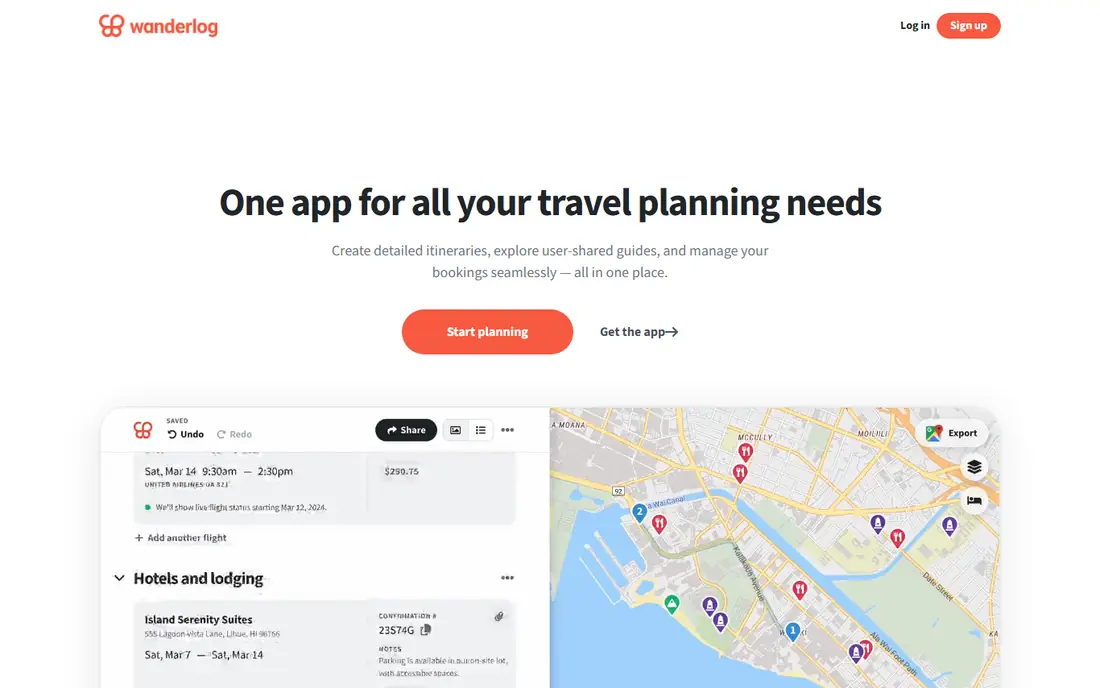
Wanderlog is our pick for most trip planners because it puts the map and the itinerary side by side. You can add places, reorder days, share the plan with travel companions, track a budget, and see recommendations, all in the free tier. That combination suits group trips and multi-city routes where the order of stops matters as much as the stops themselves.
The breadth can feel like a lot on a first visit, and a few useful extras sit behind Pro at 39.99 dollars per year, including offline access, route optimization, and automatic Gmail scanning. For a first trip, the free tier covers the core work well. Start with Wanderlog if you are still designing the trip, not just filing bookings.
- Map and itinerary in one view
- Live collaboration
- Budget tool and recommendations in the free tier
- Many features can feel overwhelming at first
- Pro needed for offline access and route optimization
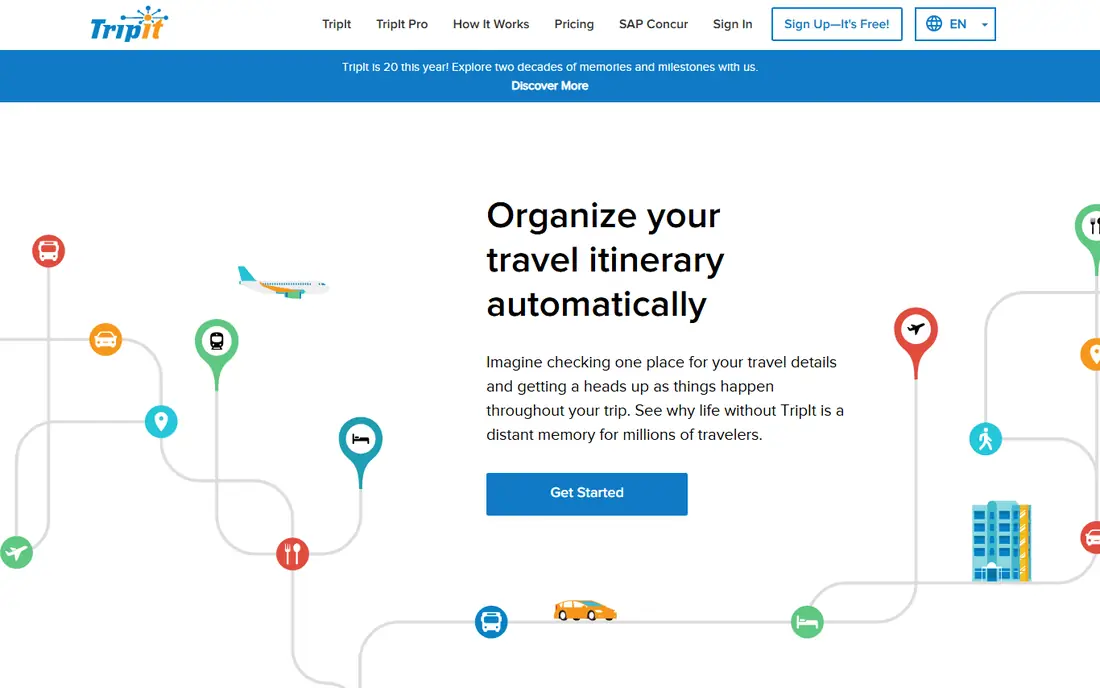
TripIt solves the after booking mess. Forward flight, hotel, rental car, and activity confirmations to TripIt, and it builds one chronological itinerary you can open on any device. That single view saves travelers from hunting through email at check in, and calendar export keeps the plan beside work and family events.
TripIt is less useful before you book, since it does not design routes or suggest an order for stops. Pro at 49 dollars per year adds real time flight alerts, fare and seat tools, and airport reminders. Choose TripIt when your bookings already exist and you need them organized, and pair it with Wanderlog if you also need to design the trip.
- Turns forwarded confirmation emails into one itinerary
- Calendar export
- Airport and travel day tools on Pro
- Weaker for designing a trip from scratch
- Real time alerts need Pro
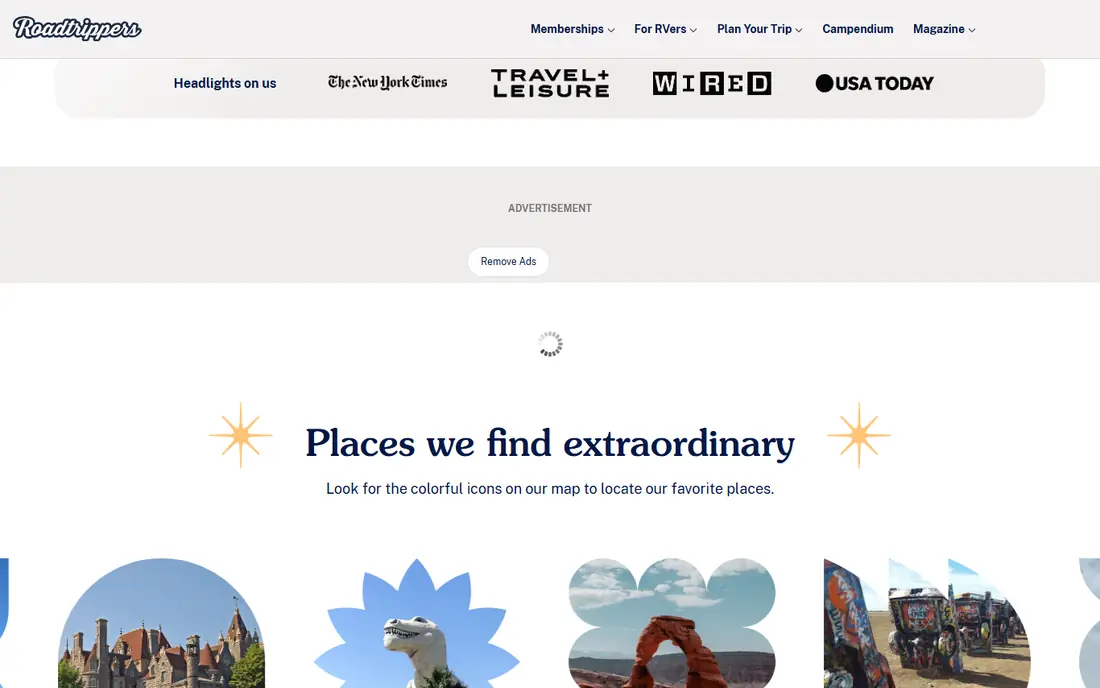
Roadtrippers is built for the specific problem in the search terms: map apps for road trips with stops. You set a route, add stops, and see places, fuel costs, and lodging along the way, with the itinerary updating as you reorder stops. Paid plans add more waypoints, RV safe routing in the US, and collaboration features, with Basic from 35.99 dollars per year.
Coverage is strongest in the US and Canada, with support also for Australia and New Zealand, so international road trips outside those regions need another tool. The free tier limits waypoints, so a long multi-stop drive will likely need a paid plan. For a US road trip, Roadtrippers is the clear first pick.
- Route planning with many waypoints
- Recommendations along the route
- RV and camping features on paid plans
- Best coverage in the US, Canada, Australia, and New Zealand
- Fuller waypoint limits need a paid plan
Kayak fits the planning stage where price decides the trip. It compares flights, hotels, and rental cars across booking sites, offers price alerts, and gives fare guidance that helps you decide whether to book now or wait. That price view complements an itinerary app, since a good plan still needs affordable transport and stays.
Kayak does not design a day by day route or manage a group budget the way Wanderlog does. Use it to price and book the pieces, then keep the full plan in Wanderlog or TripIt. For travelers on a budget, Kayak plus a planner app is a practical pair.
- Compares prices across many booking sites
- Price alerts and fare forecasts
- Trip management for bookings
- It is a search and booking tool, not a full itinerary designer
- Prices change fast and need rechecking
Rome2Rio answers a question every multi-city planner asks: how do I actually get from here to there. It lists flights, trains, buses, ferries, and driving options side by side, with estimated times and prices. That overview helps you compare a cheap flight with a scenic train, or a bus with a rental car, before you commit.
Prices are estimates, so confirm fares and schedules with the operator before booking. Rome2Rio also does not build a full itinerary or track a group budget. Use it during route design, then save the chosen legs in your main planner app.
- Shows many transport options between two places
- Covers flights, trains, buses, ferries, and driving
- Useful for multi-city routes
- Prices are estimates and need checking with operators
- No full itinerary or collaboration tools
Polarsteps shines once the trip starts. It tracks your route automatically, lets you add photos and notes along the way, and turns the result into a shared trip page or a printed book. Friends and family can follow along without constant messages, which suits longer trips and road trips with many stops.
As a pre trip planner, it is thinner than Wanderlog or Roadtrippers, with less route design and budgeting. In app purchases cover extra features and printed books. Choose Polarsteps when sharing the journey matters as much as planning it, and pair it with a planner for the pre trip work.
- Automatic route tracking
- Easy trip sharing with photos
- Printed travel books from a trip
- Planning features are thinner than Wanderlog
- In app purchases for fuller features and books
PackPoint solves a small but real planning pain: what to pack. Enter your destination, dates, trip length, and planned activities, and it builds a packing list that accounts for weather and activity type. That list is more useful than a generic checklist, especially for trips that mix city walking, hiking, and formal dinners.
It does nothing for routes, bookings, or budgets, so it belongs beside a main planner, not instead of one. Premium adds custom packing lists and other extras. Add PackPoint to your stack when packing usually turns into a last minute scramble.
- Packing lists tailored to destination, dates, activities, and weather
- Simple sharing
- Premium adds custom lists
- Narrow focus on packing only
- Premium needed for fuller customization
Sygic Travel helps you turn a city visit into a sensible day by day plan. Pick a city, add sights, and arrange them into days with maps and walking routes, which helps first time visitors avoid backtracking across town. That day structure complements a broader planner that holds flights and hotels.
Content depth and community reviews are thinner than TripAdvisor, and fuller features sit behind a premium tier. Use Sygic Travel for the city days inside a larger trip, and keep the overall itinerary in Wanderlog or TripIt. For a city heavy trip, it earns a place in the stack.
- Day by day itineraries for cities
- Maps with places and walking routes
- Useful for first time city visits
- Smaller community and content than TripAdvisor
- Premium needed for fuller offline and planning features
TripAdvisor remains the largest place to check what other travelers thought before you book. Its Trips feature lets you save hotels, restaurants, and activities into a trip, and booking links make it easy to act on a saved place. For research, that scale is hard to match.
As a planner, it is basic. It does not offer the map plus itinerary design, budget tracking, or route optimization of Wanderlog and Roadtrippers. Reviews also vary, so read recent ones and look for patterns rather than trusting a single rating. Use TripAdvisor for research and saved places, then build the real plan elsewhere.
- Huge review and place database
- Trips feature for saving places
- Hotel, activity, and restaurant booking links
- Planning tools are basic next to Wanderlog
- Reviews vary in quality and need a critical read
How we picked these
We compared official feature pages, pricing pages, and app store listings for travel planning apps available today to US users. We kept apps that cover at least one clear planning job: designing an itinerary, organizing bookings, planning a road trip route, finding transport, packing, or tracking a trip. We used published annual prices for TripIt Pro, Wanderlog Pro, and Roadtrippers plans where available, and marked other apps as Free where the core planning use is free, with paid extras noted in the text.
How to plan a trip with two apps, not ten
Most travelers need only two apps: one to design the trip and one to organize bookings. Start with Wanderlog for design and collaboration, or Roadtrippers for a road trip, then add TripIt once bookings exist. Extra apps such as Rome2Rio, Kayak, and PackPoint fill specific gaps without replacing the core pair.
Plan the route before you book the stays
A common mistake is booking hotels first, then discovering the route backtracks. Sketch the route and stop order in Wanderlog or Roadtrippers first, check transport with Rome2Rio, and only then book stays in that order. That sequence saves driving time and avoids a hotel in the wrong town for your next day.
Keep one shared plan for group trips
Group trips fail when plans live in separate chats and screenshots. Put the itinerary, budget, and saved places in one shared app, and agree that changes go there, not in chat. Wanderlog suits that shared role well, while TripIt suits sharing a finalized itinerary with companions.
Frequently asked questions
What is the best app for trip planning?
Wanderlog is the best all round trip planning app here, with a map, itinerary, budget tool, and collaboration in its free tier. TripIt is better for organizing bookings you already have, and Roadtrippers is better for road trips with many stops. Pick by whether you are designing a trip or organizing one.
What is the best road trip app?
Roadtrippers is the best road trip app in this list for US and Canadian drives, with route planning, stops along the way, and RV features on paid plans. Wanderlog also handles multi-stop routes well, and Polarsteps is useful for tracking and sharing the drive as it happens.
What are the best map apps for road trips with stops?
Roadtrippers and Wanderlog are the strongest map based planners for road trips with stops, since both show routes and stops on a map and let you reorder them. Google Maps can also handle multi-stop routes, but it lacks the itinerary, budget, and collaboration tools of a dedicated planner.
Is TripIt free?
Yes, TripIt has a free tier that builds an itinerary from forwarded booking confirmations. TripIt Pro costs 49 dollars per year and adds real time flight alerts, fare tools, and airport reminders. Most travelers can start free and upgrade only if travel day alerts matter to them.
Can I plan a trip with friends in one app?
Yes. Wanderlog offers live collaboration in its free tier, so companions can add places, edit days, and track a shared budget. Roadtrippers also offers collaboration on paid plans. Agree on one shared app early so the plan does not split across chats.
Sources we checked (9)

Online Jobs is an independent blog about careers, online work, learning new skills and the tools that help people earn. More about us.
Keep reading
All posts
Best Travel Apps
Looking for the best travel apps in 2026? We compared 10 travel apps for flights, hotels, maps, itineraries and data abroad on price and features. Read on.
Best Road Trip Apps
Compare the best road trip apps for planning, navigation, gas prices, camping, and audio tours, with free plans and honest limits for each app for drivers.

Best Rental Car Company
Compare the best rental car company for airports, families, business travel, and budget trips, with service, fleets, and honest booking limits for travelers.