Best Travel Apps in 2026: 10 Apps Compared

How we put this together: we compare official feature and pricing pages, app store listings, privacy policies and public user reviews. Prices change, so check the provider's site before you pay.
Key takeaways
- Google Maps is the single most useful travel app, with offline maps, transit directions and saved places in one free app.
- Skyscanner is our pick for flight search, thanks to flexible date views and price alerts, while Hopper adds fare predictions.
- TripIt turns confirmation emails into one clean itinerary for free, which saves the most stress after booking.
- Wanderlog is the best planner for group trips, with a shared day-by-day itinerary on a map.
- Airalo solves the roaming problem with eSIM data plans from around $5, though local SIMs can still be cheaper in some countries.
Quick comparison
| Name | Who it suits | Starting price | Free option | |
|---|---|---|---|---|
 Google Maps Google Maps | Navigation and offline maps | Free | Yes | Visit |
 Skyscanner Skyscanner | Flight price comparison | Free | Yes | Visit |
 Hopper Hopper | Fare predictions and deals | Free | Yes | Visit |
 TripIt TripIt | Automatic itineraries | Free | Yes | Visit |
 Wanderlog Wanderlog | Collaborative trip planning | Free | Yes | Visit |
 Rome2Rio Rome2Rio | Getting between two places | Free | Yes | Visit |
 Booking.com Booking.com | Hotels and apartments | Free | Yes | Visit |
 Airalo Airalo | Mobile data abroad | Free | No | Visit |
 Google Translate Google Translate | Language help on the go | Free | Yes | Visit |
 XE Currency XE Currency | Exchange rates and conversion | Free | Yes | Visit |
The best travel apps
No single app plans a whole trip well. Flights, hotels, transport, maps, money and language are different jobs, and the best travel setup is a small set of apps that each do one job properly. We compared ten apps that cover the full trip, from searching for flights to finding your way around a new city, using their official pricing and feature pages. Every app here has a useful free version except Airalo, where you pay for the data itself, and all of them work on both iPhone and Android unless noted.
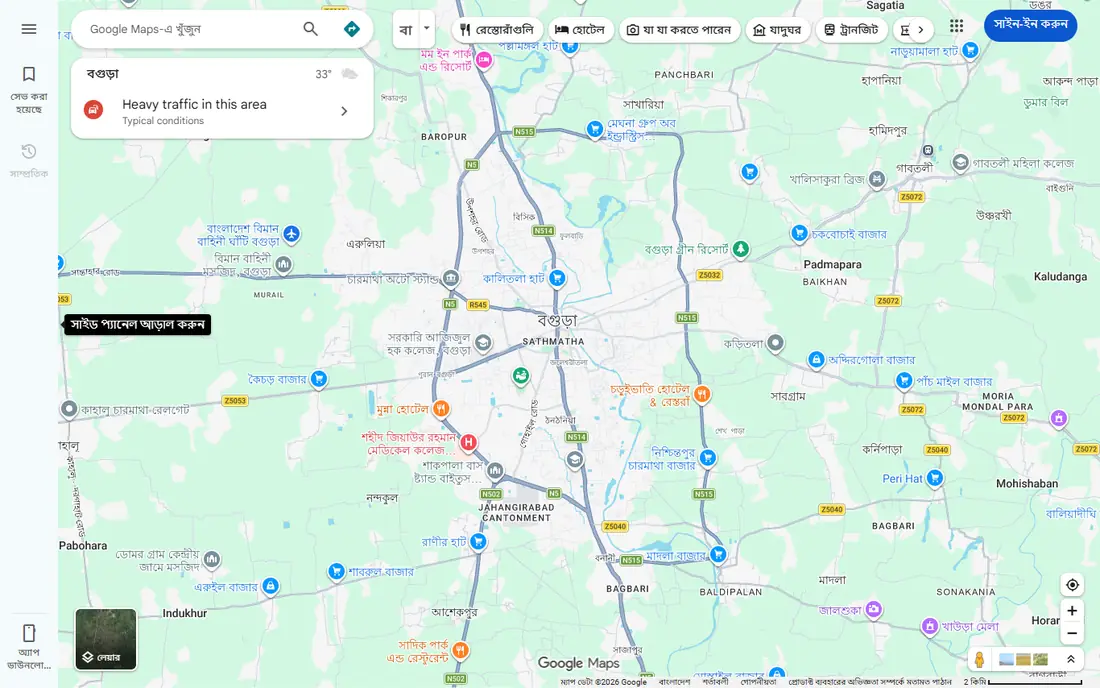
Google Maps is the app to install before any trip. It combines navigation, business information, reviews, photos and saved places in one place, and it covers driving, walking, cycling and public transport in most of the world. Before you leave Wi-Fi, download the map of your destination, and you can still navigate when mobile coverage is unreliable.
Saved places are the quiet superpower. Save your hotel, restaurants, attractions and stations before you go, and they appear on the map as you explore. The main weakness is that offline mode drops live traffic and some transit features. For everyday navigation and local discovery, nothing else comes close.
- Offline maps for areas without coverage
- Transit, walking and driving directions
- Saved places and lists
- Offline mode lacks live traffic and some transit features
- Battery use is high with navigation running
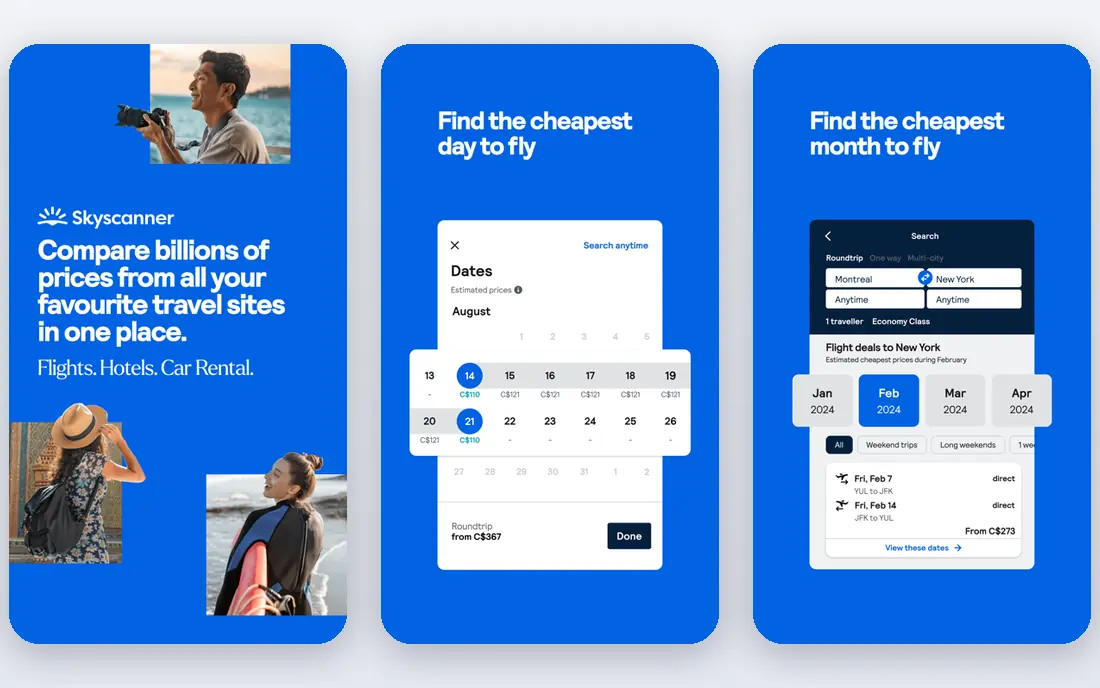
Skyscanner is our pick for flight search. It compares fares across airlines and booking sites, and its month view shows the cheapest days to fly at a glance. Price alerts track a route and email you when fares change, and the Everywhere search finds the cheapest destinations from your home airport when you are flexible about where to go.
The important caveat is that Skyscanner is a search tool, not a seller. The cheapest result may route you through a third-party booking site with poor customer service, so compare the final price against the airline's own site before buying, especially for complex itineraries. For finding the fare, though, Skyscanner is the best starting point.
- Searches many airlines and booking sites at once
- Flexible date and month views
- Price alerts and an Everywhere search for inspiration
- It compares prices but does not sell tickets itself
- The cheapest result is not always the best booking route
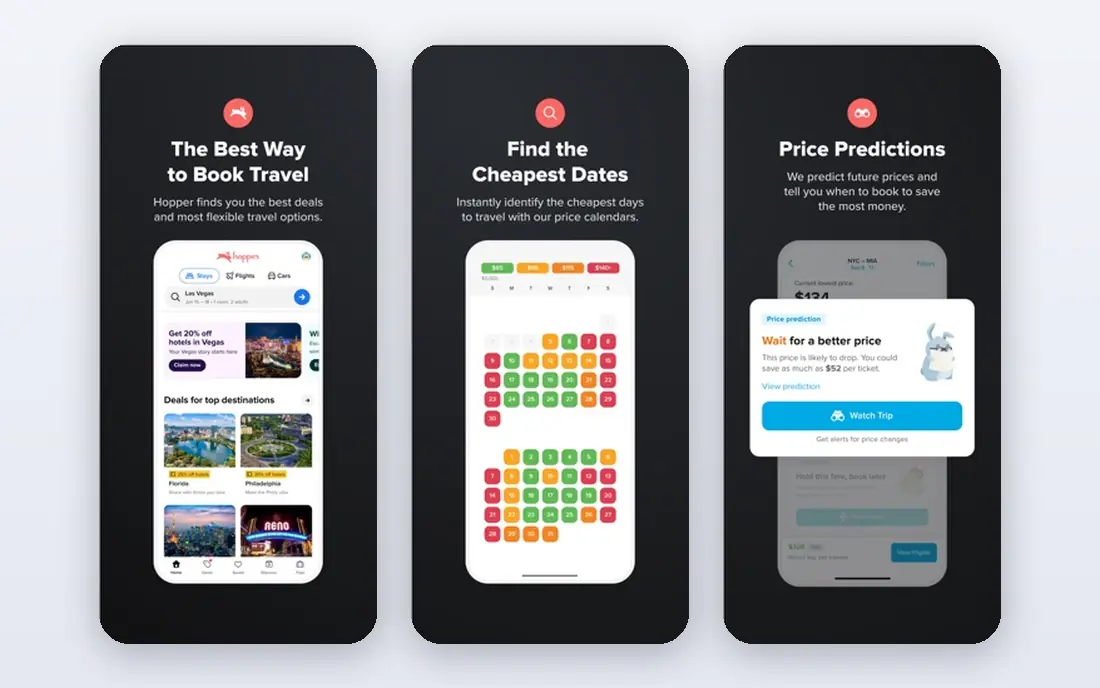
Hopper adds a prediction layer to flight search. It analyzes fare data and tells you whether prices are likely to rise or fall, and whether to book now or wait, with a confidence estimate. You can watch a route and get notified when the price drops, and Price Freeze lets you lock a fare for a fee while you decide. Hopper now covers hotels and car rentals with the same approach.
The app is free, but it charges small service fees on bookings, and its flexible protections cost extra. Predictions are also guidance, not guarantees, and fares can move against the prediction. Use Hopper to time a purchase, then compare the final price with the airline before committing.
- Price predictions tell you whether to book now or wait
- Price watches and freezes
- Hotel and car rental coverage too
- Small service fees on bookings
- Paid protections like disruption cover cost extra
- Predictions are guidance, not guarantees
TripIt is the app that removes the most stress after booking. Forward your flight, hotel and car confirmation emails, and TripIt builds a clean, chronological itinerary with dates, confirmation numbers and addresses, synced to your calendar. The free version handles the essentials well, and you can share the itinerary with family or travel companions.
TripIt Pro costs $49 per year and adds real-time flight alerts, refund notifications and a points tracker, which frequent flyers will value. The free version does not include those alerts, and items you book outside email, like a walk-up tour, need manual entry. For keeping a whole trip in one place, TripIt is the best tool here.
- Turns confirmation emails into one itinerary automatically
- Calendar sync
- Free version covers the essentials
- Pro costs $49 per year
- Real-time flight alerts are a Pro feature
- Manually booked items need manual entry
Wanderlog is the best planner for group trips. You build a day-by-day itinerary on a map, pin places, add notes and budgets, and everyone in the group can edit the same plan in real time, which ends the endless group chat about what to do on Tuesday. Expense tracking and group splitting are built in, and the free version covers most planning needs.
Pro costs $39.99 per year and adds offline access, route optimization and exports to Google Maps. For a solo traveler with a simple plan, Wanderlog may be more than you need. For a group or a road trip with many stops, it is the clearest way to keep everyone on the same page.
- Day-by-day itinerary on a map
- Real-time collaboration for group trips
- Budget tracking and expense splitting
- Pro costs $39.99 per year
- Offline access and some exports are Pro-only
- Less useful for a solo traveler with a simple plan
Rome2Rio answers the question every traveler asks: how do I get from here to there. Type in two places, and it shows every combination of plane, train, bus and ferry, with durations and approximate costs, including the transfers between them. For overland and cross-border trips, where no single booking site covers the whole route, it is invaluable.
The limits are that prices are estimates rather than live fares, and schedules for small regional operators can be out of date. Rome2Rio also does not sell tickets; it links to booking sites for each leg. Use it to plan the route, then book each leg with the operator or a reliable seller.
- Compares planes, trains, buses and ferries on one screen
- Shows duration and cost estimates
- Finds transfer points
- Prices are estimates, not live fares
- Schedules can be out of date for small operators
- It does not book tickets
Booking.com has the widest lodging selection of any app, from hotels and apartments to guesthouses and cabins in places other sites barely cover. Filters for free cancellation, breakfast and guest rating make it easy to narrow a long list, and the Genius loyalty program adds discounts after a few completed stays.
The app is free to use, and you pay the property, not Booking.com. Watch for taxes and fees that appear at checkout, and remember that service quality depends on the property itself. For the widest choice and flexible cancellation, Booking.com is the default hotel app.
- Largest lodging inventory worldwide
- Free cancellation on many properties
- Genius loyalty discounts after a few stays
- Prices and availability vary by property
- Customer service quality depends on the property
- Taxes and fees appear at checkout
Airalo solves the roaming problem. Buy an eSIM data plan for your destination before you travel, install it on your phone, and you connect to a local network on arrival without swapping a physical SIM or paying your carrier's roaming rates. Plans start from around $5 for small data packages, with regional and global plans for multi-country trips.
The app itself is free, but data is paid, so there is no free plan in the usual sense. In some countries a local SIM bought at the airport is still cheaper, especially for large data amounts. Check that your phone supports eSIM before buying. For short trips and multi-country itineraries, Airalo is the most convenient data option.
- ESIM data plans from around $5
- Install before you travel and connect on arrival
- No physical SIM swap
- You pay for data, with no free plan
- Local SIMs can be cheaper in some countries
- Requires an eSIM-compatible phone
Google Translate is the app that turns a foreign city from intimidating to manageable. Point your camera at a menu or a street sign and it translates the text on screen. Download a language pack before you travel and it works offline. Conversation mode handles two-way talks with a local, and text translation covers the rest.
Translations are not perfect, especially for complex or idiomatic sentences, so confirm anything important, like a medical or legal detail, with a person. For menus, signs, directions and everyday conversation, Google Translate is free and essential.
- Camera mode translates signs and menus instantly
- Offline language packs
- Conversation mode for two-way talks
- Translations can be rough for complex sentences
- Offline packs take storage
- Camera mode struggles in low light
XE Currency is the simplest way to answer "how much is that really" in a shop abroad. It shows live mid-market exchange rates for most currencies, converts amounts instantly, and works offline with the last rates it downloaded. Rate alerts notify you when a currency moves to a level you care about.
Two things to remember. The free version has ads, and the mid-market rate is not the rate a currency exchange or ATM will give you, since those add a margin. For quick conversions and a sense of fair value, XE is the best free tool.
- Live exchange rates for most currencies
- Works offline with last-updated rates
- Simple converter and rate alerts
- Free version has ads
- Rates are mid-market, not what a bureau will give you
- Money transfer features are separate
How we picked these
We chose apps that cover the whole trip: searching, booking, planning, navigating, connecting, translating and paying. We favored apps with useful free versions and global coverage, and we checked pricing on official sites and app stores. We left out single-purpose apps for one city or one airline, since this list is about the core kit that works almost anywhere.
The core kit for your next trip
If you install only five apps, make them Google Maps, Skyscanner, TripIt, Google Translate and Airalo. Add Hopper when fares matter, Wanderlog for group trips, Rome2Rio for overland routes, Booking.com for stays and XE for money. Download offline maps and language packs before you leave Wi-Fi, and the rest of the trip gets much easier.
Frequently asked questions
What is the best travel app overall?
Google Maps, because navigation, offline maps and saved places cover the most daily needs on a trip. Skyscanner is the best for flights, and TripIt is the best for keeping your itinerary together.
What are the best free travel apps?
Google Maps, Skyscanner, Rome2Rio, Google Translate and XE Currency are all fully free. TripIt and Wanderlog have useful free versions with paid upgrades, and Airalo's app is free but you pay for data.
Which app is best for planning a trip itinerary?
Wanderlog is best for planning, especially with a group, thanks to its day-by-day map itinerary. TripIt is best after booking, since it builds the itinerary automatically from confirmation emails.
How do I avoid roaming charges abroad?
Buy an eSIM from Airalo before you travel, or buy a local SIM on arrival. Turn off data roaming on your home plan, and download offline maps and language packs over Wi-Fi first.
What is the best app for cheap flights?
Skyscanner is best for comparing fares across airlines and booking sites, and Hopper adds predictions about whether to book now or wait. Always compare the final price with the airline's own site before buying.
Do I need a VPN for travel?
A VPN can help on public Wi-Fi, but it is not essential for most trips. Use your banking app's security features, avoid entering passwords on open networks, and keep your phone's software updated.
Sources we checked (10)

Online Jobs is an independent blog about careers, online work, learning new skills and the tools that help people earn. More about us.
Keep reading
All posts
Best Road Trip Apps
Compare the best road trip apps for planning, navigation, gas prices, camping, and audio tours, with free plans and honest limits for each app for drivers.

Best Rental Car Company
Compare the best rental car company for airports, families, business travel, and budget trips, with service, fleets, and honest booking limits for travelers.

Surfshark Alternatives
Looking for Surfshark alternatives? We compare 8 VPN services on price, privacy, streaming, and device limits to help you find a VPN that fits your needs.