Best Navigation App in 2026: 8 Apps Compared

How we put this together: we compare official feature and pricing pages, app store listings, privacy policies and public user reviews. Prices change, so check the provider's site before you pay.
Key takeaways
- Google Maps is our overall pick for most drivers, thanks to broad coverage, transit, walking, and offline maps in one free app.
- Waze leads for live driving alerts, including jams, hazards, and police reports from other drivers.
- Apple Maps suits iPhone users who want clean directions built into the phone, with strong privacy controls.
- HERE WeGo and OsmAnd are the best offline-first choices, especially for travel with weak or no data.
- Sygic and TomTom add value for drivers who need truck routing, speed camera alerts, or 3D maps.
Quick comparison
| Name | Who it suits | Starting price | Free option | |
|---|---|---|---|---|
 Google Maps Google Maps | All-round navigation | Free | Yes | Visit |
 Waze Waze | Live traffic alerts | Free | Yes | Visit |
 Apple Maps Apple Maps | iPhone and CarPlay users | Free | Yes | Visit |
 HERE WeGo HERE WeGo | Offline maps and transit | Free | Yes | Visit |
 OsmAnd OsmAnd | Offline and privacy-first maps | Free | Yes | Visit |
 Sygic Sygic | Driving with 3D maps | Free | Yes | Visit |
 TomTom GO Navigation TomTom GO Navigation | Long drives and truck routes | See website | Free trial | Visit |
 Citymapper Citymapper | City transit and walking | Free | Yes | Visit |
The best navigation apps
The best navigation app depends on how you travel. A daily commuter needs live traffic. A traveler needs offline maps. A city visitor needs transit and walking directions. A truck driver needs height and weight limits. We compared official feature pages, app store listings, and public reviews for apps active in 2026, and we kept only apps with a usable free or trial route.
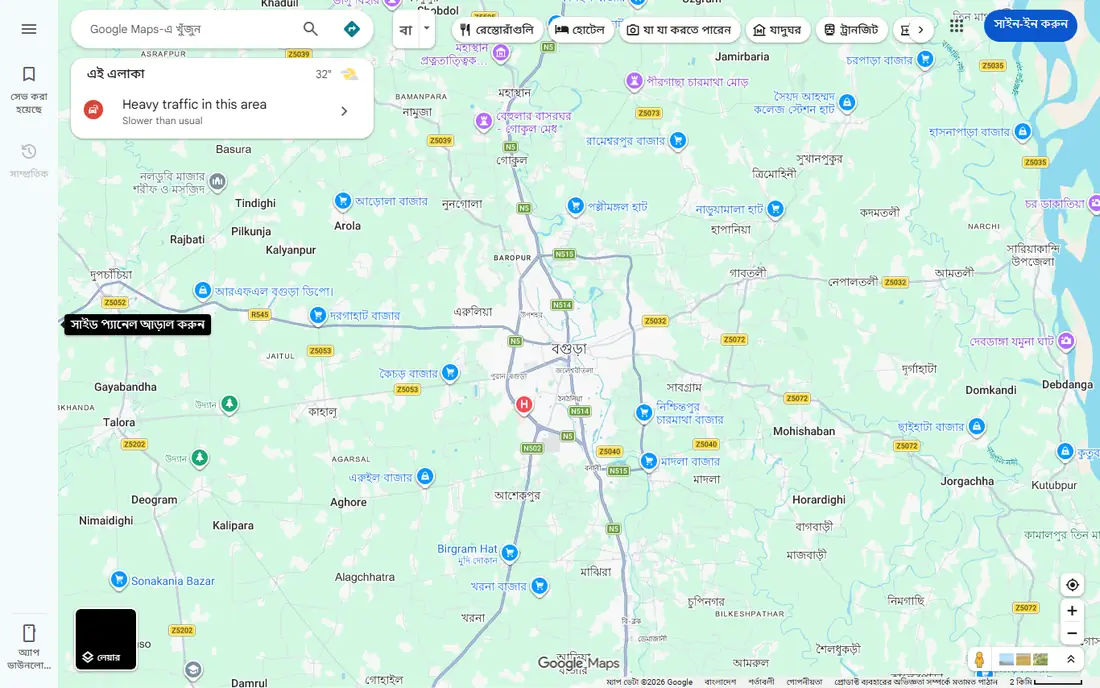
Google Maps is the default for a reason. It covers driving, public transit, walking, and cycling, with live traffic, business hours, reviews, photos, and Street View for checking a destination before arrival. It works on Android and iOS, with Android Auto and CarPlay support, and it handles international travel well.
Offline maps are a real strength, though downloaded areas expire and need updating, and storage use can grow with large areas. Privacy controls exist, including location history settings, but Google Maps is data-hungry by design compared with OsmAnd or Apple Maps. For most drivers and travelers, it remains the single app that covers the most situations for free.
- Driving, transit, walking, and cycling in one app
- Huge place database
- Offline maps
- Uses Google account data by default
- Offline areas expire and need refreshing
Waze is built for drivers who want to know what is happening on the road right now. Other drivers report traffic jams, crashes, hazards, road closures, and police presence, and Waze reroutes around trouble quickly. It also shows fuel prices and lets you share arrival times with others.
Its limits are clear. Waze covers driving only, so walkers, cyclists, and transit riders need another app, and it has no offline maps, so a data connection is essential. The app includes ads, and report quality depends on how many drivers report in your area. For a congested commute, though, Waze often saves more time than a general map.
- Community reports for jams, hazards, and police
- Aggressive rerouting
- Fuel prices
- Driving only, no transit or walking
- No offline maps
- Ads in the app
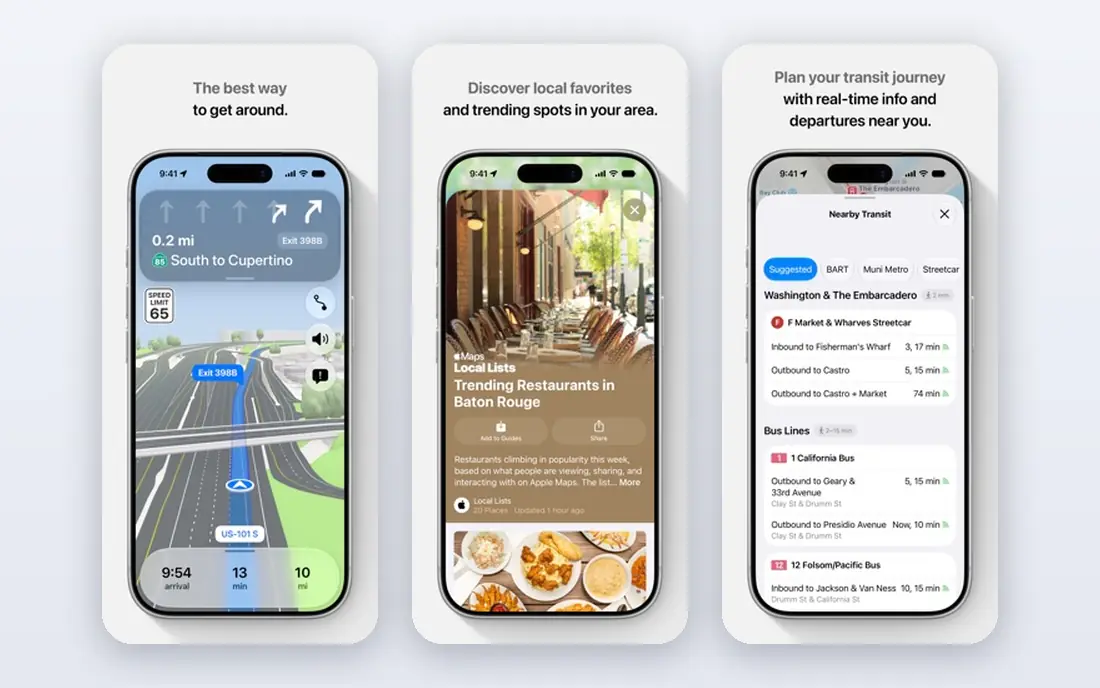
Apple Maps has improved steadily and now suits many iPhone users as a daily driver. It offers driving, transit, walking, and cycling directions, detailed city maps, and transit information, all built into the device with no separate install. It works smoothly with CarPlay, Siri, and Apple Watch, and Apple states a stronger privacy approach than data-led rivals.
The main limit is platform. Apple Maps is not available as a full app on Android, so mixed-device households cannot standardize on it. Place coverage and reviews are also thinner than Google Maps in some smaller towns. For iPhone-only users who value simplicity and privacy, it is an excellent free choice.
- Built into iPhone, iPad, and Watch
- Clean design
- Strong privacy stance
- CarPlay support
- Apple devices only
- Place data is thinner than Google Maps in some areas
HERE WeGo is the classic offline-first navigator. Download maps for a city, region, or country before travel, then navigate without a data connection, with driving, transit, walking, and cycling modes. That makes it ideal for international trips, rural drives, and areas with patchy coverage.
Search and place details are less rich than Google Maps, and the interface is more functional than polished. Live traffic also depends on a connection, so offline mode gives routes without live updates. As a primary app for offline travel, or as a backup to Google Maps, HERE WeGo earns its place for free.
- Downloadable maps for offline use
- Driving, transit, walking, and cycling
- Works worldwide
- Place search is weaker than Google Maps
- Interface feels dated to some users
OsmAnd is built on OpenStreetMap data and puts offline use and privacy first. Download maps, navigate by car, bike, or on foot, and use contour lines, hiking trails, and cycling routes that general maps often miss. It works without an account for basic use, which suits privacy-conscious travelers.
The free version limits the number of map downloads, reported as seven in several comparisons, with unlimited downloads on paid plans. The interface also takes learning, with many settings for profiles, plugins, and map styles. For hikers, cyclists, and travelers who want maps that work fully offline, OsmAnd is worth that learning curve.
- Offline maps from OpenStreetMap
- Hiking, cycling, and driving profiles
- No account needed for basics
- Interface is complex for beginners
- Free map downloads are limited
Sygic is a driving-focused navigator with polished 3D maps, lane guidance, and offline navigation. It supports CarPlay and Android Auto, shows speed limits and camera alerts where allowed, and offers head-up display features on some plans. That makes it a good upgrade from a basic free map for drivers who spend a lot of time on the road.
The free download covers basic navigation, but premium features, including full traffic, speed camera alerts, and some offline regions, sit behind a subscription whose price varies by store and region. For occasional drivers, Google Maps or Waze will do. For frequent drivers who want a dedicated driving display, Sygic is a solid paid step up.
- Offline maps
- 3D city maps
- Speed camera and traffic alerts
- CarPlay and Android Auto
- Full features need a paid subscription
- Traffic data needs a connection
TomTom GO Navigation brings the standalone GPS brand to phones, with offline maps, lane guidance, speed camera alerts, and traffic information. It also offers vehicle profiles for larger vehicles, which helps truck and RV drivers avoid low bridges and unsuitable roads, a job general maps handle poorly.
Pricing is subscription-based and varies by region and store, so we list it as See website, with a free trial commonly offered. There is no permanent free tier, which puts it behind free rivals for casual use. For long-distance drivers, delivery drivers, and truckers who need reliable road data and vehicle-aware routing, the trial is worth testing on a real route.
- Trusted road data
- Offline maps
- Truck and large vehicle routing options
- Lane guidance
- No permanent free tier
- Subscription needed after trial
- Place search is basic
Citymapper shines in cities, where a trip often mixes subway, bus, walking, and cycling. It compares those combinations clearly, shows disruption alerts, and guides each step, including which subway exit to use. That level of city detail beats a general map for visitors and commuters in covered cities.
Coverage is the limit. Citymapper works in selected major cities, not everywhere, and it is not built as a long-distance driving navigator. Check whether your city is covered before relying on it. Where it is available, it is the best free companion to Google Maps or Apple Maps for getting around town without a car.
- Excellent transit, walking, and cycling combinations
- Clear step-by-step city directions
- Disruption alerts
- Coverage is city-based, not universal
- Driving is not its strength
How we picked these
We compared official feature pages, app store listings, and public reviews for navigation apps active in 2026 that cover driving, transit, walking, or offline use. We favored apps with a free or trial route, clear offline options, and CarPlay or Android Auto support where relevant, and we noted platform and coverage limits plainly. We did not claim hands-on testing we did not do. Map data, traffic, and pricing change, so check the store listing before a trip.
How to choose a navigation app
Start with your main travel mode. Drivers should test Google Maps and Waze on the same commute and keep the one that saves more time. Transit riders should check Citymapper coverage for their city, plus Google Maps or Apple Maps for areas outside it. Travelers should download offline maps in HERE WeGo or OsmAnd before departure, not after landing.
Next, test the app where it matters. Check voice guidance volume, CarPlay or Android Auto behavior, battery use, and how it reroutes around a closure. A map that looks good at home can still fail in a noisy car or on a weak connection. Keep a second app installed as a backup, especially for long trips, and carry a charged phone cable.
For daily driving
Use Waze for live alerts on a congested commute and Google Maps for everything else, including transit and place search. Sygic or TomTom suit drivers who want a dedicated driving display or vehicle-aware routing. Always follow road signs over app instructions when they disagree, and never adjust the app while driving.
For travel without data
Download maps in HERE WeGo or OsmAnd before you leave, and test offline routing at home. Google Maps offline areas also help, but they expire, so refresh them before travel. Save hotel addresses, confirmation numbers, and emergency numbers offline too, since a map alone does not cover every travel need.
Frequently asked questions
What navigation app is the best overall?
Google Maps is our overall pick, because it covers driving, transit, walking, and cycling, with a huge place database and offline maps, all for free. Waze beats it for live driving alerts, and Apple Maps beats it for iPhone simplicity. The best overall app is the one that fits your main travel mode.
What is the best free navigation app for driving?
Google Maps and Waze are both free and excellent for driving, with Google Maps offering broader features and Waze offering sharper live alerts. Apple Maps is also free for iPhone users. Try both on your usual routes, since traffic data quality varies by area and time of day.
Which navigation app works best offline?
HERE WeGo and OsmAnd are the strongest offline choices, with downloadable maps that work without a data connection. Google Maps also supports offline areas, but they expire and need refreshing. Waze has no offline maps, so it should not be your only app for a rural or international trip.
Is Waze better than Google Maps?
Waze is better for live driving alerts and fast rerouting around jams, thanks to community reports. Google Maps is better for transit, walking, cycling, place search, and offline maps. Many drivers keep both, using Waze behind the wheel and Google Maps for planning and everything else.
What is the best navigation app for truck drivers?
Sygic and TomTom GO Navigation both offer vehicle-aware routing options that help avoid roads unsuitable for larger vehicles, including height and weight limits. Check the vehicle profile settings carefully before a route, since no app replaces checking local signs and restrictions. A dedicated truck GPS may still suit professional fleets.
Does Apple Maps work on Android?
No, Apple Maps is built for Apple devices, including iPhone, iPad, Mac, and Apple Watch, with CarPlay support. Android users should use Google Maps, Waze, HERE WeGo, or OsmAnd instead. A web version of Apple Maps exists for basic map viewing, but it is not a full Android navigation app.
Sources we checked (8)

Online Jobs is an independent blog about careers, online work, learning new skills and the tools that help people earn. More about us.
Keep reading
All posts
Best Trip Planning App
Compare the best trip planning app options for itineraries, road trips, group travel, and flights, with free plans, pricing, and honest trade-offs compared.
Best Travel Apps
Looking for the best travel apps in 2026? We compared 10 travel apps for flights, hotels, maps, itineraries and data abroad on price and features. Read on.
Best Travel Apps for Planning
Looking for the best travel apps for planning? We compare 9 trip planning apps on itineraries, maps, road trip routes, budgets, and offline access for trips.