Best Movie Downloader Apps in 2026: 10 Apps Compared

How we put this together: we compare official feature and pricing pages, app store listings, privacy policies and public user reviews. Prices change, so check the provider's site before you pay.
Key takeaways
- The only legal way to download most current movies is through the official offline feature inside a licensed streaming app you subscribe to.
- Downloading copyrighted movies from unlicensed sources is illegal, and those sites often carry malware and poor-quality files.
- Netflix, Prime Video, Disney+, Apple TV, Hulu, Max, and Peacock all offer offline downloads on mobile devices, with limits that vary by plan.
- Kanopy offers free legal films through many public libraries, and the Internet Archive hosts public-domain films you can download legally.
- Subscription downloads are temporary and play only inside the app while your subscription is active. They are not files you own or can move elsewhere.
Quick comparison
| Name | Who it suits | Starting price | Free option | |
|---|---|---|---|---|
 Netflix | Largest offline catalogue | See website | No | Visit |
 Prime Video | Bundled with Prime membership | See website | Free trial | Visit |
 Disney+ | Family and franchise films | See website | No | Visit |
 Apple TV | Buying films to keep | See website | Free trial | Visit |
 Hulu | Offline viewing on ad-free plans | See website | Free trial | Visit |
 Max | Prestige films and series | See website | No | Visit |
 Peacock | Offline viewing on premium plans | See website | Free trial | Visit |
 YouTube Premium | YouTube films and offline playback | See website | Free trial | Visit |
 Kanopy | Free films through libraries | Free | Yes | Visit |
 Internet Archive | Public-domain films | Free | Yes | Visit |
The best movie downloader apps
This list covers legal options only. That is a deliberate choice, not an oversight. For current copyrighted films, the legal route is the download button inside a licensed streaming app, where the service holds the rights to offer offline viewing. For older films whose copyright has expired, public-domain archives offer downloads you can keep. We compared official help pages, pricing pages, and app store listings for services that are live in the United States in October 2026, and we did not include pirate or unlicensed download tools.
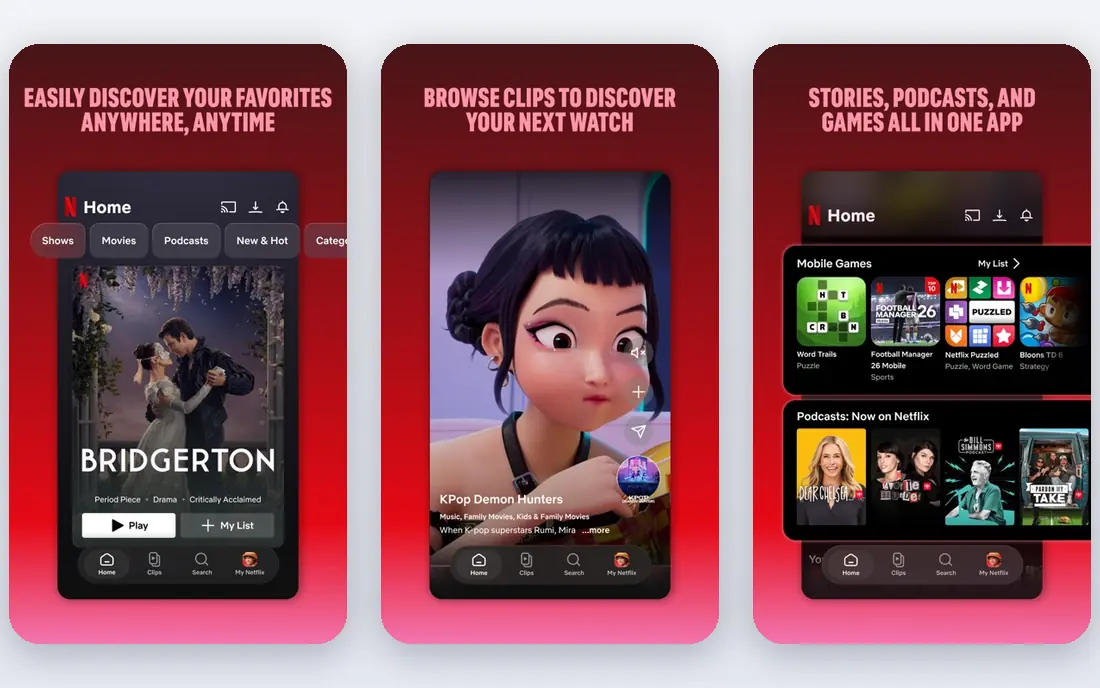
Netflix offers the broadest offline movie library on this list, with a download button on a large share of its films and series. Downloads work on phones, tablets, and supported computers, and the app manages storage and expiry for you. Smart download features can also fetch the next episode of a series when you finish one, which suits travellers who watch on planes and trains.
Limits apply. Not every title can be downloaded, due to licensing, and unwatched downloads expire after a set period, with a shorter window once you start watching. Downloads also play only inside Netflix while your subscription is active. If you already subscribe, Netflix is the simplest and most reliable way to watch films offline.
- Huge catalogue with many downloadable titles
- Downloads on phones, tablets, and some computers
- Smart downloads for series
- Not every title is downloadable
- Downloads expire after a set time
- Playback stays inside the Netflix app
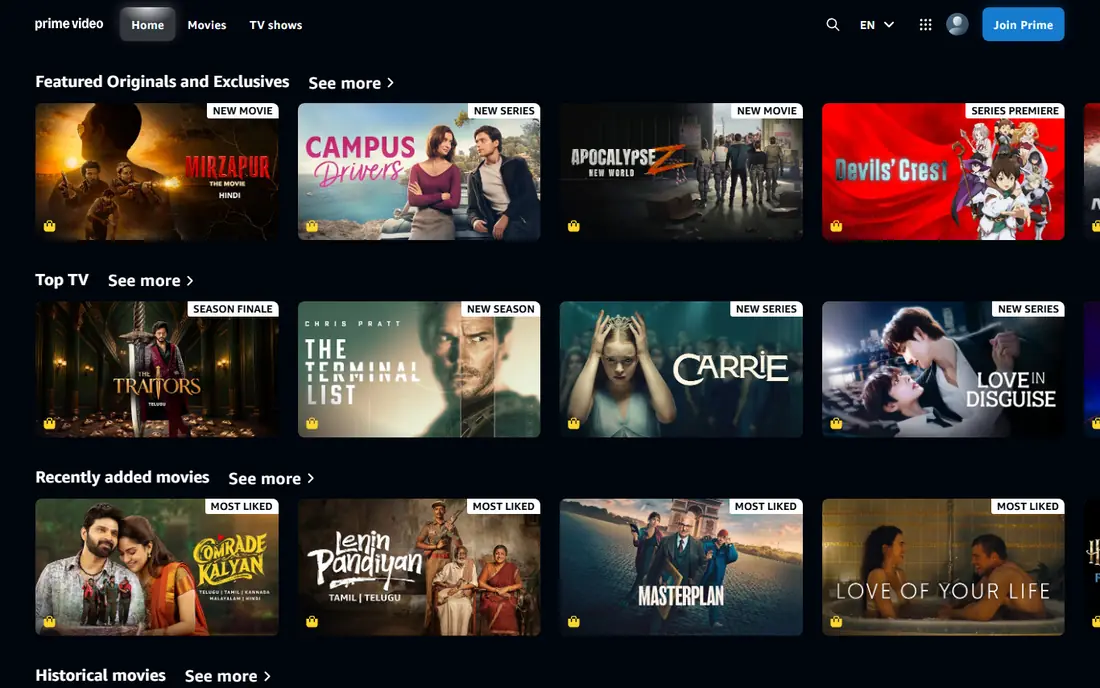
Prime Video includes offline downloads as part of a Prime membership or a standalone Prime Video subscription, and films you buy through Amazon can also be downloaded for offline viewing. That combination of subscription streaming and purchased titles makes Prime Video flexible: you can download included films for a trip, and keep purchased films in your library for longer.
The catalogue can confuse, since included titles sit alongside rentals and purchases. Check whether a film is included, rented, or purchased before you download, and check download quality settings if storage is tight. For Prime members, Prime Video is an easy and legal offline option that needs no extra subscription.
- Offline downloads included with Prime
- Purchased films can be downloaded too
- Works on mobile and Fire tablets
- Not every title is downloadable
- Interface mixes included and paid titles
- Download quality settings need checking
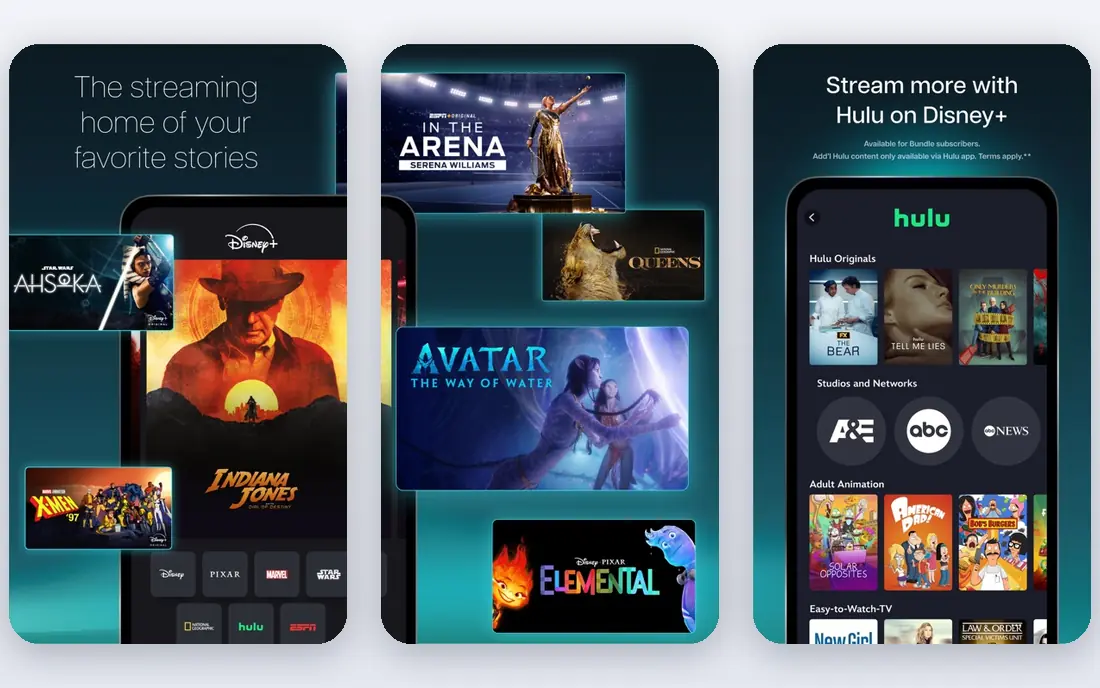
Disney+ is the best offline option for families and for fans of Disney, Pixar, Marvel, and Star Wars films. Downloads work on phones and tablets, and the catalogue is deep enough to fill a whole holiday without repeating a film. Parental controls and profiles help families share one account while keeping children's viewing separate.
Downloads expire if your subscription lapses and play only inside Disney+. If your household already watches Disney+ at home, its offline feature is one of the most useful on this list for travel.
- Strong catalogue of Disney, Pixar, Marvel, and Star Wars films
- Downloads on mobile and tablets
- Good for family trips
- Downloads need an eligible plan
- Not every title is available offline
- Playback stays inside the app
Apple TV stands out because it lets you buy films outright, not just stream them. Purchased films can be downloaded to Apple devices and computers for offline viewing, and rentals can also be downloaded for a limited viewing window. That ownership model suits collectors who want a permanent library rather than a rotating subscription catalogue.
The catch is ecosystem. Downloads work best on Apple phones, tablets, and computers, and your library stays tied to your Apple account. Apple TV+ as a subscription also offers downloads, but its catalogue is smaller than Netflix or Prime Video. If you like owning films and you use Apple devices, Apple TV is the strongest buy-and-keep option here.
- Buy or rent individual films in high quality
- Downloads on Apple devices and computers
- Apple TV+ subscription also offers downloads
- Apple ecosystem works best on Apple devices
- Purchased library is tied to your Apple account
- Subscription catalogue is smaller than Netflix
Hulu offers offline downloads on its ad-free plans, with a limit of up to 25 titles across supported mobile devices. That covers a solid mix of films and current series, and the download button is easy to find on eligible titles. For subscribers who already pay for the ad-free tier, offline viewing is a useful bonus for travel and commutes.
The main limit is the plan requirement. Ad-supported plans do not include downloads, so check your tier before a trip. Downloads also expire after 30 days unwatched, or 48 hours after you start watching, and they play only inside Hulu. If you already use Hulu ad-free, its offline feature is worth using, but it is not a reason alone to choose Hulu over Netflix.
- Offline downloads on eligible ad-free plans
- Good mix of films and current series
- Up to 25 downloads on supported devices
- Downloads require an ad-free plan
- Titles expire after 30 days or 48 hours after starting
- Mobile and tablet only for downloads
Max, formerly HBO Max, offers offline downloads on eligible ad-free tiers, with a catalogue that leans toward prestige films and acclaimed series. Downloads work on phones and tablets, and video quality options let you balance picture quality against storage space.
As with other subscription services, downloads depend on your plan and on licensing for each title, and they play only inside Max while your subscription is active. Max suits viewers who value its film catalogue and want to take it offline, rather than viewers seeking the largest download library overall.
- Strong film catalogue from Warner Bros. and partners
- Downloads on mobile and tablets
- High-quality video options
- Downloads need an eligible ad-free tier
- Not every title is downloadable
- Catalogue changes as licensing shifts
Peacock offers offline downloads on its Premium Plus tier, covering a mix of films and series from NBCUniversal and partners. Downloads work on phones and tablets, which suits commuters and travellers who already subscribe for shows and films.
The tier requirement is the key limit. Lower tiers do not include downloads, so check your plan before you travel. The film catalogue is also smaller than Netflix or Prime Video, and some titles remain streaming-only due to licensing. Peacock is a good offline option for existing Premium Plus subscribers, but not the strongest reason to subscribe on its own.
- Offline downloads on Premium Plus
- Mix of films, series, and live-adjacent content
- Works on mobile and tablets
- Downloads need the higher tier
- Catalogue is smaller than Netflix
- Some titles are streaming-only
YouTube Premium offers offline playback for YouTube videos, and films bought or rented through YouTube can be downloaded for offline viewing on mobile devices. Ad-free viewing and YouTube Music come bundled with the subscription, which adds value beyond downloads.
YouTube is not a full replacement for a film streaming service, since its subscription catalogue of films is smaller than Netflix or Disney+. Downloads also play only inside YouTube apps while the relevant rights apply. If you already pay for Premium, use its offline features. If films are your main goal, pair it with a dedicated streaming subscription.
- Offline playback for YouTube content
- Films bought or rented on YouTube can be downloaded
- Includes ad-free viewing and music
- Subscription film catalogue is smaller than major streamers
- Downloads play only inside YouTube apps
- Monthly cost adds up
Kanopy is the best free legal film service on this list, available through many public libraries and universities in the United States. A library card gives you monthly viewing credits for a catalogue rich in arthouse films, classics, documentaries, and world cinema. That makes Kanopy a genuine alternative to paid services for viewers who enjoy thoughtful films rather than only new releases.
Limits depend on your library. Monthly credits vary, offline viewing depends on the device and title, and the catalogue differs by institution. Check with your local library whether it offers Kanopy and how many credits you receive. If it does, Kanopy is a free, legal, and high-quality way to watch films, and it deserves a place alongside any paid subscription.
- Free with many public library cards
- Strong arthouse, classic, and documentary catalogue
- No subscription needed
- Monthly viewing credits vary by library
- Offline viewing depends on device and title
- Catalogue differs by library
The Internet Archive hosts films whose copyright has expired, which means you can download and keep them legally. Its collection includes early cinema, classic films, educational shorts, and historical footage, all free to download in common video formats. Unlike subscription downloads, these files play on any device and do not expire when a subscription ends.
The Archive will not give you current releases, and quality varies because films come from many sources and digitisation projects. Searching takes patience, and you should stick to clearly public-domain titles rather than assuming every upload is free to use. For film history lovers and students, the Internet Archive is a treasure, and it is the only option here where a download truly means ownership.
- Free downloads of public-domain films
- Files you can keep and play anywhere
- Huge historical and classic collection
- No current commercial releases
- Video quality varies by source
- Search takes patience
How we picked these
We compared official help pages, pricing pages, and app store listings for licensed streaming services and legal archives that are live in the United States in October 2026. We checked which plans include offline downloads, which devices support them, and what expiry rules apply. We excluded pirate sites, torrent indexes, and unlicensed download tools entirely, since downloading copyrighted movies from unlicensed sources is illegal and often exposes users to malware. Where a price varies by plan or region, we wrote See website rather than guessing a figure.
How to download films legally
Start by checking the download button inside the app you already pay for. Most services show a download icon on eligible titles, and the app will warn you if your plan does not include downloads or if a title is streaming-only. Download over Wi-Fi before you travel, since film files are large and mobile data costs add up fast. Check storage space first, choose a lower video quality if space is tight, and open the app once before leaving so downloads can verify your subscription.
Subscription downloads versus owned films
Subscription downloads and owned films are different things, and confusing them causes disappointment. A Netflix or Disney+ download is a temporary copy that plays only inside that app while you subscribe, and it expires after a set time. A film bought through Apple TV or YouTube, or a public-domain film from the Internet Archive, is a file you keep and play on your own devices. If you want a permanent collection, buy films or use public-domain sources. If you want variety for a trip, subscription downloads are simpler and cheaper.
Staying clear of illegal download sites
Illegal download sites promise free current films, but the risks are real. Downloading copyrighted movies from unlicensed sources is illegal, and those sites are a common source of malware, fake files, and phishing pages. They also offer no quality guarantee, no subtitles you can trust, and no support if a file is corrupt. Stick to the services on this list, use your library for Kanopy, and check the Internet Archive for older films. Legal options cover far more films than most viewers will ever watch.
Frequently asked questions
What is the best movie downloader app?
For subscription viewing, Netflix offers the largest offline catalogue, while Apple TV is best if you want to buy films and keep them. Kanopy is the best free legal option through public libraries, and the Internet Archive is best for public-domain films you can own outright. The best choice depends on whether you want variety for a trip or a permanent collection.
Can I download movies for free legally?
Yes, in two ways. Kanopy offers free films through many public library cards, with monthly credits that vary by library. The Internet Archive offers free downloads of public-domain films, which you can keep and play anywhere. Current commercial films are not free legally, and sites offering them for free are almost always unlicensed.
Is it illegal to download movies from free sites?
Downloading copyrighted movies from unlicensed sources is illegal, even if the site calls itself free. Those sites also carry a high risk of malware and fake files. Legal routes include the offline features inside licensed streaming apps, purchased films from stores like Apple TV and YouTube, library services like Kanopy, and public-domain archives like the Internet Archive.
Why do Netflix downloads expire?
Netflix downloads expire because the service licenses films for a limited period, not because you own them. Unwatched downloads expire after a set time, and started downloads expire sooner, typically within 48 hours. Renewing a download while your subscription is active and the title is still available usually restores it, but expiry rules vary by title and licence.
Which streaming service lets you download the most movies?
Netflix generally offers the most downloadable titles, thanks to its large catalogue and broad download support. Prime Video and Disney+ also offer wide download coverage, while Hulu, Max, and Peacock limit downloads to eligible higher tiers. Check the download icon on the specific films you want, since licensing means no service offers every title offline.
Can I keep downloaded movies after cancelling?
No, for subscription downloads. When you cancel Netflix, Disney+, Hulu, Max, or a similar service, its downloaded titles stop playing, since they are licensed copies tied to an active subscription. Films you bought through Apple TV or YouTube, and public-domain films from the Internet Archive, remain yours to play after any subscription ends.
Sources we checked (10)

Online Jobs is an independent blog about careers, online work, learning new skills and the tools that help people earn. More about us.
Keep reading
All posts
Best Ticket App
Compare the best ticket apps for sports, concerts and theatre, with notes on fees, seat maps, guarantees and last-minute deals to help you buy safely.

Best Streaming Services for Classic Soap Operas
Find the best streaming services for classic soap operas, with where to watch Days, General Hospital, Young and Restless and older daytime dramas today.
Best Streaming Service
We compared the best streaming service options on price, catalogues, sports, 4K and free tiers, to help you pick one service or a smart bundle for your home.