Best Link in Bio Tools Milkshake in 2026: 10 Tools Compared

How we put this together: we compare official feature and pricing pages, app store listings, privacy policies and public user reviews. Prices change, so check the provider's site before you pay.
Key takeaways
- Milkshake is a phone-first link in bio app that builds a simple, card-based mini website from your phone, which suits creators who manage everything on mobile.
- Linktree is our pick for most creators, because it is widely recognised, easy to set up, and works well across Instagram, TikTok, and other platforms.
- Beacons and Stan Store suit creators who also sell products, courses, or memberships, because they combine links with storefront and email tools.
- Free plans cover basic links for most creators, while paid plans add custom domains, deeper analytics, and removal of tool branding.
- Check where your audience clicks most before paying, because a simple free page often performs as well as a paid page for a small link list.
Quick comparison
| Name | Who it suits | Starting price | Free option | |
|---|---|---|---|---|
 Milkshake | Phone-first card pages | Free | Yes | Visit |
 Linktree | Most creators and brands | Free | Yes | Visit |
 Beacons | Creators who sell and grow email lists | Free | Yes | Visit |
 Stan Store | Selling from a link page | See website | Free trial | Visit |
 Shorby | Smart links and messaging buttons | See website | Free trial | Visit |
 Lnk.Bio | Simple, low-cost link pages | Free | Yes | Visit |
 Taplink | Small business link pages | Free | Yes | Visit |
 Bio Sites by Squarespace | Clean pages for Squarespace users | Free | Yes | Visit |
 Carrd | Custom one-page sites | Free | Yes | Visit |
 Campsite | Simple pages with analytics | Free | Yes | Visit |
The best link in bio tools milkshake
We compared tools that turn one bio link into a page of links, with Milkshake as the starting point. Every tool below works on Instagram, TikTok, and other platforms that allow only one bio link, and every one lets you update links without changing the bio URL itself.
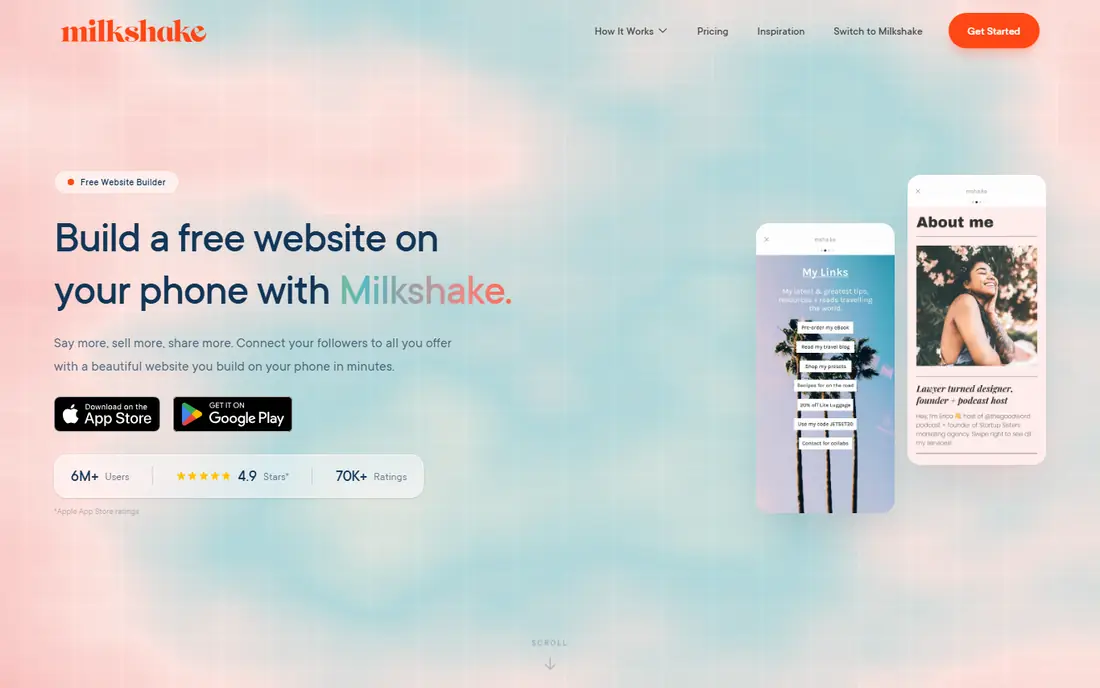
Milkshake is a link in bio app from the team behind Later, and it is designed to be built on a phone. You add cards for links, videos, products, and social profiles, and the result looks like a small, swipeable mini website rather than a plain list. That phone-first design suits creators who shoot, post, and update everything from mobile and who do not want to open a laptop to change a link.
The trade-off is depth. Milkshake is excellent for a clean link page, but it offers fewer storefront, email, and membership tools than Beacons or Stan Store. Desktop editing is also limited compared with web-first tools. If your main job is a good-looking link page you can update in a minute, Milkshake is a strong and simple choice.
- Built to be made entirely on a phone
- Card-based pages look clean
- Quick to update on the go
- Fewer advanced commerce tools than Beacons or Stan
- Desktop editing is limited
- Analytics are basic on free use
Linktree is the best-known link in bio tool, and that familiarity helps. Audiences recognise the page instantly, brands trust it, and setup takes minutes: add links, order them, choose a theme, and paste the URL into your bio. Paid plans add scheduling, deeper analytics, custom domains, and integrations with shops and email tools.
The free page carries Linktree branding, and the design stays within templates rather than full custom design. For most creators, that is a fair trade for reliability and recognition. Linktree is our pick for most people because it just works, it is easy to explain to collaborators, and it scales from a first page to a brand page without moving platforms.
- Widely recognised by audiences
- Very easy setup
- Scheduling, analytics, and integrations on paid plans
- Free page carries Linktree branding
- Deeper features need paid plans
- Design options are templated
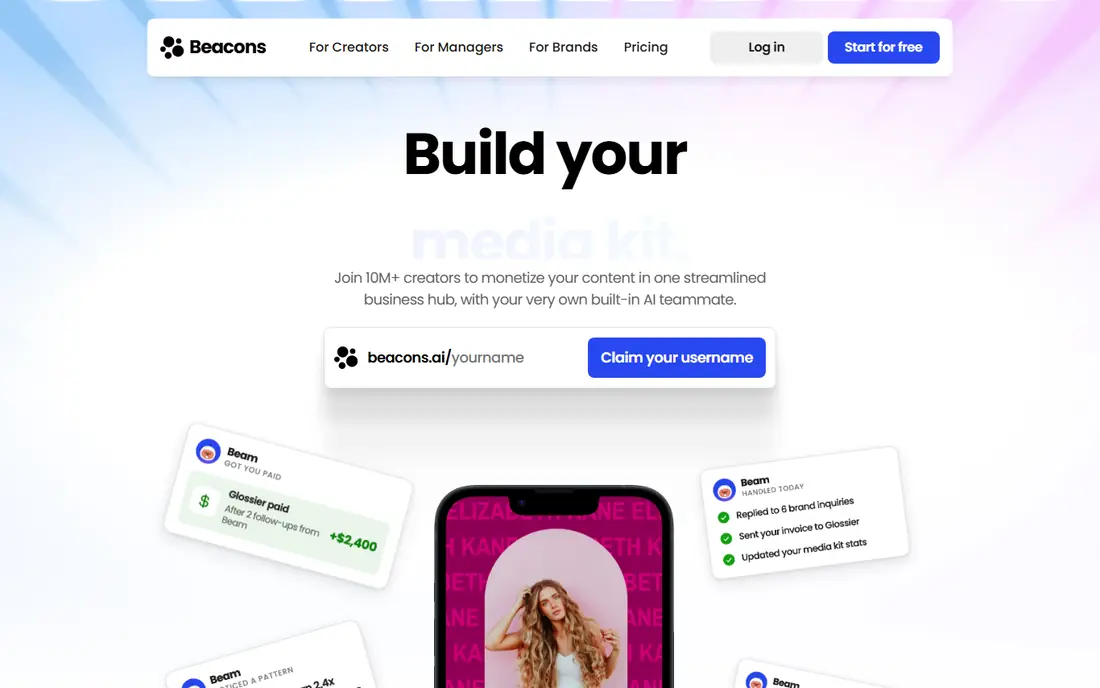
Beacons goes beyond links, combining a link page with a store, email capture, audience tools, and a media kit for brand deals. That breadth suits creators who sell digital products, take tips, or pitch sponsors, because the link page becomes a small business hub rather than just a list. Designs look modern, and the free tier covers a useful set of features.
The breadth can also feel like too much if you only need five links. Paid plans add fuller commerce and analytics, and learning every tool takes time. For creators who are starting to sell, Beacons is one of the best upgrades from a simple link page.
- Links plus store, email, and media kit tools
- Clean modern designs
- Good free tier
- More features than simple link users need
- Paid plans needed for full commerce
- Learning curve for all tools
Stan Store is built for creators who sell from their bio link. You can sell digital products, courses, coaching calls, and memberships, capture emails, and track sales from one page. That focus makes it popular with coaches, course creators, and digital product sellers who want checkout without building a full website.
Stan Store is paid after a trial, so it is not a free link page in the usual sense. If you only need links and you are not selling yet, Linktree or Milkshake will do the job for less. If selling is the point of your bio link, Stan Store is purpose-built for that job.
- Storefront built for creators
- Sells digital products, courses, and bookings
- Email capture included
- Paid only after trial
- Less suited to simple free link pages
- Design is store focused
Shorby suits small businesses and creators who want visitors to message them, not just click links. You can add WhatsApp, Messenger, Telegram, and other contact buttons alongside links, schedule links, and track clicks. That contact-first design helps service businesses, local shops, and creators who take bookings by chat.
Shorby needs a paid plan for ongoing use, and its designs are plainer than Milkshake or Beacons. The creator community is also smaller, so templates and tutorials are thinner. For a business bio link where messaging matters, Shorby is a practical choice.
- Smart pages with messenger buttons
- Link scheduling and tracking
- Useful for small businesses
- Paid plans needed for ongoing use
- Design is plainer than Milkshake
- Smaller creator community
Lnk.Bio keeps link pages deliberately simple. Add links, choose a layout, and publish, with a low-cost paid option for extra features. The pages load cleanly and do not distract visitors with extra widgets, which suits creators who want a fast, no-fuss bio link.
Integrations and analytics are lighter than Linktree or Beacons, and design options are limited. That simplicity is the point, but creators who need shop integrations or deep analytics will outgrow it. For a simple, low-cost link page, Lnk.Bio is easy to recommend.
- Very simple setup
- Low-cost paid option
- Clean pages without clutter
- Fewer integrations than Linktree
- Analytics are basic
- Design options are limited
Taplink is popular with small businesses and Instagram sellers, because its blocks cover links, forms, payment buttons, and product cards in one page. That makes it useful for a shop, a salon, a coach, or a service business that takes orders or bookings from Instagram. Setup is quick, and the page can act as a mini storefront.
The free tier is limited, and the block-heavy interface can feel busy compared with Milkshake's card pages. Full features need a paid plan. For a small business bio link that needs to take action, not just send clicks elsewhere, Taplink is a strong option.
- Business-friendly blocks for forms and payments
- Easy setup
- Good for Instagram sellers
- Free tier is limited
- Interface can feel busy
- Paid plans needed for full features
Bio Sites by Squarespace
Who it suits: Clean pages for Squarespace users
Bio Sites, from Squarespace, offers clean and polished link pages with a design quality that matches Squarespace's wider reputation. If you already use Squarespace for a website or domain, Bio Sites fits naturally, and you can keep your branding consistent without learning a new system. Link, image, video, and social blocks cover the basics well.
Commerce and audience tools are lighter than Beacons or Stan Store, and the best value comes inside the Squarespace ecosystem. Analytics on free use are also basic. For a clean, brand-consistent link page, especially for Squarespace users, Bio Sites is a polished choice.
- Clean, polished designs
- Easy if you already use Squarespace
- Simple link and content blocks
- Fewer commerce tools than Beacons or Stan
- Best value inside the Squarespace ecosystem
- Analytics are basic on free use
Carrd is not a link in bio tool in the usual sense, but it is a popular way to build a custom one-page site that serves as a bio link. You get far more design freedom than templated link tools, with custom layouts, fonts, colours, and sections, at a very low Pro cost. That freedom suits designers, photographers, and creators who want a bio page that looks like their brand, not like a template.
The cost is setup time. Carrd needs more work than Linktree or Milkshake, and it does not focus on link analytics in the same way. For a simple list of five links, it is overkill. For a creator who wants a distinctive bio page and is happy to design it, Carrd is excellent value.
- Very flexible one-page design
- Very low cost for Pro
- Can build a fully custom bio page
- Needs more setup than a link tool
- No built-in link analytics focus
- Overkill for a simple link list
Campsite offers a simple link page with clearer analytics than many free tools, plus scheduling and customisation options for creators who want to plan link changes around launches. Setup is quick, and the free tier covers the basics well, which makes it a good alternative if you want analytics without paying from the start.
Brand recognition is smaller than Linktree, so audiences may be less familiar with the page, and integrations are fewer. Design templates are also limited compared with Beacons. For a simple page where knowing which links get clicked matters, Campsite is a solid and underrated choice.
- Simple setup with clear analytics
- Scheduling and customisation options
- Good free tier
- Smaller brand recognition than Linktree
- Fewer integrations
- Design templates are limited
How we picked these
We compared official feature pages, pricing pages, and app listings, and we kept only tools that are available in 2026 and that provide a working bio link page. We started with Milkshake, as the keyword asks, and added rivals with distinct strengths, from simple free pages to storefronts and custom design. We did not claim hands-on testing, and we did not include tools that have been discontinued.
What to look for in a link in bio tool
Start with your goal for the bio link. If the goal is simply to send people to five or six places, a free page from Milkshake, Linktree, or Lnk.Bio is enough, and paying adds little. If the goal is to sell, capture emails, or pitch brands, Beacons, Stan Store, or Taplink will earn their cost faster, because the page does real business work.
Next, check the mobile experience, because most bio link visitors arrive on a phone. Open your page on your own phone, tap each link, and check load speed, button size, and whether the most important link is visible without scrolling. Also check analytics: which links get clicked, and does that match what you expected? Move your best link to the top, remove links no one clicks, and update the page when you launch something new, rather than letting it go stale.
Finally, consider your domain and branding. A custom domain looks more professional and survives a platform change, but it usually needs a paid plan. If you are not ready to pay, use a clear username on a well-known tool, keep the page design consistent with your social profile, and avoid clutter. A clean page with five working links beats a busy page with twenty links no one taps.
Frequently asked questions
What is Milkshake?
Milkshake is a phone-first link in bio app that lets you build a card-based mini website from your phone. You add cards for links, videos, and profiles, and share one Milkshake URL in your social bio, so followers can reach everything from a single link.
Is Milkshake better than Linktree?
It depends on your needs. Milkshake is better if you want a phone-built, card-based page that looks distinct. Linktree is better if you want the most recognised tool, the easiest setup, and the widest integrations. Both offer free plans, so you can try each and keep the page your audience uses more.
Are link in bio tools free?
Most tools here offer a free plan for basic links, including Milkshake, Linktree, Beacons, Lnk.Bio, and Campsite. Paid plans add custom domains, deeper analytics, scheduling, and removal of tool branding, and storefront tools such as Stan Store are paid after a trial.
Can I sell products from a link in bio page?
Yes. Beacons and Stan Store are built for selling digital products, courses, and memberships, and Taplink supports payment and form blocks for small businesses. Check transaction fees and payout terms on the tool's pricing page before you start selling.
Should I use a custom domain for my bio link?
A custom domain looks more professional and lets you keep the same link if you change tools, but it usually needs a paid plan. For a new creator, a clear username on a known tool is fine, and you can move to a custom domain when your audience grows.
Sources we checked (10)

Online Jobs is an independent blog about careers, online work, learning new skills and the tools that help people earn. More about us.
Keep reading
All posts
WatchCartoonOnline.io Alternatives
Compare legal WatchCartoonOnline.io alternatives for cartoons and anime, from free services to paid streaming, with honest catalog limits for every household.
Reddit Alternatives
We compared the best Reddit alternatives for 2026, from Lemmy and PieFed to Discuit, Tildes, MetaFilter, Hacker News and Discord, with community notes.
M4uFree Alternatives
Looking for m4ufree alternatives? We list legal streaming services with free and paid plans, plus the malware and legal risks of unlicensed sites today.