Best Flight App in 2026: 8 Apps Compared


All round fare search and tracking · Starting price: Free
How we put this together: we compare official feature and pricing pages, app store listings, privacy policies and public user reviews. Prices change, so check the provider's site before you pay.
Key takeaways
- Google Flights and Skyscanner are the strongest free starting points, because they search widely and show flexible date prices clearly.
- Price alerts save more money than constant manual checking, but they only help if you act when an alert arrives.
- Booking through a third party can look cheaper, yet airline direct bookings often give better change and cancellation terms.
- Hopper and KAYAK add buy or wait guidance, which is useful, but no forecast can guarantee a fare will fall.
- Flightradar24 is for tracking flights, not booking them, so pair it with a search app rather than expecting it to find fares.
Quick comparison
| Name | Who it suits | Starting price | Free option | |
|---|---|---|---|---|
| Google Flights | All round fare search and tracking | Free | Yes | Visit |
 Skyscanner Skyscanner | Global fare comparison | Free | Yes | Visit |
 KAYAK KAYAK | Search plus hotels and cars | Free | Yes | Visit |
 Hopper Hopper | Price predictions and alerts | Free | Yes | Visit |
 Kiwi.com Kiwi.com | Unusual multi airline routes | Free | Yes | Visit |
 Flightradar24 Flightradar24 | Live flight tracking | Free | Yes | Visit |
 Going Going | Curated flight deal alerts | Free | Yes | Visit |
 Trip.com Trip.com | Asia routes and app booking | Free | Yes | Visit |
The best flight apps
A good flight app does more than show a price. It should search many airlines, show flexible dates, track a route, warn about baggage and booking fees, and link you to a safe booking. We compared official app listings, pricing pages and feature lists, with weight given to search breadth, alert quality and fee transparency.
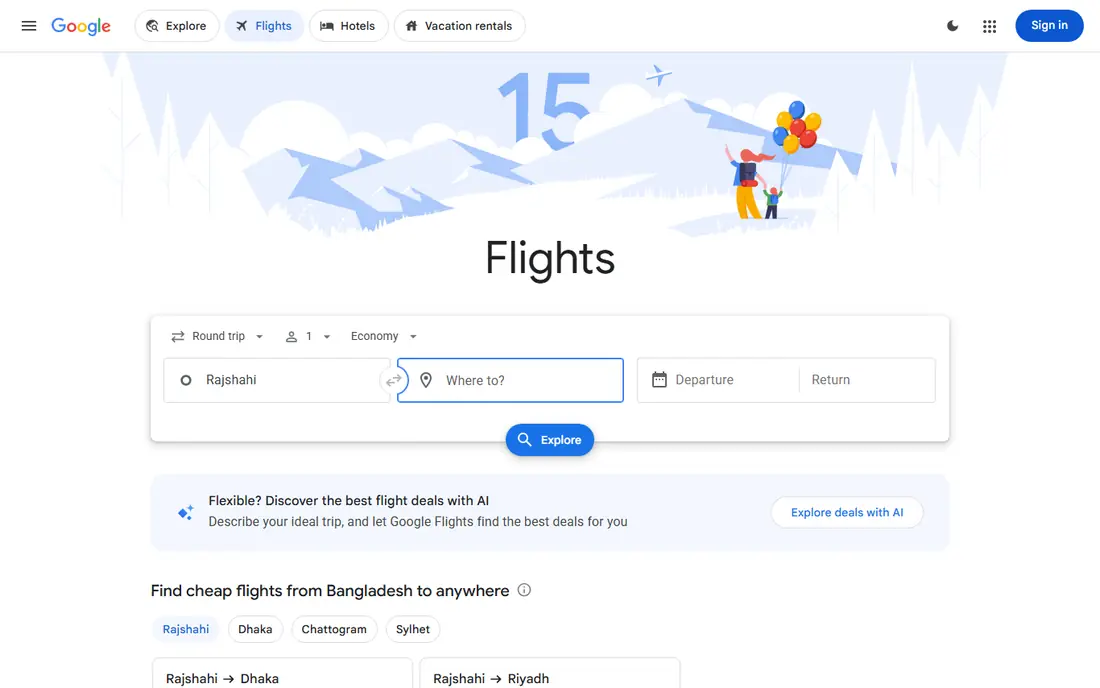
Google Flights is our pick for most travelers. Its date grid and price graph show at a glance whether shifting by a day or two saves money, and its Explore map helps when you know your budget but not your destination. Tracking a route is simple, and alerts arrive by email when a fare changes.
The main limit is form. On many phones Google Flights is a web tool rather than a dedicated app, which some travelers dislike, and it does not book flights itself: it links you to the airline or an agent. That is actually a strength for terms, because booking direct with the airline usually gives clearer change rules, but it means you need to complete checkout elsewhere.
- Fast, wide search with flexible date grids
- Price tracking by email
- Clear baggage and layover details
- Not a standalone app on all phones, it runs in a browser
- Booking links go to airlines or agents
- Price guarantee is limited by region
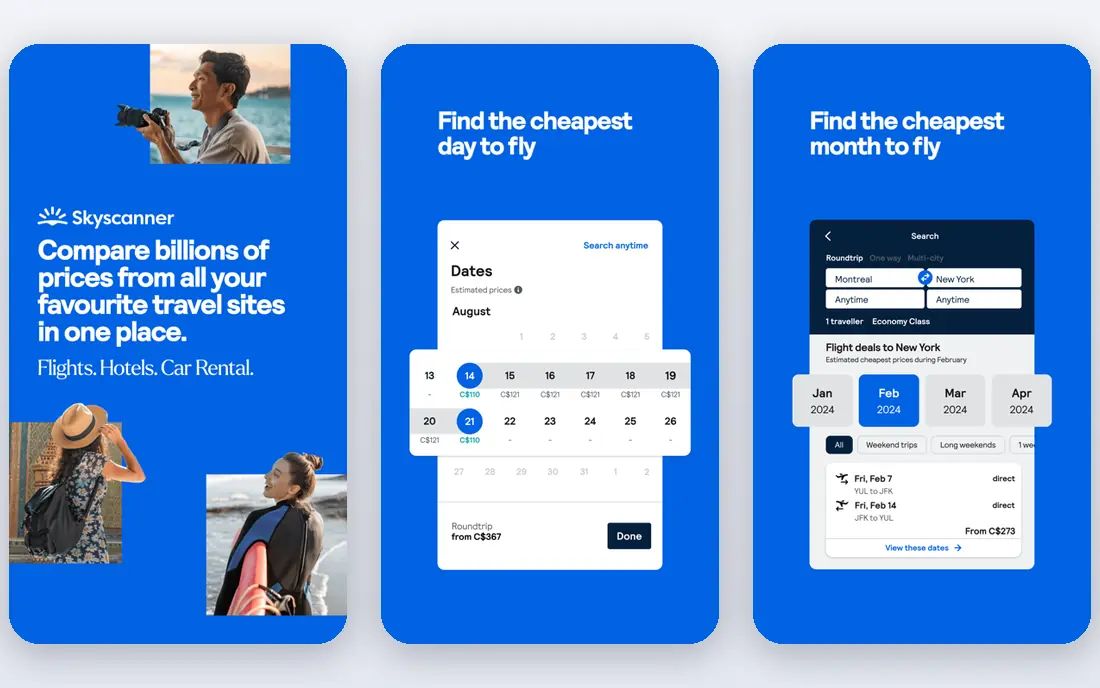
Skyscanner is the best cross check for Google Flights, especially for international and budget airline routes. It searches a wide set of airlines and online agents, and its whole month view makes flexible date savings obvious. For travelers flying from smaller airports or on low cost carriers, Skyscanner often surfaces options Google Flights shows less clearly.
Watch the booking source. The lowest fare may come from an agent with strict change rules or extra fees, so check the agent, baggage allowance and total price before you pay. When the airline direct fare is close, we would book direct for better support if a flight changes or is cancelled.
- Searches many airlines and agents worldwide
- Whole month view for flexible dates
- Price alerts by email and push
- Cheapest results often come from third party agents
- Booking terms vary by agent
- Some budget airline fees are not in the headline fare
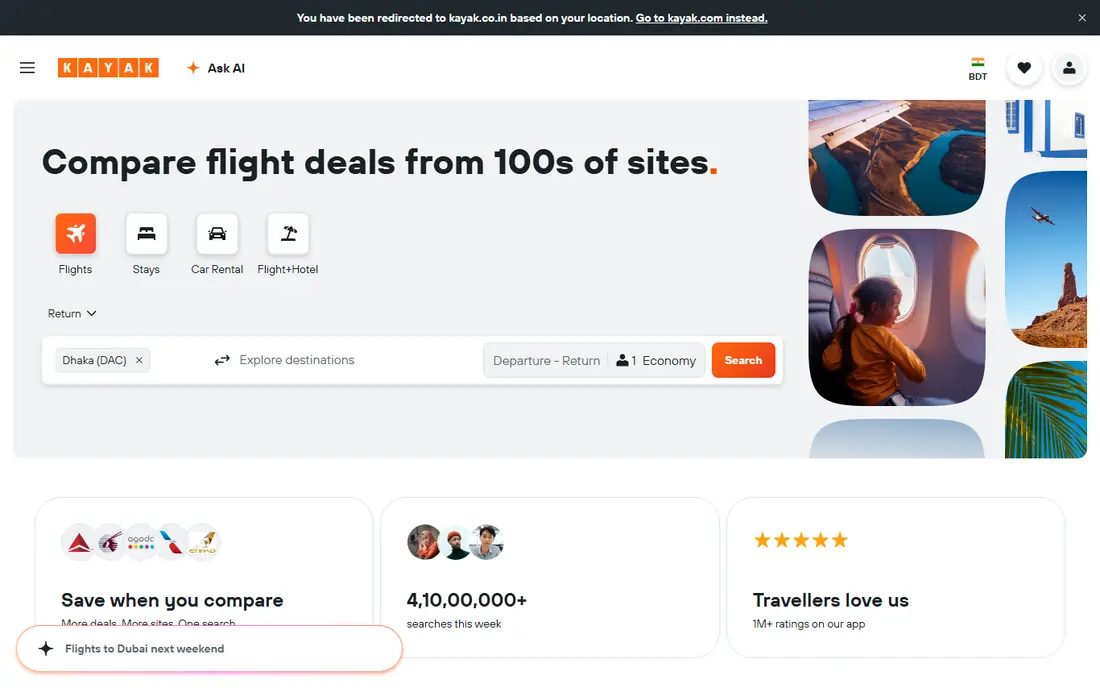
KAYAK suits travelers who want one app for a whole trip. It searches flights, hotels and rental cars, tracks prices for each, and offers a price forecast that suggests whether to book now or wait. That forecast is useful as a nudge, especially when a fare is already low and the risk of waiting is high.
Do not treat the forecast as a promise. Fares move for reasons no model can fully predict, from demand surges to schedule changes. Use KAYAK to compare and track, set an alert for your route, and book when the price fits your budget and your dates, rather than waiting for a forecast that may not come true.
- Price forecast and buy or wait guidance
- Tracks flights, hotels and cars in one app
- Flexible search filters
- Forecast is a guide, not a guarantee
- Cheapest fares may be agent bookings
- App can feel busy with many options
Hopper is built for mobile first travelers who want a simple answer: book now or wait. Its calendar shows price levels by date, and its watch feature sends push alerts when a watched trip changes. For a traveler who checks fares on a phone and wants a nudge at the right moment, Hopper is easy to use.
The trade off is booking. Hopper books in app, which is convenient, but the terms for changes and cancellations may differ from booking direct with the airline. Optional add ons for flexibility and protection also add cost, so check the final total and the terms before you confirm. Use Hopper for predictions and alerts, and compare the airline direct price before you pay.
- Clear buy or wait advice with color coded calendars
- Push alerts for watched trips
- Hotel and car price tracking
- Books in app, so airline direct terms may differ
- Optional paid add ons raise the total
- Predictions are estimates, not guarantees
Kiwi.com is the app for routes that standard search engines handle badly, such as multi city trips or journeys that combine airlines that do not codeshare. Its Nomad tool helps plan a route through several cities at a low total price, and it can surface combinations that save real money.
Read the ticket details with care. Some Kiwi routes use self transfers, where you collect bags and check in again, and a missed connection may not be protected in the way a single ticket would be. Check layover times, airport changes and baggage rules, and weigh the saving against the risk. For a simple direct flight, Google Flights or Skyscanner is usually simpler.
- Finds creative multi airline combinations
- Nomad tool for multi city trips
- Price alerts available
- Self transfer routes can mean separate tickets and missed connection risk
- Fees and terms need careful reading
- Support can be slower than airline direct
Flightradar24 does a different job from the other apps here, and it does it well. It tracks live flights on a map, shows delay and arrival information, and helps you time an airport pickup or check a disruption without calling the airline. For frequent flyers and for families meeting a traveler, it is a useful companion app.
Do not expect it to find cheap fares. Flightradar24 is for tracking, not booking, so pair it with Google Flights or Skyscanner for search. The free tier covers basic tracking, while paid tiers add history, alerts and extra layers. If you only fly a few times a year, the free tier is usually enough.
- Live aircraft tracking on a map
- Delay, gate and arrival information
- Useful for pickups and disruptions
- It is not a fare search or booking app
- Full features need a paid plan
- Coverage varies for smaller aircraft
Going, formerly Scott's Cheap Flights, is for travelers who are flexible about where they go. Instead of searching a route, you set your home airports and receive curated deal alerts, including mistake fares and low prices you might not have searched for. For a traveler with flexible dates and an open mind, Going can spark trips that a search engine would never suggest.
It is not a replacement for search. If you must fly to a specific city on specific dates, Google Flights or Skyscanner is the right tool. Going also focuses mainly on US departures, so international readers should check coverage for their airports. Paid tiers add more deals and premium alerts, but the free tier is enough to test whether curated alerts suit you.
- Hand picked deal alerts from your home airports
- Useful for flexible travelers
- Free tier for basic alerts
- Paid tiers needed for full deal access
- Deals are mainly from US departures
- Not a fare search engine
Trip.com is a useful addition for travelers flying in Asia or booking a trip that mixes flights, hotels and trains. Its app search covers many Asian carriers and routes that Western search engines sometimes show less clearly, and its price alerts help track a route over time. For a multi part Asia trip, Trip.com can simplify booking.
As with any agent, check the fare rules before paying. The lowest price may be non refundable or non changeable, and baggage may be limited. Compare the Trip.com total with the airline direct price, and book direct when the gap is small and flexibility matters. Use Trip.com for discovery and for routes where it clearly offers better coverage.
- Strong coverage for Asia routes
- App booking with hotels and trains in some regions
- Price alerts available
- Booking terms vary by fare and agent
- Customer support experience varies by region
- Cheapest fares may include strict rules
How we picked these
We compared official app listings, pricing pages and feature lists, and we favored apps that are still operating, that search widely, and that explain booking sources and fees. We did not claim hands on testing, and we did not treat a price forecast as a guarantee, because fares change for many reasons that no app controls.
We included Flightradar24 and Going even though they do not book flights in the usual way, because many readers searching for a flight app want tracking or deal alerts as part of the job. A list that only included search engines would miss those needs.
What to check before you book
Compare the total, not the headline fare
Baggage, seat selection, booking fees and payment fees can turn a cheap headline fare into an expensive trip. Check the total at checkout, including bags you will actually take, and compare the same fare across the airline direct site and the app.
Book direct when the gap is small
Airline direct bookings usually give clearer change and cancellation terms and faster help during disruption. If an agent fare is only a little cheaper, the direct booking is often worth it. If the agent saving is large, read the agent terms fully before you pay.
Set alerts early and act on them
Set price alerts as soon as you know your route, even if dates are flexible. Alerts work best when you have a target price and a plan to book when it arrives, rather than watching fares drift for weeks. For domestic trips, start six to eight weeks out, and for international trips, start two to three months out.
Check layovers, airports and baggage
A cheap fare with a short layover, an airport change or a self transfer can cost more in stress and missed connections than it saves. Check layover length, airport codes, terminal changes and baggage allowance, especially on budget and multi airline routes.
Frequently asked questions
What is the best flight app for cheap flights?
Google Flights and Skyscanner are the best free starting points for most travelers, with KAYAK and Hopper adding forecasts and alerts. Compare at least two search apps for the same route, because each searches a slightly different set of airlines and agents.
Is Google Flights an app?
Google Flights runs mainly as a web tool, though it works well in a mobile browser and can be saved to a home screen. It offers search, flexible date grids and email price tracking, but it does not book flights itself. It links you to the airline or an agent to complete checkout.
Should I book through an app or direct with the airline?
Book direct when the price gap is small, because change and cancellation terms are usually clearer and support is faster during disruption. Use an app or agent when the saving is large or the route is complex, but read the fare rules and total price before paying.
Do price alerts really save money?
Yes, when you act on them. Alerts remove the need to check fares manually and catch drops you would miss, but they only save money if you book when a good price arrives. Set a target price in advance so an alert becomes a decision, not another notification to ignore.
What is the best app for tracking a flight?
Flightradar24 is the best dedicated tracking app, with live maps, delay information and arrival times. It does not search fares, so pair it with a search app for booking. Airlines also offer tracking in their own apps, which can be useful for gate and baggage details.
Can flight apps predict whether fares will fall?
They can estimate, but they cannot guarantee. Forecasts from Hopper and KAYAK use past price patterns, yet fares also move with demand, schedule changes and events. Treat a forecast as guidance, and book when the price fits your budget and dates.
Sources we checked (8)

Online Jobs is an independent blog about careers, online work, learning new skills and the tools that help people earn. More about us.
Keep reading
All posts
Best Travel Apps
Looking for the best travel apps in 2026? We compared 10 travel apps for flights, hotels, maps, itineraries and data abroad on price and features. Read on.

Best Travel Apps for Planning
Looking for the best travel apps for planning? We compare 9 trip planning apps on itineraries, maps, road trip routes, budgets, and offline access for trips.

Best Road Trip Apps
Compare the best road trip apps for planning, navigation, gas prices, camping, and audio tours, with free plans and honest limits for each app for drivers.