Best Apps for Tracking Flights in 2026: 7 Apps Compared

How we put this together: we compare official feature and pricing pages, app store listings, privacy policies and public user reviews. Prices change, so check the provider's site before you pay.
Key takeaways
- Flightradar24 and FlightAware are the best free starting points, with live global maps and free alerts.
- Flighty has the fastest, most detailed alerts for your own flights, but it only works on Apple devices.
- byAir is the closest cross-platform alternative to Flighty, with live tracking and airport guides on both iOS and Android.
- TripIt and KAYAK Trips suit travellers who want flight tracking inside a full itinerary, not a standalone radar.
Quick comparison
| Name | Who it suits | Starting price | Free option | |
|---|---|---|---|---|
 Flightradar24 Flightradar24 | Best free live flight map | Free | Yes | Visit |
 FlightAware FlightAware | Free alerts and airport data | Free | Yes | Visit |
 Flighty Flighty | Fastest alerts for your own flights | $59.99 per year | Yes | Visit |
 Plane Finder Plane Finder | Simple global plane map | Free | Yes | Visit |
 TripIt TripIt | Flight tracking inside an itinerary | $49 per year | Yes | Visit |
 KAYAK Trips KAYAK Trips | Free itinerary with flight alerts | Free | Yes | Visit |
 byAir byAir | Cross-platform Flighty alternative | $47.99 per year | Yes | Visit |
The best apps for tracking flights in 2026
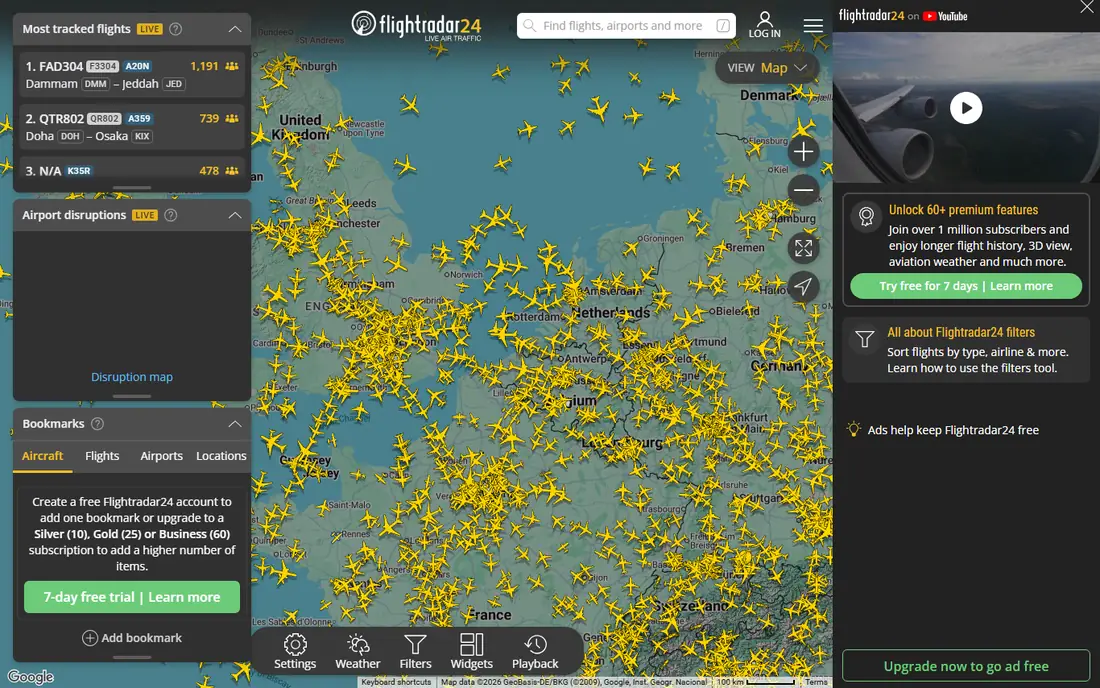
Flightradar24 is the app most people picture when they think of flight tracking. Its live map shows aircraft moving around the world in real time, and tapping any plane reveals its route, speed, altitude, aircraft type and registration. Point your phone at the sky with the AR view and it labels the plane overhead, which is a delight for curious kids and aviation fans alike. The free version covers basic tracking well, and the app runs on iOS and Android.
Paid tiers start with Silver at around 1.49 dollars per month on annual billing, which removes ads and extends flight history to 90 days, while Gold at around 3.99 dollars per month adds weather layers, air traffic control boundaries and 365 days of history. The free version times out after a while and shows ads, so heavy users will feel the nudge to pay. For watching any flight on a map, free or paid, Flightradar24 remains the benchmark.
- Huge live global map
- AR view to identify planes overhead
- Detailed aircraft data
- Long flight history on paid tiers
- Free version has ads and session limits
- Weather layers need Gold
- Map needs a modern browser on the web
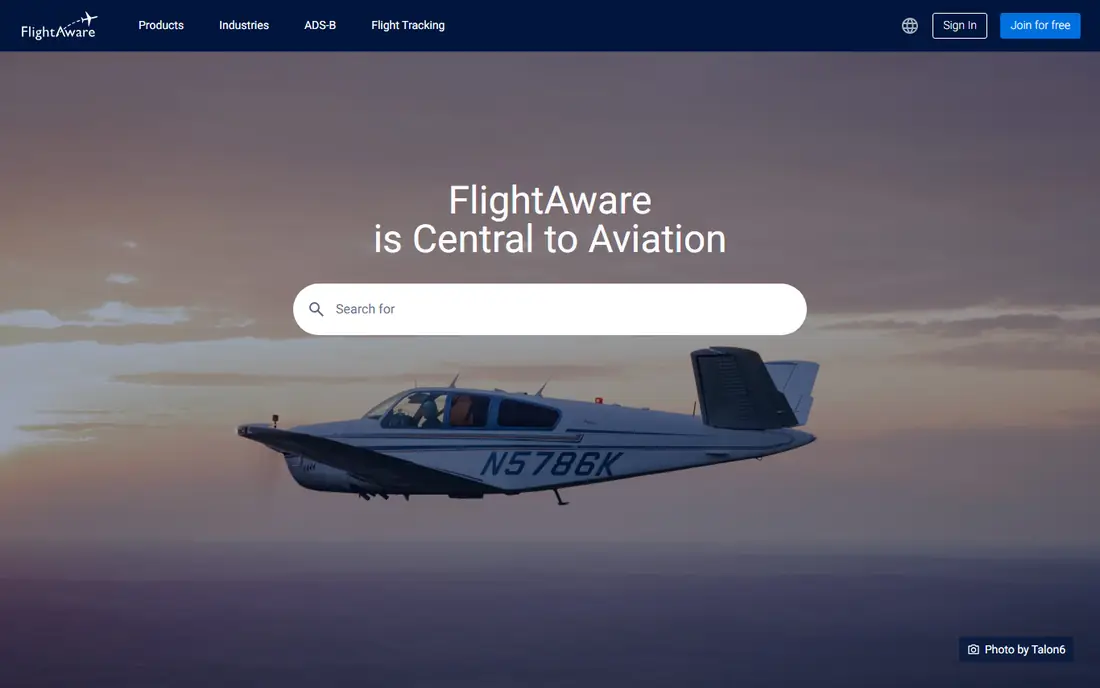
FlightAware is the practical free alternative to Flightradar24. Its app tracks any commercial flight worldwide in real time, plus general aviation in the United States and Canada, and it sends free alerts for departures, arrivals, cancellations, gate changes, delays and diversions. A full-screen map with a weather radar overlay helps you see why a flight is delayed, and the "Where is my plane" view shows the inbound aircraft for your flight.
The basic free plan includes a small number of global flight tracking alerts, with unlimited alerts reserved for premium tiers, and there is a paid option to remove ads. FlightAware's interface is more functional than beautiful, and it will not win a design contest against Flighty. But if you want reliable free alerts and solid airport delay data without paying, FlightAware is the most capable free tracker here.
- Free flight status alerts
- Weather radar overlay
- Airport delay information
- Tracks private and charter flights
- Interface feels more functional than polished
- Premium tiers add cost for heavy alert users
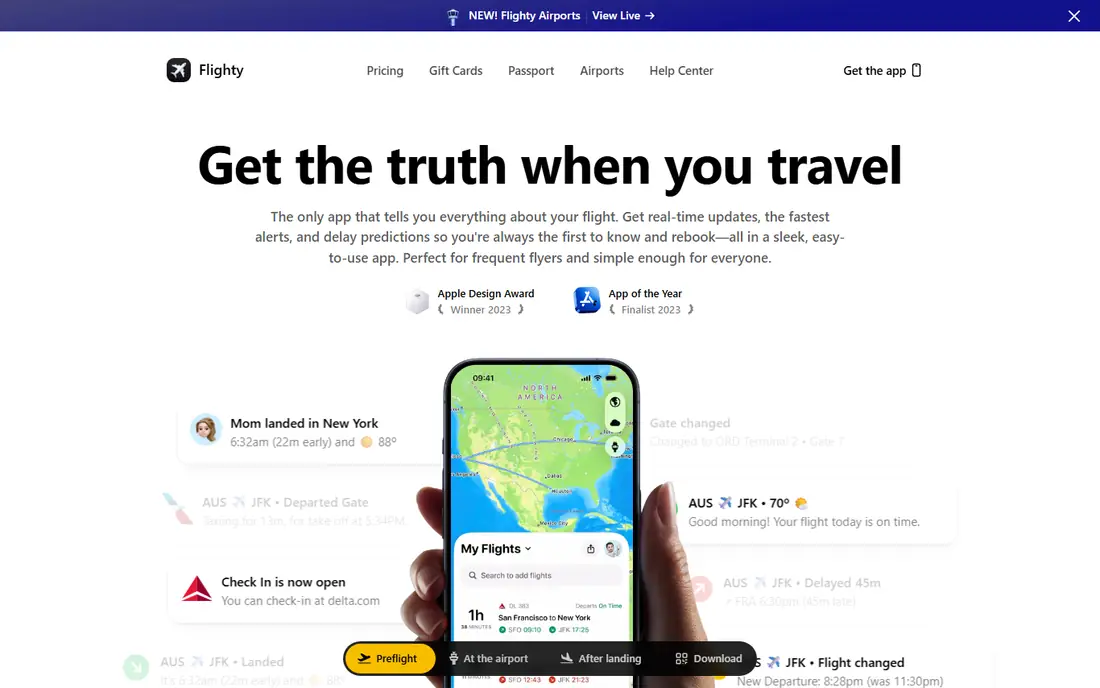
Flighty is the app frequent flyers swear by. It follows your own flights rather than the whole sky, and its Pro alerts cover more than 65 alert types, including delay predictions, gate predictions, tail-number assignments and baggage carousel assignments. Many users report learning about delays from Flighty before the airline announces them, and the Connection Assistant judges whether a tight connection is still possible as conditions change. The free version includes unlimited flight tracking and live flight sharing, and every Pro feature is free for your first flight.
Pro costs 59.99 dollars per year, shown as 4.99 dollars per month on annual billing, with weekly, lifetime and family options also offered. The hard limit is platform. Flighty works on iPhone, iPad, Apple Watch and Mac, and there is no Android version. If you live in Apple's world and fly more than a few times a year, Flighty is worth every cent. Android users should look at byAir instead.
- Alerts often beat the airlines
- Delay and gate predictions
- Connection Assistant
- Live Activities and Where's My Plane
- Apple devices only
- Full alerts need Pro
- Free tier is limited to basic tracking
Plane Finder has tracked live flights since 2009 using its own worldwide network of receivers picking up ADS-B and MLAT signals from aircraft. The app shows a clear global map with 2D, 3D and satellite views, plus an AR view that identifies planes overhead through your camera, and tapping an aircraft shows its model, speed, altitude and registration. A free Lite version carries adverts, while in-app purchases range from 1.99 to 19.99 dollars per item.
Plane Finder is simpler than Flightradar24 and less alert-focused than FlightAware, which is exactly its appeal for casual plane watchers and families following a relative's flight. It will not predict your delay or manage your connection. For opening a map, finding a plane and watching it land, it does the job with minimal fuss and no subscription pressure.
- Clear global map with 2D, 3D and AR views
- Own ADS-B tracking network
- No subscription required for basic use
- Free app has adverts
- Alert features are thinner than FlightAware
- Web map needs WebGL support
TripIt takes a different route to flight tracking. Forward a booking confirmation email and it builds a master itinerary for the whole trip, covering flights, hotels, car rentals and activities in one place, with calendar sync and sharing. The free tier covers itinerary organisation, inbox import, maps and document uploads, which is enough for travellers who mainly want their bookings in one place.
TripIt Pro costs 49 dollars per year with a 30-day free trial, and it adds the flight tracking features: real-time flight alerts, alternate flight suggestions when plans change, check-in reminders, terminal and gate information, baggage claim details, fare tracking and seat tracking. If you already live inside TripIt, Pro is a natural upgrade. If you only want to watch one flight on a map, Flightradar24 or FlightAware will serve you better for free.
- Builds itineraries from confirmation emails
- Pro adds real-time alerts, fare and seat tracking
- Airport navigation
- Real-time flight alerts need Pro
- Free tier has no live alerts
- More organiser than radar
KAYAK Trips is the free itinerary tracker inside the KAYAK app. Forward booking confirmations to [email protected] or sync your email account, and it builds an itinerary with real-time flight status, gate change and baggage claim notifications, plus airport terminal maps and security wait times. Trips work offline, so you can check your itinerary without signal, and you can share plans with friends and family.
The price is hard to argue with, since KAYAK Trips is completely free and works across devices. The limit is scope. Tracking centres on your own bookings, so it is less useful for watching a relative's flight or browsing the skies than Flightradar24 or Plane Finder, and there is no global live radar map. For a traveller who already uses KAYAK to search fares, Trips adds flight tracking without another app or subscription.
- Completely free
- Flight and gate change notifications
- Offline itinerary access
- Price tracking on saved searches
- Tracking is tied to your bookings
- No global live radar map
- Weaker for watching other people's flights
byAir is the answer for Android users who want Flighty-style tracking. It covers your own flights with real-time status, terminal, gate and baggage information, plus a live airport flight board updated every minute, airport guides with security lane and food tips, transport options and destination weather and time zone details. It runs on iOS, Android, Apple Watch and Wear OS, and it can import flight history from other trackers.
A free basic tier covers core tracking, while byAir Pro costs around 47.99 dollars per year and adds live push notifications, unlimited flight history and advanced features. The app is completely ad-free, which sets it apart from most free trackers. byAir is newer and has a smaller community than Flighty, so its delay predictions have less public track record. For a cross-platform household or an Android user who wants a personal flight tracker, it is the strongest pick here.
- Works on iOS and Android plus watches
- Live flight board updated every minute
- Airport guides and transport info
- Ad-free
- Smaller user base than Flighty
- Delay alerts need Pro
- Newer app with fewer years of polish
How we picked these
We started from the flight tracking apps that appear most often in traveller recommendations, then checked each one against its own homepage, pricing page and app store listing. An app only made the list if it tracks flights in real time and is still available and working in October 2026. We compared live map quality, alert speed and depth, delay predictions, airport information, platform availability and price, and we noted where a headline feature sits behind a paid tier.
We did not fly with these apps ourselves, and we do not claim otherwise. Our comparisons rest on official feature pages, pricing pages and public reviews. Prices in dollars are the US list prices shown by the vendors, and in-app purchase prices can vary by region and store. One app we considered, App in the Air, was left out because its homepage returned only a redirect notice with no readable content, so we could not confirm it as required.
How to choose a flight tracking app
Watching a flight or flying yourself
If you are meeting someone or watching planes, pick a map-first app. Flightradar24 gives the richest map, FlightAware gives the best free alerts, and Plane Finder gives the simplest experience. If you are the passenger, pick a trip-first app. Flighty gives the fastest alerts on Apple devices, byAir gives the closest experience on Android, and TripIt or KAYAK Trips fold tracking into a full itinerary.
Alerts matter more than maps on travel day
On the day itself, the alert is the product. Check whether delay, gate and cancellation alerts are free or paid, and how many alerts the free tier allows. FlightAware gives free alerts, Flighty's best alerts need Pro, and TripIt's live alerts need Pro too. Set up alerts for your flight and for the inbound aircraft where the app supports it, since the inbound plane's delay is often the earliest warning yours will be late.
Free tier first, then pay for predictions
Most travellers do fine on a free tier. Start with Flightradar24 or FlightAware for map watching, or KAYAK Trips for itinerary tracking, and only pay when a specific feature earns it. Flighty Pro earns its price through delay predictions and Connection Assistant for frequent flyers, while byAir Pro earns its price for cross-platform households. Check the annual price against how many trips you actually take.
Check platform and offline support
Flighty is Apple only, so Android users should not start there. If you travel somewhere with patchy signal, offline access matters: KAYAK Trips works offline for itineraries, and Plane Finder offers an offline mode for recently viewed flight data. Download your itinerary and boarding passes before you leave, whatever app you choose.
Frequently asked questions
What is the best free app for tracking flights?
Flightradar24 and FlightAware are the best free options. Flightradar24 has the richest live map and AR plane identification, while FlightAware has stronger free flight status alerts and airport delay information. KAYAK Trips is the best free option if you want tracking inside an itinerary rather than a radar map.
Which flight tracking app has the most accurate alerts?
Flighty is widely reported to send delay and gate alerts before airlines announce them, thanks to its delay predictions and inbound aircraft tracking. FlightAware also provides reliable free alerts for departures, arrivals, cancellations, gate changes and delays. No app is perfect, so keep the airline app installed for official rebooking and check-in.
Is Flighty available on Android?
No. Flighty works on iPhone, iPad, Apple Watch and Mac only. Android users who want a similar personal flight tracker should try byAir, which covers iOS and Android plus watches, or use Flightradar24 or FlightAware for map-based tracking and free alerts.
Can I track a flight without knowing the flight number?
Yes, most of these apps let you search by route, airport or airline if you do not know the flight number. FlightAware has a flight finder that works from origin and destination, and map apps let you browse departures and arrivals at an airport. A flight number still gives the fastest and most reliable match.
Do flight tracking apps work offline?
Partly. KAYAK Trips lets you view itineraries and airport maps without internet, and Plane Finder offers offline access to recently viewed flight data. Live maps and fresh alerts need a connection, so download what you need before you travel and rely on saved itineraries when signal is poor.
Sources we checked (7)

Online Jobs is an independent blog about careers, online work, learning new skills and the tools that help people earn. More about us.
Keep reading
All posts
Best Travel Apps
Looking for the best travel apps in 2026? We compared 10 travel apps for flights, hotels, maps, itineraries and data abroad on price and features. Read on.

Best Travel Apps for Planning
Looking for the best travel apps for planning? We compare 9 trip planning apps on itineraries, maps, road trip routes, budgets, and offline access for trips.

Best Road Trip Apps
Compare the best road trip apps for planning, navigation, gas prices, camping, and audio tours, with free plans and honest limits for each app for drivers.